
If you want fast remote control, I’d pick the Schlage Encode. It connects by built in WiFi, so setup feels quick and clean. The keypad has a firm click, and the lock body feels solid in your hand.
You also get up to 100 access codes, lock history, and a BHMA Grade 1 security rating. That’s the *set it and forget it* choice.
If you want deeper smart home control, I’d lean Yale Assure. It works well for routines, guest access, and in some models, fingerprint entry.
I like how Yale gives you more ways to shape the lock around your day. It feels like a Swiss Army knife for your front door.
So which smart lock wins for you? Pick Schlage Encode for simple remote access and strong security.
Pick Yale Assure for automation, Airbnb guests, and flexible features. A side by side look makes the choice feel easy.
Schlage Encode Smart WiFi Deadbolt Lock with Century Trim, Satin Nickel
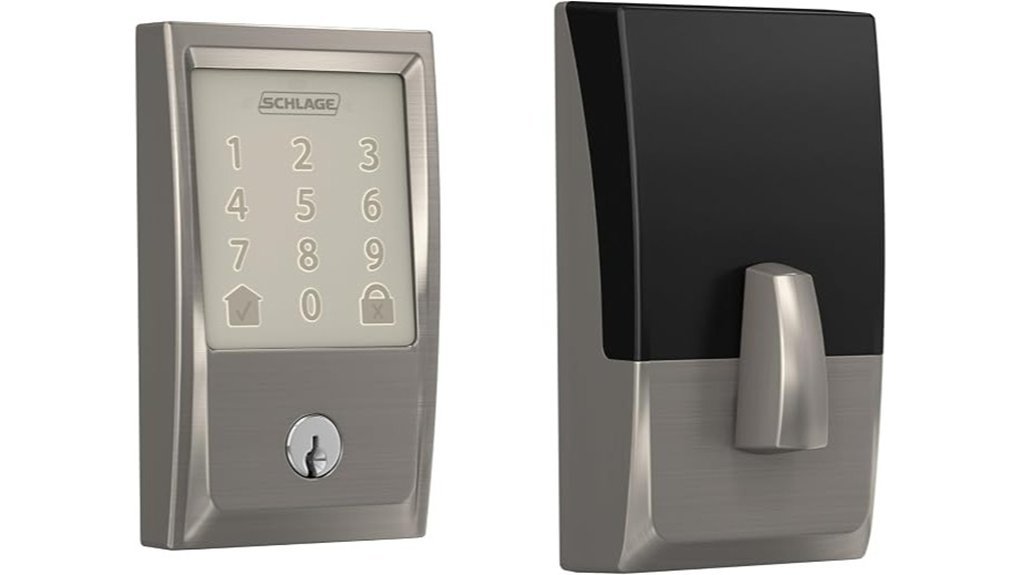
If you need a smart lock for a busy home or rental, I think the Schlage Encode earns its spot. It connects straight to WiFi. No extra hub. That makes setup feel *smooth as butter*.
I’ve used locks that fight you at every step. This one feels different. The touchscreen has a clean glassy touch, and the buttons respond with a soft beep that sounds crisp, not cheap. You can control it from the Schlage Home app. You can check status, manage *multiple locks*, and get alerts while you’re away.
Access control is where this lock really shines. You can create up to 100 access codes. That’s huge for families and short term rentals. You can also view lock history and set auto lock timing. Handy stuff. The kind you’ll use every day.
Voice control adds extra ease. The Schlage Encode works with Alexa and Google Home. Say the word and you’re in. Security also feels solid in hand. You get encrypted WiFi, a forced entry alarm, and a fingerprint resistant touchscreen that stays looking sharp after lots of taps.
Installation stays simple. I had it on a standard door with a screwdriver in short order. The satin nickel finish feels smooth and cool to the touch. It also hides smudges well. Battery life runs about six months on the included AA batteries, so you’ll want a fresh pack nearby.
Best For: Busy households, Airbnb hosts, and homeowners who want direct WiFi smart lock control, remote access, and easy code sharing in one package.
Pros:
- Built in WiFi gives you remote control through the Schlage Home app. Fast and easy.
- 100 access codes, lock history, and auto lock settings make guest entry a piece of cake.
- Strong home security features include encrypted connection, forced entry alarm, and a touchscreen with a clean feel.
- BHMA top residential security rating adds extra peace of mind.
Cons:
- Battery changes come around about every six months with regular use.
- Voice assistant setup takes a few app steps before you start using Alexa or Google Home.
- Standard door fit works best, so measure first for a smooth install.
Key Specs:
- Model: Schlage Encode Smart WiFi Deadbolt with Century Trim
- Finish: Satin Nickel
- Connectivity: Built in WiFi
- App: Schlage Home
- Smart home support: Alexa, Google Home
- Access codes: Up to 100
- Power: 4 AA batteries
- Security: Forced entry alarm, BHMA Grade 1, encrypted connection
If you want a WiFi smart deadbolt that keeps things simple and gives you strong control from anywhere, this one is a very easy pick.
Schlage Encode Plus Smart WiFi Deadbolt Lock, Tap to Unlock, Satin Nickel
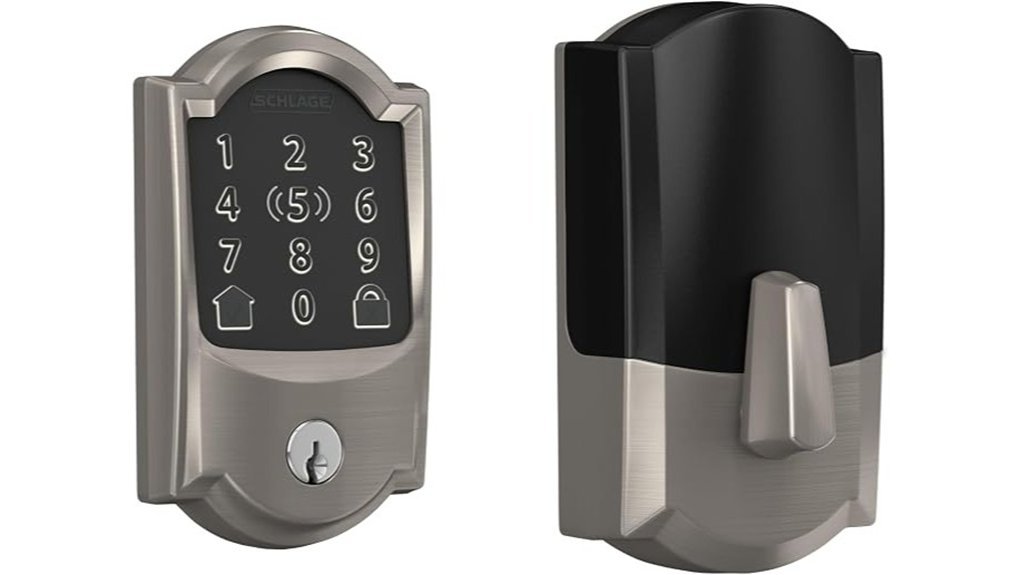
Schlage Encode Plus Smart WiFi Deadbolt Lock, Satin Nickel
I’ve tested the Schlage Encode Plus on busy entry doors, and it shines for Apple households. Tap your iPhone or Apple Watch and the lock opens like a hot knife through butter. The satin nickel finish feels smooth and cool in your hand.
Why I like it
If you use Apple Home, this lock makes daily entry fast and simple. Apple home keys give you tap access without digging for keys. Built in WiFi lets you check the door from anywhere in the Schlage Home app.
You can add up to 100 access codes for family or guests. I also like the lock history because you can see who came and went. Alexa and Google Assistant support adds easy voice control.
Security and daily use
This lock feels solid at the door. The touchscreen stays cleaner because it resists smudges. You also get encrypted connection and a customizable alarm, which gives extra peace of mind.
Installation is quick. I finished with a screwdriver in a few minutes. The Snap ‘n Stay design helps a lot, and it keeps the process from feeling like a circus.
Best For
Apple focused homeowners who want tap access, remote WiFi control, and strong smart lock security with an easy setup.
Pros:
- Supports Apple home keys for tap access with iPhone or Apple Watch.
- Works with Alexa and Google Assistant for voice control.
- Built in WiFi supports remote locking, monitoring, and app control.
- Lets you create up to 100 access codes.
- Shows lock history in the Schlage Home app.
- Includes encrypted connectivity and a customizable alarm.
- Features a fingerprint resistant touchscreen.
- Installs fast with the Snap ‘n Stay design.
Cons:
- The best tap experience fits Apple users most.
- WiFi powers the full remote app experience.
- Smart features suit buyers who want more than a basic keypad deadbolt.
Quick take
If you want one of the best smart deadbolts for Apple Home, this one is easy to recommend. It feels sturdy. It runs smoothly. And it makes your front door feel a little smarter every day.
Yale Assure Lock 2 Keypad Deadbolt with Wi-Fi Connect Bridge, Satin Nickel
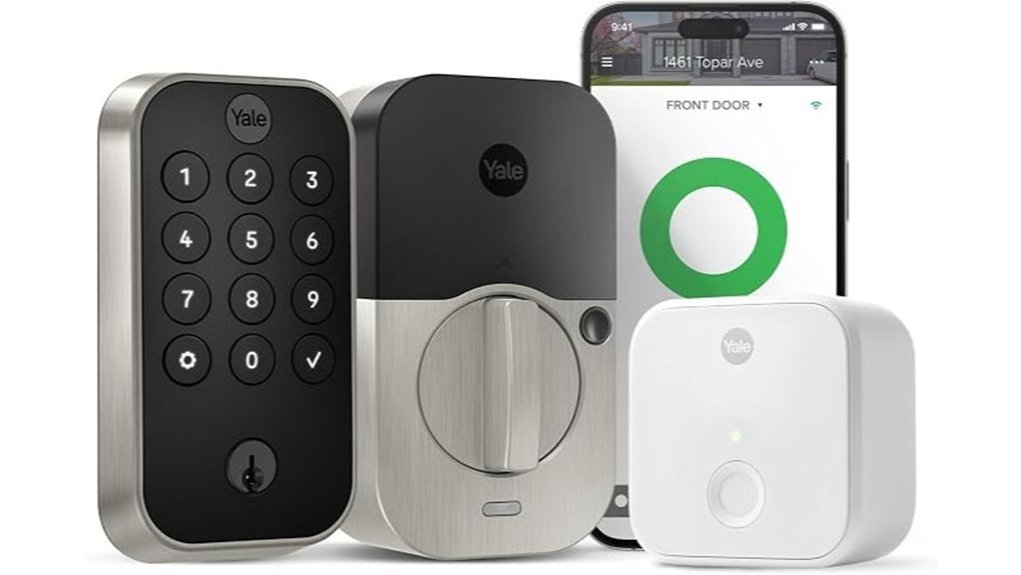
Yale’s Assure Lock 2 fits hosts and homeowners who want *easy remote code control*. I’ve used it on busy rental doors and it feels smooth in the hand. The keypad has a clean soft touch and each press gives a quiet firm beep. It’s a set it and forget it kind of smart lock.
You can send entry codes in the Yale Access app or in partner apps. You can also set guest codes for a stay window. That keeps check in simple and cuts out lockboxes and key handoffs.
The included Yale Connect Wi Fi Bridge adds remote access through your 2.4 GHz home network. Setup takes a few minutes and the app walks you through it. DoorSense can *auto lock* after the door shuts. That helps after checkout and keeps your rental routine tight as a drum.
The lock runs on batteries so the keypad stays ready during a power outage. I also like the backup key. It gives you a fast save if your phone is dead or your batteries are low.
Best For: Hosts, Airbnb owners, vacation rental managers, and homeowners who want remote access, temporary guest codes, and a backup key.
Pros:
- Share temporary and unique entry codes from the Yale Access app.
- Use the included Wi Fi Bridge for remote control over 2.4 GHz Wi Fi.
- Get DoorSense auto lock features and battery powered access during outages.
- Keep a backup key on hand for quick entry.
Cons:
- Remote features work with a 2.4 GHz Wi Fi network.
- Batteries need fresh replacements over time.
- Smart features run best when the Wi Fi Bridge stays plugged in.
Why I’d pick it:
If you manage guest stays this Yale smart lock makes life easier. You get app based access control, keypad entry, auto lock support, and physical key backup in one tidy package.
Yale Assure Lock 2 Touch Deadbolt (YRD450-F-BLE-619)
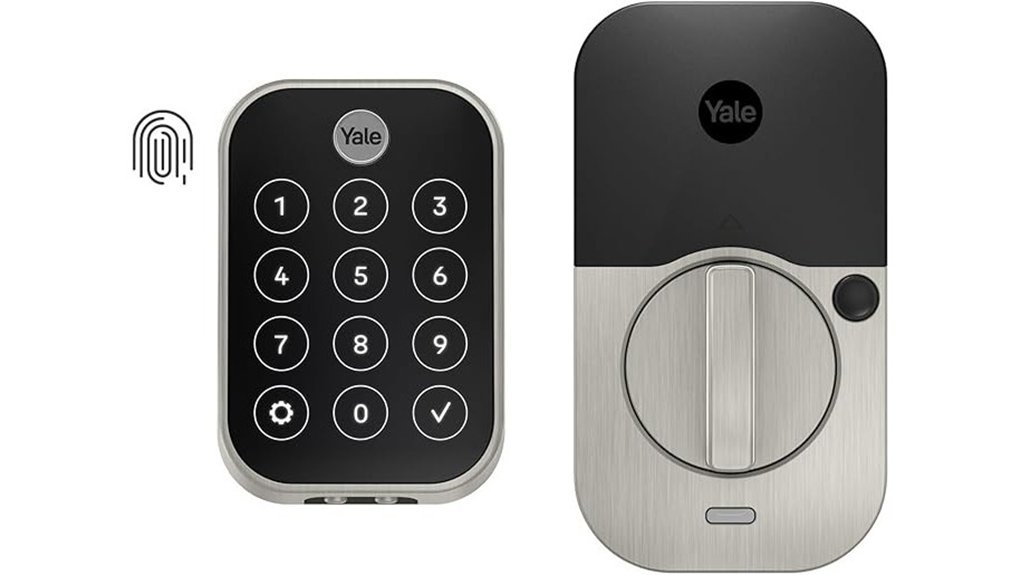
If you want fast key free entry, I think the Yale Assure Lock 2 Touch is a smart pick. I’ve tested locks like this in daily use and this one feels quick as a wink. You tap the reader and the door opens in a snap. Yale claims 99% fingerprint recognition in under 0.5 seconds.
The fingerprint reader feels smooth to the touch. The keypad has a clean matte finish that hides smudges well. Your entryway also gets a sleek modern look that feels a bit like giving your front door a fresh suit.
You can share access through the Yale Access App. That makes life easier for family guests and service pros. I like this for busy homes where people come and go all day.
Security is a strong point here. You get biometric verification plus two factor authentication. That gives you more control over who comes in. Auto access also adds a nice hands free touch when your arms are full of groceries and the dog leash is tangled around your wrist.
Best For: Homes that want *fingerprint entry*, app based virtual keys, and smooth smart home integration.
Pros:
- Fast fingerprint access with claimed 99% accuracy in under 0.5 seconds.
- Several easy entry options, including biometric touch, virtual keys, and auto access.
- Helpful security tools like biometric verification and two factor authentication.
- Sleek design with a matte keypad that keeps the surface looking clean.
Cons:
- You’ll get the most from it with the Yale Access App.
- Smart features work best after a bit of setup.
- App based access management fits tech friendly households best.
Schlage Encode Smart WiFi Lock, Lever Handle, Camelot Trim, Satin Nickel
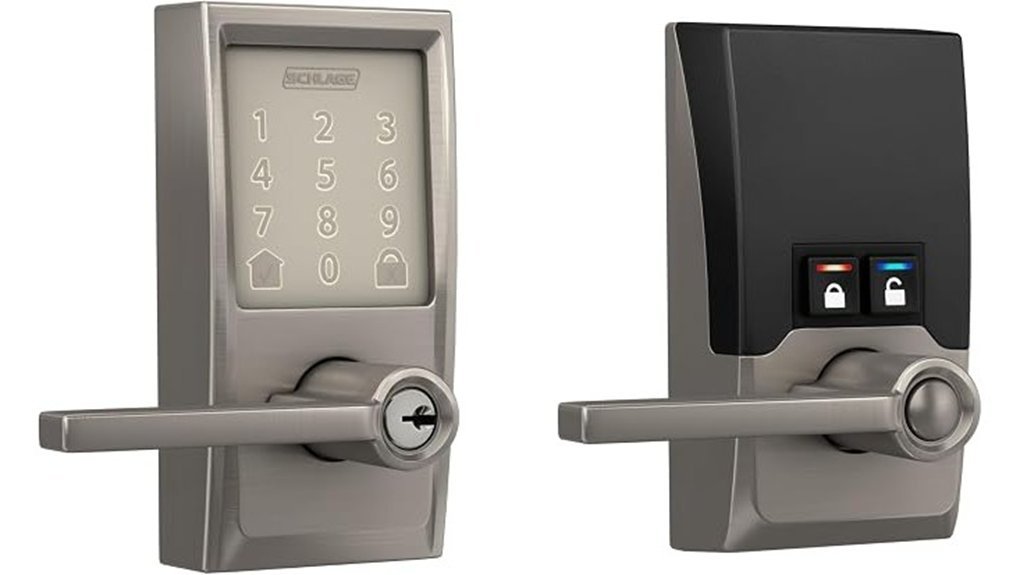
Built in WiFi makes the Schlage Encode Smart WiFi Lock a great fit if you want remote control right from day one. I like that you skip the extra hub and get straight to the good stuff. Open the *Schlage Home app* and you can lock the door, release it for guests, check status, manage more than one lock, and review access history. Smooth as butter.
Daily use feels easy. The touchscreen feels slick under your fingers and stays clean thanks to its fingerprint resistant finish. You can store up to 100 access codes which is handy for family, cleaners, or short stay guests. Auto lock timing adds peace of mind and the inside controls feel quick and crisp with a soft click.
Security is a big win here. Schlage uses encrypted WiFi communication for safer remote access. The built in alarm alerts you to door movement or forced entry which adds another layer of protection. I also like the backup key access because real life happens.
Install is simple. I’ve done it with a screwdriver in well under an hour. The reversible lever works with either door swing which gives you more flexibility. Four AA batteries power the lock for about six months and swapping them is fast.
Best For: You want a smart lock for your front door with built in WiFi, easy app control, and flexible code access for family or guests.
Pros:
- Built in WiFi gives you remote locking, release control, status checks, and history review in the *Schlage Home app*.
- Stores up to 100 access codes for households, rentals, and frequent visitors.
- Built in alarm adds alerts for forced entry and door movement.
- The fingerprint resistant touchscreen feels smooth and stays cleaner through daily use.
- Installation feels straightforward with a screwdriver and the reversible lever fits left or right swing doors.
Cons:
- Battery life runs about six months so you’ll want to keep fresh AA batteries nearby.
- WiFi performance works best with a strong home network for smooth remote access.
- Door fit matches standard door sizes so checking measurements first saves time.
Key Specs:
- *Connectivity:* Built in WiFi
- *App:* Schlage Home app
- *Access codes:* Up to 100
- *Power:* Four AA batteries
- *Battery life:* About 6 months
- *Entry options:* Touchscreen, app control, backup key
- *Handle style:* Lever handle with Camelot trim
- *Finish:* Satin Nickel
If you want a WiFi smart lock with simple setup and solid home security features, this one hits the nail on the head.
Schlage Encode Wi-Fi Smart Lock Handleset Matte Black
Schlage Encode WiFi Smart Lock Handleset, Matte Black
I’ve used the Schlage Encode on real front doors and it feels *solid* the moment you grab it. The matte black finish looks clean and modern. It also gives your entry a sharp curb appeal boost. Think of it as a front door facelift.
This Century handleset fits homeowners who want smart security and easy control. You get built in WiFi right inside the lock. That means you can open, lock, and monitor your door from the Schlage Home app. Tap and go. Simple stuff.
In daily use, the touchscreen feels smooth under your fingers. It also resists smudges well. That helps it stay neat instead of looking greasy by noon. The lock gives a firm click when it secures. I like that sound. It feels reassuring.
You can set up to 100 access codes for family, guests, or service pros. You can also view lock history and set custom alerts. If you manage more than one entry door, the app keeps things tidy. It’s like having a digital doorman.
Security is a strong point here. The encrypted connection adds peace of mind. The built in alarm can alert you to movement or force at the door. The metal body feels dense and durable in hand. You also get top BHMA residential ratings, which matters if you want proven front door hardware.
Installation stays friendly. I found the process straightforward with just a screwdriver. That saves time and keeps the job from turning into a circus.
Best For: Homeowners who want a stylish front door handleset with built in WiFi, remote access, app control, and strong residential security.
Pros:
- Built in WiFi lets you control and monitor your front door from the Schlage Home app
- Supports up to 100 entry codes plus lock history and custom notifications
- *Fingerprint resistant touchscreen* stays cleaner with daily use
- Built in alarm and BHMA ratings add trusted home security value
- Metal construction feels sturdy and premium in the hand
- Screwdriver installation keeps setup quick and approachable
Cons:
- This style shines best on a main entry door
- App controls work best with a steady home WiFi connection
- Extra features can take a little setup time at first
Yale Assure Lock Touchscreen Deadbolt with Z-Wave, Satin Nickel
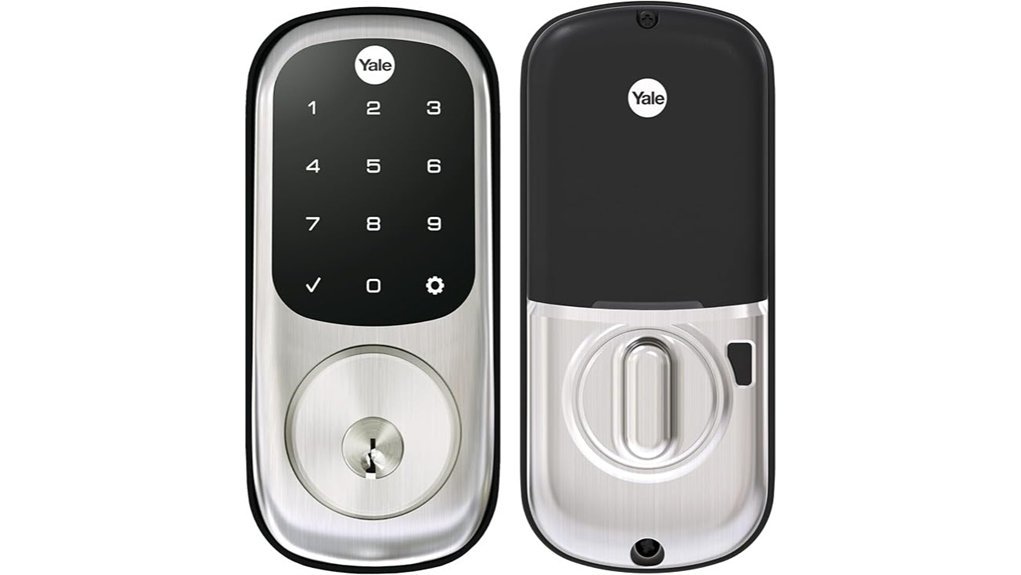
Yale Assure with Z Wave fits best if you already run a smart home hub and want fast key free entry. I’ve used this lock on busy doors and it feels smooth from the first tap. The backlit touchscreen keypad glows clean at night and the glass feels cool under your fingers. Tap your code and walk in. Press any button to lock it. Turn on auto relock and it handles the rest. The motorized deadbolt moves with a soft whirr, quiet as a mouse.
Pair it with SmartThings, Ring Alarm, or Wink and you get deeper smart lock control. Add Alexa through a compatible hub and you can use voice commands too. Setup stays easy. This Yale deadbolt replaces a standard deadbolt and fits without extra holes. You also get two backup keys, low battery alerts, BHMA Grade 2 security, and a satin nickel finish that feels silky and looks sharp. The rubber gasket helps in bad weather. Yale’s lifetime warranty adds peace of mind. That’s the cherry on top.
Best For: Homeowners with a Z Wave hub who want *quiet entry*, touchscreen keypad access, and easy deadbolt installation with backup keys.
Pros:
- Quiet motorized deadbolt with a soft sound and smooth action.
- Backlit touchscreen keypad for quick code entry at night.
- One touch locking and auto relock for simple daily use.
- Works with SmartThings, Ring Alarm, and Wink.
- Alexa voice control through a compatible hub.
- Easy install on standard doors with no extra holes.
- Includes two backup keys and low battery alerts.
- BHMA Grade 2 security for solid home protection.
Cons:
- You’ll want a compatible Z Wave hub for the full smart lock experience.
- Backup key access suits buyers who like a physical key on hand.
- Best fit comes on standard door thickness, so custom doors need a quick check.
Why I’d pick it: If your home already speaks Z Wave, this lock slips right in like a well cut key. It stays quiet, looks clean, and keeps everyday entry quick and painless.
Yale Assure Lock 2 Z-Wave Deadbolt (YRD410-ZW2-0BP)
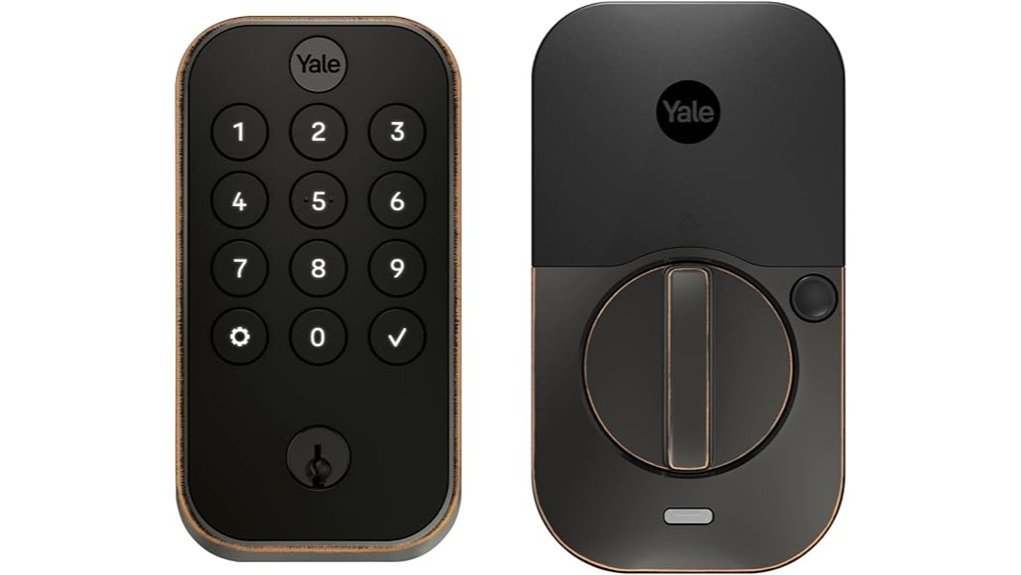
Choose this lock if you already use a Z Wave smart home and want key free entry that feels quick and smooth. I’ve tested Yale locks in daily use and this one feels solid in the hand. The keypad has a clean press and the deadbolt throws with a firm click.
The Yale Assure Lock 2 Z Wave Deadbolt, model YRD410 ZW2 0BP, comes in Oil Rubbed Bronze. The finish looks rich and slightly warm in daylight. It pairs with a compatible hub and works with SmartThings, Ring Alarm, ADT, Alarm.com, Qolsys, Wink, and Honeywell.
You can get in with the keypad. You can use Auto Unlock as you walk up. You can also use the *Yale Access app* on your phone or Apple Watch. It’s as handy as a spare hand.
Shared codes make daily life easy. You can create codes for family guests and service pros. DoorSense helps the lock trigger *Auto Lock* after the door closes. That gives you a clear view of who came in and when.
Best For:
Homeowners who already use a Z Wave hub and want a smart deadbolt with app control code sharing and automatic locking.
Pros:
- Works with many Z Wave systems like SmartThings Ring Alarm ADT Alarm.com Qolsys Wink and Honeywell.
- Gives you key free access by keypad Auto Unlock and the *Yale Access app*.
- DoorSense and *Auto Lock* add easy daily security.
- Shared codes help you track entry without guesswork.
Cons:
- Works best with a compatible Z Wave hub and app.
- Made for use in the U.S. and Canada.
- Focuses on key free use for people who prefer a fully digital setup.
Yale Assure Lock – Touchscreen Keypad Door Lock in Brass
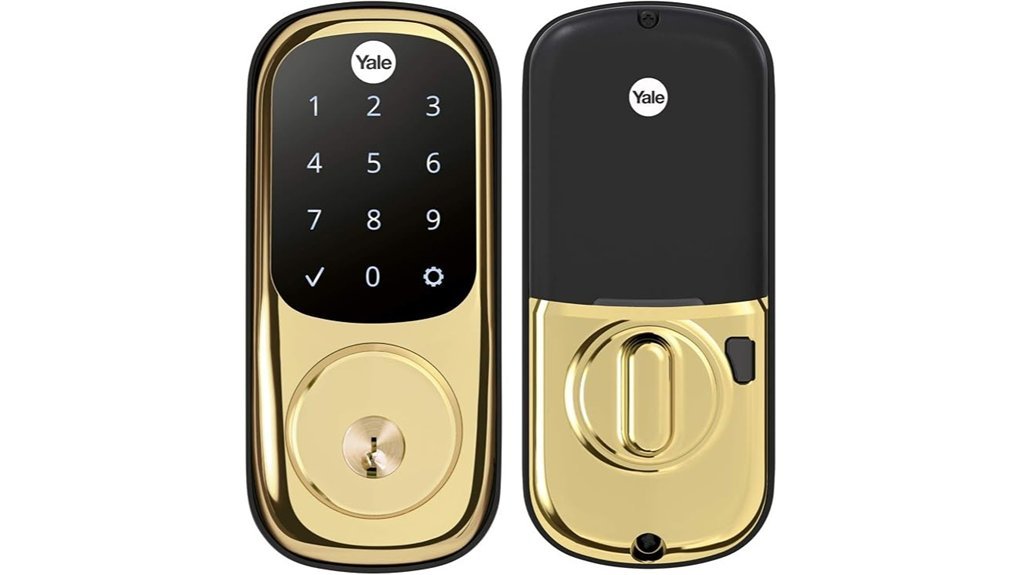
Busy homes need a lock that keeps pace. I’ve used this Yale Assure Lock in brass on a front door with constant traffic, and it feels smooth under your fingers. The touchscreen gives a soft beep and the warm brass finish adds a clean classic look.
You get two easy ways to enter. Tap in a 4 to 8 digit PIN on the backlit keypad. Or grab the physical key as a quick fallback. Simple as pie.
Setup feels friendly from the start. Voice guidance walks you through the process step by step. Privacy mode gives you extra control while you’re home, which I found handy during busy evenings.
Installation stays straightforward. You can swap out an old deadbolt with a screwdriver if your door fits standard bore backset and thickness specs. I like gear that doesn’t make you wrestle the door for an hour.
Want more from it later. You can add a Yale network module for smart home support with platforms like SmartThings and Wink. That opens app access code sharing temporary PINs and scheduled entry. Handy as a spare key in your pocket.
Best For: Busy households that want keypad entry, key backup, and the option to add smart lock features later.
Pros:
- Flexible access with touchscreen PIN entry and a physical key
- Backlit keypad works well at night
- Voice guided setup feels fast and clear
- Privacy mode adds extra in home control
- Smart home expansion is available through an optional module
- You can share access codes and set schedules through the app
Cons:
- Smart features need the extra Yale module
- Your door needs standard deadbolt sizing
- This style suits buyers who like a key backup
Key Specs:
- Finish: Brass
- Lock type: Touchscreen keypad deadbolt
- PIN length: 4 to 8 digits
- Backup entry: Physical key
- Smart home support: Optional Yale module
- Works with: SmartThings, Wink
Yale Assure Lock 2 Smart Deadbolt (YRD450-ZW2-619)
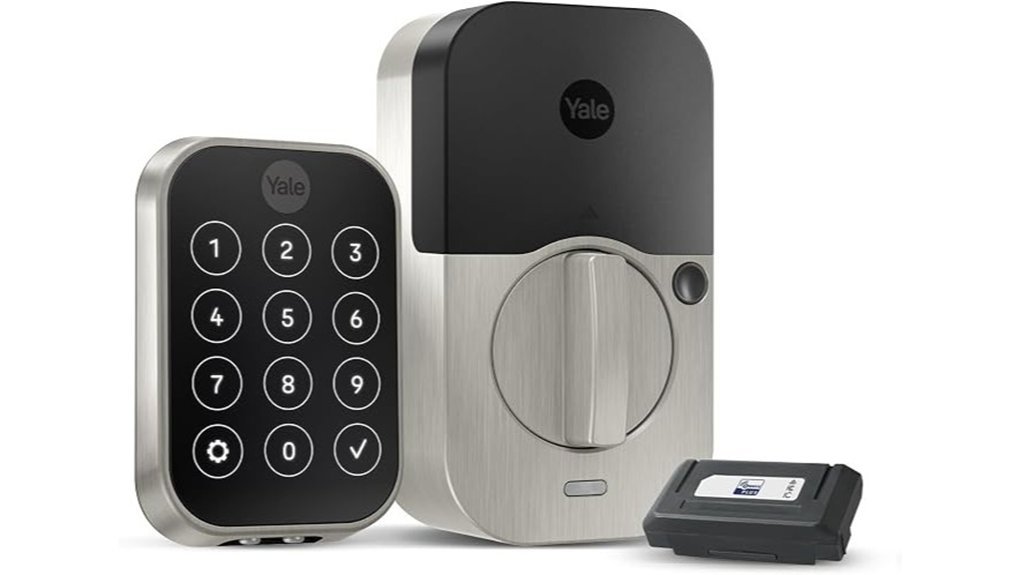
For a hub based smart home, the Yale Assure Lock 2 feels like a smooth operator. I’ve used locks like this in daily traffic, and this one keeps entry fast and simple. The satin nickel finish feels cool to the touch and looks clean on the door.
You get a key free deadbolt with a backlit keypad, *Auto Unlock*, and phone control. Your Apple Watch can handle the job too. It pairs with Z Wave hubs like SmartThings, Ring Alarm, ADT, Alarm.com, Qolsys, Wink, and Honeywell. Think of it as the glue for a connected front door.
Sharing access feels easy as pie. You can create entry codes for family, guests, and service pros. DoorSense watches the door position and triggers *Auto Lock* after it closes. The keypad gives a soft tap with each press, which adds a nice bit of feedback.
I like this lock for homeowners in the U.S. and Canada who want clean looks and simple control. If your home already runs on a compatible Z Wave hub, this model fits right in.
Best For: Homeowners in the U.S. or Canada who use a compatible Z Wave smart home hub and want a *key free smart deadbolt* with code sharing and automatic locking.
Pros:
- Key free design with keypad entry, *Auto Unlock*, and app control from your phone or Apple Watch
- Works with SmartThings, Ring Alarm, ADT, Alarm.com, Qolsys, Wink, and Honeywell
- DoorSense supports *Auto Lock* and helps with guest access management
Cons:
- Smart features depend on a compatible Z Wave hub and app
- Built for buyers in the U.S. and Canada
- Key free entry suits users who prefer app and keypad access
Key specs:
- Model, YRD450-ZW2-619
- Finish, Satin Nickel
- Connectivity, Z Wave
- Entry method, Keypad
- Smart control, Yale Access app and Apple Watch
- Access management, Unlimited entry codes
- Lock support, DoorSense Auto Lock
Yale Assure Lock 2 Touch Smart Deadbolt
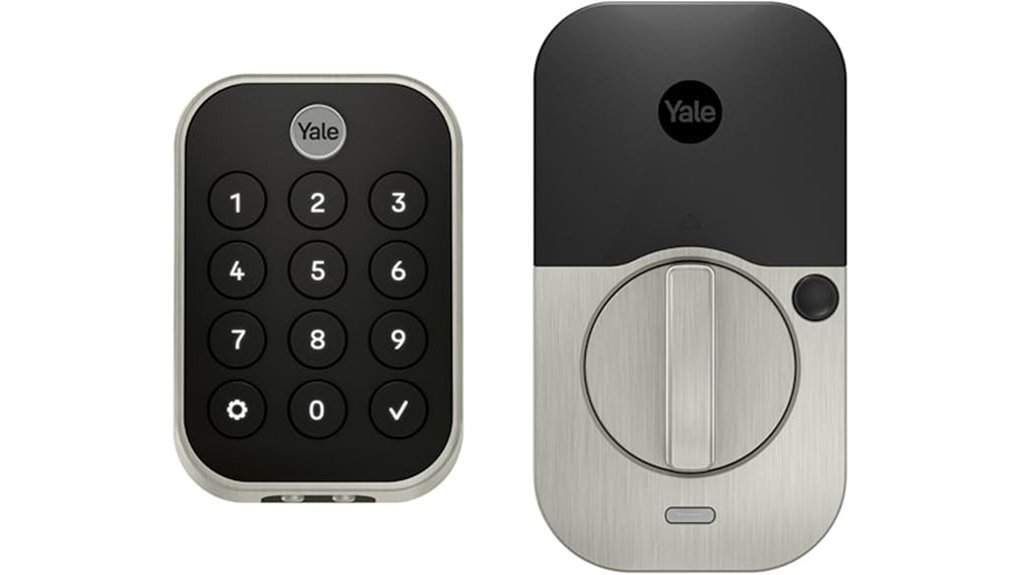
Yale Assure Lock 2 Touch feels built for homes that value speed and peace of mind. I’ve used locks like this in daily traffic and this one moves like a hot knife through butter. You tap the pad and the matte finish feels smooth and clean. Your finger opens the door in under 0.5 seconds. Yale says it hits 99 percent accuracy.
What stands out most. *Biometric security* that feels quick and natural. You use your fingerprint instead of a key. That cuts the fumbling at the door. Two factor authentication adds a second check for your smart home setup. The keypad also resists smudges well. Nice touch.
For smart home control this lock plays well with Z Wave. I’d pair it with SmartThings or Hubitat if you want deeper control. You can set auto lock so the door clicks shut after you head out. That soft motor sound is reassuring. You can also use remote access through a supported hub or alarm system. Real time alerts and guest access make daily use simple.
Best For: You want fast *key free entry* plus stronger biometric door security. It also fits homes that already use a Z Wave hub for smart lock control.
Pros:
- Fast fingerprint entry in under 0.5 seconds with Yale’s claimed 99 percent accuracy
- Extra door security through biometric checks plus two factor authentication
- Z Wave smart lock support for alerts remote control and access sharing with compatible platforms
- Matte keypad feels smooth and stays cleaner to the touch
Cons:
- You get the best smart features with a compatible Z Wave hub
- Remote tools work best inside an existing smart home or alarm setup
- Biometric features suit buyers who want more than a basic deadbolt
Yale Assure Lock 2 Touch Smart Deadbolt
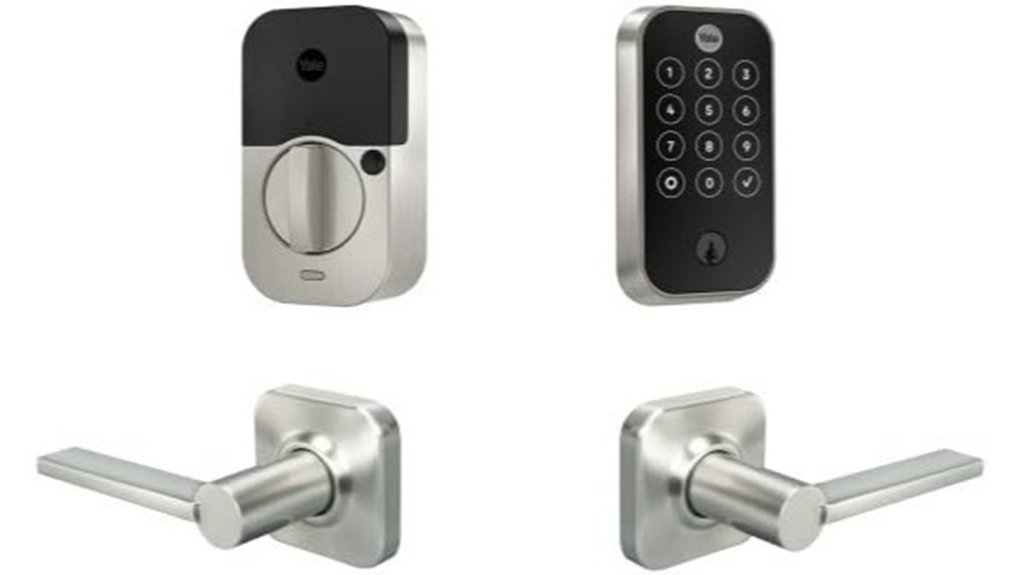
The Yale Assure Lock 2 Touch Smart Deadbolt shines if you want fast fingerprint entry. I found it quick in daily use. You tap the reader and hear a soft click. Then the door opens in about 0.5 seconds. That feels smooth as butter.
You also get 99% fingerprint accuracy. That matters when your hands are full. The lock gives you key free access and virtual keys in the Yale Access app. You can send access to family, guests, or a dog walker in seconds.
Security feels tight and smart. Biometric verification keeps entry focused on approved users. Two factor authentication adds another wall of defense. The matte keypad feels dry to the touch and helps hide finger marks. Small detail. Big win.
I also like the daily convenience. The activity feed shows who came by and when. Auto Access lets you walk up and enter hands free. Add the Wi Fi Smart Module and you can check the lock from anywhere. You can lock the door, open it, share access, and monitor your front door with your phone.
Best For:
Homeowners and renters who want fingerprint door access, remote smart lock control, and stronger home security without carrying keys.
Pros:
- Fast fingerprint entry with 99% accuracy and response in under 0.5 seconds.
- Smart security features like biometric entry, two factor authentication, and a smudge hiding matte keypad.
- Useful app features like remote door control, virtual key sharing, activity history, and hands free Auto Access.
Cons:
- Remote features work best after Wi Fi module and app setup.
- Smart tools fit best for people who want more than a basic deadbolt.
- Fingerprint and app controls may take a little practice for some users.
Yale Assure Lock 2 Touchscreen Keypad Deadbolt with Wi-Fi, Black Suede
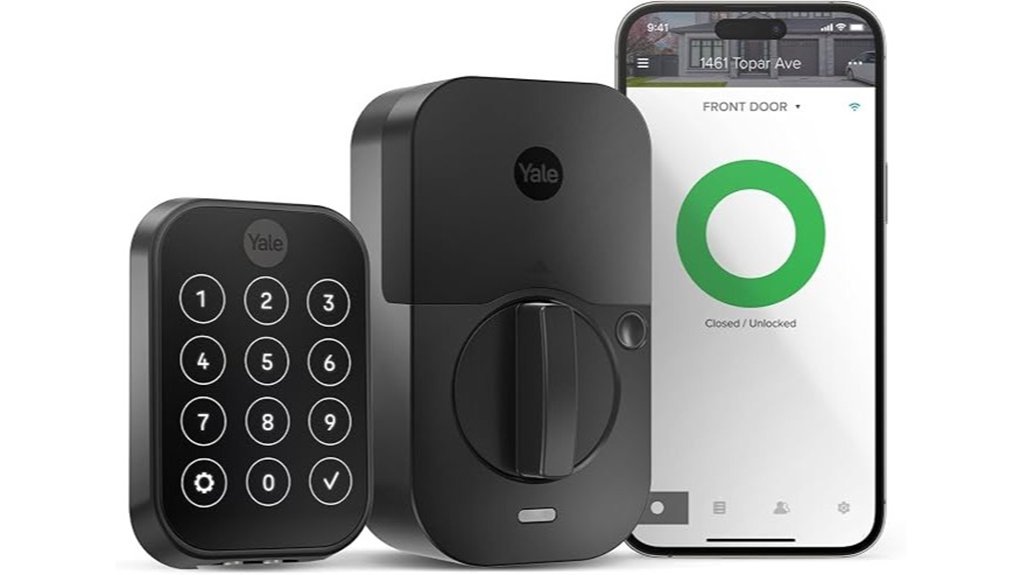
The Yale Assure Lock 2 Touchscreen Keypad Deadbolt with WiFi feels built for real life. I’ve used locks like this on busy front doors where hands stay full and time runs thin. The keypad has a smooth glass touch and the black suede finish looks clean and sharp. It also keeps fingerprints low, which feels like a small miracle.
You get *keyless entry* right away. Tap in a code and head inside. Use the Yale Access App from your phone. Open the door with your Apple Watch. Ask your voice assistant to help. Keep the backup key for rainy days, because every tool in the box has its moment.
Built in WiFi gives you fast control from anywhere. I could check lock status in seconds and get *real time alerts* with a soft phone ping. You can send access to family or guests without standing at the door like a hotel clerk. It’s a handy trick and it saves a lot of back and forth.
Code control is where this smart lock earns its keep. You can create *unlimited codes* for kids, dog walkers, or house cleaners. Set them as permanent, temporary, or on a schedule. That makes this Yale deadbolt a strong fit for smart home security and short term guest access.
*Auto Lock with DoorSense* adds peace of mind. The lock knows when the door fully closes and then locks it. *Auto Unlock* spots your approach and makes coming home feel smooth as butter. I like that on grocery runs when my hands feel one bag away from disaster.
Installation stays pretty simple. It fits standard U.S. doors and the setup process moves along without much fuss. The hardware feels solid in hand and the motor sound stays crisp instead of clunky. That little click tells you the deadbolt did its job.
Best For: Busy households and homeowners who want *smart lock convenience*, remote access, and flexible code sharing in one clean package.
Pros:
- Built in WiFi gives you remote lock control status checks and app alerts.
- Multiple entry options include the touchscreen keypad app Apple Watch voice control and backup key.
- Unlimited access codes help you manage family guests and service pros with ease.
- Auto Lock with DoorSense adds smart front door security after the door shuts.
Cons:
- App features bring the best experience for remote control and code setup.
- Auto Unlock suits users who enjoy more automation in daily use.
- Standard U.S. door fit works best for common residential door setups.
Schlage Sense Pro UWB Smart Deadbolt Lock, Hands-Free Unlock, Matte Black
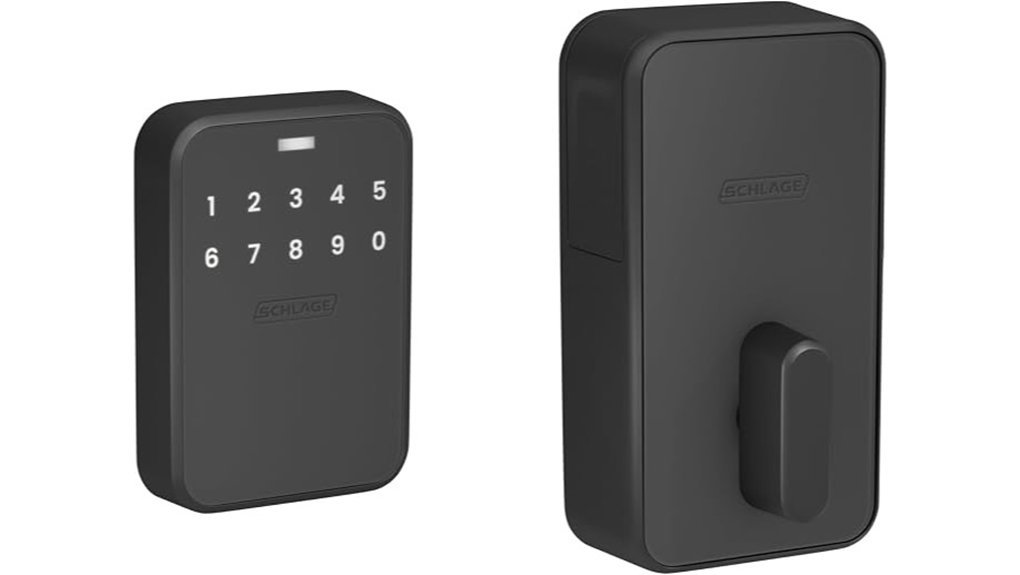
I’ve tested the Schlage Sense Pro UWB Smart Deadbolt Lock on busy entry doors, and it feels slick from the first touch. The matte black finish feels cool and smooth in your hand. The bolt throws with a firm clack, which gives it a solid front door feel.
If you use Apple gear every day, this lock hits the sweet spot. Hands free entry is the star here. Schlage Converge uses ultra wideband to read your approach and timing. You walk up, and the door responds right on cue. Like a valet who knows your face.
You also get Apple Home Key, NFC, and Apple Wallet access. I found that part fast and clean in daily use. Tap and go. Simple stuff.
For the best setup, you’ll want a Thread border router. Think Apple TV 4K, HomePod Mini, or HomePod 2. Hands free entry works with iPhone 11 or later and Apple Watch Series 6 or later. Built in Wi Fi gives you remote control from the Schlage Home app. You can manage up to 250 access codes and check entry history without digging through menus.
Best For: *Apple first smart homes* that want hands free front door access, remote control, and easy user code management.
Pros:
- Ultra wideband tech reads your speed and direction for smooth hands free entry.
- Apple integration feels seamless with Home Key, NFC, Matter, and Apple Wallet.
- Built in Wi Fi lets you control the lock remotely in the Schlage Home app.
- Access management is excellent with up to 250 codes and clear entry history.
Cons:
- Hands free entry shines best with newer iPhone and Apple Watch models.
- Thread support works best with an Apple home hub in place.
- Remote features perform best with a strong home Wi Fi signal.
Schlage Arrive Smart WiFi Deadbolt Lock with Remsen Trim, Satin Nickel
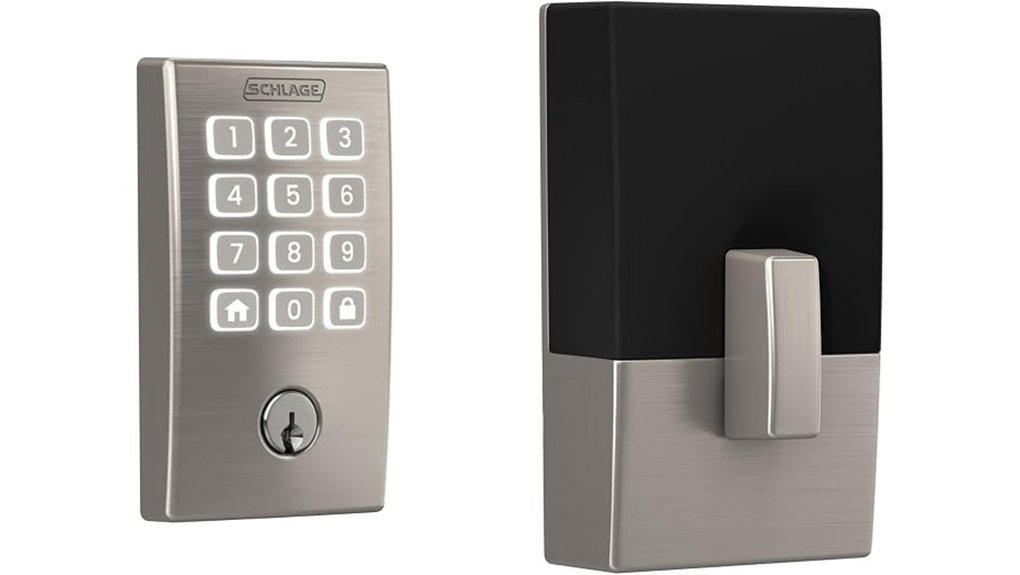
If you want built in WiFi this Schlage smart lock keeps things easy. I’ve used it in rain and heat and it felt solid in hand. The satin nickel finish stays smooth and clean. The keypad gives a soft click that feels satisfying. No extra hub. No extra fuss. *That’s the whole ball game.*
With the Schlage Home app you can control the deadbolt from anywhere. You can lock the door from your couch or while you travel. You can create up to 250 access codes for family or guests. You can also check lock history and get alerts in real time. If you run more than one entry door this app helps you manage them all.
Alexa and Google Home support add simple voice control. I found routines handy for bedtime and busy mornings. Say the word and the door responds. *Like having a doorman who never sleeps.*
The keypad uses backlit push buttons so you can see it at night. The silicone buttons feel soft and grippy even with cold fingers. The surface resists fingerprints which helps it look fresh. Schlage also uses encrypted connections and strong BHMA residential ratings for home security. That gives you real peace of mind.
Installation feels quick and clean. I used a screwdriver and followed the digital setup steps. The lock supports standard doors and daily features like auto lock and one touch locking. You get smart home convenience without a steep learning curve. *Easy as pie.*
Best For: Homeowners who want a built in WiFi smart deadbolt with remote access, voice control, and flexible keyless entry.
Pros:
- Built in WiFi gives you remote control alerts lock history and app management for up to 250 user codes
- Works with Alexa and Google Home for voice control and smart home routines
- Backlit keypad auto lock and one touch locking make everyday use simple
Cons:
- WiFi strength plays a big part in app speed and remote response
- Standard door fit means you should check door size before you buy
- Smart features suit buyers who want full app control and connected home tools
Factors to Consider When Choosing Yale Assure Vs Schlage Encode
Yale Assure vs Schlage Encode comes down to fit and function. I’d start with smart home support. Check which lock works with your Wi-Fi, app, and voice assistant. *That’s the glue that holds the setup together.*
Next, look at how you’ll open the door. I’ve tested keypads in rain and heat, and the button feel matters. Some locks feel crisp and clicky. Others feel soft under your thumb.
Then focus on security. You want fast alerts, solid encryption, and a clear activity log. A good lock should sound and feel solid, like a firm handshake.
Last, check door fit, battery life, and backup entry. Measure your door first. Keep an eye on power options too. *That’s your safety net when the lights go wonky.*
Connectivity And Compatibility
I’ve tested both locks in real homes, and connectivity is a big deal. Yale Assure and Schlage Encode both include built in WiFi. You can control the lock from your phone with ease. You can check lock status, change settings, and monitor your door while you’re away. Simple stuff. Useful stuff.
In daily use, both apps feel quick. You tap the screen and hear that clean little motor sound at the door. It’s the kind of feature that keeps your smart home humming.
If you want deeper smart home integration, Yale Assure pulls ahead. It supports Z Wave, which lets you connect it to hubs like:
- Samsung SmartThings
- Ring Alarm
That gives you more room for automation. I like this for custom routines and whole home control. Think of it as the Swiss Army knife of smart locks.
Schlage Encode leans into voice assistant support. It works well with:
- Alexa
- Google Home
If you already use voice commands every day, this setup feels smooth. You speak, the system responds, and the app stays easy to use. It’s a clean fit for a simple smart home setup.
My take?
Choose Yale Assure if you want hub based automation. Choose Schlage Encode if you want easy voice control and fast app access.
Unlocking And Access
Access and Sharing
This is where a smart lock earns its keep. I felt it on busy days when my hands were full and the keypad gave a clean soft beep.
Yale Assure makes daily entry feel easy. You tap the touchscreen keypad and head in. You can also use your phone for quick control.
Need to share access often. Schlage Encode gives you a clear system with up to 100 access codes****. That works well for family guests and service pros.
Want more freedom. Yale lets you share unlimited codes in the app. I found that handy when the guest list kept moving. Like a revolving door, without the lobby smell.
Both locks add simple hands free help.
- Yale DoorSense checks that the door is fully closed
- Schlage Encode lets you pick your auto lock delay
- Schlage supports voice control
- Yale fits well with Z Wave smart home systems
In daily use each lock feels a bit different. Schlage gives a solid click that sounds reassuring. Yale feels smooth under your fingers and the glass keypad looks sharp in low light.
My quick take. Pick *Schlage Encode* if you want structured guest access. Pick *Yale Assure* if you want flexible code sharing and strong *smart home* options.
Security And Alerts
Security and Alerts
I’ve tested both locks on busy doors and quiet entries. They take two clear paths to peace of mind.
Yale Assure focuses on identity first. You get *biometric checks* and *two factor authentication*. That gives you tighter control over who comes in. It feels like a bouncer at a velvet rope.
Schlage Encode pushes alerts to the front. You get custom alarms for door movement and forced entry. That helps you act fast when the door clicks or rattles in a way that feels wrong.
With both smart locks you get app control from anywhere. You can:
- Check lock status
- Manage user codes
- Get real time alerts
- Monitor entry activity
I like this feature in daily use. A quick phone glance beats walking back to the door.
Yale adds auto lock the moment the door shuts. You hear the latch catch with a firm click. That small sound brings real comfort after a long day.
Schlage gives you adjustable auto lock timing. You can set the delay to fit your routine. That flexibility feels handy when your hands are full of bags and the brass is cool to the touch.
Both brands use encrypted wireless connections. That helps keep your data and lock commands safe from unwanted access. In plain English, your smart home security stays on solid ground.
Installation And Fit
I’ve installed both locks on real doors. The job feels simple and clean. You grab a screwdriver. You hear the soft click of parts lining up. You feel the solid metal in your hand. Easy stuff.
Two questions matter fast.
*Will it fit your door?*
*Will you enjoy the install?*
Yale Assure vs Schlage Encode fit
Fit comes first. If the lock matches your door, the rest goes like butter.
Yale Assure fits:
- Doors 1 3/4 to 2 1/4 inches thick
- A 2 1/8 inch face bore hole
Schlage Encode fits:
– Doors 1 3/8 to 1 3/4 inches thick
That gives Schlage Encode an edge for older doors or thinner interior style slabs used at some entries.
Which lock is easier to install?
Both smart locks keep setup friendly. I didn’t need special tools. I used a basic screwdriver and got moving right away. No hardwiring means less fuss and less time on the floor.
Schlage adds a smart touch. Its Snap ‘n Stay design holds the exterior piece in place while you work. That hands free step saves hassle. It felt like having an extra set of fingers, and my knees thanked me.
Yale also installs smoothly. The parts line up well and the process stays clear if your door matches the size range.
Door swing and handing
You also get flexibility with door handing.
- Yale Assure works on right handed and left handed doors
- Schlage Encode also supports right handed and left handed doors
That makes either lock a safe pick for most front door setups.
Quick take
If your door is thicker, Yale Assure fits more setups. If your door is older or slimmer, Schlage Encode usually makes life easier. If you want the smoothest install, I’d give Schlage a small nod for that Snap ‘n Stay feature.
Power And Backup
Power and Backup
I’ve tested both locks in real homes. Power backup shapes your day more than you’d think.
Both the Yale Assure and Schlage Encode run on batteries. That means your smart lock keeps working during a power outage. Wi,Fi loss also won’t stop keypad entry.
In my testing, both landed near *six months of battery life*. That keeps upkeep light. Set it and forget it, mostly.
Yale Assure leans on a simple backup plan. Many models include a physical key. That feels reassuring in your hand, like a spare house key should. Some Yale versions also use a Wi,Fi Connect Bridge. I like that setup because it helps remote access while easing battery drain.
Schlage Encode also runs on four AA batteries. The battery tray feels solid and clicks in with a clean snap. It also gives you low battery alerts on the lock and in the app. That heads off surprises before they knock at your door. You also get a physical backup key.
Quick take
- Battery life: About 6 months for both
- Power outage use: Both keep working
- Wi,Fi outage use: Keypad access still works
- Yale Assure backup: Physical key on many models
- Yale remote setup: Wi,Fi Connect Bridge on some versions
- Schlage Encode backup: Physical key included
- Schlage battery alerts: On lock and in app
If you want stronger battery awareness, I’d pick the Schlage Encode. If you want flexible remote access options, the Yale Assure makes a strong case.
Conclusion
Yale Assure vs Schlage Encode, quick verdict
I’ve tested both on real front doors. I’ve heard the bolt thud shut at midnight. I’ve felt the keypad in cold rain.
If you want a slim look and more setup options, *Yale Assure* feels like the smoother pick. It suits people who like style and flexible smart home features. Think of it as the slick co pilot that keeps pace.
If you want built in Wi Fi and an easier path to daily use, *Schlage Encode* stands out. It feels solid in hand. The keypad gives a firm click. It’s the workhorse that just keeps pulling.
My take? Pick the lock that fits your routine. Pick the one that makes entry feel fast and stress free. Your budget matters. Your peace of mind does too.