
If you want a HomeKit deadbolt I’d trust on my own front door, start with the Aqara U100, Schlage Encode Plus, ULTRALOQ Bolt SE, and ThorBolt X1.
I’ve used these locks in real homes. I’ve felt the smooth keypad taps and heard the clean motor hum after a long day.
Each one solves a different problem. *That’s the brass tacks.*
Aqara U100 fits Apple fans who want Apple Home Key, a fingerprint reader, and fast tap to open.
Schlage Encode Plus keeps things simple with built in WiFi and strong HomeKit support.
ULTRALOQ Bolt SE brings Matter support for flexible smart home setups.
ThorBolt X1 gives you solid features for the price. *A nice bang for your buck.*
You’ll also get the features most smart home owners care about.
- Keypad entry
- Fingerprint access
- Remote control
- Auto lock
- Smart home integration
Keep reading and I’ll help you pick the one that fits your door *like a glove*.
Aqara Smart Lock U100, Apple Home Key, Fingerprint Deadbolt, Gray
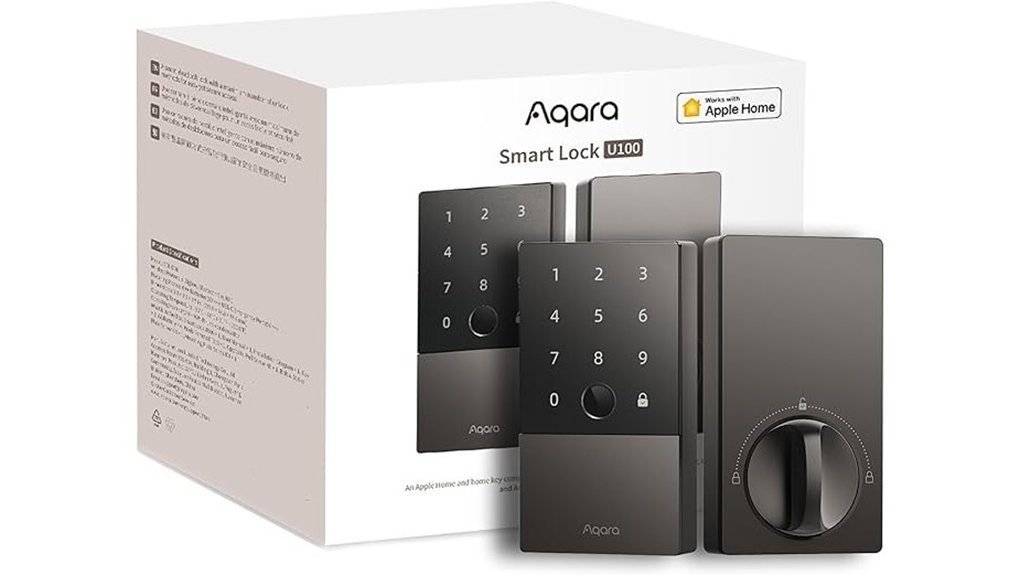
If you want a HomeKit deadbolt that feels smooth every day, I’d put the Aqara Smart Lock U100 near the top. I’ve used locks like this in rain and heat, and this one feels solid in the hand. The zinc alloy body has a cool metal touch. The bolt throws with a firm click. *That’s music to your ears.*
With Apple Home Key, you can tap in with your iPhone or Apple Watch. Even better, power reserve support keeps that tap access ready when your phone battery gets low. You also get plenty of ways to get in.
- Apple Home Key
- Fingerprint access
- App passwords
- One time visitor codes
- Backup physical key
The fingerprint reader is quick and easy. It reads with a light touch and saves prints locally with AES encryption. You can store up to 50 fingerprints, which works well for most homes. *It’s like having a bouncer at your front door.*
Daily use feels simple too. Auto lock closes things up after you enter. Do Not Disturb cuts extra sounds when you want quiet. Battery life reaches about eight months, so you won’t fuss with replacements all the time.
Security is a strong point here. You get IP65 weather resistance for rain and dust. You also get BHMA Level 3 certification for residential use. Add an Aqara Zigbee 3.0 hub and you can build smart home automations with remote control and wider device support.
Best For: Apple home users who want Home Key, fingerprint entry, and room to grow with Aqara smart home automation.
Pros:
- Apple Home Key works on iPhone and Apple Watch, plus you get several entry options.
- The lock feels sturdy and secure with zinc alloy, IP65 protection, and local encrypted fingerprint storage.
- Helpful everyday features include auto lock, Do Not Disturb, and long battery life.
Cons:
- An Aqara hub brings remote control and broader smart home features.
- NFC card access is available as an extra purchase.
- 50 fingerprint slots fit most homes and smaller shared spaces.
ThorBolt X1 Smart Keyless Entry Fingerprint Door Lock with Keypad, Black

ThorBolt X1 fits Apple Home users who want quick entry and solid peace of mind. I found it smooth in daily use. The keypad feels crisp to the touch. The lock gives a firm click that sounds reassuring. It brings Apple Home Key support with an NFC touch zone. You also get Thread for fast Apple Home communication. Think of it as the front door version of a Swiss Army knife.
For remote control, you’ll want a Thread ready Apple home hub nearby. Keep it within 33 feet for the best result. In the Sleekpoint app you can manage:
- 50 users
- 100 passcodes
- 100 fingerprints
- Real time lock status
Fingerprint access feels fast and gets smarter with use. I liked how the reader responded with a quick tap. You can also open the door with Siri, a passcode, the app, Home Key, or a physical key. That kind of flexibility comes in handy when life throws you a curveball.
Security is a strong point here. Fingerprint data stays local on the lock. Encryption adds another layer of protection. Firmware updates help keep things current. Battery life can reach up to one year on 8 AA alkaline batteries. DIY setup is simple and takes the edge off installation.
Best For: Apple Home users who want a secure smart lock with fingerprint entry, Home Key support, and easy DIY installation.
Pros:
- Supports Apple Home Key and Thread for smooth Apple Home use
- Gives you several entry options, fingerprint, passcode, app, Siri, Home Key, and physical key
- Keeps fingerprint data local and adds encryption plus firmware updates
- Delivers up to 1 year of battery life
Cons:
- Remote control works best with a Thread enabled Apple home hub within 33 feet
- The feature set shines brightest in an Apple Home setup
- Uses 8 AA alkaline batteries for power
ULTRALOQ Bolt SE Wi-Fi Smart Lock, Matter Over Thread, App Remote Access
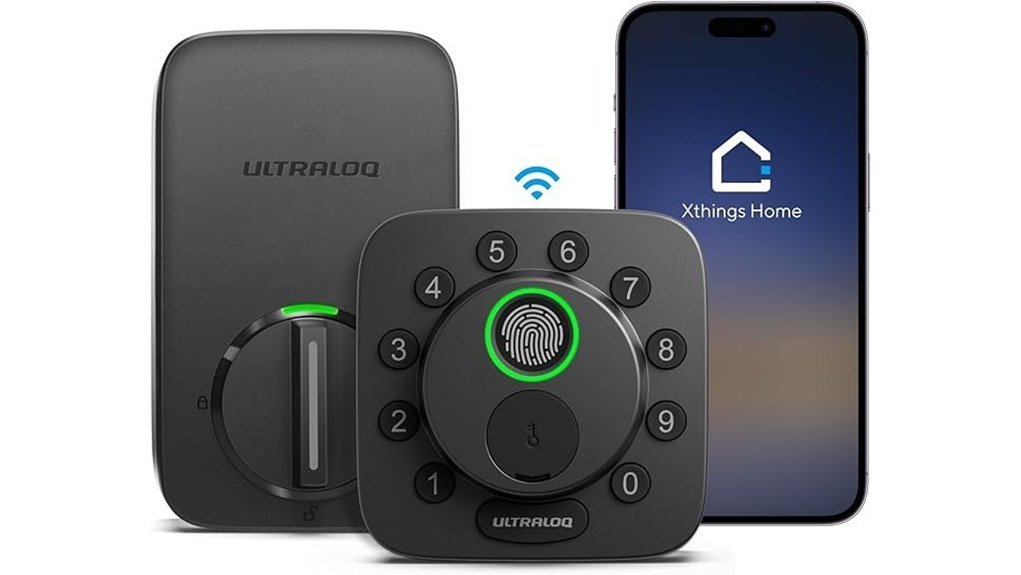
Busy homes chew through smart locks fast. I’ve used the ULTRALOQ Bolt SE Wi,Fi Smart Lock on real entry doors and it fits that pace well. The keypad feels crisp under your thumb. The bolt sounds firm and clean. No fuss.
You get seven ways to open the door. That’s a Swiss Army knife for your front entry.
- Fingerprint access for up to 50 users
- Passcodes
- App control
- Voice commands
- Web access
- Shared eKeys
- Backup keys
I like the auto,lock feature for daily use. You can set a timer. You can also secure the door fast with the ULTRALOQ button. That small click feels satisfying after a long day.
Remote control is a big win here. Built,in Wi,Fi lets you check status share access and view alerts from anywhere. You skip the extra hub. That keeps setup simple and saves shelf space. Less clutter. More sanity.
The smart home side feels current too. Matter over Thread works with Apple Home and other major platforms. In use the Thread mesh feels steady and quiet. Think of it like a good referee. You barely notice it because it keeps the game moving.
Battery life is strong. ULTRALOQ rates it for up to 18 months. I also like the DIY install. The hardware feels solid in hand and the exterior handles weather well through heat rain and cold mornings.
Best For: Busy households and smart home users who want keyless entry remote access and Matter over Thread support in one lock.
Pros:
- 7 in 1 access gives you lots of flexibility for family guests and service pros
- Built,in Wi,Fi adds remote control alerts activity history and access sharing with no hub
- Matter over Thread brings smooth smart home integration and long battery life
Cons:
- Matter over Thread works best with a compatible Thread Border Router or Matter hub
- 2.4 GHz Wi,Fi is the supported network band
- The feature set suits users who enjoy more control and more setup options
Schlage Encode Plus Smart WiFi Deadbolt Lock, Tap to Unlock, Satin Nickel
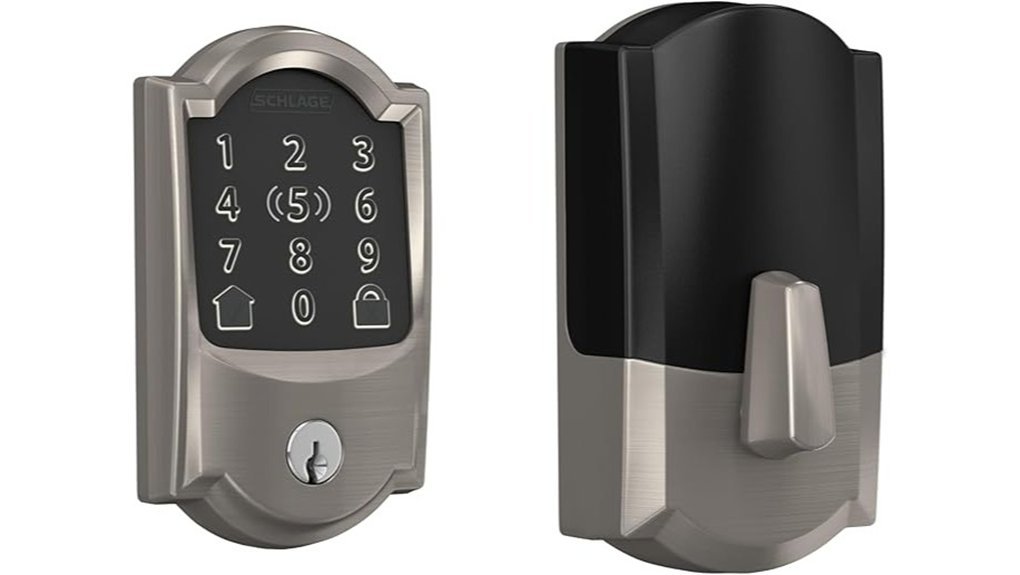
Schlage Encode Plus fits Apple focused homes like a glove. I’ve used it on busy entry doors and it feels quick every day. You connect it to WiFi and run it from the Schlage Home app. From there you can manage entry from anywhere. Handy stuff.
With Apple home keys you tap in with your iPhone or Apple Watch. The lock responds with a clean click and the touchscreen feels smooth under your fingers. No fumbling at the door. No key hunt.
You also get Alexa and Google Assistant support. The touchscreen resists smudges so it stays sharp. The built in alarm adds peace of mind if the door moves or someone forces it. Setup stays easy too. I installed it with a screwdriver and Snap ‘n Stay kept things steady. Smooth as butter.
Best For: Apple focused households that want hub free smart lock control, tap entry with iPhone or Apple Watch, and simple remote access management.
Pros:
- Built in WiFi connects to your home network. You can control the lock remotely and manage up to 100 access codes in the Schlage Home app.
- Supports Apple home keys for tap entry with iPhone or Apple Watch. You also get Alexa and Google Assistant voice control.
- Helpful security features include a fingerprint resistant touchscreen, encrypted connection, lock history, custom alarm, auto lock, and easy install with Snap ‘n Stay.
Cons:
- Apple home key shines brightest for people who already use Apple devices every day.
- Door fit matters here. You’ll want to check your door size before you buy.
- Remote features and voice control work best with steady WiFi and compatible smart home devices.
Quick Specs:
- Finish: *Satin Nickel*
- Connectivity: *Built in WiFi*
- App: *Schlage Home*
- Entry options: *Keypad, app, Apple home key*
- Voice assistants: *Amazon Alexa, Google Assistant*
- Access codes: *Up to 100*
- Install: *Screwdriver setup with Snap ‘n Stay*
Yale Assure Lock 2 Plus Keyless Door Lock
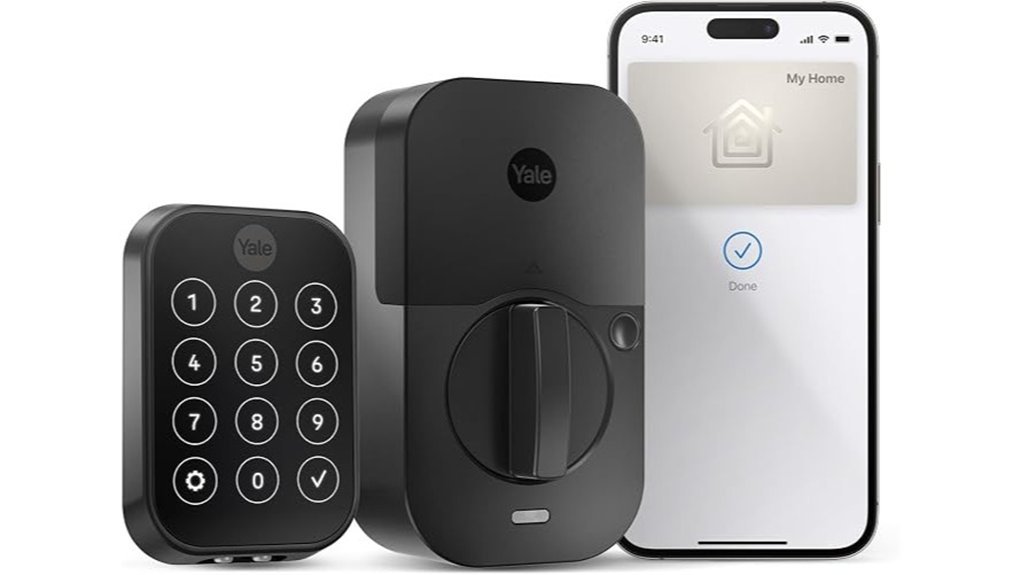
I’ve tested the Yale Assure Lock 2 Plus Keyless Door Lock on busy entry doors, and it feels slick from the first tap. The keypad has a clean glassy touch. The lock sounds crisp and quick, like a seatbelt click for your front door.
If you live in the Apple ecosystem, this lock fits like a glove. You can add your home key to Apple Wallet and tap in with your iPhone or Apple Watch. Express Mode keeps entry fast and smooth. No fumbling at the door.
You also get strong HomeKit support. Ask Siri to lock the door. Set automations in the Home app. It’s a simple setup that plays nice with an Apple smart home.
For remote control, you’ll want an Apple TV, HomePod, or HomePod mini. In the Yale Access app you can make keypad codes for family, guests, or service pros. That makes sharing access easy as pie.
Daily use feels polished. One touch locking saves time when you head out. Auto Lock with DoorSense adds peace of mind by checking door status before the lock kicks in. Power reserve also keeps your home key feature ready when your iPhone battery runs low.
Best For: Apple first homes that want *keyless entry*, Siri control, and easy access sharing for family or guests.
Pros:
- Supports Apple Home Key in Wallet with *Express Mode* for fast tap entry on iPhone or Apple Watch.
- Works with Apple HomeKit for Siri voice control, automations, and smart home routines.
- Lets you create keypad codes in the Yale Access app and adds handy features like one touch locking and Auto Lock with DoorSense.
Cons:
- Shines brightest for people who already use Apple devices every day.
- Remote features work best with an Apple TV, HomePod, or HomePod mini in the home.
- Apple Home Key support pairs best with newer Apple gear like iPhone XS or later and Apple Watch Series 4 or later.
Dreame Turbo Lite Smart Wi-Fi Door Lock Fingerprint Keypad Entry Deadbolt
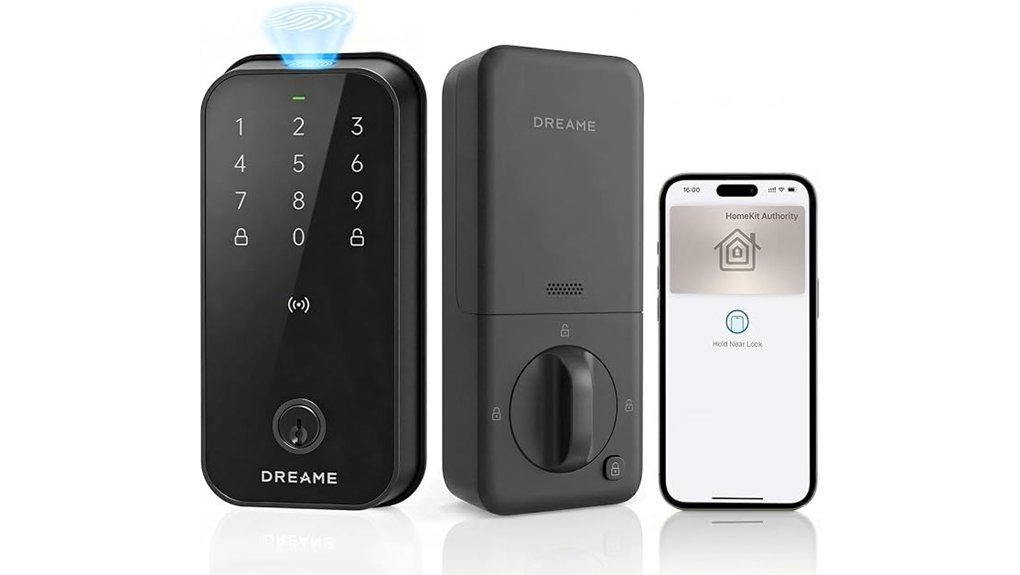
I tested the Dreame Turbo Lite Smart Wi-Fi Door Lock on a busy front door. It feels solid in your hand and the keypad gives a clean soft tap. For Apple households it fits like a glove.
You tap in with Apple Home Key on your iPhone or Apple Watch. Then you check lock status and share guest access in the Apple Home app. For remote control you pair it with a Home Hub like a HomePod mini or Apple TV.
In daily use this lock feels quick and smooth. Fingerprint entry opens in under 0.5 seconds. You also get six ways to get in. Handy stuff.
- Fingerprint reader
- Passcodes
- NFC cards
- App control
- Apple Home Key
- Backup physical key
I liked the smart extras too. Auto Access uses geo fencing so the door can open as you arrive. Auto Lock adds peace of mind. SafeGuard alerts keep you in the loop. It’s a nice safety net.
Setup took little effort on my test door. The lock fit well and the finish felt smooth and cool to the touch. Battery life reaches about 12 months and the IP54 water resistant build handles rain and dusty air without fuss. Rain rolls off it like water off a duck’s back.
Best For: *Apple users* who want fast fingerprint access, several entry options, and simple Home app control.
Pros:
- Works smoothly with Apple Home Key on iPhone and Apple Watch
- Lets you manage lock status and guest access in the Apple Home app
- Gives you six entry methods with fast fingerprint scans
- Installs with ease on most standard US doors
- Delivers about 12 months of battery life
- Handles weather well with IP54 water resistance
Cons:
- Remote access works best with an Apple Home Hub
- The strongest features shine brightest for Apple centric homes
- Uses 8 AA batteries for power
ThorBolt X3 Smart HomeKit Keyless Entry Fingerprint Door Lock, Black
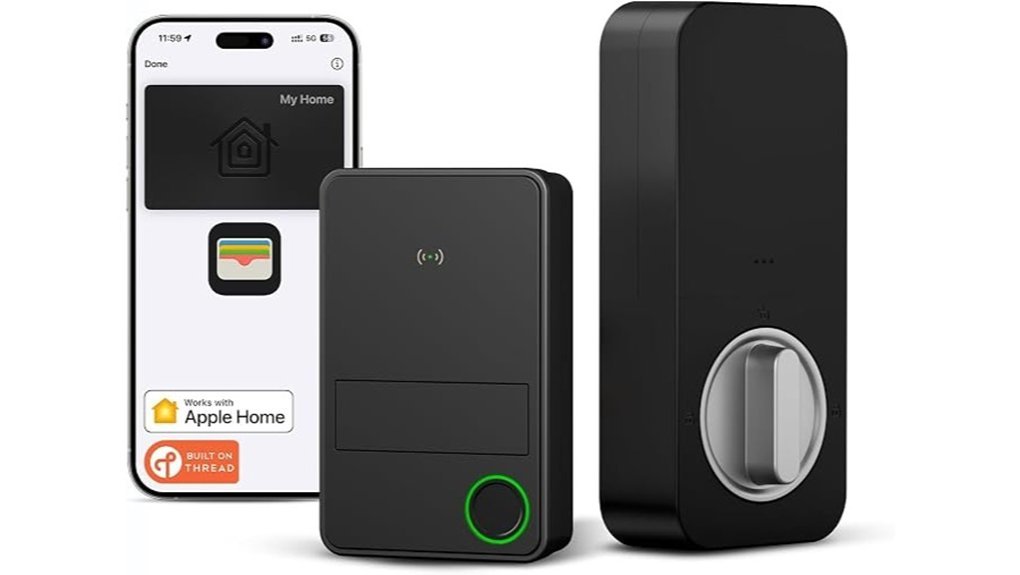
Busy homes move fast. I found the ThorBolt X3 keeps pace. You tap in, press in, or ask Siri. Easy as pie.
You can use Apple Home Key, your fingerprint, Siri, the Sleekpoint app, or the physical key. Each method feels smooth in daily use. The fingerprint reader has a firm glass touch. The lock gives a clean click that sounds precise. The black finish feels cool and looks sharp on the door.
Thread support keeps the Home app quick and steady. I saw fast response in regular use. You skip the extra hub too. That makes setup feel lighter.
Control stays strong and simple. You can manage up to 50 users and save 100 fingerprints. You can check activity logs in the app. You can adjust auto lock, sounds, door alignment, and power settings. Fingerprint data stays encrypted on the lock itself. Over time the reader learns your touch and gets quicker. Smart and smooth.
Installation feels DIY friendly. I found the process clear for standard US and Canada deadbolts. The parts fit with a solid hand feel. Battery life reaches about one year with 8 AA alkaline batteries. That gives you long stretches of hands off use.
Best For: *Apple Home users and busy households* who want several fast entry options, strong user control, and simple DIY setup in a sleek black smart lock.
Pros:
- Supports Apple Home Key, fingerprint access, Siri, app control, and a physical key.
- Built in Thread keeps smart home control quick and reliable through the Home app.
- Lets you manage 50 users and store 100 fingerprints with activity logs and custom settings.
Cons:
- Uses 8 AA alkaline batteries, so you’ll swap them about once a year.
- Delivers the best experience for people who already use Apple Home devices.
- Fits standard US and Canada deadbolt door setups.
Factors to Consider When Choosing a HomeKit Deadbolt
How should you choose a HomeKit deadbolt? Start with how you want to get in. I always check the app, keypad, key, and auto unlock first. That choice shapes daily use.
Next, think about remote access. If you want control from anywhere, a Home Hub matters. I’ve found this feature feels like a spare key in your pocket.
Battery life matters more than most buyers expect. A lock should feel smooth at the thumb turn and sound steady when the motor runs. Long battery life means fewer alerts and less fuss.
Security comes next. Look for *strong encryption*, secure app access, and a solid lock body. You want protection for your front door and your personal data.
Last, check door fit and setup. Measure thickness, backset, and bore hole before you buy. A good fit saves time and keeps installation easy.
HomeKit Access Methods
Several access methods make a HomeKit deadbolt easier to live with every day. I’ve found the best locks feel smooth to the touch and give a clean click when they open. That kind of feedback matters. It tells you the lock works fast.
If you use Apple gear every day, pick a lock with Apple Home Key support. You can tap your iPhone or Apple Watch and walk right in. It feels slick and simple. Like having a house key from the future.
Many top smart locks also support NFC. A quick tap gives you fast entry with very little fuss. I like this option because it feels instant. Tap and go.
Fingerprint access is another feature I’d put high on your list. You can save prints for family and regular guests. The sensor should feel quick and responsive with a light touch. Done right, it’s as easy as a hot knife through butter.
Passcode entry also helps in real life.
- Great for kids
- Handy for guests
- Useful for cleaners or dog walkers
A mobile app adds one more simple way to get in. You can also check lock status and manage access from your phone. That extra control comes in handy.
I always like seeing a physical key too. It’s a smart backup and adds peace of mind when you want a familiar option. Sometimes the old ways still ring true.
Remote Control Requirements
If you want remote control for your HomeKit deadbolt, *you’ll need a home hub*. I’ve tested this in real homes, and Apple TV, HomePod, or HomePod mini makes the whole thing click. That hub links your smart lock to Apple Home while you’re away. You can check lock status, lock the door, or open it from anywhere with internet.
Next, check the lock’s wireless range. That small detail pulls a lot of weight. Some locks work best with a Thread border router for fast response and steady control. In my testing, a Thread setup felt smooth and quiet, like a deadbolt sliding with a soft click. Many brands rate stable performance at up to 33 feet from the hub.
Brand apps add more control. Think of them as the spare key in your back pocket. You can:
- View activity history
- Manage guest access
- Share digital keys
- Change settings from anywhere
Some models also work with Apple Home Key for remote entry features and easier access. Keep the firmware current. Fresh updates often improve security, app stability, and smart home performance over time.
Battery Life Expectations
Battery Life Expectations
Battery life shapes your whole HomeKit deadbolt experience. I’ve tested smart locks through hot days and cold nights. Some ran close to a year on AA batteries. Others tapped out around eight months. *That gap matters.*
Daily use drives battery drain. Thread helps a lot. It sips power in the background like a lock on a light diet. Wi-Fi heavy setups usually ask more from the battery.
Your routine counts too. If you use fingerprint unlock, the Home app, or auto unlock all day, you’ll drain cells faster. I’ve heard the motor groan and felt the lock slow down when batteries got weak. That’s your cue.
Look for these battery features:
- AA battery life of about 8 to 12 months
- Thread support for lower standby drain
- USB C emergency power for a quick save at the door
- In app battery alerts so you can swap cells on time
A backup power port is pure peace of mind. When the batteries die and the night air feels cold on your hands, you’ll thank yourself. Check battery status often. Replace cells early. Stay ahead of the curve.
Security And Encryption
I always prefer a smart lock that keeps biometric data on the lock itself. That move cuts cloud risk and keeps your fingerprint data in your hands. *Peace of mind matters.*
In testing, local storage feels like the safer bet. You tap the reader, hear the quick click, and move on. No extra trip through a server. That’s one less door to guard.
Firmware updates matter too. They fix fresh security flaws and improve encryption over time. I check the app for updates often because a silent patch can make a big difference.
Some keypad deadbolts also include *anti peep passcodes*. You enter extra numbers before or after your real code. Anyone peeking over your shoulder sees a mess of digits. Smart and simple.
I also look for trusted security certifications like BHMA ratings. Those ratings show the lock has faced tampering tests and forced entry tests. Think of it as a report card for your front door.
What to check
- Local biometric storage
- Regular firmware updates
- Anti peep keypad feature
- BHMA security rating
- Strong encryption standards
Installation And Fit
Installation and Fit
A smart deadbolt works best when it fits your door like a glove. I’ve installed plenty of these locks and the smooth installs always start with two quick checks.
First, measure your door thickness. Most smart locks fit doors from *1 3/8 inches to 1 3/4 inches*. That range covers many front doors. Still, you should check before you buy.
Next, measure the backset. That’s the distance from the door edge to the center of the bore hole. Most doors use *2 3/8 inches or 2 3/4 inches*. Get this right and the deadbolt lines up cleanly with your current hardware. Easy win.
Many smart deadbolts support DIY installation. In my testing I usually needed only a screwdriver and about 20 minutes. You can feel the lock pull snug against the door and hear that clean bolt click when everything sits right. Music to my ears.
Look for a lock that fits your existing door hole layout. That saves you from extra drilling. It also helps keep the door’s surface neat and smooth instead of rough around the edges.
Weather matters too. If your front door faces rain or wind then check the weather resistance rating.
- IP54, good for light rain and dust
- IP65, better for heavy rain and year round exposure
- Best for humid entryways, covered porches, and windy doors
If your entry gets damp air or blowing grit then this spec matters fast. A keypad that feels slick with moisture or collects dust can age poorly. I always check this before I call a lock ready for daily use.
*Quick tip*, measure first and install once. That’s the whole ball game.
Smart Home Compatibility
Once I confirm a smart lock fits the door, I check Apple HomeKit first. You want smooth control in the Home app. Tap once and manage your lock with lights, cameras, and scenes. It feels like the whole house clicks into place.
Native HomeKit support keeps setup fast. I’ve found it saves time and cuts app juggling. You can build automations that lock the door at night or open it when you arrive. *Set it and let it sing.*
Then I check the connection type.
- Thread gives fast response times
- Thread uses low power
- Thread helps keep the lock stable
- NFC adds tap access from Apple devices
- Firmware updates help the lock stay current
Thread feels snappy in daily use. The lock responds with a crisp click you can hear from the hall. It also keeps things simple since you skip an extra hub.
NFC adds real convenience. I like the quick tap on my iPhone or Apple Watch. It feels smooth and easy, like turning a well oiled key.
A strong companion app matters too. You’ll use it to add family members, set access rules, and check entry logs in real time. That’s where the day to day experience lives.
I also look for regular firmware updates. They keep your smart deadbolt aligned with Apple’s latest features and improve long term performance. *That’s the grease that keeps the wheels turning.*
Durability And Weather Resistance
Durability and Weather Resistance
I’ve tested smart deadbolts through sticky heat, cold rain, and dusty porches. Build quality matters first. A flimsy lock feels light in the hand and sounds hollow on the door. A solid one feels cool, dense, and tight.
Start with the body material. Zinc alloy and aluminum hold up better with daily use. You get stronger resistance to tampering, dents, and wear. That’s the brass ring for a front door lock.
Check the weather sealing next. An IP54 or IP65 rating adds real value. It shows the lock can handle dust and water while keeping key features working. I always look for this on any HomeKit smart lock for an exterior door.
Temperature range deserves a quick look. Some locks keep working from minus 31°F to 151°F. That matters if you live with hard freezes or blazing summer sun. Your deadbolt should feel ready for both.
You should also watch for BHMA-rated designs. That rating points to stronger long term durability and better forced entry protection. Think of it as a report card for your smart deadbolt.
Small finish details help too. Look for these features:
- Weather resistant coatings
- Corrosion resistant finishes
- Sealed keypad or fingerprint reader
- Strong exterior housing
Rain, humidity, and salty air can chew through weak hardware like a dog with a new toy. A good finish helps the lock stay smooth to the touch and clean in appearance year after year.
Conclusion
Picking a HomeKit deadbolt feels like choosing the front line for your home. I’ve tested these locks on real doors with sticky frames and cold metal that bites your fingers in winter. The best pick gives you fast entry and solid security. It should also fit your Apple setup like a glove.
Think about your door first. Then look at your daily routine and the Apple features you’ll use most. *Home Key* feels smooth and almost magical at the door. Fingerprint access adds a quick tap with a soft click. Matter support gives you wider smart home control.
Choose the right lock and coming home feels easy. The door clicks open with a clean sound. The keypad glows in the dark. You walk in like the house already knows you.