
If you want the best Zigbee smart lock for a safer smarter home, I’d start with the Kwikset 914 SmartCode or the Yale Assure Zigbee Smart Keypad Deadbolt.
Already own a Yale lock? Add the Yale Zigbee Smart Module and call it a day.
I’ve tested these locks in real homes. The keypad click feels crisp. The deadbolt throw sounds solid. That little thunk tells you the lock means business.
Before you buy, check these key points.
- Hub compatibility, SmartThings Hub, Hubitat, Echo with Zigbee, or another Zigbee hub
- Security grade, ANSI grade matters for strength and daily wear
- Keypad or key backup, fast entry when your hands are full
- User code capacity, handy for family guests and cleaners
- Auto relock, set it and forget it
Pick the right one and you get *easy access* plus stronger home security.
You also get a smoother smart home setup. Smooth as butter.
Kwikset 914 SmartCode Electronic Deadbolt Smart Lock
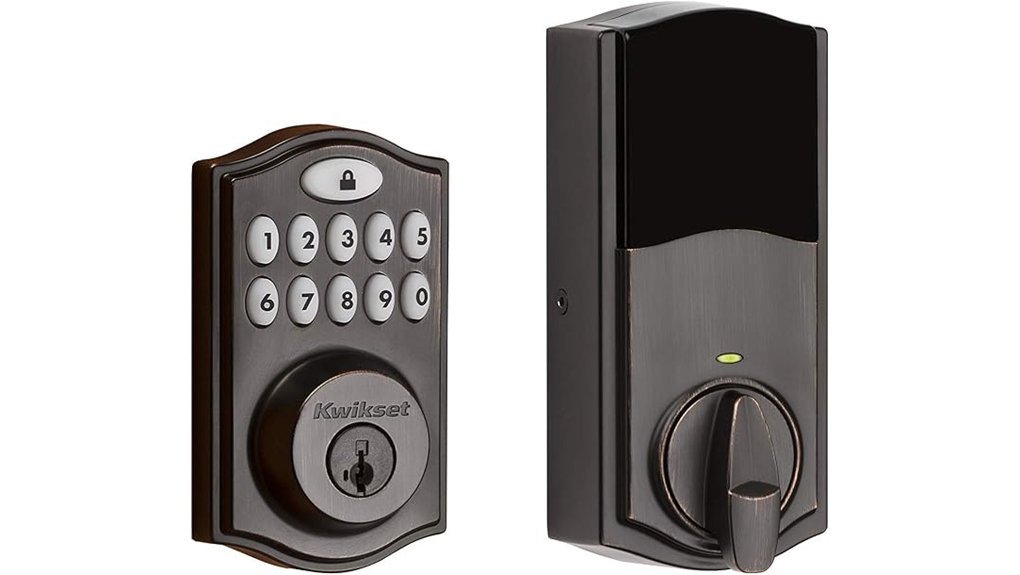
If you want a Zigbee smart lock that plays well with popular hubs, I’d put the Kwikset 914 SmartCode on your shortlist. I’ve used locks like this on busy front doors, and this one feels made for real daily use. The keypad has a firm press and the bolt throws with a clean thunk. Music to my ears.
Pairing is a breeze with many Zigbee HA 1.2 systems. You can connect it to:
- Amazon Echo Plus
- Echo 4th Gen
- Echo Show 10
- SmartThings Hub v3
- Tuya Zigbee 3.0 Hub
- Abode
- Wink
- Xfinity
That broad support gives you more ways to build a smart home that fits your setup. Cast a wide net, catch more fish.
Security is where this lock earns its keep. You get SmartKey Security which helps block common forced entry methods. I also like the fast self rekey feature. It feels smooth in hand and saves a call to a locksmith. That’s a nice ace in the hole.
The BHMA Grade 2 rating adds real peace of mind for an exterior door. You also get up to 30 user codes which works well for families, guests, and service pros. If you manage a busy home, that flexibility comes in handy fast.
Before you buy, check your door size details first. Confirm the backset, cross bore, and door thickness. A good fit makes installation much smoother. Measure twice, cut once.
Best For: People who want a Zigbee compatible smart deadbolt with wide hub support, easy code control, and trusted residential security for a front or back door.
Pros:
- Wide Zigbee hub compatibility for Echo, SmartThings, Tuya, Abode, Wink, and Xfinity
- SmartKey Security adds stronger protection and quick self rekeying
- Up to 30 user codes for family access and guest entry
- BHMA Grade 2 build for solid everyday home security
Cons:
- Works best with an existing Zigbee hub or security panel
- Door measurement checks matter before installation
- Grade 2 fits residential use more than high traffic commercial spaces
Yale Assure Zigbee Smart Keypad Deadbolt Lock
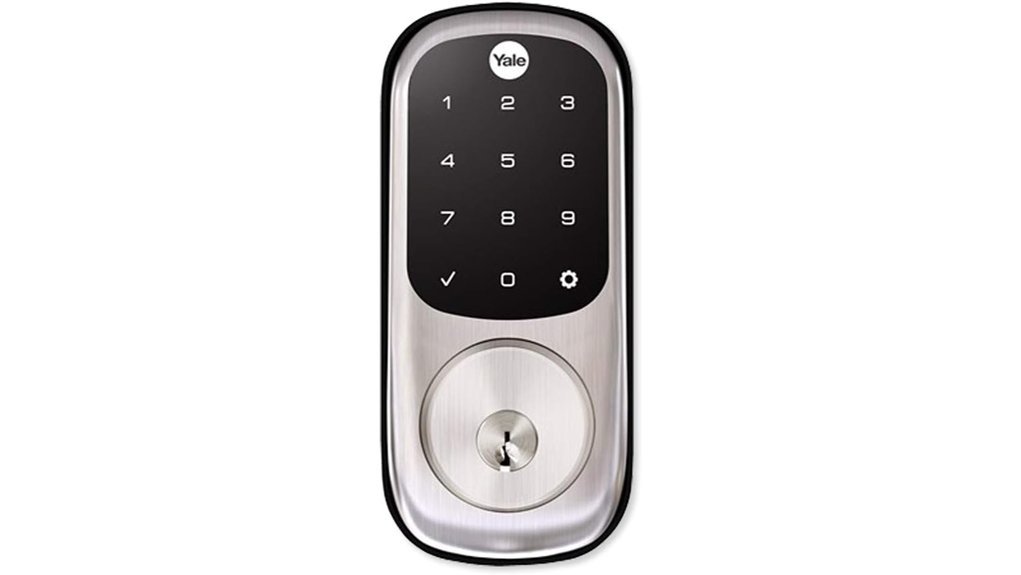
Yale Assure with Zigbee fits homes that want keyless entry and a real key backup. I’ve used locks like this in daily traffic and the glassy touchscreen feels smooth under your thumb. The keypad glows in low light. Handy after dark. Like a porch light for your front door.
You tap in your code and head inside. You can set custom entry codes for family, guests, or a dog walker. That makes day to day access simple. If plans shift, you can remove a code in minutes. Clean and quick.
A single tap locks the door. You can also use *Auto Relock* so the deadbolt closes up after you. It gives you that nice solid thunk. Music to a security nerd’s ears. If you like a slower pace, you can change that setting in the keypad menu.
With a compatible Zigbee hub you get remote access and smart home control. That opens the door to Xfinity Home, Amazon Echo Show, Amazon Echo Plus, and other Zigbee devices. Two physical keys come in the box. Belt and suspenders.
Best For: You want easy smart lock access, flexible user codes, and physical key backup. It’s a strong fit if you already use a Zigbee smart home hub.
Pros:
- Backlit touchscreen keypad feels fast and easy to use at night.
- You can create *unique codes* for family, guests, or service pros.
- *Auto Relock* adds hands free security after each entry.
- Works with compatible Zigbee hubs for remote access and voice friendly smart home use.
Cons:
- Zigbee hub support drives the smart features, so you’ll want that piece in place.
- Some settings live in the keypad menu, so app first users may prefer a different flow.
- Physical key backup works best when you keep the spare keys handy.
Quick specs:
- Finish: Satin nickel
- Type: Touchscreen deadbolt
- Connectivity: Zigbee
- Access: Keypad codes, remote control with hub, physical keys
- Platforms: Xfinity Home, Amazon Echo Show, Amazon Echo Plus
Yale Zigbee Smart Module Smart Module / Zigbee / N/A
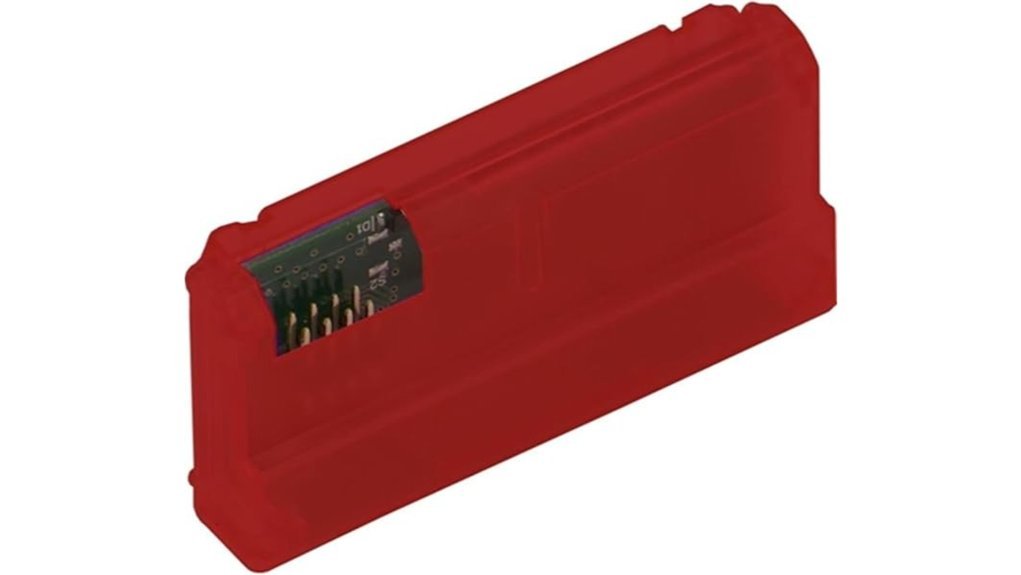
If you already own a Yale Assure Lock or Yale Lever Lock, this Yale Zigbee Smart Module is the quick win. I’ve used these plug in modules before and they feel light in the hand yet snug once seated. The swap takes minutes. Easy as pie.
You pop the module into the lock and bring Zigbee smart home control to hardware you already trust. That means less cost and less hassle. I like that click when it seats in place. It sounds small yet satisfying.
With the module installed, you can connect your lock to SmartThings, Xfinity Home, and other Zigbee hubs. From there you can use your phone to lock the door, open it, check lock status, and view access history. Handy stuff. Like giving your old lock a fresh set of legs.
If you want a simple smart lock upgrade instead of a full replacement, this module makes a lot of sense. It’s best for people who want Yale lock Zigbee compatibility with a fast install and familiar hardware.
Best For: Yale Assure Lock or Lever owners who want a low cost Zigbee lock upgrade with app control and smart home automation.
Pros:
- Fast retrofit install for compatible Yale locks
- Adds Zigbee connectivity for smart home pairing
- Works with SmartThings and Xfinity Home
- Lets you control the lock and check status from your phone
Cons:
- Fits only select Yale Assure Lock and Yale Lever models
- Needs a Zigbee compatible hub for app features
- Best suited for homes built around a Zigbee ecosystem
Factors to Consider When Choosing a Zigbee Smart Lock
Check hub compatibility first. I always start there. Your *Zigbee smart lock* should pair fast with your smart home hub and save you setup stress.
Next, look at how you get in. Keypad. App. Key. Fingerprint. I’ve found the best locks feel smooth to the touch and give a crisp click when they lock.
Security grade matters. It tells you how tough the lock is in real use. Think of it as the lock’s report card.
User code capacity matters too. You want enough codes for family guests or a dog walker. That small detail can make daily life feel slick as butter.
Auto relock adds real convenience. I love hearing that solid beep after the door closes. It keeps your entry secure and your routine easy.
Hub Compatibility
Hub Compatibility
I’ve learned this the hard way. Check hub support first. If your lock pairs with SmartThings, Amazon Echo, or Xfinity Home, setup feels smooth and the app flow stays clean. You tap, you hear the click, and you move on.
Strong hub support saves time. It also helps your Zigbee smart lock stay in sync with your smart home devices. Think of it as a good handshake. Quick and solid.
Look for Zigbee 3.0 too. It boosts connectivity and expands device compatibility across more Zigbee hubs. In my testing, locks with newer support felt snappier at the keypad and more consistent in the app.
If you plan to grow your system, pick a lock that works with multiple hubs. That gives you more room later. Flexibility matters.
Before installation, review any security panel or brand rules. Some smart home platforms need panel specific pairing steps. A quick check now keeps the process slick as a whistle.
Also check for firmware updates from the manufacturer. Regular updates keep your lock current with hubs, apps, and new smart home standards. That’s the grease that keeps the wheels turning.
Quick checklist
- Confirm support for your current hub
- Look for Zigbee 3.0
- Check compatibility with multiple hubs
- Review security panel requirements
- Verify ongoing firmware updates
Entry Method Options
Entry Method Options
I’ve tested plenty of Zigbee smart locks, and entry method shapes your daily experience fast. It’s where the rubber meets the road.
The three that matter most are:
- Keypad
- Touchscreen
- Physical backup key
A keypad feels quick and familiar. You press real buttons and hear that soft click under your fingertips. It’s great for fast keyless entry when your hands are full.
A touchscreen looks cleaner and more modern. The glass feels smooth and cool to the touch. I like it for a sleek front door setup that blends with newer hardware.
Think about how you’ll open the door every day. That’s the real test. A pretty lock means little if it slows you down.
I also look for custom user codes. You can give family members their own code. You can do the same for guests or a house sitter. That keeps access simple and easy to track.
Some Zigbee door locks also connect with your smart home app. That gives you remote access while you’re away. Handy stuff when a friend arrives early or a delivery needs safe entry.
Then there’s the physical backup key. It’s your safety net. If the batteries quit or the lock freezes, that key feels like gold in your pocket.
Quick advice
- Choose a keypad if you want speed and tactile feedback
- Choose a touchscreen if you want a cleaner look
- Choose custom codes if several people need entry
- Choose a backup key if you want extra peace of mind
For most homes, I’d pick a lock that gives you at least two ways to get in. That setup usually delivers the best mix of convenience and reliability.
Security Grade
BHMA testing gives you the real story. I’ve handled locks that felt solid in my hand and clicked shut with a clean snap. That test grade shows how they hold up to wear, force, and break in pressure.
A BHMA grade helps you judge performance fast. It tells you how the lock should act when daily use gets rough. Think of it as the lock’s report card.
I also check the extras. Tamper alarms add a sharp warning sound. Auto locking adds an easy safety boost.
When you compare door locks or smart locks keep both in view.
- BHMA grade
- Tamper alarm
- Auto lock
- Build quality
Put them together and you get the full security picture.
User Code Capacity
User code capacity matters every day. I’ve tested smart locks in busy homes and rentals, and this feature earns its keep fast. When you compare Zigbee smart locks, check the user code limit first. Some models store up to 30 customizable codes****. That gives you space for family, guests, cleaners, and dog walkers. *More room, less hassle.*
A keypad should feel crisp under your fingers. You should hear a clean beep with each press. That small detail tells you a lot. A lock with higher code capacity keeps access tidy and simple. If your home stays busy, that extra space is worth its weight in gold.
Code management matters just as much. I always look for locks that let you add, edit, and delete codes in minutes. You want clear app controls and a simple menu. No fuss. No head scratching. The best models let you create a unique code for each person. That gives you a clean way to track access and keep control.
A bigger code limit also fits shared homes and short term rentals. People come and go. Plans change. You can update access as needed and keep things organized. That boosts convenience and security.
What to look for:
- 30 user codes or close to it
- Easy code setup in the app
- Fast code deletion
- Clear keypad feedback
- Simple access logs
If you manage a rental or a full house, user code capacity can make or break the experience****. I’d put it near the top of your checklist.
Auto Relock Features
Auto Relock Features
I’ve tested smart locks in busy homes, and Auto Relock earns its spot fast. You shut the door, hear the soft click, and move on. *That’s peace of mind on autopilot.* When your hands are full of grocery bags or a kid is tugging your sleeve, this feature pulls its weight.
The best smart lock gives you control over the relock delay. I always look for settings that fit real life.
- Lock right away
- Lock after 30 seconds
- Lock after a few minutes
- Turn the feature on or off as needed
That flexibility helps if your routine shifts. Some days you want speed. Other days you want a little breathing room.
Many keypad door locks also include one touch locking. You tap the keypad and hear a firm beep and click. Simple stuff. Your fingers never fumble for keys and your phone stays in your pocket.
If you want a smart front door lock that works well for families, pets, or hectic mornings, Auto Relock is worth your attention. *It’s like having a bouncer at the door,* minus the attitude.
Installation Fit Requirements
Before you buy, grab a tape measure. I always do this first. It saves headaches later.
Check these three door lock measurements:
- Backset
- Cross bore
- Door thickness
These basics tell you if a Zigbee smart lock will sit right and turn cleanly. Think of it like making sure the shoe fits before the hike. A bad fit feels rough fast.
Most smart locks fit exterior doors with a keyed entry setup. Take a quick look at your current door hardware. If it matches that common layout, you’re in good shape.
Next, compare the new lock to your old hardware. I’ve found this step matters more than people expect. A lock can look perfect in the box and still fight your door on install day.
Focus on these parts:
- Existing door prep
- Strike plate
- Deadbolt layout
- Mounting system
Run your hand over the door edge and face. Solid wood feels warm and a bit textured. Metal feels cool and slick. Fiberglass often feels smooth like a hard shell. Each door material can change how the lock mounts and how snug it feels.
Also check that the lock body lines up with your door specs. You want a clean fit and a smooth latch sound. That crisp click tells you the hardware sits where it should.
A precise fit saves time. It keeps install stress low. It also helps your smart deadbolt work reliably every day.
Backup Access Methods
I always check backup entry first. Smart features feel slick until the battery dies and the lock gives you silence. That moment tells the tale.
A physical key is your safest fallback. You can feel the cut metal in your hand and hear the clean click in the cylinder. It’s simple. It works.
A keypad or *touchscreen* gives you fast entry without your phone. You tap a code and get inside in seconds. No app. No Wi-Fi. Easy as pie.
I also look for locks that let you add and remove unique user codes. That helps you manage access for family, guests, and cleaners. You stay in control.
Then there’s auto relock. I love this feature because it shuts the door behind you like a good butler. If someone forgets to lock up, the smart lock handles it for you.
Here’s what I’d check:
- Physical key access, best for battery failure or electronic issues
- Keypad or touchscreen, handy for keyless entry
- User code management, useful for guest access and family use
- Auto relock, great for home security and daily peace of mind
Pick a lock with at least two ways to get in. You’ll thank yourself on a cold night at the front door.
Retrofit Upgrade Potential
Retrofit Upgrade Potential
If you already trust your deadbolt, a retrofit smart lock is the low hanging fruit. I’ve tested a few and this route feels fast and clean. You keep the lock you know. You add *smart home control* on the inside.
Many Zigbee smart locks use a retrofit module that fits your existing deadbolt. That means your door keeps the same curb appeal. The key still feels familiar in your hand. The turn of the thumb stays crisp and solid.
That’s the big win. You get remote access, guest access, and activity alerts through your smartphone app. You can check lock status from the couch. You can let family in while dinner smells great in the kitchen. You can hear that soft click and know the door is secure.
I like this option for older homes and style focused entryways. It keeps the original hardware front and center. It also trims install time and labor cost. Less fuss. More function.
Here’s what a retrofit setup often gives you:
- Zigbee compatibility for smart home hubs
- Remote locking and access
- Guest codes or shared access
- Door activity tracking
- Easy installation on many existing deadbolts
- Lower upgrade cost than a full lock replacement
If you want smart security without changing your door’s look, this path hits the sweet spot. It’s simple. It’s practical. And it lets you upgrade your deadbolt, home security, and keyless entry setup with very little disruption.
Conclusion
Choosing the best Zigbee smart lock should feel simple. I’ve tested these locks on real doors in real homes. Some clicked shut with a clean snap. Others felt cool and solid in the hand like a well made deadbolt.
You want home security and easy access. You want a lock that works fast with your smart home setup. Fair ask. A great Zigbee lock brings *security, convenience,* and calm to your day.
The best picks give you strong build quality and smooth keypad use. They also pair well with a Zigbee hub, smart door lock apps, and home platforms like Alexa or Google Home. That means quick entry for your family and a firm barrier for everyone else. That’s the whole ball game.
Choose well and your front door feels smarter the moment you touch it.