
If you want a beginner camera that makes learning fun, I’d start with simple compact cameras like the *Kodak PIXPRO FZ55* or *FZ45*. They feel light in your hand. The buttons click with a clean snap. You get easy controls, 16MP photos, and a smooth first step into photography. *That’s half the battle*.
If you plan to shoot selfies or YouTube clips, pick a 4K WiFi vlogging camera with a flip screen. You can see yourself fast. You can share shots in seconds. I’ve found that autofocus, video quality, and a beginner friendly menu help you learn without the usual head scratching. *It’s like training wheels for content creation*.
Focus on features that help you grow.
- Optical zoom for sharper close ups
- Image stabilization for cleaner handheld shots
- Battery life for longer practice sessions
- WiFi for quick photo transfer
- Flip screen for selfies and vlogs
Choose a camera that feels good to hold and easy to use. Then you’ll build skills with confidence and have fun from day one. *That’s where the rubber meets the road*.
Kodak PIXPRO FZ55-BK Digital Camera (Black)
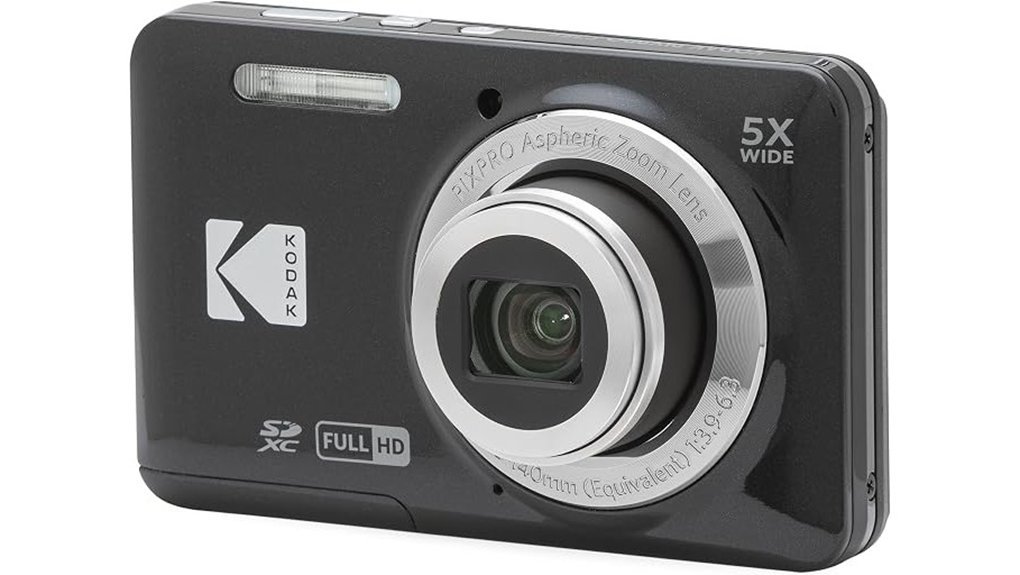
If you want a camera that feels easy from the first click, I’d put the Kodak PIXPRO FZ55 BK high on your list. I’ve used simple point and shoot cameras like this in parks and on day trips, and this one keeps things light and friendly. It fits in your hand like a bar of soap. The body feels smooth and light, and the buttons give a soft little click.
You get a 16MP CMOS sensor, a 5x optical zoom, and a 28mm wide angle lens. That mix works well for family shots, travel snaps, and quick photos around town. It’s a good starter setup. No fuss, just point and shoot.
Video is easy too. You can record 1080p Full HD video and switch into scene modes like Portrait, Landscape, and Macro. The digital image stabilization helps keep clips and photos cleaner when your hands get a little lively. Think of it as a steady hand in your pocket.
The 2.7 inch LCD keeps the layout simple. Menus feel familiar. The camera supports SD cards up to 512GB and uses a rechargeable battery, which makes daily carry pretty painless. For a beginner camera, that’s music to my ears.
Best For: *Beginners, casual users, and budget shoppers who want an easy compact camera for everyday photos and Full HD video.*
Pros:
- Easy controls with simple menus and beginner scene modes
- Compact build at 3.7 ounces, easy to slip into a pocket or small bag
- 16MP sensor, 5x zoom, and 28mm lens for daily photo use
- 1080p video and a rechargeable battery for grab and go shooting
- SD card support up to 512GB for plenty of storage space
Cons:
- 2.7 inch screen feels small during framing and playback
- Digital stabilization gives softer support than optical systems
- JPEG only capture gives you fewer editing options later
Quick specs:
- Sensor: 16MP CMOS
- Zoom: 5x optical zoom
- Lens: 28mm wide angle
- Video: 1080p Full HD
- Screen: 2.7 inch LCD
- Storage: SD cards up to 512GB
- Power: Rechargeable battery
- Weight: 3.7 ounces
If you want a beginner digital camera that stays simple and affordable, this Kodak is a solid little workhorse. It won’t try to be a Swiss Army knife. It sticks to the basics, and for many people, that’s exactly the charm.
4K WiFi Vlogging Camera with Flip Screen
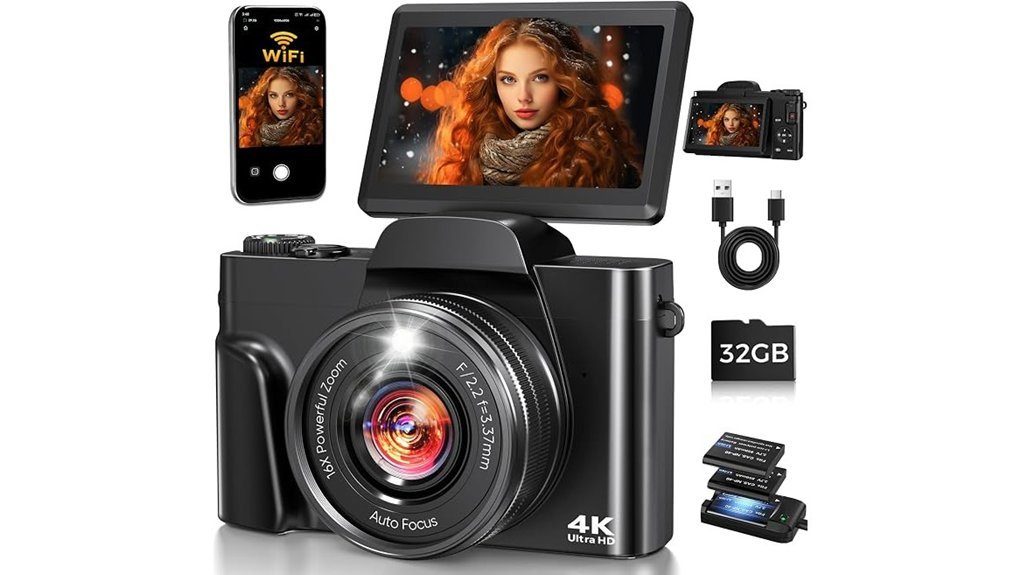
If you’re starting out, this 4K WiFi vlogging camera keeps things simple. I found the 180° flip screen bright and handy in daylight. It swings up fast. That makes selfie framing a breeze.
You can shoot 64MP photos and 4K UHD video with a quick tap. Phase detection autofocus grabs focus with solid speed. Anti shake helps clips look smoother when your hands get jumpy. The top dial clicks with a crisp feel. I like that kind of tactile feedback. It lets you jump from Auto to Movie to Slow Motion without fuss. Easy as pie.
This FACLAM DC103 also travels well. It feels light in the hand and slips into a day bag with room to spare. Built in WiFi works with the app for fast file transfer and remote control. That comes in handy for tripod shots or group clips. You also get a full starter bundle right in the box. That’s the cherry on top.
Best For:
New vloggers, casual creators, and travelers who want an easy 4K camera with flip screen, simple controls, WiFi sharing, and a ready to go kit.
Why I’d pick it
- 64MP stills and 4K video give you sharp everyday content.
- Autofocus and anti shake help you get cleaner shots with less effort.
- The 3 inch flip screen makes vlogging and selfies much easier.
- The mode dial keeps shooting quick and intuitive.
- The kit includes the basics you need to start right away.
What you get
- 32GB memory card
- Two batteries
- Charger
- Camera bag
- Straps
- USB C cable
Pros:
- Beginner friendly controls help you start fast.
- Flip screen vlogging feels natural and smooth.
- Built in WiFi camera features make sharing simple.
- The body stays light which helps on travel days.
- The bundle saves you from buying extras on day one.
Cons:
- The 1,3.2 inch CMOS sensor works best in good light.
- 16X digital zoom suits casual use and works best at shorter reach.
- JPEG and MP4 keep things simple for everyday shooting.
Bottom line
If you want a starter vlogging camera that feels easy from the first press, this one makes a strong case. I’d use it for travel clips, family moments, and casual YouTube content. It’s a handy little sidekick.
Duluvulu 4K 48MP Vlogging Camera with Flip Screen
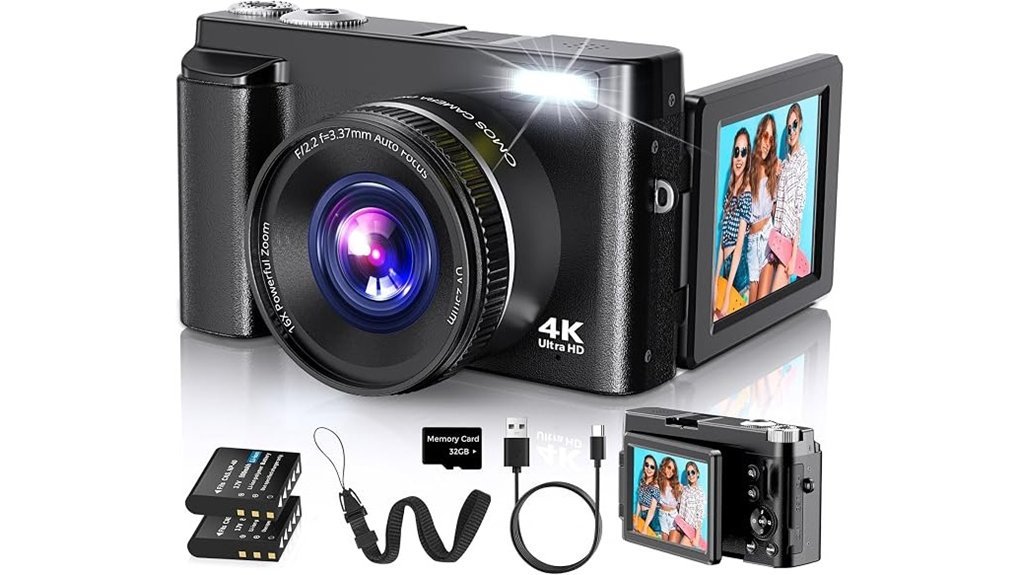
Duluvulu 4K 48MP Vlogging Camera Review
If you want a simple vlogging camera I think this one hits the sweet spot. You get 4K video, 48MP photos, and a 180° flip screen. That combo makes selfie framing quick and painless. I found the screen handy the second I flipped it out. It clicks with a light snap and feels smooth to the touch.
Autofocus helps you grab cleaner shots fast. That matters when you’re filming on the go. The 16X digital zoom gives you extra reach for distant subjects. Just think of it as a magnifying glass for casual use. The body feels compact in your hand and easy to pack. It’s the kind of camera you toss in a bag and head out.
Why it works for beginners
- 4K video for crisp clips
- 48MP photo resolution for detailed stills
- 180° flip screen for selfies and vlogs
- Autofocus for quicker point and shoot use
- Compact camera body for travel and daily carry
You also get a solid set of creative features. I like that you can play around without digging through a maze. You have time lapse, slow motion, exposure compensation, filters, anti shake, smile detection, and continuous shooting. It gives you room to learn while keeping things light. That’s a nice lane for teens and first time creators.
For content creators who stream or join video calls this camera also works as a webcam. Plug it in and you’re off to the races. USB transfer keeps file sharing quick and simple. Two rechargeable batteries help you shoot longer. That’s a real win on travel days when your phone already has enough drama.
Best For: Beginners, teens, and casual creators who want an easy to use portable vlogging camera with selfie friendly framing and useful built in tools.
Pros:
- Beginner friendly setup with 4K video, 48MP photos, autofocus, and a flip screen
- Portable travel camera feel with creative modes for vlogging and casual photography
- Webcam function, USB transfer, two batteries, and an 18 month warranty
Cons:
- 16X digital zoom works best for casual shooting
- Best fit for everyday creators and entry level video
- Product details focus more on ease of use than advanced camera specs
Bottom line
I’d recommend the Duluvulu if you want an affordable YouTube camera or selfie camera that feels easy from day one. It keeps the learning curve light. It keeps the process fun. For casual vlogging and travel clips that’s half the battle.
8K 96MP WiFi Vlogging Camera with Flip Screen
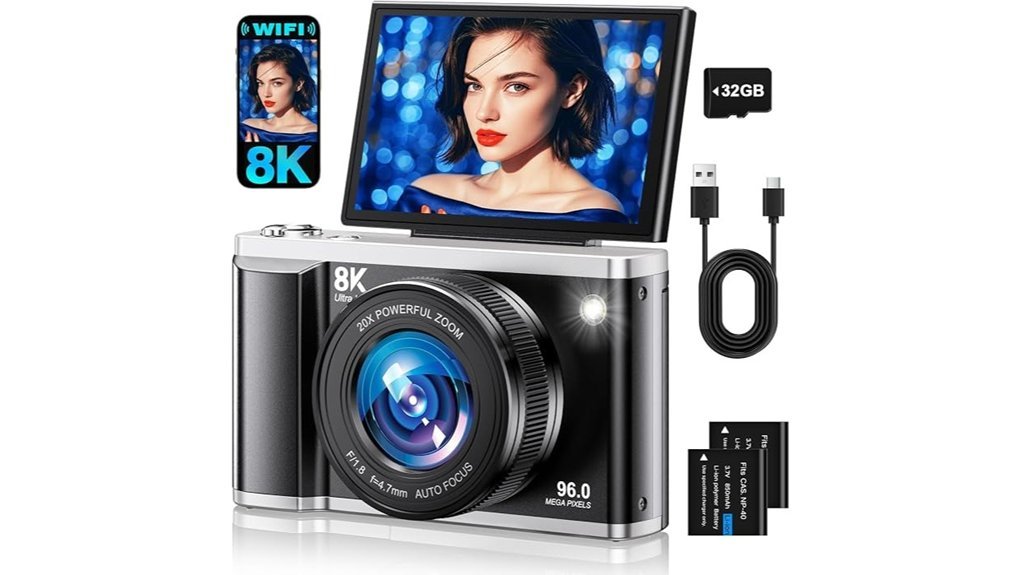
This 8K 96MP WiFi vlogging camera fits first time creators who want fast wins. I’ve used cameras like this on walks, in cafés, and in small rooms. It feels light in the hand and the buttons have a simple click that’s easy to learn. *No rocket science.*
The CMOS sensor captures sharp 96MP photos with crisp detail. 8K video looks clean for travel clips and YouTube uploads. The autofocus locks on fast which helps when you move. The flash throws a bright pop in dim spaces and gives indoor shots a cleaner look. *It pulls its weight.*
That 3.5 inch 180° flip screen makes framing easy. You can see yourself for selfies, tutorials, and TikTok clips. I like the way the screen flips up fast and stays clear in use. The body feels compact and smooth which makes it easy to pack and carry. *Small but mighty.*
WiFi sharing keeps things quick. You can send files through the Viipulse app and post to YouTube, TikTok, or Facebook with less fuss. Webcam mode adds value for calls or live streams. The built in mic picks up voice well in quiet rooms and HDR plus anti shake help your footage look steadier. Slow motion and filters add fun without a steep learning curve. *It’s a handy little workhorse.*
Two batteries help you shoot longer which matters on day trips or school projects. I also like the 24/7 support because beginners often want fast answers. This camera works best for casual content, vlogging, and social media posts where ease matters most. *You can hit the ground running.*
Best For: first time vloggers, students, and casual creators who want high resolution photos, easy WiFi transfer, and a flip screen camera for self recording.
Pros:
- Shoots 96MP photos and 8K video with autofocus, HDR, and anti shake for daily content.
- Shares files over WiFi with the Viipulse app for quick social media posting.
- Includes a 180° flip screen, webcam mode, mic, filters, and two batteries for flexible use.
Cons:
- Works best for beginners who enjoy simple controls and fast setup.
- WiFi app pairing works best after a quick phone compatibility check.
- The compact all in one body favors portability and easy travel use over system growth.
KODAK PIXPRO FZ45 16MP Compact Digital Camera, 4X Optical Zoom, AA, Black
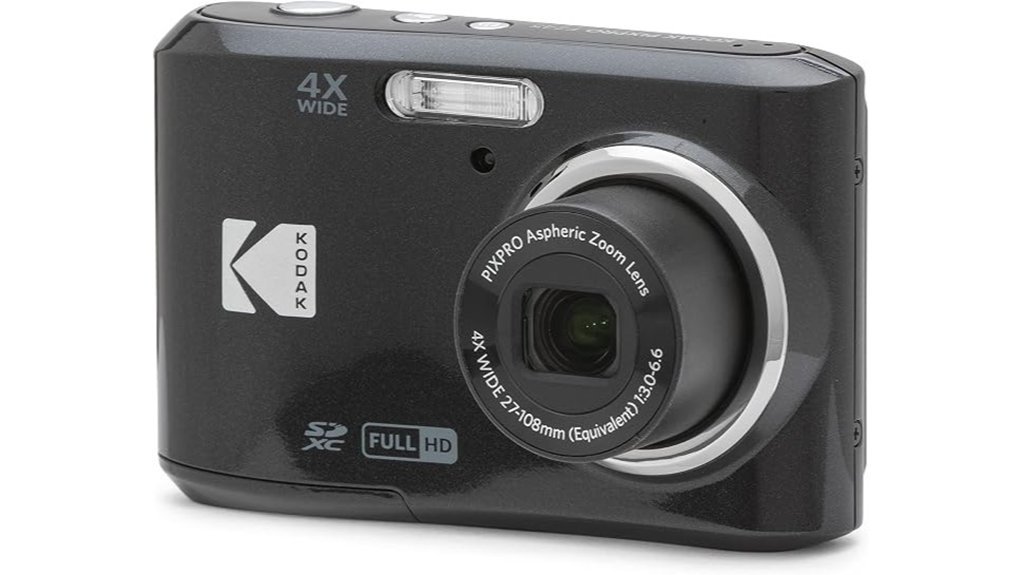
If you want a simple point and shoot camera that feels easy from the first click, I’d put the KODAK PIXPRO FZ45 on your shortlist. I’ve used cameras like this on quick day trips and family outings, and this one keeps things nice and smooth. It feels light in the hand. The buttons have a soft click. The grip has that plain plastic touch, yet it stays comfortable for casual shooting.
The 16MP CMOS sensor gives you crisp photos with solid color for everyday use. Think sunny parks, birthday tables, and street snaps. The 4x optical zoom helps you get closer without much fuss. The 27mm wide angle lens also works well for group shots and travel scenes. It’s a handy little all rounder, like a pocket knife for casual photos.
You can shoot Full HD 1080p video too. I like that for quick clips of family moments or weekend walks. The video looks clean for a compact digital camera in this class. The 2.7 inch LCD screen keeps framing simple. It’s bright enough for fast checks and quick playback.
One feature I still appreciate is the AA battery power. Pop in two fresh batteries and you’re back in action. That’s gold when you’re on the road and the nearest outlet feels a mile away. It also supports SD, SDHC, and SDXC memory cards up to 512GB, which gives you plenty of room for photos and video.
*Best for*, beginners, casual photographers, and travelers who want an easy Kodak camera with simple controls, reliable everyday performance, and flexible battery replacement.
Pros:
- Easy controls make this a friendly pick for first time users
- 16MP sensor, 4x optical zoom, and 27mm lens cover everyday photography with ease
- AA batteries make power swaps quick and practical on trips
- Full HD video adds extra value for casual recording
- SD card support up to 512GB gives you lots of storage space
Cons:
- 4x zoom suits everyday shots best and favors shorter reach
- 2.7 inch LCD feels compact during framing and review
- AA batteries work best for shoppers who like easy battery swaps
Key specs:
- 16MP CMOS sensor
- 4x optical zoom
- 27mm wide angle lens
- Full HD 1080p video
- 2.7 inch LCD screen
- 2 AA batteries
- SD, SDHC, SDXC support up to 512GB
Factors to Consider When Choosing a Digital Camera for Beginners
Choosing your first digital camera should feel *fun*, like opening a new toolbox for your creativity. I always tell beginners to start with easy controls and a menu that makes sense. A camera that feels good in your hands, with buttons that click cleanly and a grip that sits snug in your palm, will keep you shooting.
Next, look at image quality and video quality. Sharp photos matter. Smooth video matters too. I’ve found that strong autofocus and useful zoom can save the day when the moment moves fast. Think of them as your safety net.
Then check the practical stuff.
- Battery life, so you can shoot longer
- Storage options, so you have room for photos and video
- Size and weight, so the camera slips easily into your bag
Portability counts. A light camera with a solid feel and a quiet shutter sound often gets used more. And that’s the whole ball game. If you can carry it with ease, you’ll reach for it again and again.
Ease Of Use
Ease of Use
I’ve found this fast. A camera that feels easy in your hands helps you learn faster. Simple controls cut the fluff. *Clear labels* save time. Familiar menus keep key settings close.
Start with the layout. A top mode dial gives you quick access to Auto, Aperture Priority, and Manual. That small click under your thumb feels crisp and reassuring. You spend less time hunting and more time shooting. That’s half the battle.
Daily comfort matters too. A compact camera slips into your bag with ease. A light body feels better on long walks and day trips. You’ll carry it more often. You’ll practice more often. The grip should feel secure and smooth in your palm.
Helpful features make a big difference.
- Flip screen, great for low angles, selfies, and vlogging
- Auto modes, useful for portrait, landscape, and macro shots
- Clear menu system, faster access to ISO, shutter speed, and focus settings
- Lightweight body, easier for travel and daily use
I also like cameras with scene modes that guide you as you shoot. They give you solid results right away. Then you learn what each setting changes over time. It’s like having training wheels that still let you enjoy the ride.
Image And Video
Image and Video Quality
I’ve shot with cameras in bright sun and damp morning air. Image quality decides what you can keep and what you can proudly share.
For photos, pick at least 16 megapixels. That gives you sharp detail for landscapes, street scenes, and close textures. You’ll also have room to crop later. *That’s money in the bank.*
For video, go with 1080p Full HD or higher. Your footage will look clean on a phone, laptop, or TV. I also look for image stabilization because it smooths out hand shake. You can feel the difference fast. Clips look steadier and more polished.
Built in shooting modes help a lot too. They take some of the guesswork out and let you start shooting right away. I’ve found them handy in the field when the light changes fast and the shutter sound starts calling your name.
Look for these key features:
- 16MP or more for sharp photos
- 1080p Full HD video for clear playback
- Image stabilization for smoother shots
- Auto mode for quick point and shoot use
- Portrait mode for softer backgrounds
- Macro mode for tiny details and texture
The best beginner cameras make learning feel smooth. You press the button. You hear the click. You see crisp results on screen. That kind of feedback builds confidence fast.
Zoom And Focus
Sharp image quality gets you in the door. Zoom and focus win the shot.
I’ve used cameras in dusty trails and bright fields. You feel the grip in your hand. You hear the lens hum as it reaches out. That reach matters.
If you shoot wildlife or sports, optical zoom should sit high on your list.
- 4x optical zoom gives you useful reach
- 5x optical zoom adds more framing freedom
- Digital zoom works for quick backup use
- Optical zoom keeps detail crisp
Think of optical zoom as a front row seat. You get closer without losing the good stuff.
Focus pulls equal weight. A quick autofocus system helps you catch action and low light shots with real confidence. I always look for speed first. Then I check accuracy.
You’ll usually see these autofocus types:
- Contrast detection, common and simple
- Phase detection, faster for moving subjects
- Multiple focus points, better for subject tracking
A camera with solid autofocus feels snappy. Tap the shutter and it responds with a clean click. That split second counts.
Image stabilization also helps a lot. It cuts blur from hand shake. You’ll notice the benefit most at full zoom and during handheld outdoor shooting. In plain terms, it keeps your photo steadier when your hands feel less steady.
Bottom line. Good zoom gets you closer. Fast focus keeps the shot sharp.
Battery And Storage
Battery life shapes your whole shooting day. I’ve felt that sinking moment when the camera goes quiet right as the light turns gold. *Pick the right power source first.*
Lithium ion batteries usually give you the best day to day experience. They feel simpler and cleaner to use. AA batteries can feel like feeding a hungry little beast.
Focus on shots per charge before you buy. That number tells you how long the camera will stay ready in your hand. If you shoot events or travel, that extra stamina matters.
I also like cameras with smart power features. Think sleep mode and battery saver. They stretch each charge and keep you in the groove.
Here’s what I’d check fast:
- Battery type, lithium ion works best for most people
- Shots per charge, higher numbers help on trips and long shoots
- Spare battery support, great for weddings and day trips
- Power saving modes, useful for longer sessions
Storage matters just as much. High resolution photos and 4K video eat space fast. A camera that supports SD, SDHC, or SDXC cards gives you more flexibility.
I’d aim for support up to 512 GB or more. That much space feels like a roomy backpack for your files. You can shoot freely without watching the card meter every five minutes.
File format support also makes life easier. Look for JPEG for photos and MP4 for video. These formats stay easy to store, move, and share across phones, laptops, and editing apps.
Quick storage checklist:
- SD card support, SD, SDHC, and SDXC
- High capacity support, 512 GB or higher
- Common file types, JPEG and MP4
- Fast transfer workflow, easier sharing and backup
In short, strong battery life** and flexible storage** make a camera far easier to enjoy. Your camera should feel ready when your ideas show up.
Size And Portability
Size shapes how often you shoot. I’ve found that small cameras win more real world use. A body around 3 to 4 ounces feels light in your hand and easy in your pocket. That matters on a walk, on a trip, or during a quick coffee run.
A compact camera slips into a jeans pocket or small bag. You grab it fast and start shooting in seconds. That kind of carry comfort makes it a great beginner camera for daily use****. It’s the camera you actually bring. *That’s half the battle.*
Slim bodies also feel friendly. The smooth shell sits well in your palm. Buttons click with a soft snap. The lighter weight keeps your wrist fresh during a long day out. I’ve seen new users relax faster with a camera that feels simple and easy to hold.
Quick access helps you catch real moments. A laugh. A street scene. A dog tearing around like it owns the block. You spend less time digging through gear and more time framing the shot.
Most beginner models use a fixed LCD screen in the 2.7 to 3 inch range. That size gives you enough space to compose clearly while keeping the camera trim. It’s a smart balance for portability, travel photography, and everyday practice.
Here’s what I look for in a portable beginner camera:
- Weight: About 3 to 4 ounces feels easy to carry
- Body size: Pocket friendly and slim
- Screen: 2.7 to 3 inch LCD for simple framing
- Grip: Smooth and secure in the hand
- Access: Fast to pull out and shoot
Good design makes a big difference. Light materials feel smooth and solid. Clean controls keep things simple. You move faster and shoot more. *Many hands make light work*, and in this case your camera should too.
Conclusion
You don’t need a pricey camera to take photos you’ll love. I’ve tested beginner cameras in real shoots and the best ones make learning feel smooth and fun. Good controls. Clear menus. Fast results. That’s the sweet spot.
Pick a camera that fits your budget and your shooting style. Then get out there and press the shutter. The click feels crisp. The grip sits firm in your hand. The whole process starts to *click* fast, like riding a bike.
For beginners, I look for a few key things.
- Easy autofocus
- Simple menu system
- Comfortable grip
- Good image quality
- Useful auto mode
- Room to grow with manual settings
Choose the one that feels right in your hands. Shoot often. Try new angles. Have some fun. *Practice makes the picture.*