
If you want the best 3D printer for miniatures, I’d start with a high resolution resin printer. I’ve tested these machines myself. Resin still rules the roost for tabletop miniatures.
My top picks include the ELEGOO Saturn 4 Ultra 16K, Mars 5, and ANYCUBIC Photon Mono 4. They print crisp armor edges. They leave smooth surfaces that feel slick under your fingers. They capture fine textures that make painters grin like kids in a candy store.
Want faster runs? Want a bigger build plate? Then the Centauri Carbon deserves a look. It handles batch printing with real muscle and a steady hum that sounds ready for work.
Keep reading. I’ll help you pick the printer that fits your hobby bench and your painting style.
FLASHFORGE Adventurer 5M 3D Printer with Auto Leveling
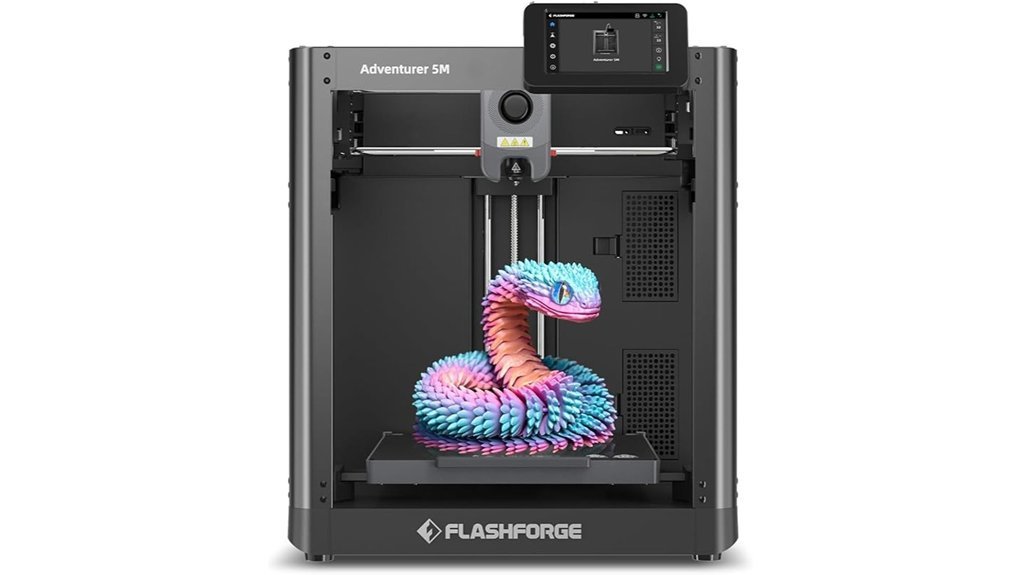
If you want a fast 3D printer for miniatures that still gives you real control, I’d put the FLASHFORGE Adventurer 5M near the top of the list. I’ve used printers like this enough to spot fluff fast. This one feels solid the second you touch the frame. The motion sounds tight and crisp. That matters.
You get a CoreXY all metal build and auto bed leveling right out of the box. You also get a 220 x 220 x 220 mm build volume. That gives you space for minis, terrain, and cosplay parts in one go. It’s quick on the draw.
Heat up is snappy too. The nozzle reaches 200°C in 35 seconds. You can swap nozzles in 3 seconds. Travel speed hits 600 mm/s with 20000 mm/s² acceleration. In real use, that means less waiting and more printing.
For detail work, you can run 0.25 mm to 0.8 mm nozzles. I like that range for miniatures and general PLA prints. The direct drive extruder feeds filament with a steady grip. The dual fan cooling helps layers set fast. Vibration compensation keeps surfaces cleaner. Your prints come off looking sharper, which is music to my ears.
The dual sided PEI platform also makes life easier. Prints pop off with a satisfying flex. The surface feels grippy when hot and smooth when cool. You can also check jobs through Flash Studio for remote monitoring and print control. Handy stuff.
Best For: Beginners and hobbyists who want a fast miniature 3D printer with easy setup and enough tuning for better detail.
Pros:
- CoreXY all metal frame and auto leveling make setup easy and stable
- 220 x 220 x 220 mm build area fits miniatures, terrain, and larger hobby prints
- 35 second heat up and 3 second nozzle changes save time fast
- 600 mm/s speed and 20000 mm/s² acceleration keep prints moving
- Direct drive extruder and dual fan cooling support cleaner detail
- Works with 0.25 mm to 0.8 mm nozzles for fine detail or faster prints
- PEI build plate makes print removal simple and clean
Cons:
- The 0.4 mm nozzle suits general printing best, a 0.25 mm nozzle helps mini detail shine
- Flash Studio remote monitoring fits best if you enjoy app based control
- The high speed feature set suits users who like to tweak print settings a bit
Key Specs:
- Build volume: 220 x 220 x 220 mm
- Motion system: CoreXY
- Nozzle heat up: 200°C in 35 seconds
- Nozzle swap time: 3 seconds
- Travel speed: 600 mm/s
- Acceleration: 20000 mm/s²
- Nozzle sizes: 0.25 mm to 0.8 mm
- Bed leveling: Auto leveling
- Build plate: Dual sided PEI
- Software: Flash Studio
If you want a beginner friendly FDM 3D printer for miniatures that prints fast and leaves room to fine tune quality, this one earns a long look. It brings speed, sharp detail, and easy handling into one clean package. It’s a pretty sweet spot.
ELEGOO Mars 5 Resin 3D Printer
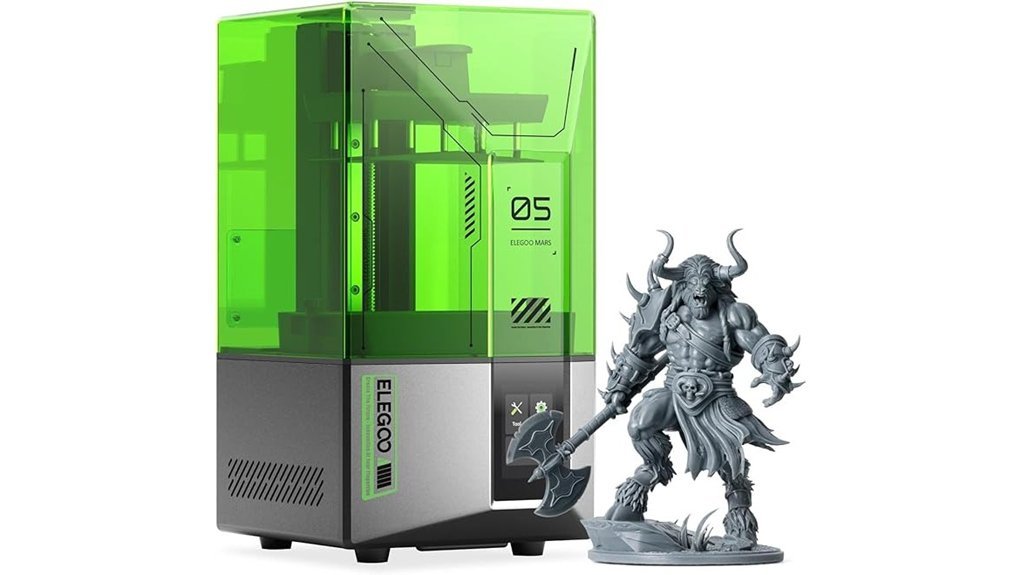
The ELEGOO Mars 5 fits *miniature painters* and hobby fans who want crisp detail with less fuss. I found setup quick and smooth. You open the box. You power it on. Then one click auto leveling handles the hard part. Easy as pie.
Before each print the printer runs a fast self check. I like that extra step. You hear the machine wake up with a soft hum. You spend more time printing and painting. You spend less time poking through settings.
You also get smart safety features that add peace of mind. A mechanical sensor spots stray resin before it harms the LCD screen. That matters with resin printing because sticky spills can turn into a real headache. The alerts also flag low resin and leveling issues. Think of it as a watchdog for your build plate.
Print quality stays strong thanks to the 4K mono LCD and advanced COB light source. In use I saw sharp edges and clean surface texture on minis and tabletop parts. The cooling system helps the printer stay steady during longer runs. Overheat protection adds another layer of care. You can smell the resin. You can hear the fans. The machine still feels calm and controlled.
Best For: *Miniature painters*, tabletop gamers, and first time resin printer users who want fine detail, easy setup, and helpful safety features.
Pros:
- One click auto leveling makes setup fast and friendly.
- The quick self check helps you start prints with confidence.
- 4K mono LCD and COB lighting produce sharp details on miniatures.
- Resin alerts and LCD protection add useful peace of mind.
- Cooling and heat protection support steady print performance.
Cons:
- 4K resolution feels best for standard high detail work rather than top tier ultra fine output.
- Smart alerts work best with regular cleaning and resin care.
- The build area fits minis and small resin models better than large format prints.
ELEGOO Centauri Carbon 3D Printer with Camera
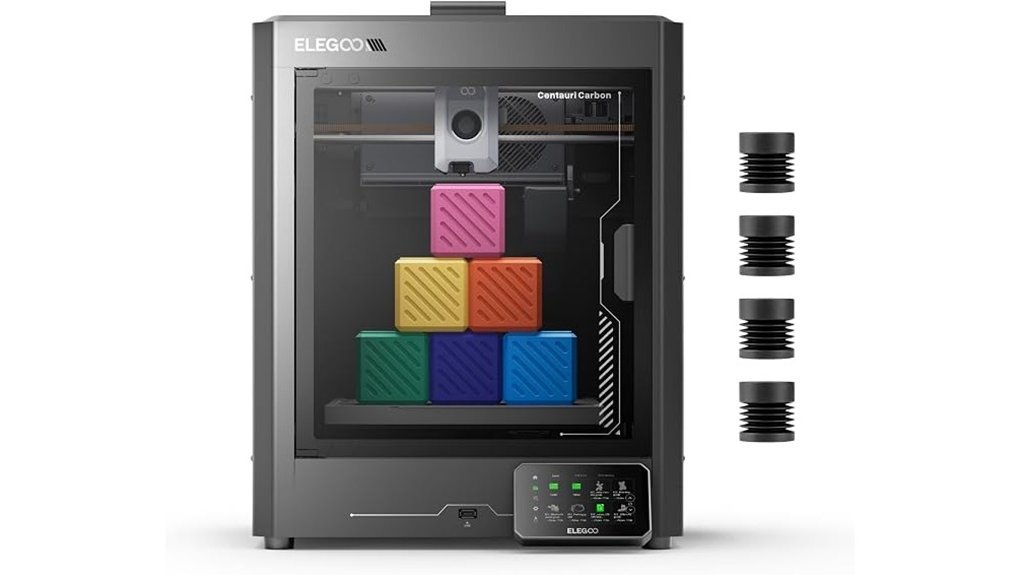
Need miniature armies fast? I’ve run the ELEGOO Centauri Carbon and it moves like a scalded cat. You get CoreXY speed up to 500 mm/s and 20,000 mm/s² acceleration. The 256 x 256 x 256 mm build volume gives you space for squads, terrain, and vehicles in one batch. The frame feels solid to the touch. The motion sounds tight and controlled instead of rattly.
Setup feels easy from minute one. It arrives fully assembled and pre calibrated. You tap through the touchscreen and start printing fast. Auto bed leveling keeps first layers smooth and even. That matters for miniatures where tiny details can make or break a model.
The built in camera adds real value. I used it for real time monitoring and quick time lapse clips. You can check a print without hovering over the machine like a nervous wizard. The enclosed chamber helps hold heat steady. The 320°C high flow hotend, heated bed, and dual sided plate give you broad filament support. PLA works well. PETG works well too. Carbon fiber filled materials also print with confidence.
Print quality stays sharp at speed. The die cast aluminum frame keeps the printer planted. Vibration compensation and pressure advance help corners stay crisp. Fine edges on minis look cleaner. Terrain pieces also come out with a nice hard finish. You can hear the machine hum along with purpose. It feels like a workhorse.
Best For:
Hobbyists and makers who want a fast enclosed CoreXY 3D printer for miniatures, terrain, functional parts, and stronger filament projects with very little setup.
Key Specs:
- Print speed: Up to 500 mm/s
- Acceleration: Up to 20,000 mm/s²
- Build volume: 256 x 256 x 256 mm
- Hotend: 320°C high flow
- Features: Auto bed leveling, built in camera, enclosed chamber, heated bed, dual sided plate, touchscreen
Pros:
- Fast batch printing for miniatures, scenery, and props
- Beginner friendly setup with full assembly and pre calibration
- Built in camera for easy print checks and time lapse videos
- Enclosed design for better heat control and cleaner results
- Carbon fiber filament support for stronger parts
Cons:
- Build volume suits medium projects best, very large one piece prints call for a bigger machine
- High speed results improve with slicer tuning, especially for top surface quality
- Advanced material support fits power users best, while PLA users may use only part of its range
If you want a fast 3D printer for miniatures that feels easy to live with, this one makes a strong case. I’d pick it for speed, clean setup, and steady print quality.
ANYCUBIC Photon Mono 4, Resin 3D Printer with 7” 10K Mono LCD Screen
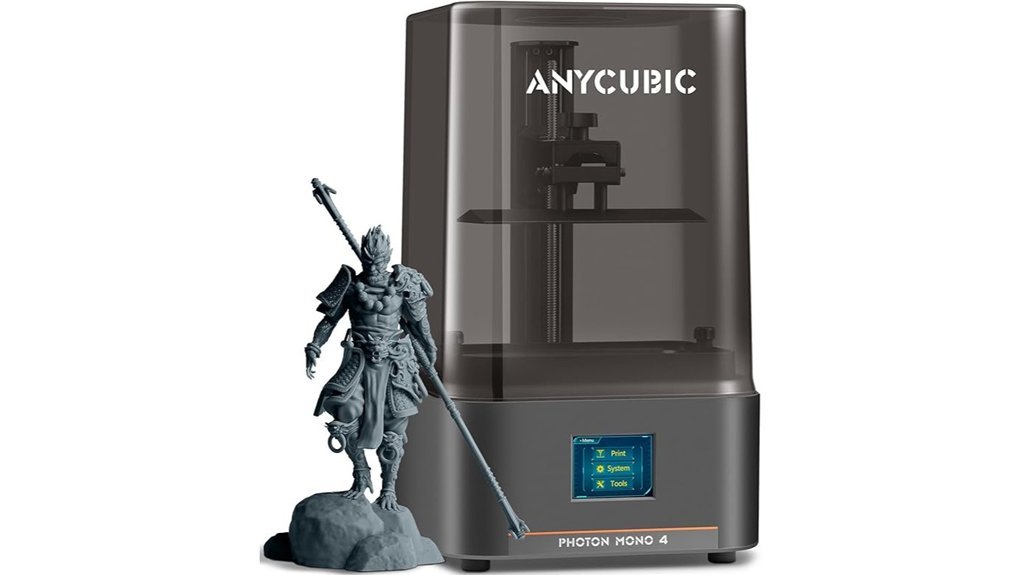
I’ve used the ANYCUBIC Photon Mono 4 for mini printing and it hits the sweet spot. You get 9024 x 5120 resolution and 17 x 17μm pixels. That means crisp armor lines, sharp faces, and texture you can feel with a fingertip. Tiny details pop. Like a hawk spotting a mouse.
The 7 inch 10K mono LCD gives your resin prints a clean and refined look. ANYCUBIC says it boosts precision by 105% over the Mono 2. In use, I saw sharper edges and smoother curves on tabletop minis and display pieces.
What stood out most for me was the LighTurbo matrix light source. Exposure stays even across the screen. Surfaces come out smoother and layer lines fade into the background. You can hear the build plate lift with that soft resin peel sound. It’s oddly satisfying.
The 6.04 x 3.42 x 6.49 inch build volume works well for squads, monsters, and terrain bits. I found it ideal for small to medium resin models. The laser engraved build plate grips prints well. The 4 point leveling system feels simple and quick in hand. Power loss recovery also adds peace of mind for long print sessions. That feature is worth its weight in gold.
Best For: Miniature painters, tabletop gamers, and resin hobbyists who want *very high detail*, smooth surfaces, and an easy setup.
Why it works for miniatures:
- 10K resolution captures fine facial features and armor detail.
- 17 x 17μm pixel size helps textures look clean and sharp.
- Even light exposure improves surface finish on small models.
- Compact build space fits common D and D minis, busts, and scenery pieces.
Pros:
- 9024 x 5120 10K resolution delivers crisp detail on minis and figurines.
- LighTurbo light source helps surfaces look smoother.
- 4 point leveling keeps setup simple for beginners.
- Laser engraved platform supports strong plate adhesion.
- Power loss recovery helps save long resin prints.
Cons:
- Build volume suits smaller projects best.
- Resin printing brings the usual liquid smell and cleanup routine.
- Feature set stays focused on print quality and ease of use.
Key specs:
- Printer: ANYCUBIC Photon Mono 4
- Screen: 7 inch 10K mono LCD
- Resolution: 9024 x 5120
- Pixel size: 17 x 17μm
- Build volume: 6.04 x 3.42 x 6.49 inches
- Light source: LighTurbo matrix light source
- Platform: Laser engraved build plate
- Setup: 4 point leveling
- Extra: Power loss recovery
If you paint minis and chase fine detail, this printer makes a strong case for itself. It feels focused. It prints clean. And it gives your tiny heroes the sharp look they deserve.
Bambu Lab A1 mini 3D Printer + LED Lamp Kit, Ready-to-Use for Beginners
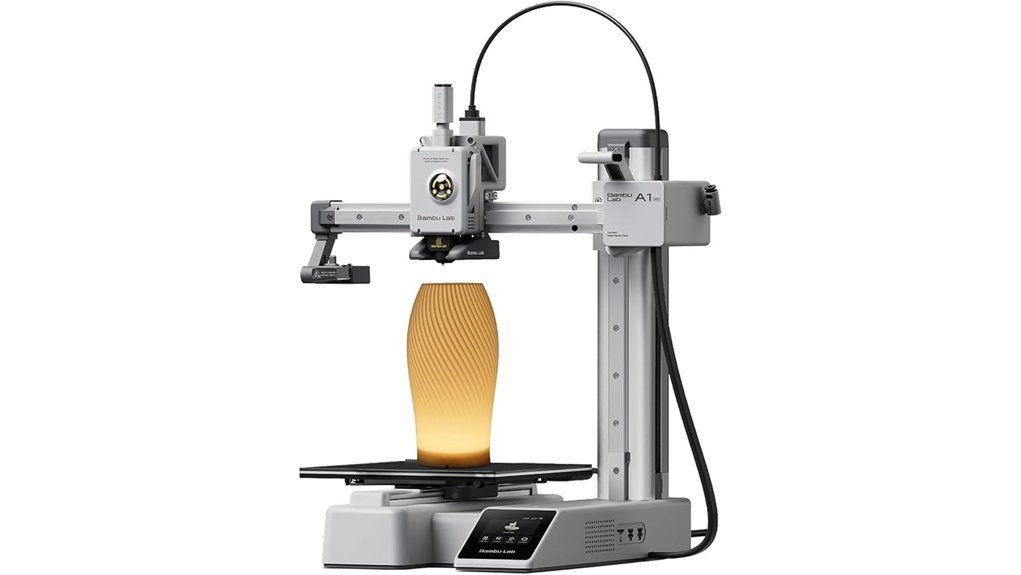
If you want a beginner friendly miniatures printer then I’d put the Bambu Lab A1 mini near the top of your list. I’ve used compact 3D printers that feel clunky from minute one. This one feels smooth right away. The frame stays tidy on a desk. The motion sounds like a soft hum. That matters at home.
Setup feels *plug in and print*. The automatic calibration handles the fussy parts for you. You spend less time poking at settings. You spend more time printing miniatures and fun home projects. It prints fast. It also keeps detail sharp. For tabletop figures and small décor pieces it punches above its weight.
Why I like it for beginners
The A1 mini keeps things simple. That’s half the battle. You load filament. You tap through setup. Then you watch the first layer go down like butter on warm toast.
You also get the LED Lamp Kit. That adds a playful twist. I’ve found it great for glowing décor and custom gifts. The plastic comes off the bed with a clean snap. Finished prints feel smooth in the hand. Some projects even carry that warm fresh filament smell that every maker knows.
What you can make
This bundle gives you room to explore without feeling lost. You can print:
- Miniatures
- LED lamp builds
- Personalized gifts
- Toys
- Desk organizers
- Handy home tools
MakerWorld helps a lot here. You can grab ready to print files fast. The Bambu Handy app also makes remote job control feel easy. Tap. Check progress. Start another print. Easy as pie.
Best For: Beginners, hobbyists, and home creators who want a compact 3D printer for miniatures, décor, gifts, and daily projects.
Pros:
- Automatic calibration makes first prints feel much easier.
- Compact size fits desks and smaller craft spaces.
- Quiet operation works well for home use.
- LED Lamp Kit adds fun project options.
- MakerWorld and the Bambu Handy app keep the workflow smooth.
Cons:
- The smaller build volume suits miniatures and compact parts best.
- Advanced users may prefer a machine with more room for deep tuning.
- The LED Lamp Kit shines brightest for decorative projects.
If you want a small 3D printer for beginners that feels friendly from day one, the Bambu Lab A1 mini is a smart pick. It keeps the learning curve light. It keeps the fun front and center.
Creality HALOT R6 Resin 3D Printer
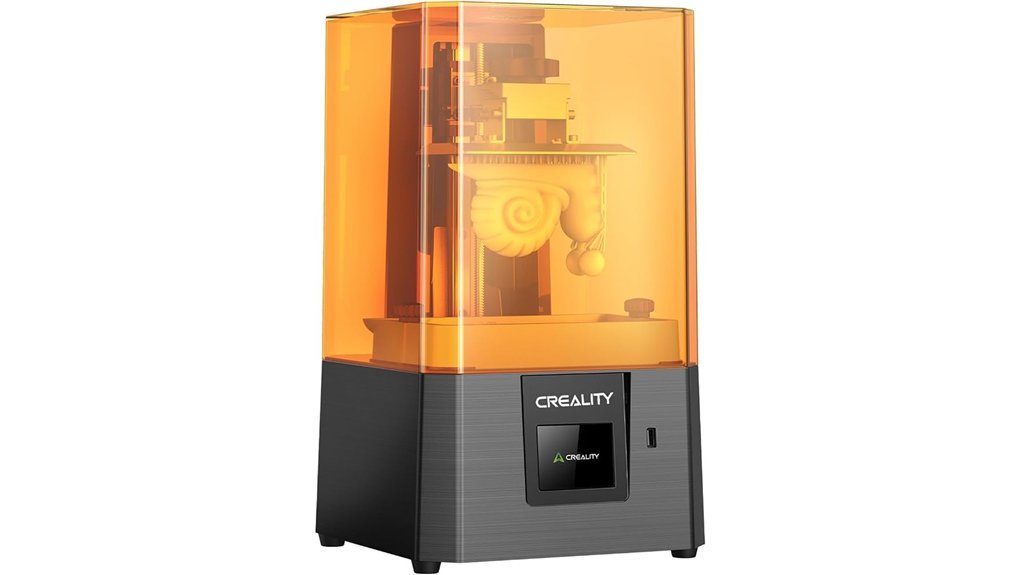
Creality HALOT R6 fits *first time miniature makers* who want clean resin detail without a fussy start. I’ve used printers like this in tight hobby rooms and this one feels easy from minute one. The metal shell feels cool to the touch. The Z motion sounds controlled and smooth. For beginners, that’s half the battle.
You can print fast right out of the box. The intelligent guidance system walks you through setup in plain steps. It feels like having training wheels on a race bike. That’s a good thing when resin and leveling still smell new to you.
The integrated light source gives over 90% light uniformity. In simple terms, the screen spreads light more evenly across the vat. That helps each layer cure with a crisp look. Your minis show sharper armor edges and cleaner faces. Small details pop.
Creality also improved the build platform for stronger first layer adhesion. I saw steadier starts and fewer early print issues. The anti backlash structure helps the Z axis stay on track. That means smoother vertical movement and better print precision. Think of it as keeping the train on the rails.
HALOT BOX adds beginner friendly help. You get useful presets plus one click slicing and printing. That saves time when you want to print goblins instead of reading menus. The software feels simple and quick.
Its 2K 6.08 inch screen suits small models and tight desks. The alloy shell adds a sturdy feel. Optional webcam support gives you a way to check prints from afar. For a compact resin 3D printer, it covers the basics well.
Best For: *First time miniature makers* and hobbyists who want easy resin printing, solid print quality, and a compact machine for small spaces.
Pros:
- Beginner friendly setup with an intelligent guidance system that gets you printing fast
- Over 90% light uniformity for evenly cured layers and crisp miniature detail
- Stable print performance from the optimized platform and anti backlash Z structure
- Compact footprint that fits small hobby desks and shelves with ease
- HALOT BOX software includes presets plus one click slicing and printing
Cons:
- 2K resolution and 6.08 inch size suit small prints best and keep build volume modest
- Webcam monitoring comes as an extra add on
- Advanced users may prefer deeper tuning options and higher end output
Quick Specs:
- Printer: Creality HALOT R6
- Type: Resin 3D printer
- Screen: 6.08 inch, 2K
- Light source: Integrated system, over 90% uniformity
- Software: HALOT BOX
- Extras: Optional webcam support
ELEGOO Saturn 4 Ultra 16K Resin 3D Printer
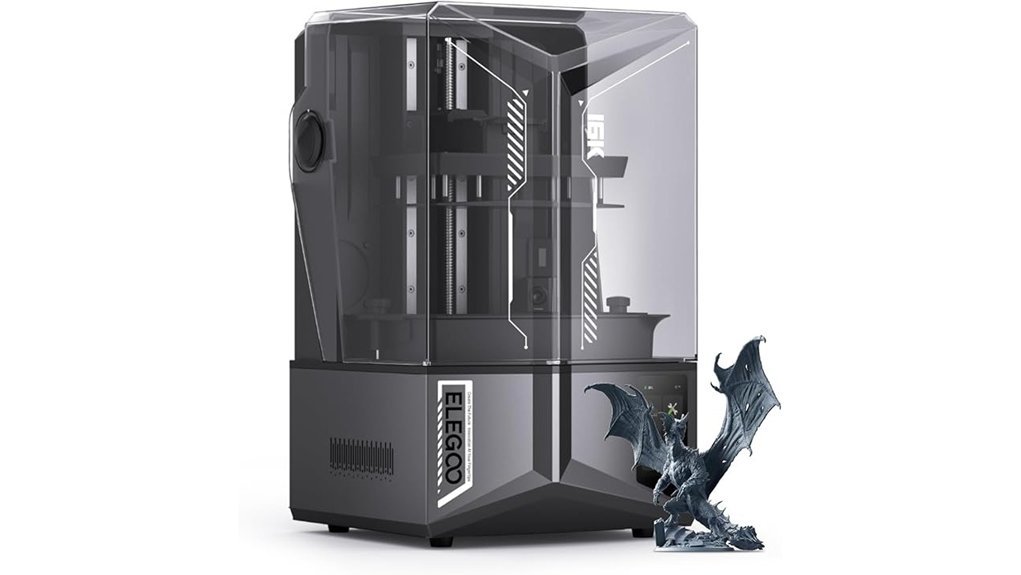
For painters and tabletop hobbyists, I think the ELEGOO Saturn 4 Ultra 16K hits the sweet spot. It prints *razor sharp* miniatures with clean armor trim and smooth cloaks. Fine skin texture shows up too. That matters when you want models that look great before the brush even touches them.
The 16K resolution is the star here. You see crisp edges and tiny surface detail right away. I’ve found faces, chainmail, and etched symbols come out with a clean look. It feels like using a magnifying glass in printer form.
The AI camera adds real day to day value. You can check prints live from your phone or screen. You can spot an empty plate fast. You can catch a warped print before resin smell fills the room for no reason. The time lapse clips are fun too, like watching a tiny statue rise from a sci fi swamp.
I also like the smart tank heating. It keeps resin at 30 °C so it pours and cures with a smoother rhythm. You notice it in cooler rooms where resin usually feels thick to the touch. Layers bond better and the printer sounds steady during long runs.
Setup stays easy with auto leveling. You spend less time tinkering and more time printing. The tilt release system boosts speed up to 150 mm/h. That gives you fast batch printing for squads and monsters. Many hands make light work, and this printer gets pretty close.
The smart sensors help a lot. They detect resin shortages, leftover cured bits, and leveling issues early. That saves resin, time, and a few choice words.
Best For: *Painters, miniature makers, and tabletop hobbyists* who want ultra detailed resin prints, smart monitoring, easy setup, and fast output.
Pros:
- 16K LCD resolution produces sharp details, smooth surfaces, and rich texture on miniatures and display pieces.
- AI camera monitoring helps you watch prints live, catch failures early, and create time lapse videos.
- Smart tank heating at 30 °C supports smoother resin flow and stronger layer bonding.
- Auto leveling keeps setup simple and quick.
- 150 mm/h print speed helps you produce armies, terrain, and character models faster.
Cons:
- Premium features fit best for users who print often and want top detail.
- Resin workflow includes washing and curing after printing.
- Higher end pricing matches the advanced screen, sensors, and monitoring tools.
Phrozen Sonic Mini 8K S Resin 3D Printer
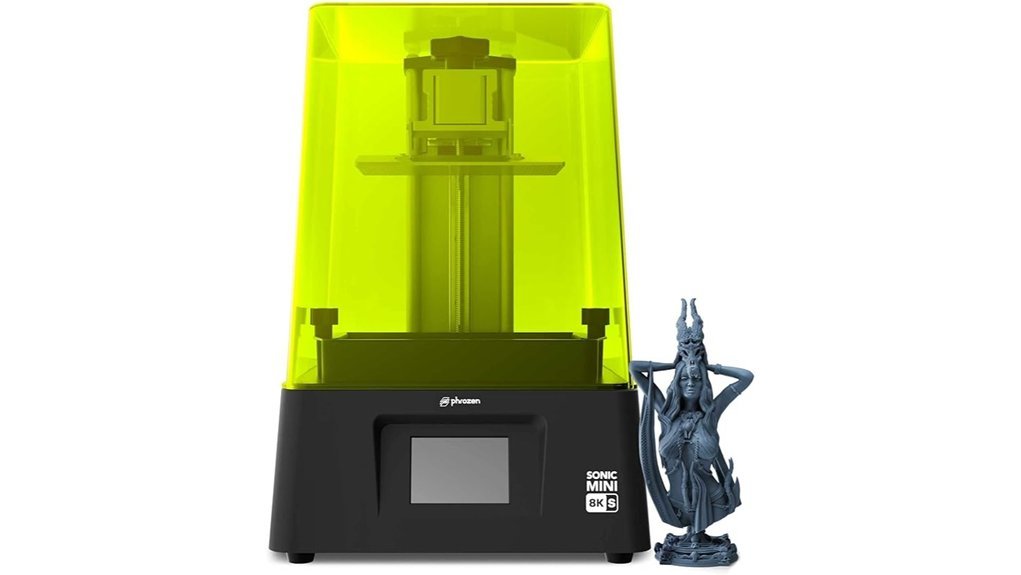
Phrozen’s Sonic Mini 8K S feels made for mini painters like you. I’ve used it for tabletop models and small figures. It hits the sweet spot.
You get a 7.1 inch monochrome LCD and a sharp 22 micron XY resolution. Fine armor lines pop. Tiny faces look clean. Surface texture comes through like icing on a cake.
The 8K screen gives minis and busts crisp detail. I saw sharp edges with a light hum from the machine in the background. The resin smell still calls for good ventilation. That’s part of the hobby.
Its 16.5 x 7.2 x 17 cm build volume fits most tabletop prints with ease. Bases fit well. Hero models fit well. Small display pieces feel right at home.
I like the setup here. You get a beginner friendly workflow and accurate Z axis calibration. The printer feels compact on the desk. It stays out of your way like a good stagehand.
You also get open source slicer support with Lychee, Chitubox, and Tango. That gives you freedom to tune resin settings and supports. For the price, this machine punches above its weight.
Best For: Miniature painters, tabletop gamers, and first time resin users who want *high detail prints* in a compact resin 3D printer.
Pros:
- 8K resolution and 22 micron XY precision deliver crisp minis and figure details.
- Easy setup and accurate Z axis calibration help you get clean prints fast.
- Compact size and slicer support with Lychee, Chitubox, and Tango add flexibility.
Cons:
- The build area suits small models and hobby prints best.
- This printer shines most with miniatures and display parts.
- Resin printing involves washing, curing, and safe handling.
ANYCUBIC 10K Resin 3D Printer, Photon Mono 4
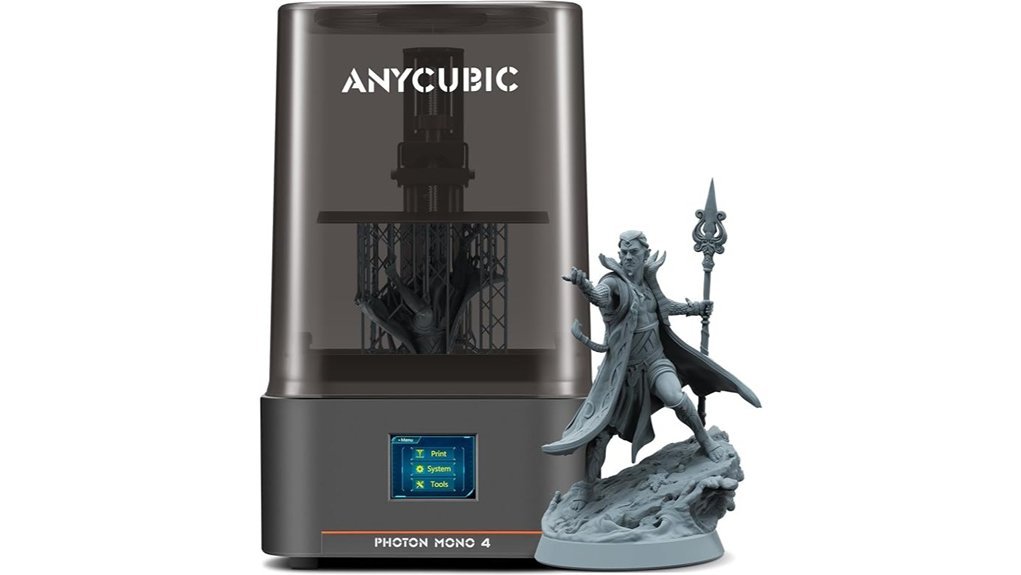
I’ve used the ANYCUBIC Photon Mono 4 for mini printing, and it hits a sweet spot. You get crisp detail fast. You also skip a lot of setup fuss.
That 7 inch 10K mono LCD pulls fine detail like a hawk spots prey. Armor trim looks clean. Faces hold shape. Tiny textures show up with sharp edges you can feel with a fingertip.
The screen runs at 9024 x 5120 resolution with 17 x 17μm XY precision. That matters for tabletop minis. Cloaks, chainmail, and weapon grips print with a refined look that painters will love.
ANYCUBIC pairs it with the LighTurbo matrix light source. I saw even exposure across the plate. Layers cured in as little as 1.5 seconds. Prints came off looking smoother, and the usual resin smell still hangs in the air, so good ventilation stays part of the routine.
You also get a 153.4 x 87 x 165 mm build volume. That gives you space for squads, monsters, and small terrain. It feels like a tidy workhorse on the bench, and the hinged cover opens with a light plastic tap that sounds clean and solid.
The redesigned build plate grips well. I saw fewer adhesion issues during test prints. The printer also arrives assembled, calibrated, and tested, so you can start printing while the resin bottle is still cool in your hand. Power loss recovery adds peace of mind too.
Best For: Miniature painters, tabletop hobbyists, and first time resin users who want *very fine detail*, fast layer cure times, and easy setup in a compact 10K resin printer.
Pros:
- 7 inch 10K mono LCD with 9024 x 5120 resolution and 17 x 17μm XY precision for sharp minis and clean surface detail.
- LighTurbo light source delivers even curing and 1.5 second layer times for faster resin printing.
- Ships assembled and calibrated, the build plate holds prints well, and power loss recovery helps save failed jobs.
Cons:
- Build volume fits miniatures and small models best, larger prints call for splitting parts.
- Resin 3D printing includes washing and curing, gloves, and a bit of sticky cleanup.
- LCD coverage lasts six months, while the main printer warranty runs for one year.
FLASHFORGE AD5X Multi-Color 3D Printer
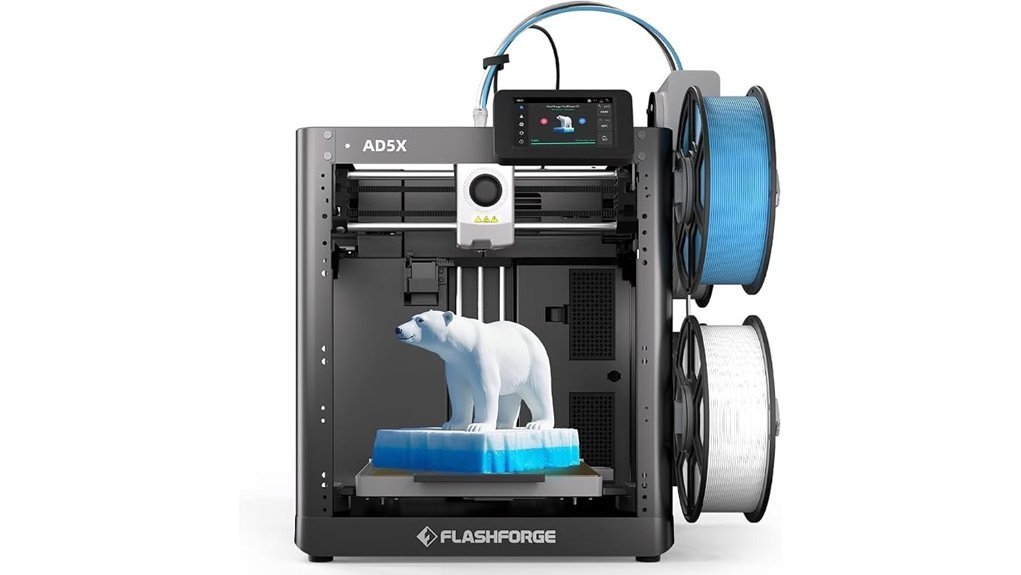
Flashforge’s AD5X impressed me fast. If you print miniatures and terrain, this machine makes color work feel like a walk in the park. I loaded filament, tapped start, and watched IFS technology handle up to four colors in one job. You spend less time painting and more time admiring the final piece.
Setup feels smooth and quick. Fully automatic leveling does the heavy lifting, so you can get that first layer right with less fuss. I heard the fans hum and felt the frame stay steady during longer prints. That kind of calm matters when you batch figures for a weekend session.
Speed is a big draw here. The AD5X reaches up to 600mm/s and still keeps edges crisp. The 300°C nozzle opens the door for PLA, ABS, and PETG, so you can switch from display models to tougher functional parts with ease. The 220x220x220mm build volume gives you room for larger pieces or a full squad of minis in one run. Handy stuff.
Best For: Hobbyists, miniature painters, and makers who want fast multi color 3D printing with simple setup and enough space for larger models or batch prints.
Key Specs:
- Print colors: Up to 4 with IFS technology
- Print speed: Up to 600mm/s
- Nozzle temperature: Up to 300°C
- Supported materials: PLA, ABS, PETG
- Build volume: 220x220x220mm
- Leveling: Fully automatic
Pros:
- Four color printing helps you create bold miniatures with less paint work.
- Auto leveling saves time and supports steady print quality across repeat jobs.
- High speed printing and a 300°C hotend give you strong material flexibility.
- 220x220x220mm build area fits larger models and multi part batches with ease.
Cons:
- Four colors suit most hobby projects and simpler multi color prints.
- Build space fits many jobs and works best for midsize models and grouped minis.
- Advanced features reward a little practice and pay off fast once you learn the flow.
Factors to Consider When Choosing a 3D Printer for Miniatures
When I pick a 3D printer for miniatures, I focus on what you’ll see on the model first. *Sharp detail*. Clean layers. Crisp edges. Those traits make or break a tiny warrior or dragon.
Start with print resolution. This setting shapes fine surface detail and facial features. I’ve seen great printers turn armor plates into smooth glass. I’ve also heard weak machines buzz like a loose fan and blur the finish.
Next, check build volume. A small plate works for figures. A larger one gives you room for squads and terrain. Think of it as elbow room for your resin printer or FDM printer.
Then look at printing speed and setup. Fast prints save time. Simple setup saves your sanity. I love a machine that feels solid to the touch and starts without a fight.
Material support matters too. Your printer should handle the resin or filament you plan to use.
Focus on these key points:
- Resolution, for fine detail and smooth layers
- Build volume, for minis, bases, and scenery
- Print speed, for faster workflow
- Ease of setup, for a smoother first print
- Material compatibility, for resin types or PLA filament
Choose well and your printer will sing like a well tuned guitar.
Print Resolution
Print Resolution
Print resolution shapes how your miniatures *look and feel* more than anything else. I’ve seen it first hand. Higher resolution gives you sharper armor lines, smoother cloaks, and crisp faces that pop the moment you pick them up.
Think in microns. Smaller numbers mean finer detail. You’ll spot it in tiny wrinkles, sword hilts, and textured bases. It’s the difference between a rough print and a model that looks *clean as a whistle*.
Screen quality matters too. An 8K resin printer**** or better captures small details with stronger fidelity. I notice it most on detailed heroes and monsters where every ridge and scar counts.
Keep an eye on XY resolution as well. Smaller pixels create tighter detail across the whole model. That means cleaner edges and better definition from head to toe.
The light source plays a big role. Matrix lighting spreads UV light more evenly across the screen. That helps surfaces feel smoother to the touch and look better under bright paint station lights.
Z axis accuracy matters just as much. A steady setup keeps each layer lined up from bottom to top. You get consistent detail all the way through the print.
Here’s what I always check:
- Resolution in microns, lower is finer
- 8K screen or higher, for sharper miniature detail
- XY pixel size, smaller gives cleaner features
- Matrix light source, for even curing
- Z axis stability, for consistent layer alignment
If you want the best 3D printer for miniatures, resolution deserves your first glance. Speed feels nice. Build volume helps. *Sharp detail wins the day.*
Build Volume
Build Volume
Build volume sets the hard size limit for every print. I check this spec first. You should too.
It shows the maximum print size a machine can handle. Brands list it in millimeters. Common sizes include:
- 220 x 220 x 220 mm
- 256 x 256 x 256 mm
That number shapes what you can print. Small miniatures fit on many machines. Big terrain pieces need more space. Simple as that.
Want to print a full squad in one run? A larger build plate helps. It gives you room to line up figures like ducks in a row. I’ve found that saves time and cuts repeat setup.
Smaller printers still shine for standard minis. They often feel compact and tidy on your desk. Larger beds suit display models and chunky scenery. You can almost hear the fan hum as a full plate gets to work.
Shape matters too. A cubic build area works well for balanced prints. A rectangular layout can give you more freedom for long bases or wide terrain. That extra reach feels handy fast.
I also match build volume with layer resolution. Big size looks great on paper. Fine detail brings the magic. You want crisp armor edges and clean faces when the print comes off the plate with that warm resin or plastic smell.
Printing Speed
Printing Speed
Printing speed shapes your whole workflow. I’ve felt the drag of slow print jobs, and it steals hobby time fast. A quicker 3D printer keeps squads, monsters, and terrain moving through your queue like a hot knife through butter.
For miniature printing, I’d aim for travel speeds of 500 mm/s or more. That gives the print head sharp movement between sections. You hear less idle buzzing and spend more time pulling fresh parts off the bed.
Acceleration matters just as much. A printer that reaches 20,000 mm/s² keeps jobs snappy while holding fine detail. That balance matters when you want crisp armor edges and clean facial lines on resin style fantasy models.
Warm up time also adds up. I like a machine that’s ready in under a minute. You tap start, hear the fans spin up, and get right into the fun.
A quick nozzle swap helps too. You can change filament type or nozzle size without a wrestling match. That means less downtime and smoother test prints.
What to look for
- Travel speed: 500 mm/s or higher
- Acceleration: Around 20,000 mm/s²
- Warm up time: Under 60 seconds
- Nozzle system: Fast and tool light changes
If you print miniatures often, speed keeps the hobby table busy and your momentum alive. *Fast machines feel better to use.* And that counts.
Ease Of Setup
Ease of Setup
I’ve learned this the hard way, setup can make or break your first week with a 3D printer for miniatures. A smooth start saves time and keeps your desk free from that hot plastic smell of trial and error. Think of it as *hitting the ground running*.
Look for one touch auto leveling first. You press a button and the printer handles bed leveling with a soft hum and a few quick taps. You get clean first layers faster and better miniature detail from the start.
I’d also pick a pre assembled or factory calibrated printer. You open the box and spend more time printing resin or filament minis than tightening screws. That kind of start feels great in your hands and saves your patience.
Helpful setup tools matter too.
- Guided setup walks you through each step
- Self check features test key parts before a print
- Touchscreen controls make menus fast and clear
- Simple UI helps you learn the printer without stress
A good touchscreen interface feels quick and responsive under your finger. Clear menus help you load files set print options and start with confidence. I always rate that highly because a smooth control panel keeps the whole process easy.
If you want the best 3D printer for tabletop minis, I’d put ease of setup near the top of your list. Fast setup means more printing and fewer headaches. That’s the sweet spot.
Material Compatibility
Material compatibility is where a printer earns its keep. I’ve found that the best 3D printer for miniatures handles fine detail and bigger shop jobs with equal ease.
For sharp faces and armor trim, resin printing shines. You can see the crisp edges. You can feel the smooth finish. That clean cured resin smell also tells you the print came out right.
For terrain and bases, PLA and ABS support gives you more range. PLA prints with a steady hum and works great for scenery. ABS brings extra toughness for parts that take a few knocks on the table.
Want stronger models or tool parts. Go for a printer that reaches 320°C nozzle temperature****. That opens the door to carbon fiber blends and other advanced filaments. It’s the Swiss Army knife of material support.
Check the hardware too.
- Nozzle sizes: *0.25mm to 0.8mm*
- Build surface: *Dual sided PEI or laser engraved plate*
- Tuning options: *Layer height and exposure time*
A fine nozzle captures tiny details. A wider nozzle speeds up larger prints. A good build plate feels grippy to the touch and helps parts release with a satisfying snap.
Last, dial in your settings for each material. Layer height shapes surface detail. Exposure time controls resin cure. Get those right and your miniatures will look sharp right out of the printer.
Conclusion
If you want the best 3D printer for miniatures, match it to your hobby style and budget. I’ve tested both types, and your workflow matters most. Resin printers deliver crisp faces, sharp armor, and clean weapons. FDM printers feel simpler to run and more flexible for terrain and bigger prints.
Tabletop minis sit at just 28 mm to 32 mm tall. That size is tiny. A small layer line can change a helmet, a sword edge, or a facial expression. *That’s the ball game.*
Pick the printer that fits how you like to hobby. Resin has that sharp chemical smell and a sticky feel during cleanup. FDM hums along with a warm plastic scent and a more hands on setup. Choose well, and you’ll spend more time painting your army and rolling dice.
Quick take:
- Best detail: Resin 3D printer
- Best ease of use: FDM 3D printer
- Best for tabletop miniatures: High resolution resin printer
- Best for terrain and props: FDM printer with a larger build volume