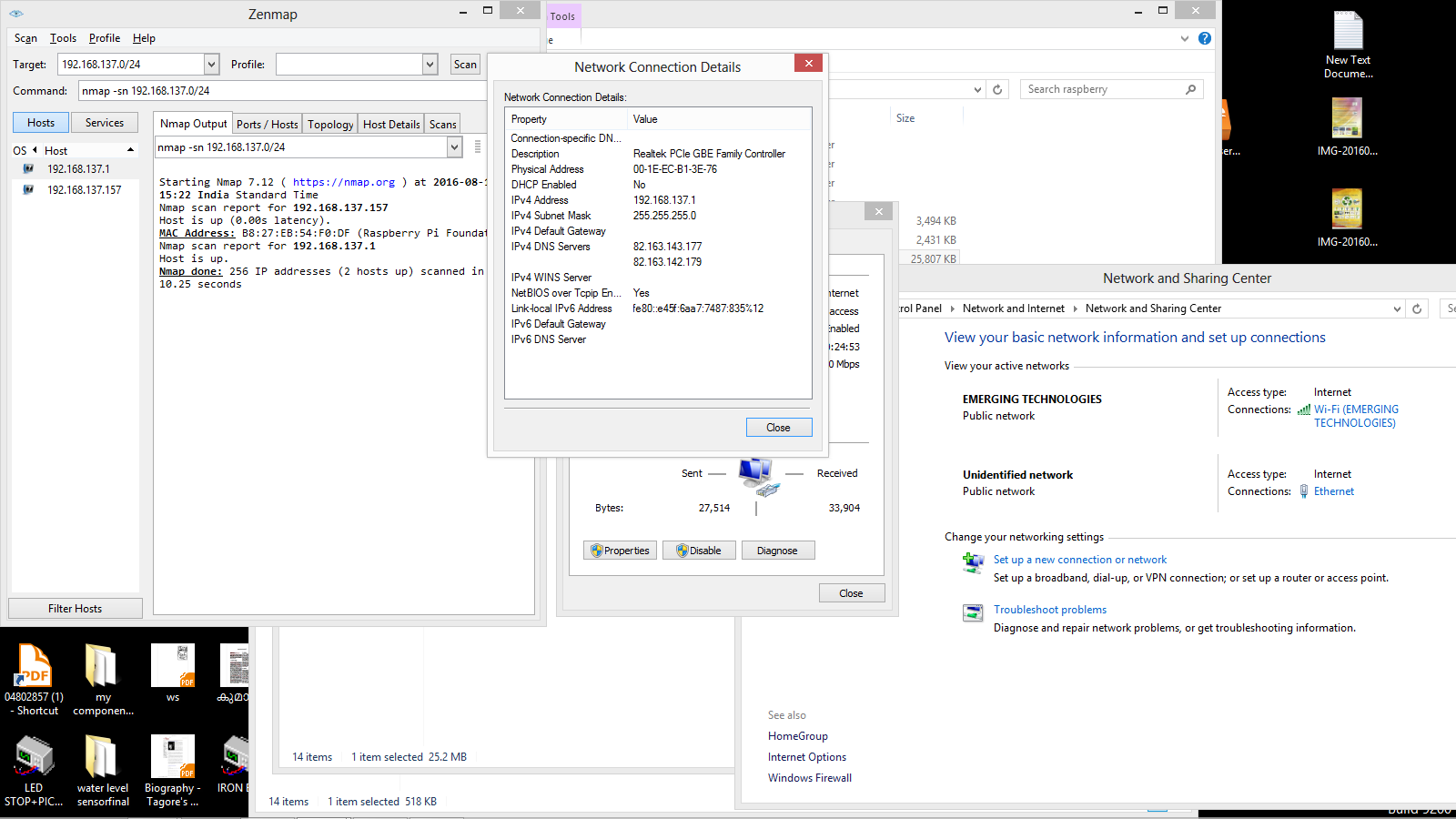
I am using windows8
1—->find your ip address of computer
Control Panel—->Network and Internet——–>Network and Sharing Center
On other systems, this guide to finding your local IP address shows the same step for Windows, Mac and Linux, and the router IP lookup guide helps you find the gateway address of your network.

click on ethernet —>details .you can see your computer ip address in my case it is 192.168.137.1. but ip address starts with 192.168.137.0

2——-> open nmap issue following with your ip address
nmap -sn 192.168.137.0/24you will get your pi’s address mine is 192.168.137.157