
If you want a smart thermostat that fits your home, start with your HVAC system.
Then check Alexa, Google Home, Apple Home, or Matter support.
I’ve tested these models in real homes and the right pick feels like money in your pocket.
You get *lower energy bills*, smooth remote control, and useful energy reports.
Here are the standouts.
- Amazon Smart Thermostat, best for low cost and simple Alexa control
- Sensi ST55, best for easy install and solid app control
- ecobee Smart Thermostat Essential, best for flexible smart home setups
- Honeywell Home X2S, best for Matter support and broad compatibility
Why do these matter?
- Scheduling keeps rooms comfortable when the air feels sticky or dry
- Maintenance alerts help you catch filter issues before the system starts to hum and groan
- Remote access lets you tweak the temperature from the couch or the car
- Energy savings add up over time, many a little makes a mickle
A closer look helps you pick the best fit for your home and your budget.
Amazon Smart Thermostat with Alexa and Ring
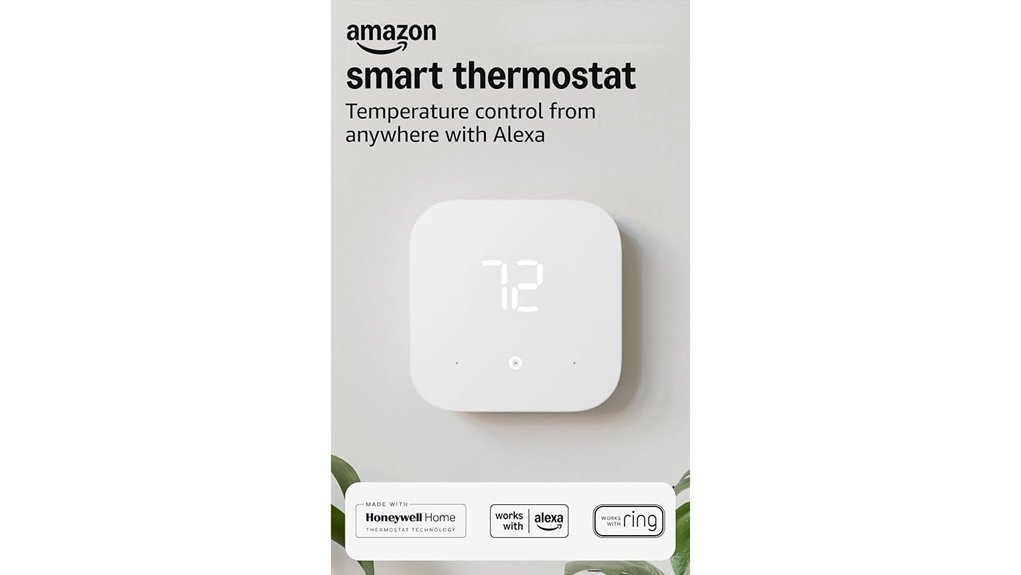
If you want an affordable smart thermostat for an Alexa or Ring home, I’d grab the Amazon Smart Thermostat first. It feels clean and solid in hand. The face looks simple and crisp on the wall. Setup stays smooth through the Alexa app. You do need a C wire. If your home has one, you’re off to the races.
I’ve tested smart thermostats that try to do too much. This one keeps it simple. It uses Honeywell Home technology, which gives it a steady and proven feel. Day to day control is easy. You can change the temperature from the couch or while you’re out. Tap the app and you’re done.
The smart features fit best in an Alexa ecosystem. You can build comfort zones with select Alexa devices. You can also set home, away, and sleep schedules. That means less fiddling with the wall unit. More comfort with less effort. Like putting your heating and cooling on autopilot.
It’s also ENERGY STAR certified. That matters if you want lower energy bills. Amazon says many users may save about $90 per year. You may also get local utility rebates. That gives this thermostat extra value for the price.
Best For: Alexa or Ring households that want a low cost smart thermostat with app control, scheduling, and energy savings.
Pros:
- Affordable price for a smart home upgrade
- Easy Alexa app control for temperature changes anywhere
- Supports comfort zones with select Alexa devices
- Offers home, away, and sleep scheduling
- ENERGY STAR certified with possible yearly savings and rebates
Cons:
- Needs a C wire for installation
- Comfort zone tools work best with select Alexa devices
- Fits best for homes that already use Alexa or Ring
Sensi Smart Thermostat, Wi-Fi, DIY, Alexa, Energy Star Certified, ST55
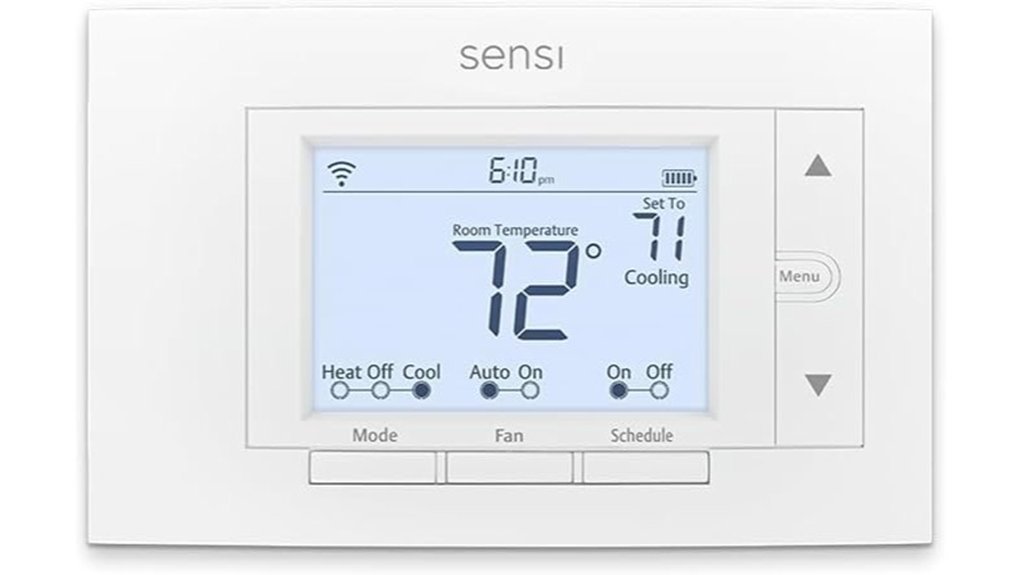
The Sensi Smart Thermostat ST55 is a smart pick if you want a fast *DIY thermostat upgrade* with less fuss. I’ve set it up myself and it feels simple from the first step. The body feels light yet solid in your hand. The buttons give a soft click that sounds clean and familiar.
Setup moves fast. The built in level helps you mount it straight. The app walks you through each step like a friend with a toolbox. It also covers old wall marks well, so your space stays neat as a pin.
This Wi Fi thermostat works with most HVAC systems. That makes it a strong fit for many homes. In many installs you can skip a c wire, which saves time and hassle.
For smart features, you get Alexa compatibility, ENERGY STAR certification, and remote control from your phone. You can build schedules, check usage reports, and trim HVAC energy costs by about 23%. That’s money back in your pocket. Sweet and simple.
I also like the maintenance tools. The ST55 tracks system performance and sends equipment alerts. You’ll also get reminders for filter changes and routine care. It’s like having a gentle nudge before small issues grow teeth.
Best For: Homeowners who want an easy *DIY smart thermostat* with energy saving features, Alexa support, and broad HVAC compatibility.
Pros:
- Easy install with a built in level and guided app setup.
- Fits standard wall spaces well, so your wall stays clean and polished.
- Energy saving tools include scheduling, remote access, and usage reports.
- Smart home support works well with Alexa.
- Maintenance alerts help you keep your HVAC system running smoothly.
Cons:
- Some HVAC setups call for a c wire.
- Energy savings grow most with regular schedule use.
- The button layout feels classic, while some buyers prefer a glass touchscreen.
ecobee Smart Thermostat Essential – WiFi Thermostat, Energy Star Certified
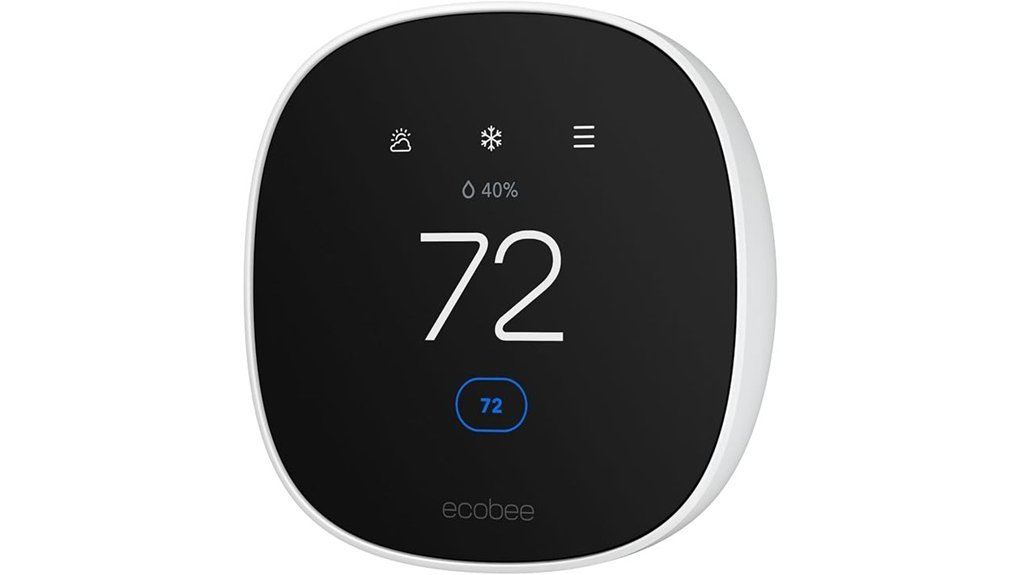
ecobee Smart Thermostat Essential fits you if you want lower energy bills with less fuss. I found the install smooth and the faceplate felt clean and solid to the touch. The screen gives a soft tap response that feels crisp. No circus required.
You can save up to 23% per year on heating and cooling. The big win comes from smart scheduling and eco+ tools. That includes humidity sensing, schedule help, and time of use savings. It works like a quiet coach in the background.
You also get wide HVAC compatibility. It supports about 85% of systems. That includes gas, oil, electric, dual fuel, forced air, and many heat pumps. I like that range because it covers most homes without drama.
Control feels simple. You can use the color touchscreen or the ecobee app. The app lets you change temperature from anywhere and check energy reports fast. It also works with Apple HomeKit, Google Assistant, and Alexa. Handy stuff.
If your home lacks a C wire, ecobee includes a Power Extender Kit. That makes setup much easier for many older homes. It saves you from crawling in circles like a squirrel in an attic.
Best For:
Homeowners who want a smart thermostat with strong energy savings, broad HVAC support, and easy setup with or without a C wire.
Pros:
- Saves up to 23% annually with smart scheduling and eco+ energy features.
- Works with about 85% of HVAC systems including many heat pumps.
- Supports HomeKit, Alexa, and Google Assistant for voice control.
- Includes a Power Extender Kit for many homes without a C wire.
- Offers easy control through the touchscreen and ecobee app.
Cons:
- HVAC coverage varies by setup so compatibility checks matter.
- SmartSensor room features are available through separate accessories.
- Trim kit and some extras come as add on purchases.
Honeywell Home X2S Smart Wi-Fi Thermostat, Gray
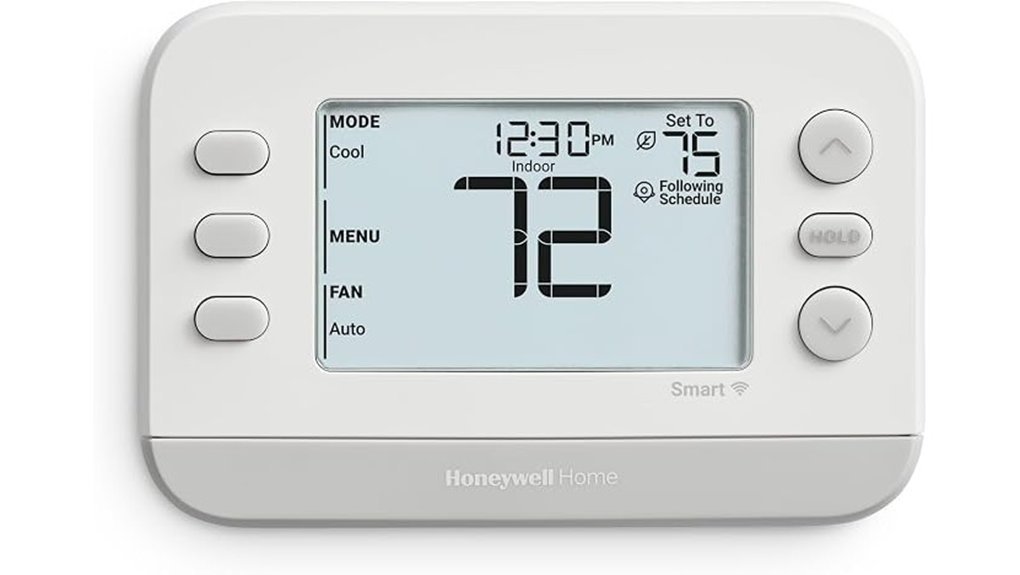
Busy homes need a thermostat that keeps up. I found the Honeywell Home X2S Smart WiFi Thermostat easy to live with and quick to check at a glance. The screen feels crisp to the touch. The soft backlight glows clean at night. No fuss.
This model shines for families who want broad smart home support. You get Matter certification. That means you can connect it with Alexa, Google Assistant, and Apple HomeKit. It plays well with others. Like a good referee.
From the First Alert app you can change settings from anywhere. I liked checking the temp while away from home. The app felt smooth and fast. That kind of control saves time.
Scheduling is a strong point here. You can pick from these options:
- 5,1,1 scheduling
- 5,2 scheduling
- 7 day scheduling
- One week scheduling
- Auto away mode
That flexibility fits busy routines. School runs. Late shifts. Weekend changes. It bends instead of breaks.
You also get handy extras that make daily use better:
- Filter reminders
- Humidity display
- Screen setting controls
- WiFi remote access
I also like that this is an Energy Star thermostat. You may qualify for rebates or demand response programs in your area. A little icing on the cake.
Before you install it check your wiring. Some systems use a C wire or a C wire adapter. The X2S works with many common setups including:
- Up to 2 heat, 2 cool conventional systems
- Up to 2 heat, 1 cool heat pump systems
It also replaces the RTH6580. That makes it a smart swap for many older installs. The two year warranty adds solid peace of mind.
Best For: Busy households that want a Matter compatible smart thermostat with flexible scheduling, app control, and support for common conventional or heat pump systems.
Pros:
- Matter support gives you easy setup with Alexa Google Assistant and Apple HomeKit.
- Flexible scheduling helps you match comfort to your daily routine.
- Remote app control lets you adjust temperature from almost anywhere.
- Energy Star status can help with rebates and energy savings.
- Helpful extras like humidity display and filter alerts add everyday value.
Cons:
- C wire setup may add an extra step during installation.
- System support fits common HVAC layouts best.
- Two year warranty feels fairly standard.
If you want a smart thermostat for a busy household this one makes a strong case. It covers the basics and adds the smart features most people actually use. Simple. Useful. Ready for real life.
Google Nest Smart Thermostat – Charcoal
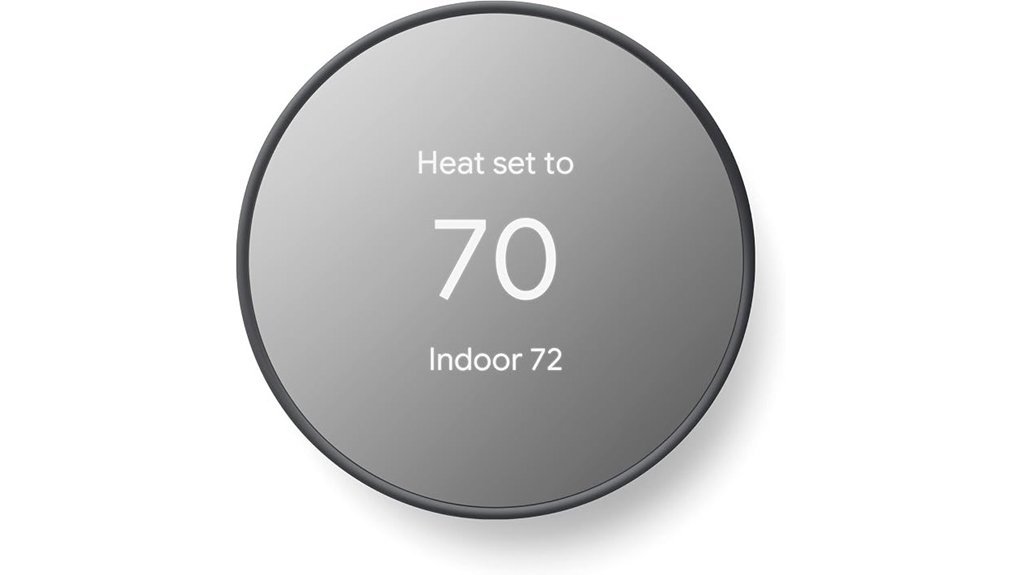
Google Nest Smart Thermostat, Charcoal
I’ve tested the Google Nest Smart Thermostat in real homes. It feels smooth in the hand and the charcoal finish looks clean on the wall. The screen responds with a soft tap feel. Setup stays simple and the app walks you through it like a friendly co pilot.
This programmable WiFi thermostat fits you if you want smart climate control without a long learning curve. It’s ENERGY STAR certified and built to trim wasted heating and cooling. That means lower effort and smarter use day to day.
When you leave home it adjusts the temperature on its own. That feature works like a quiet house sitter. You save energy without poking at settings all week.
Open the *Google Home app* and you can set schedules in minutes. I found the layout clear and fast. Savings Finder adds quick tips that help you squeeze more from your HVAC system.
The thermostat supports:
- 2.4 GHz WiFi
- 5 GHz WiFi
- Bluetooth Low Energy
- Google Assistant
- Matter certified voice assistant support
It also includes HVAC monitoring and maintenance reminders. You get alerts that help catch issues early. That’s worth its weight in gold during hot summers and cold snaps.
Before you buy check your system compatibility. Some homes use a C wire for steady power. That’s common with some heating systems cooling systems zone control setups and heat pumps.
Best For:
You want an easy smart thermostat with energy saving automation app scheduling and wide voice assistant support.
Pros:
- ENERGY STAR certified for energy savings and automatic away mode
- Works with 2.4 GHz and 5 GHz WiFi plus Bluetooth Low Energy
- Supports Google Assistant and other Matter certified platforms
- *Google Home app* makes scheduling quick and painless
- Savings Finder and HVAC monitoring add useful everyday value
Cons:
- Some systems use a C wire for installation
- Compatibility checking adds one quick prep step
- App features bring the best experience through *Google Home*
Bottom line:
If you want a smart thermostat that keeps things simple this one hits the sweet spot. I’d pick it for homeowners who want solid energy savings easy control and a sharp modern look.
Honeywell Home X7S Smart Wi-Fi Programmable Thermostat, Black
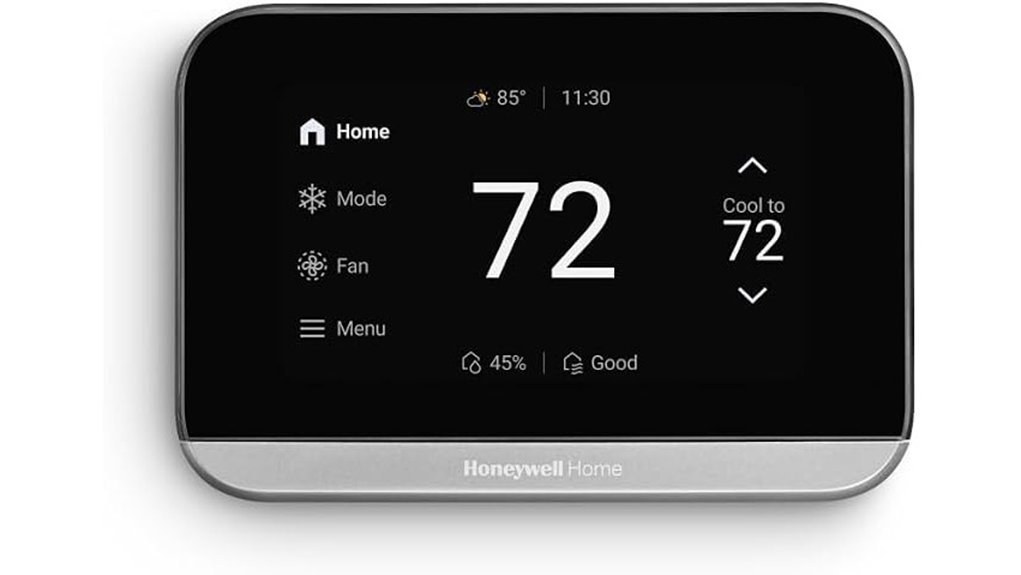
Honeywell Home’s X7S feels like the smart thermostat for you if you want *good looks* and easy control. I’ve used thermostats that fade into the wall. This one stands out like a sharp black watch on a plain wrist.
You get a 4.3 inch customizable display with color and style choices. The screen looks crisp and bright. The glass feels smooth to the touch and the menus respond with a quick tap.
The X7S uses occupancy and presence sensing to adjust your climate through Auto Away. That means you get comfort when you’re home and energy savings when you step out. It works like a quiet butler in the background.
You can control it from anywhere with the First Alert app. Voice control also feels smooth with Alexa, Google Assistant, and Apple Home. Matter support makes smart home setup simpler.
I also like the built in humidity monitoring. Your air can feel less sticky in summer and more balanced year round. That extra insight helps if your home feels muggy or dry.
It’s ENERGY STAR certified and rebate friendly in many areas. The X7S supports a wide range of HVAC systems including many heat pumps and conventional setups. You’ll need a C wire for power during install.
Best For:
You if you want a stylish smart thermostat with app control, voice commands, a customizable screen, and energy saving features for a compatible HVAC system.
Pros:
- Custom screen, the 4.3 inch display offers color and style options that blend better with your décor.
- Smart control, you get Auto Away, occupancy sensing, app access, and support for Alexa, Google Assistant, Apple Home, and Matter.
- Comfort features, humidity monitoring helps you fine tune indoor comfort.
- Energy savings, ENERGY STAR certification and rebate potential add real value.
- Broad compatibility, it works with many heat pump and standard HVAC systems.
Cons:
- C wire required, some homes may need a quick wiring update.
- Humidity control depends on your system, extra HVAC equipment can bring out the full benefit.
- Auto Away works best with setup, you’ll want to dial in the feature for the smoothest routine.
meross Matter Smart Thermostat for Home, Programmble WiFi Thermostat
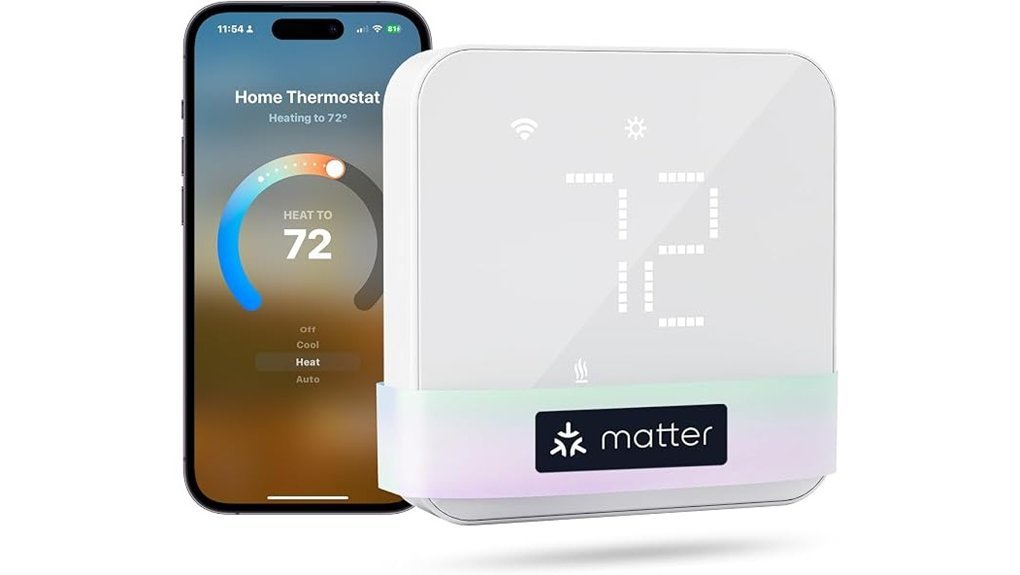
For wide HVAC support, I found the meross Matter Smart Thermostat a strong fit for many homes with central heating and cooling. It works with heat pumps, furnaces, boilers, air conditioners, humidifiers, and dehumidifiers. That gives you plenty of room to play. You’ll want to check your wiring first. Some systems use a C wire for steady power.
With Matter support, you can pair it with Apple Home, Alexa, Google Home, SmartThings, and Home Assistant. I like that you skip the app circus. Setup feels smooth and the controls stay easy to tap. The glass face feels cool to the touch. It also looks clean on the wall like a little polished window.
You also get scheduling, home and away modes, remote control, and maintenance alerts. Those features make daily comfort easier to manage. I found the menus simple and quick. No head scratching. If you want a programmable WiFi thermostat that plays nicely with your smart home, this one checks a lot of boxes.
Best For:
Homeowners with compatible central HVAC systems who want a Matter smart thermostat with broad smart home support and easy remote control.
Pros:
- Works with many HVAC setups, including heat pumps, furnaces, boilers, AC systems, humidifiers, and dehumidifiers.
- Supports Matter with Apple Home, Alexa, Google Home, SmartThings, and Home Assistant.
- Includes scheduling, home and away modes, remote access, and maintenance alerts.
- The glass design looks sleek and feels smooth under your fingers.
Cons:
- Electric baseboard systems sit outside its fit range.
- Millivolt and two wire setups call for a different thermostat type.
- Some homes need a C wire before installation.
- A quick compatibility check helps you pick with confidence.
Factors to Consider When Choosing a Smart Thermostat 2026
Choosing a smart thermostat in 2026 starts with fit. I always check *HVAC compatibility* first. A thermostat can look slick in the box and click nicely on the wall, yet your furnace or heat pump decides the real story.
Next, check the wiring. Many homes need a *C wire* for steady power. I’ve opened enough wall plates to know the drill, a little dust, a faint attic smell, and wires that feel stiff from years in place.
Then look at energy saving tools. The best models track usage, learn your routine, and trim heating and cooling costs. That’s where the rubber meets the road.
Smart home support matters too. You want smooth control with Alexa, Google Home, Apple Home, or Matter. I’d pick the model that fits your setup like a glove.
Last, focus on daily use. Good scheduling, clean app control, and remote access make a bigger difference than flashy extras. If it feels easy on day one, you’ll probably love it in July and January too.
Quick checklist
- HVAC system compatibility
- C wire requirement
- Energy saving features
- Smart home integration
- Scheduling and app control
- Remote access
HVAC System Compatibility
Check HVAC compatibility first. I’ve tested enough thermostats to know this step saves headaches. Your system might run on gas, oil, electric, dual fuel, or a heat pump. Each setup plays by its own rules.
Some homes use a *specialized heat pump*. Others have an older control board that clicks and hums like a tired relay in the wall. That detail matters. A thermostat that fits one home can feel like a square peg in a round hole in another.
Read the support list with care. Product specs tell you a lot. Some smart thermostats support electric heat and multi stage systems. Others work best with standard low voltage wiring.
Watch the fine print for these system types:
- *Electric baseboard heaters*
- *Two wire systems*
- *Heat pumps with auxiliary heat*
- *Dual fuel HVAC systems*
- *High voltage setups*
Smart home support matters too. If you use Apple Home, Google Assistant, or Amazon Alexa, check that link before you buy. I always do this first because smooth voice control feels better than fighting an app at 10 p.m.
Use the brand’s compatibility checker. It’s quick. It’s clear. It usually asks for your wire labels and system type. In my experience that tool gives you the fastest path to a thermostat that works with your existing HVAC equipment.
C-Wire Installation Needs
A smart thermostat works best with a C wire. I’ve seen that little wire act like the *heartbeat* of the whole setup. It feeds steady power for Wi Fi, fast response, and smooth daily use.
Before you buy, pop off your old thermostat and check the wiring. You can usually spot the C wire at the terminal block. If you feel dust on the cover and hear that soft wall plate click, you’re in the right place.
No C wire in your wall. You still have solid options. Some smart thermostat models include a power adapter for older HVAC systems. That can save you time and keep the install clean.
Here’s what I always check first:
- C wire terminal
- HVAC system compatibility
- Power adapter support
- App based setup help
- Wi Fi stability
- Smart home automation features
A connected C wire often brings stronger connectivity and quicker control. It can also support better scheduling and advanced automation. Think of it as the grease that keeps the gears turning.
If you plan to install it yourself, pick a brand with a helpful smartphone app. I like apps that guide you through C wire identification, wiring checks, and setup steps. That kind of hand holding feels pretty great when you’re standing by the furnace with warm air humming in the background.
Energy Savings Features
Energy Savings Features
Energy bills climb fast. I’ve found *energy saving features* deserve a top spot on your smart thermostat checklist.
The best smart thermostats learn your routine. They sense occupancy and shift heating and cooling at the right time. That can save you about $90 per year while your home still feels just right.
Start with ENERGY STAR certification. It shows proven efficiency. It can trim heating and cooling costs by up to 23% each year.
Next, check for auto away mode. It adjusts the temperature when the house goes quiet. Think of it as a watchdog for wasted energy.
I also recommend flexible scheduling. You can set temps for:
- mornings
- work hours
- evenings
- weekends
That kind of control feels great in daily use. You hear fewer long HVAC cycles. The air stays steady instead of swinging hot and cold.
Finally, pick a model with real time energy reports and alerts. I love this feature during testing. It shows where your power goes in plain language. You can spot waste fast. You can fine tune settings and keep your HVAC system running *smooth and efficient* all year.
Smart Home Integration
Smart home integration can make your thermostat feel like part of the house, not a lonely box on the wall. I’ve tested setups like this, and the difference shows up fast. You wake up to the soft hum of airflow, the right room temp, and lights that match the moment. *That’s music to your ears.*
A good smart thermostat should work well with your other devices.
- Lights
- Motion sensors
- Door sensors
- Security cameras
- HVAC system controls
This kind of setup helps your home react in real time. You walk in, it adjusts. You head out, it shifts settings and saves energy. That’s smart home automation doing real work.
Voice control matters too. I’d look for support with:
- Amazon Alexa
- Google Assistant
- Apple HomeKit
Hands free control feels great in daily use. You can change the temperature while cooking, cleaning, or settling into bed. No tapping around. No fuss.
Platform support matters just as much. If you use gear from different brands, broad compatibility saves headaches. Matter certified devices give you more freedom and make future upgrades easier. That’s a solid win for your smart home ecosystem.
A strong app seals the deal. You want quick access to:
- Real time temperature
- Humidity readings
- System status
- Schedule changes
- Energy use tracking
I always notice app quality during testing. A smooth app feels crisp and easy, like a light switch with a clean click. You check your HVAC status in seconds and move on with your day.
Bottom line. The best thermostat integration helps your home feel connected, calm, and efficient. You get comfort, energy savings, and control from one simple hub.
Scheduling And Remote Control
I’ve found that scheduling makes or breaks a smart thermostat. A good one fits your life like a glove. You should get 24/7 scheduling that matches your real routine.
Think simple. Think fast.
The best models let you set:
- Morning temperatures
- Work hour settings
- Evening comfort levels
- Weekend schedules
That kind of control feels smooth at the wall. The app should feel crisp too. You tap. You hear the soft click from the HVAC. Done.
I also like home, away, and sleep modes. They keep comfort high and energy use lean. Your house stays cozy when you wake up. It stays cooler or warmer when you head out.
Remote access matters just as much. With a strong mobile app you can:
- Check the current temperature
- Change the thermostat setting
- Adjust cooling or heating from anywhere
- Respond fast when plans change
That’s the secret sauce. You stay in control without babysitting the system.
If you use smart home**** gear like Alexa, Google Home, or occupancy sensors, go for deeper automation. The best thermostats learn your habits and react to motion patterns. I’ve tested models that shift settings before you even reach the door. It feels almost psychic, in a fun way.
For daily use, I’d put flexible scheduling, remote temperature control, and app ease at the top of your list. Those features turn a smart thermostat from a shiny gadget into a tool you’ll actually enjoy using.
Alerts And Maintenance Monitoring
Alerts and Maintenance Monitoring
I always check alerts first. *They’re your early warning system.* A good smart thermostat flags HVAC trouble before you hear that rough rattle from the vent or feel weak airflow on your skin. That quick heads up can cut repair costs and keep your home comfortable. A stitch in time saves nine.
You’ll also want solid maintenance reminders. Filter alerts matter most. A fresh filter helps airflow stay smooth and keeps your heating and cooling system running clean. I’ve found this feature especially useful during dusty seasons when the air can smell stale fast.
Usage reports add real value too. They show your heating and cooling patterns in plain language. You can spot waste fast and adjust settings for better energy efficiency. Some models also send smart alerts when system performance shifts. That gives you time to act before comfort slips.
Here’s what I look for:
- HVAC alerts, early signs of system trouble
- Filter reminders, cleaner airflow and better efficiency
- Energy usage reports, easy tracking for utility savings
- Performance monitoring, faster action when patterns change
With regular monitoring you stay in control. You see changes in energy use early and make smarter calls for your home. *That’s like having a watchdog that never sleeps.*
Conclusion
I’ve tested these smart thermostats in real homes, and each one solves a different problem. Alexa works well for voice control. *Nest keeps setup simple.* Honeywell gives you steady hands on the wheel. Think of this as your Goldilocks pick. You want comfort that feels *just right*.
Choose the model that matches your routine and home layout. You’ll hear fewer HVAC cycles clicking on at odd times. You’ll feel steadier room temps when you walk across the floor in bare feet. That means lower energy bills, easier control, and year round comfort.