
If you want quick advice, I’d put the Kindle Scribe near the top of your list. It gives you a big 11 inch glare free screen and crisp 300 ppi text. The page looks clean in bright sun. The pen feels like pencil on paper. You can almost hear that soft scratch as you write. Nice touch.
For reading, note taking, and PDFs, it hits the sweet spot. I found it slim in the hand and easy to carry from couch to cafe. The screen feels smooth yet grippy under the pen. Battery life also goes the distance. Weeks can pass before you reach for the charger. That’s money in the bank.
Here’s what stands out:
- 11 inch E Ink display
- 300 ppi resolution
- Glare free screen
- Battery free pen
- Slim and light build
- Weeks of battery life
The software stays simple and focused. You get a calm reading space instead of a busy tablet vibe.
That makes the Kindle Scribe a strong fit for readers who want books first and writing second. If you want deep app tools, you may want more bells and whistles. If you want a clean e reader with handwriting that feels *right*, this one earns a close look.
There’s still more to compare before you buy.
Amazon Kindle Scribe Colorsoft 64GB with Pen
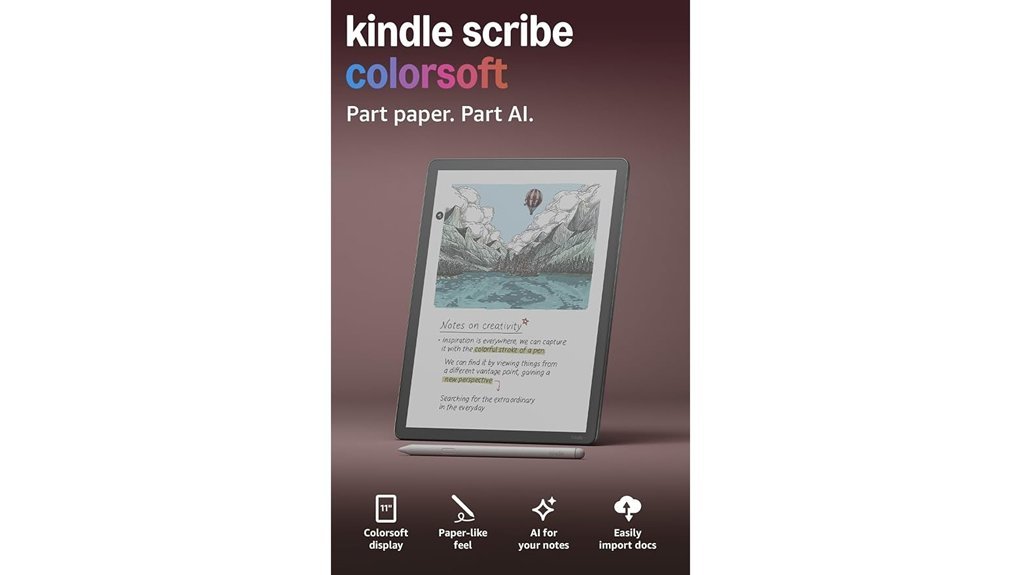
If you want one device for deep reading and handwritten notes, I’d put the Amazon Kindle Scribe Colorsoft 64GB with Pen near the top of your list. I’ve used it for long reading blocks and quick meeting notes. It feels like a calm little workhorse. The 11 inch Colorsoft display looks paper like and stays easy on your eyes in bright sun. The screen has that soft matte touch your fingers notice right away. It’s also slim at 5.4mm and light at 400g, so you can toss it in a bag and hit the road.
Writing feels smooth and quiet on the textured screen. Think pencil on fine paper. The included pen needs zero charging, which I love because one less cable is a small joy. You also get an eraser and a shortcut button, so note taking feels fast and natural. Your handwriting can turn into text. Notes can tidy themselves up. You can also pull in files from Google Drive, OneDrive, and OneNote. The battery lasts for weeks, so you spend more time reading and less time hunting for an outlet.
Best For: Readers, students, and professionals who want a focused e reader for long books, handwritten notes, PDF markup, and document review.
Pros:
- 11 inch Colorsoft display feels paper like and stays glare free in sunlight.
- Included pen feels natural in hand and adds an eraser plus shortcut button.
- Handwriting to text, note cleanup, and cloud file support help with school and work.
- Thin and light build makes it easy to carry from desk to couch to coffee shop.
Cons:
- The simple software keeps you focused, though tablet style app fans may want more.
- The larger screen feels best in two hands during longer reading sessions.
- Advanced note tools shine most for people who read and write often.
Why I’d Recommend It:
If you read for hours and scribble notes all day, this Kindle Scribe hits the sweet spot. It keeps distractions on a short leash. It also gives you a screen that looks great indoors and outside. For study, planning, and book lovers, it’s a very easy pick.
Amazon Kindle Scribe 16GB with Premium Pen
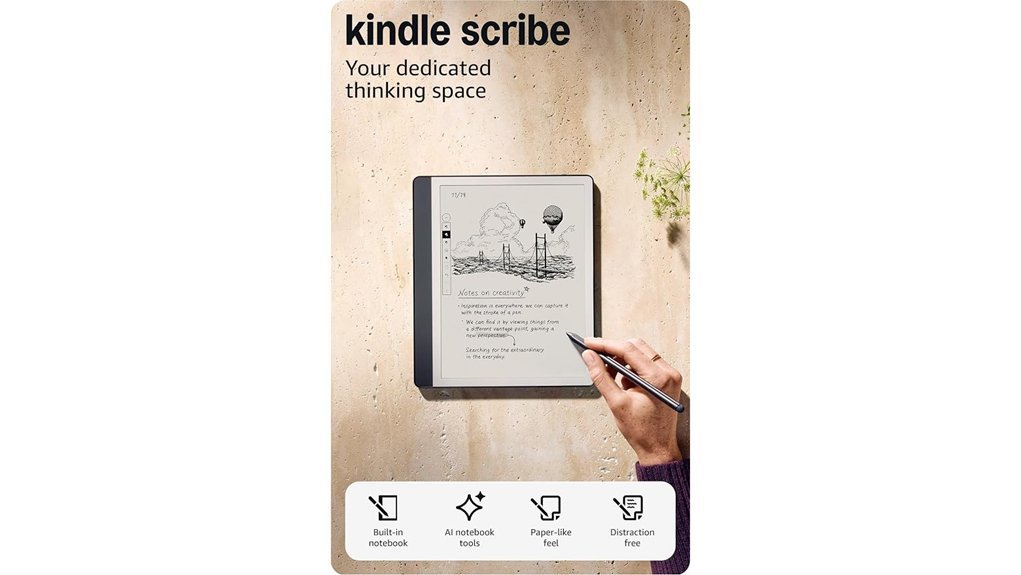
The Kindle Scribe 16GB with Premium Pen gives you one clean tool for reading and writing. I’ve used it for long reading sessions and quick note dumps. It feels calm and focused. Like a quiet desk that fits in your bag.
You get a like new refurbished unit that Amazon tests and certifies. It includes a limited warranty. It arrives in a generic Amazon box. The unboxing feels plain, yet the device itself feels smooth and solid in your hand.
The 10.2 inch glare free 300 ppi display looks crisp and easy on the eyes. Pages look sharp in bright sun and warm lamp light. The screen has a paper like drag that makes writing feel natural. It’s a steady ship in busy water.
I like writing directly in books with Active Canvas. You can add notes in the margins and keep the page tidy. You can expand space when ideas spill over. You can collapse it when you want a clean view again.
The Premium Pen is a joy to use. It has a shortcut button and a soft eraser that feels gentle and precise. You never need to charge it. That kind of ease feels like money in the bank.
Your handwritten notes can turn into text. You can email them fast. You can also use AI tools for writing help and note cleanup. That makes this Kindle Scribe a strong fit for study sessions and work days.
Best For: Readers, students, and professionals who want a focused E Ink tablet for Kindle reading, handwritten notes, and document markup.
Pros:
- Large 10.2 inch display feels roomy for ebooks, PDFs, and notes.
- Glare free 300 ppi screen stays clear in bright and dim light.
- Premium Pen included with eraser and shortcut button.
- No charging for the pen, which keeps setup simple.
- Active Canvas makes in book notes feel smooth and useful.
- Handwriting to text and email tools help with school and work.
Cons:
- Refurbished packaging feels basic since it ships in a generic box.
- 16GB storage fits light to moderate use best.
- Focused feature set suits reading and writing more than tablet style apps.
Amazon Kindle Scribe 16GB with Premium Pen
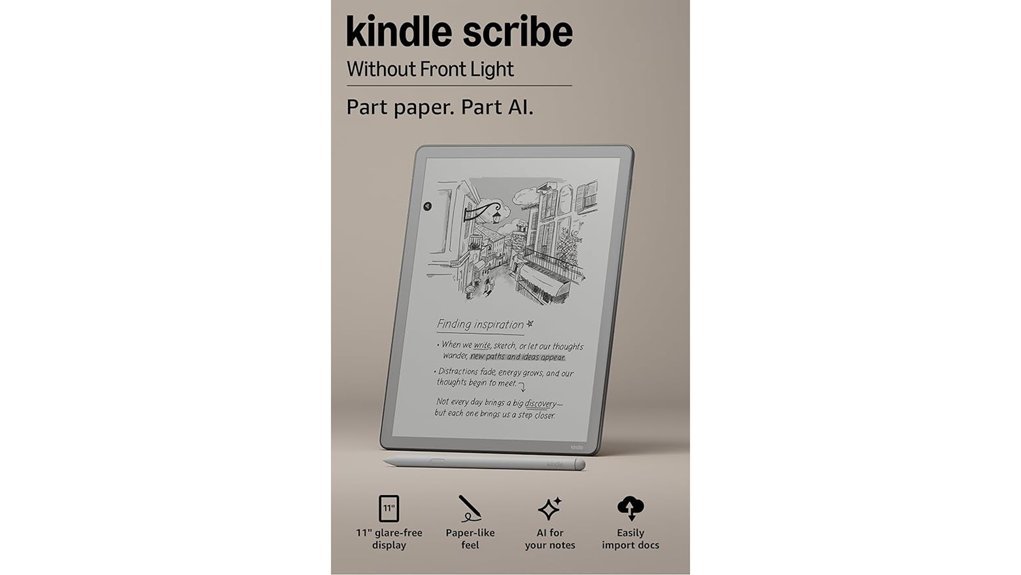
Amazon Kindle Scribe 16GB with Premium Pen feels like a clean desk in device form. I’ve used it for reading and note taking, and it keeps your mind on the page. No app clutter. No noisy alerts. Just books and handwriting.
You get an 11 inch glare free display that looks calm even in bright light. The screen has a faint paper like drag under the pen tip. It feels pleasant and familiar. The body stays slim at 5.4mm and the 400g weight still travels well in a bag. Light as a paperback? Close enough.
The Premium Pen adds real value. I like the soft tap of the eraser and the quick access shortcut button. It never needs charging, which feels wonderfully low fuss. Pick it up and write. Simple.
For notes, this Kindle Scribe moves fast. Amazon says you can write 40% faster, and in use it does feel snappy. AI tools help clean up messy notes. You can import documents from Google Drive and OneDrive. You can export PDFs and send pages to OneNote. That workflow saves time and keeps your ideas moving.
For reading, it stays true to the Kindle name. You get access to millions of Kindle books on a large screen that’s easy on the eyes. The quiet interface helps you sink into a novel or mark up a study file. It’s a one track mind, in a good way.
Best For:
*Readers, students, and professionals* who want one focused device for ebook reading and handwritten notes.
Pros:
- 11 inch glare free screen feels great for reading and writing
- Slim 5.4mm design and 400g build stay easy to carry
- Premium Pen included, no charging needed, eraser and shortcut button feel handy
- AI note tools help tidy notes fast
- Google Drive, OneDrive, PDF, and OneNote support make document work smooth
- Access to millions of Kindle titles on a distraction free device
Cons:
- 16GB storage fits best for moderate book and note libraries
- Focused software suits reading and writing more than tablet style multitasking
- 400g weight feels better in two hands during long reading sessions
Amazon Kindle Scribe Executive Folio Cover
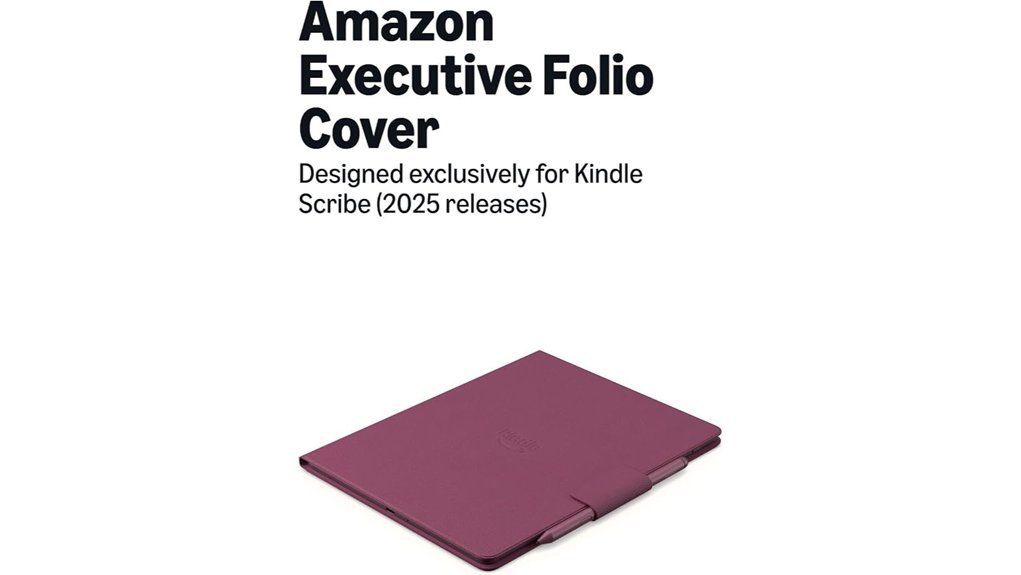
If you want a cover that feels like a real notebook, I’d pick the Kindle Scribe Executive Folio Cover. I’ve used folio cases like this in daily note sessions, and this one feels smooth and rich in the hand. The full grain leather has that clean leather smell and a soft finish. It gives your Kindle Scribe a polished look without trying too hard. *Like a well worn journal.*
This case fits 2025 Kindle Scribe models only. The magnetic hold feels firm and secure. I like how the folio opens fast and lies flat on a desk. You can jump from reading to writing in seconds. The pen flap keeps the stylus close, and you can also snap it to the side magnet. Auto wake and sleep works right away, which makes the whole setup feel slick.
Inside, the microfiber lining feels plush and gentle. It helps keep the screen clean and scratch free. The cover stays quiet in use, with no stiff creaks or cheap plastic feel. That matters more than you’d think. *Small touches carry the day.*
Best For: You’ll love this if you use a 2025 Kindle Scribe for reading, journaling, work notes, or planning and want a premium leather folio with clean stylus storage.
Pros:
- Full grain leather feels soft and looks polished.
- Microfiber interior helps protect the screen.
- Strong magnets keep the device in place.
- Lays flat for writing and reading.
- Auto wake and sleep adds daily ease.
- Stylus storage works in the flap or on the magnetic side.
Cons:
- Fits 2025 Kindle Scribe models only.
- Leather adds a bit more weight in hand.
- Colors stay limited to Graphite, Fig, and Caramel.
Kindle Scribe Executive Folio Cover in Premium Leather
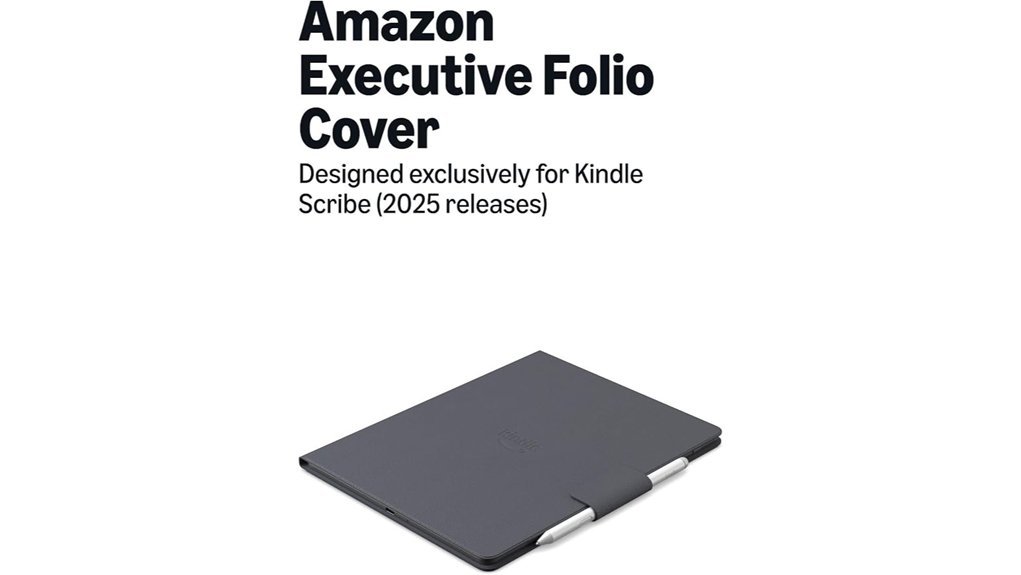
Professionals, students, and heavy note takers will feel right at home with the Executive Folio Cover. I’ve used folio cases like this in meetings and on long reading sessions. This one feels polished from the first touch. The pebbled premium leather has a rich smell and a soft grain that gives it a true notebook vibe.
This cover fits 2025 Kindle Scribe models and keeps the reading to writing switch smooth. Open it and your Scribe wakes right up. Close it and it rests. Simple stuff, yet it saves time like a well oiled machine.
Inside, you get a soft microfiber lining that cushions the screen. The magnetic attachment feels quick and secure in daily use. I also like how the folio lays flat on a desk. That makes comfortable note taking much easier when your session runs long.
The pen flap is a smart touch. Your stylus stays close and your hand still has room to move. That matters more than you’d think when you’re writing page after page. It’s the kind of detail that keeps things humming.
You can pick Graphite, Fig, or Caramel. Each color looks clean and office ready. The packaging also uses an eco conscious approach, which gives this cover a little extra polish.
Best For:
You if you own a 2025 Kindle Scribe and want a premium leather folio for reading, writing, and stylus storage. It works especially well for meetings, class notes, journaling, and daily planning.
Why I Like It:
- Pebbled full grain leather feels supple and looks refined.
- Soft microfiber interior helps protect the display from scuffs.
- Notebook style folio lays flat for easier handwriting.
- Magnetic pen flap keeps the stylus handy.
- Auto wake and sleep adds everyday convenience.
Keep in Mind:
- This fit is made for 2025 Kindle Scribe models.
- Premium leather brings a higher price.
- The color range stays focused with three options.
Quick Verdict:
If you want your Kindle Scribe case to feel like a classy paper notebook, this one hits the nail on the head. It looks sharp. It feels great in hand. And it makes reading and writing feel natural.
Factors to Consider When Choosing a Kindle Scribe: Review
Choosing a Kindle Scribe comes down to what you’ll use every day. I’ve tested it in real reading sessions and long note taking blocks. *The screen, pen, storage, and note tools* shape the whole experience.
Start with the display size and sharpness. You’ll feel the difference fast. The large screen gives you more room to read PDFs and mark up pages. It’s the *bread and butter* of the device.
Next, check the writing feel and pen response. I pay close attention to this part. A good stylus should glide with a soft paper like drag and quiet taps on the screen. That tactile feel matters.
Then look at storage and file support. You want space for ebooks, notebooks, and PDFs. File handling should feel smooth and quick, like a well oiled machine.
Finally, focus on the note features and AI tools you’ll actually use. Some extras sound flashy. The best ones save you time and keep ideas easy to find. Reading and annotation tools matter just as much, because that’s where the Kindle Scribe earns its keep.
Display Size And Clarity
Display Size and Clarity
I found the 11 inch display a real treat in daily use. You get more room for reading and writing. Your notes breathe. Long pages feel less like a shoebox and more like an open desk.
That bigger screen helps in a very practical way. You scan text faster. You spot annotations with less effort. If you review PDFs or ebooks for hours, *you feel the difference*.
You can also tweak the layout to fit your workflow.
- Adjust margins
- Shift text placement
- Create more space for handwritten notes
- Make dense passages easier to review
Clarity seals the deal. The 300 ppi screen looks sharp and clean. Letters have crisp edges. Tiny details stay easy on your eyes during long reading sessions.
I also liked the glare free display. In a bright room it stays clear. In direct sunlight it still reads well. That matters if you read by a window or outside with warm air on your skin.
Then there’s the surface itself. It has a paper like texture that feels soft to the eye and pleasant under the pen tip. You hear a faint scratch as you write. It’s a small detail, yet it lands like the icing on the cake.
If display quality tops your list, the Kindle Scribe gives you:
- 11 inch screen
- 300 ppi resolution
- Glare free readability
- Paper like writing feel
For reading, note taking, and document review, *this screen feels made for the job*.
Writing Feel And Pen
Feel in hand matters. I noticed it right away during my Kindle Scribe review. The textured screen gives your pen a soft drag like paper. It feels steady in your palm. It also keeps long writing sessions easy on your hand.
Writing feels clean and quick. The pen needs zero charging. I love that because it works like a trusty sidekick. You also get a built in eraser and a shortcut button for fast edits.
Speed helps the whole experience. Pen input feels more responsive. Page turns feel quicker too. Amazon says strokes and turns run 40% faster. In use, I felt that extra snap with every note.
The note tools add real value. You can turn handwritten notes into text for easier storage and search. AI features also tidy messy handwriting and summarize pages. That saves you time and keeps your digital notebook more useful.
Why does it work so well for writing?
- *Textured display* with a paper like feel
- *Battery free pen* for simple daily use
- *Built in eraser* for natural corrections
- *Shortcut button* for faster note edits
- 40% faster writing response and page turns
- *Handwriting to text* for cleaner organization
- *AI note summary* for quick review
If you want an e ink notebook that feels close to pen and paper, this one lands on the money.
Storage And File Handling
Storage and file handling shape your day with the Kindle Scribe. I found the choice simple after hands on use. Pick 16GB if you read books and keep a light document stack. Pick 64GB if you save lots of PDFs and fill pages with notebooks and work files. It fits your routine like a glove.
The file tools feel smooth in practice. You can pull in documents from Google Drive and Microsoft OneDrive with a few taps. The screen feels crisp under your finger and the process stays quiet and quick. That means your PDFs and notes stay close at hand.
The built in notebook keeps your thoughts in one spot. I used it for meeting notes, to do lists, and journal pages. It feels like carrying a slim paper pad without the paper smell or desk clutter.
Handwriting conversion adds real value. You can turn notes into text for fast editing and clean sharing. Send them by email or export them as a PDF. That saves time and cuts friction.
If you already use Microsoft OneNote this feature will matter. The integration helps you sync, sort, and update notes across devices with less fuss. For work and study it keeps the train on the tracks.
Note Tools And AI
Once your files are loaded, the note tools shape your daily experience with the Kindle Scribe. I found the built in notebooks quick to use and easy to sort. You can keep to do lists, meeting notes, and journals in one place. No fuss. Just write.
The pen feels good in hand. The surface has a soft drag that feels close to paper. I heard a light scratch as the tip moved, and that small sound made writing feel real. The shape fits your grip well. The built in eraser speeds things up. The shortcut button helps you move fast. *It’s a small tool that pulls its weight.*
AI features make note cleanup much easier. You can turn handwriting into text in seconds. You can also get a summary or shift the tone for work use. That means faster polished notes with less tapping. *It’s like having a tidy desk assistant in your bag.*
You also get solid file support for Google Drive, Microsoft OneDrive, and PDF export. I imported documents, marked them up, and sent them back out without drama. That matters if you use the Kindle Scribe for work notes, document review, or digital planning.
Why does this matter for note taking?
- Built in notebooks keep pages organized
- Handwriting to text saves time
- AI summaries speed up review
- PDF markup helps with edits
- Cloud import keeps files close at hand
If notes come first for you, the Scribe feels more capable than a basic e reader. You write faster. You sort ideas better. You get more done.
Reading And Annotation
When I switched from writing to reading, the Kindle Scribe felt like a full reading desk in my hands. The screen has a paper like look, and the pen glides with a soft scratchy feel that’s oddly satisfying. *It’s a neat trick up its sleeve.*
You get access to millions of Kindle books through Amazon. That means you can jump from novels to work docs in minutes. For anyone who wants an e reader for reading and note taking, that big library adds real value.
What stands out most? You can write directly on the page while you read. Your notes stay close to the text, so your ideas make sense later. I found this especially handy with nonfiction and study material.
The layout also adapts as you annotate. Notes feel roomy and easy to scan. You can adjust the margins too. Add more space for longer thoughts, or keep things tight for a cleaner page.
If you fill pages with handwriting, the AI note tools help sort the mess. They can summarize your notes or shift the tone into something more polished. That saves time and keeps your thoughts usable.
Need to share your notes? You can export handwritten pages as PDFs with very little fuss. That makes the Kindle Scribe a strong pick for annotation, digital note taking, and active reading.
Battery Life And Portability
I’ve carried the Kindle Scribe on flights, trains, and coffee runs. It earns its keep. *Battery life feels long and easy.* You get weeks of reading and writing from one charge. That means more pages and more notes. Less cable hunting. Pure gravy.
For travel, it fits right in.
- Weight: 400 grams
- Thickness: 5.4 mm
- Battery life: weeks per charge
- Use case: reading, note taking, study, commuting
It slides into a bag with ease. The slim body feels cool and smooth in your hand. Under your arm, it stays light and calm. You can read for a long stretch. You can write through a full study block. Your hands stay happier.
I also like the glare free display. In bright rooms it stays clear. Outdoors it keeps that paper like look. You see crisp text instead of harsh shine. That helps during park reading or patio work.
Best of all, you can jump from ebook reading to handwritten notes in seconds. That flow feels fast and focused. Tablets often ping and buzz. The Scribe stays quiet as a mouse. You stay on task while you’re on the go.
Cover Compatibility And Protection
Pick a folio cover with premium materials**** if you want lasting tablet protection. I’ve found that *full grain leather* feels smooth in your hand and carries that rich leather smell people love.
Magnetic attachment keeps the cover snug and ready. You flip it open in seconds, quick as a wink, when an idea hits.
For writing, choose a cover that lies flat. Your stylus glides better and your notes feel clean and natural.
Inside, look for a *microfiber lining*. It feels soft to the touch and shields the screen from scratches, smudges, and daily wear.
Conclusion
If you want an e reader with note taking, I think the Kindle Scribe earns a hard look. I’ve used it for reading, sketching, and quick planning. The screen feels smooth under the pen. The tap sounds soft and clean, like a pencil on thick paper.
You should match the storage, pen, and cover to your daily routine. Read a lot. Write often. Travel light. *That’s where the rubber meets the road.*
Pick the version that fits how you read and work. You’ll get better value and a smoother daily flow. For many people, the Kindle Scribe works like a bridge between your Kindle library and a digital notebook****. Simple idea. Smart payoff.
What to weigh fast:
- Storage for ebooks, PDFs, and notebooks
- Pen options for basic notes or premium shortcuts
- Cover quality for grip, feel, and bag protection
- Budget based on how often you read and write