
You want a kit that *clicks fast* and keeps kids curious. I’ve tested these on real tables with wires that smell faintly warm and plastic parts that snap with a soft click. The right Arduino starter kit turns code into motion and light in minutes. That spark matters.
Start simple and build momentum. I like the ELEGOO UNO R3 Complete Kit for first wins. You plug in a few wires and LEDs blink right away. It feels like flipping a switch in your brain. Kids see cause and effect with every line of code.
Crave movement and sound. The Smart Robot Car Kit rolls across the floor with a soft motor hum. Sensors react like a tiny creature finding its way. That feedback loop pulls kids deeper into coding without friction.
Prefer clear guidance. The official Arduino starter kits walk you step by step with clean lessons and solid parts. The booklet reads like a friendly coach at your side. Each project builds skill in a steady climb.
Quick picks at a glance
– ELEGOO UNO R3 Complete
*Best for beginners who want fast results*
Bright LEDs and easy wiring
– Smart Robot Car Kit
*Best for kids who love movement*
Motors sensors and remote control fun
– Official Arduino Starter Kit
*Best for structured learning*
Clear lessons and reliable components
Pick based on how your kid learns. Hands on tinkerers love motion. Careful builders enjoy guided steps. Either way you get a fun path into coding that feels like play.
ELEGOO UNO R3 Smart Robot Car Kit V4
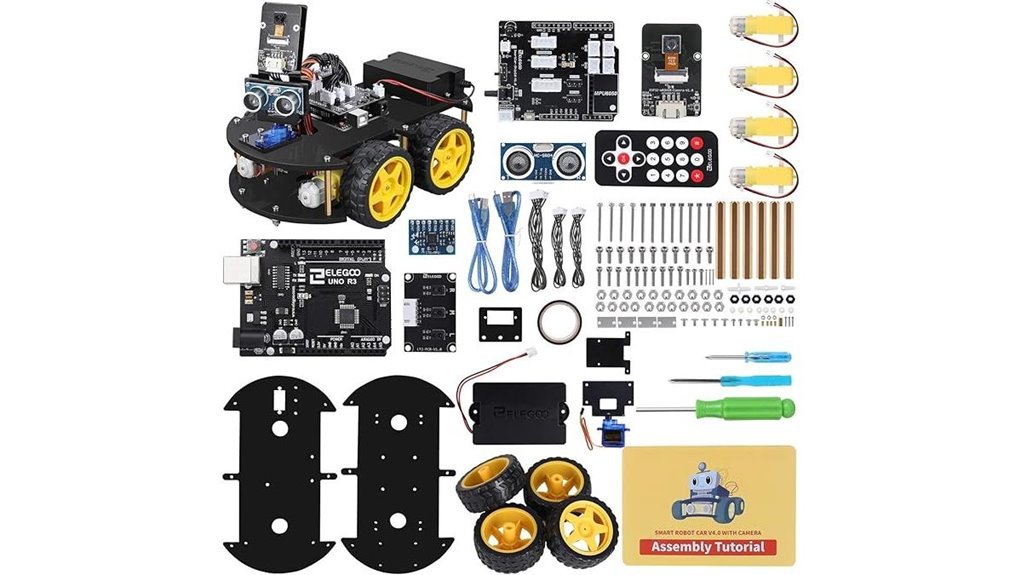
If you want a hands-on robotics kit that grows with you, this one earns its keep. I built it on my desk and heard the soft whirr of motors come alive. You get a 24 part *Arduino based system* that teaches code and circuits through action. It feels like a mini lab in your hands. Think of it as training wheels that actually teach balance.
You test real behaviors fast. Obstacle avoidance reacts in seconds. Line tracking feels smooth and precise. The app control adds a fun remote feel. I liked the XH2.54 ports since they click in clean with a firm touch. Fewer wiring slips. The HD tutorials walk you step by step and keep things clear.
Best For:
Kids and teens ages 8 to 16 who want real Arduino skills and hands on STEM learning.
Pros:
- Obstacle avoidance and line tracking feel responsive and fun
- Tutorials guide you with clear code and visuals
- Skill growth feels natural as you build and test
Cons:
- First build takes time and patience
- Early steps feel tricky without guidance
- Acrylic frame feels light in your hands
You smell a faint plastic note during setup. You hear gears hum as code turns into motion. That feedback loop hooks you fast. It’s a solid entry into robotics that keeps you coming back for more.
Arduino Starter Kit K000007 with 12 Projects
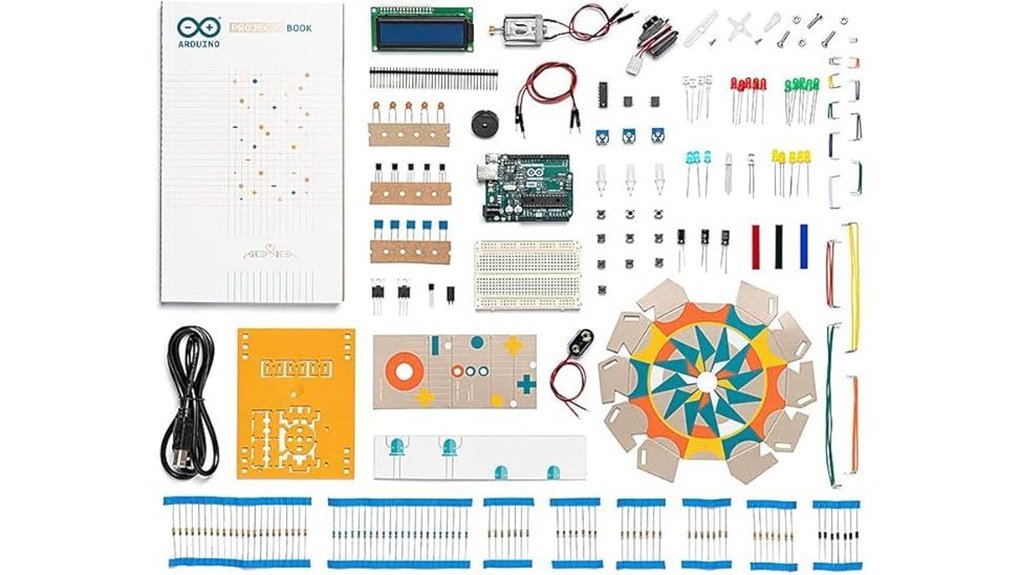
A great pick if you want a clear path, the Arduino Starter Kit K000007 feels like a friendly coach on your bench. I opened the box and caught that fresh PCB smell. Parts feel solid in hand. Pins click with a clean snap. You follow a *paint by numbers* flow with 12 guided projects and a clear English book.
You start simple. You build step by step. I wired LEDs and heard the soft relay click. Each page shows what to do next. You gain real Arduino coding skills and basic electronics fast. Genuine Arduino parts from Italy add trust and fit. This kit suits school work and weekend tinkering.
Best For: Beginners and students who want a guided start with Arduino and hands on STEM.
Pros:
- Clear path with 12 projects and simple steps
- Genuine Arduino parts for fit and long life
- Works well for solo learning and class use
Cons:
- Focus stays on 12 core builds so you expand with extra guides
- Price sits higher than clone kits and reflects official parts
- Content starts at an easy level which suits new makers first
You want a smooth start. This kit delivers. It sets the stage so you can grow with confidence.
ELEGOO UNO R3 Complete Starter Kit (200+ Components)
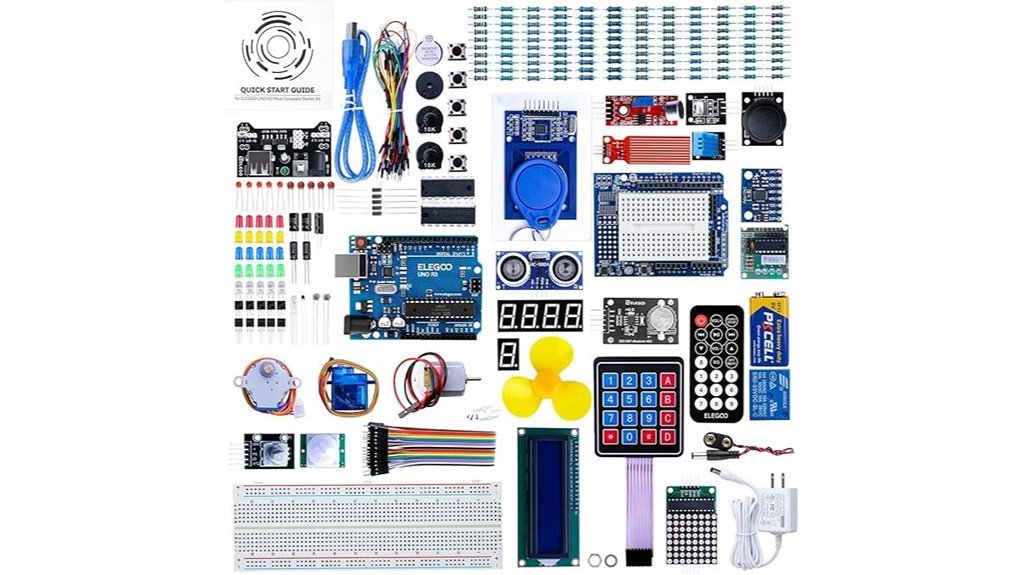
Packed with 200+ components and guided lessons, this kit throws you straight into building. I’ve used it on a cluttered desk and it feels like a box of creative sparks. You get an UNO R3 board plus USB cable and a pile of parts. LEDs glow bright. Sensors click into place with a soft snap. Motors hum with a light buzz. It covers 63 part types like RFID and DHT11. The PDF lessons walk you step by step so you stay on track. The code works out of the box so you keep momentum. The compartment case keeps parts tidy like a well sorted toolbox. It runs on the Arduino IDE so setup feels smooth. It’s a solid start and hits the ground running.
Best For:
Beginners and students who want hands on Arduino projects fast.
Pros:
- 200+ components give you room to explore
- 30+ lessons guide you from zero to working builds
- Sensors and modules add real world project variety
- Case keeps parts easy to grab and store
Cons:
- Spec sheet details feel off for a standard UNO R3
- PDF lessons feel old school in format
- Large kit size feels like drinking from a firehose at first
Arduino Starter Kit R4 with UNO R4 WiFi
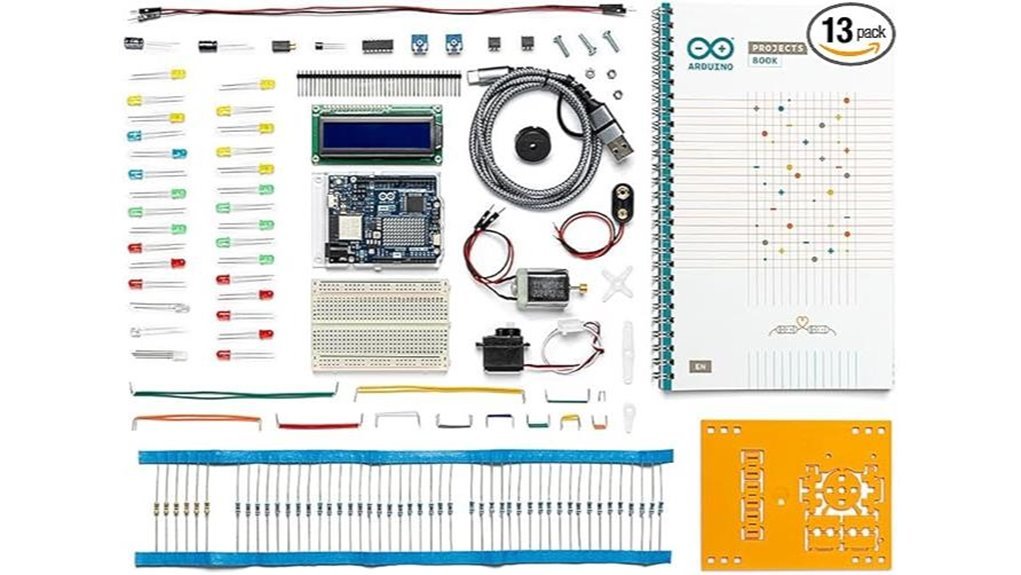
I’ve used this kit on a cluttered desk with wires everywhere. It feels like a clean entry into coding. The board clicks in place with a firm snap. The parts smell faintly like fresh plastic. It’s simple in a good way.
You open the box and get moving fast. The printed book guides you like a steady hand. Each project builds on the last. Like stacking blocks that suddenly light up.
The UNO R4 WiFi adds real power for beginners. You connect to WiFi in minutes. You send data to the cloud. You watch LEDs blink like tiny signals talking back to you.
What You Get
- UNO R4 WiFi board with built in WiFi and Bluetooth
- 13 guided projects with all key components
- Printed project book with step steps
- Access to Arduino Cloud and IDE
- Certification voucher for Arduino Fundamentals
What It Feels Like To Use
I found the setup smooth and quick. The USB connection feels solid. The buttons give a soft click. You write code and see results fast. That feedback loop pulls you in.
The AI coding helper adds a nice boost. It suggests fixes when you get stuck. Like a quiet tutor over your shoulder.
Why It Works
This kit keeps things clear. You focus on one idea at a time. Then you build up. That structure helps concepts stick.
WiFi opens the door to real projects. Think weather trackers or app control. It turns simple circuits into living systems.
Best For
You want a guided path into coding and electronics. You like hands on learning. You want your first smart project to actually connect.
Pros
- Clear project flow that builds confidence
- Built in WiFi and Bluetooth for connected builds
- Certification path adds a goal to chase
Cons
- Hardware limits show up in complex builds
- Early projects feel simple for some users
- Online setup adds an extra step
Final Take
This kit hits a sweet spot. It teaches fast and keeps you engaged. I’d call it a *plug in and go* experience. Perfect if you want to learn by doing.
Makeblock mBot Robot Kit Coding STEM Kids
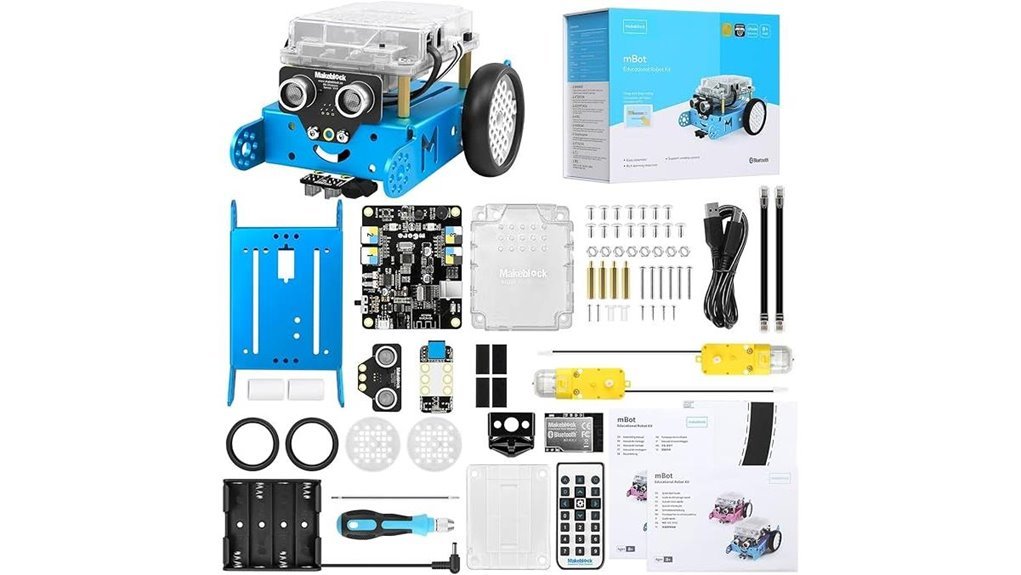
For ages 8 to 12, I’ve found the Makeblock mBot gives you a *quick spark* into robotics. You open the box and hear metal parts click with a clean snap. Setup takes about 15 minutes and feels smooth. It’s like building your first bike. Simple yet exciting.
You guide kids through Scratch and Arduino basics with clear steps. I like how mBlock keeps lessons visual and easy to follow. You see code turn into motion right away. The robot rolls across the floor with a soft motor hum. It dodges walls and tracks lines with steady moves.
The metal frame feels cool and solid in your hands. You can connect many add ons and LEGO parts for future builds. That flexibility gives this kit real staying power. It grows with your skills like a toolbox that keeps giving.
Best For:
Kids ages 8 to 12 who want a fast start in coding and robotics with guided tools.
Pros:
- Fast 15 minute assembly with clear steps
- Strong Scratch and Arduino learning path with app support
- Expandable system with many modules and LEGO compatibility
Cons:
- Requires separate batteries
- Extra modules add cost for deeper builds
- Simpler challenges suit early learners best
Arduino Student Kit AKX00025 STEM Learning Kit
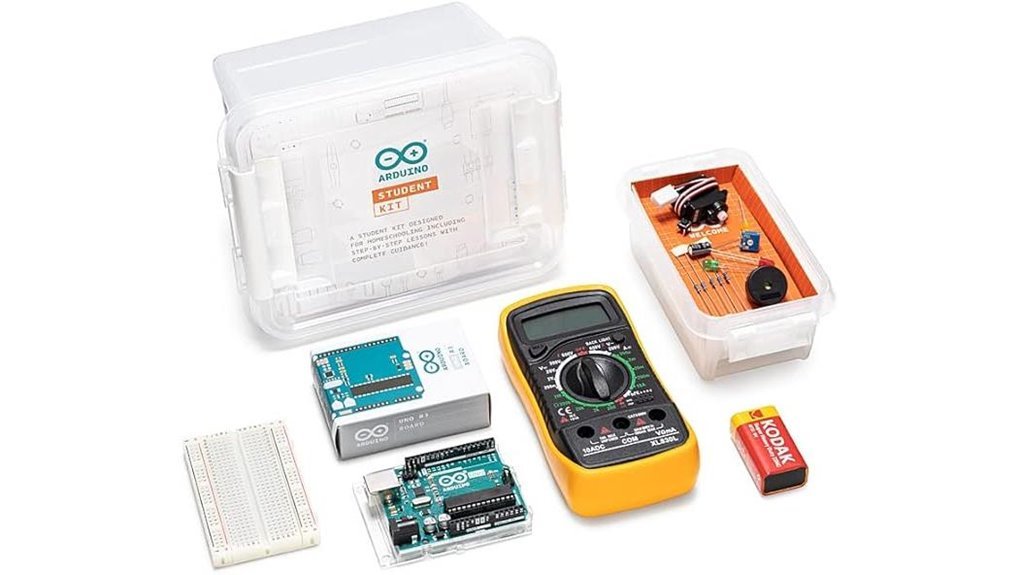
A classroom ready kit keeps you on track from day one. I used the Arduino Student Kit AKX00025 on my desk and it felt like a guided lab. You follow clear steps and short videos. You build a traffic light, a light lamp, and a motion alarm. Each project clicks like a puzzle piece.
You handle real parts. LEDs glow bright. Wires feel firm in your fingers. The breadboard grips each pin with a soft snap. You write simple code and watch it run. It feels like flipping a switch in your brain.
This kit suits class use or solo study. I moved at my own pace and stayed engaged. It hits the sweet spot for beginners who want structure. Think of it as training wheels that roll smooth.
Best For: Beginners, students, and educators who want guided hands on learning with real projects.
Pros:
- Clear tutorials and videos keep you moving
- Wide set of components supports real builds
- Works well in class or at home
Cons:
- Advanced users will want deeper builds
- Young kids need help with assembly
- Content feels tight after core skills grow
Arduino Plug and Make Starter Kit (AKX00069)
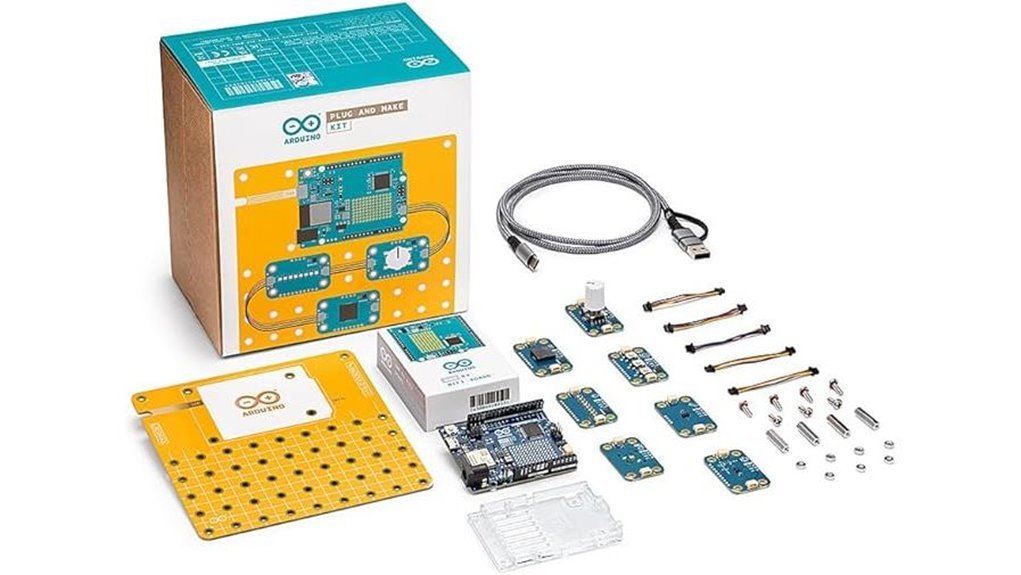
Kids who want a smooth start in electronics will click with the Arduino Plug and Make Starter Kit AKX00069. I used it on a kitchen table and it felt like snapping Lego bricks together. Plug and play setup keeps your hands clean and your focus sharp. You skip soldering and jump straight into building.
You get color coded parts that feel light and sturdy in your fingers. LEDs glow bright and buttons give a soft click. Sensors and motors add motion and sound that keep you curious. Guided projects walk you step by step. You blink lights. You read inputs. You control outputs. It’s like riding a bike with training wheels.
I built small builds like auto lights and simple bots. Each win builds momentum. You see code turn into action right away. That feedback loop sticks. This kit grows with you like a seed in good soil.
Best For: Beginners who want a clean start in electronics and coding with room to grow.
Pros:
- No soldering so you start fast and stay focused
- Color coded parts make setup clear and quick
- Guided builds teach circuits and coding basics
- Wide project range from LEDs to small robots
Cons:
- Advanced users want more depth after a while
- You need a computer for coding
- Extra parts expand your build options later
If you want a calm first ride into Arduino, this kit delivers a friendly path.
Arduino Starter Kit Classroom Pack (K000007-6P)
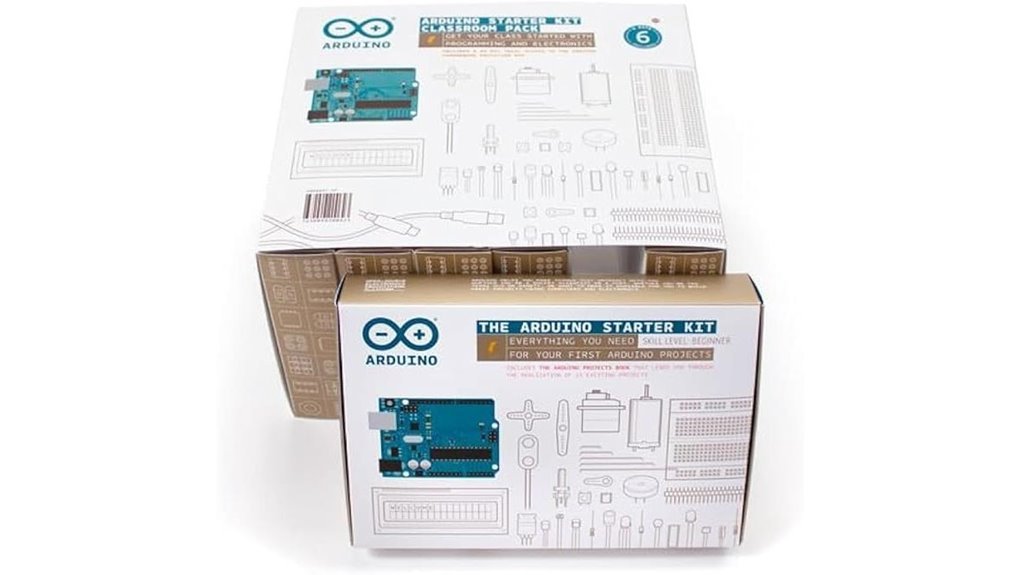
Designed for group learning, I’ve used the Arduino Starter Kit Classroom Pack in busy classrooms and it holds up. You open the box and smell fresh PCB and plastic. Each kit feels solid in your hands. No flimsy parts here.
You get six full kits with books. Each book walks you through 12 builds. I watched students light up LEDs and hear relays click like tiny applause. It keeps momentum strong. Like a well-tuned engine.
You guide kids through coding and circuits. They share ideas and fix mistakes together. That’s where the magic happens. The step by step tutorials keep everyone moving. Even first timers stay engaged.
Arduino parts fit clean and tight. Pins slide in with a soft snap. That tactile feedback matters. You spend less time fixing hardware and more time teaching ideas.
You can scale lessons fast. Add challenges or remix builds. Students gain real world tech confidence with every project.
Best For:
Classrooms and STEM clubs that want structured hands on Arduino learning.
Pros:
- Six full kits with guided builds for group work
- Clear tutorials that build skills step by step
- Genuine Arduino parts for smooth compatibility
Cons:
- Higher upfront cost for schools
- Works best with active instructor support
- Projects follow the book unless you expand content
Factors to Consider When Choosing an Arduino Starter Kit for Kids
When I test an Arduino starter kit for kids, I start with age fit. You want a kit that feels just right in their hands. Think Goldilocks. Too simple feels boring. Too hard feels like a brick wall.
I’ve seen kids light up when parts click with a soft snap. The plastic should feel smooth and solid. Wires should bend easy with no harsh crackle. That tactile feel keeps them hooked.
Next, look at project range. You want variety that grows with them. A good kit keeps ideas flowing like a steady drumbeat.
- LED lights and basic circuits
- Sensors like light and temperature
- Small motors and buzzers
- Beginner coding guides
Quality matters. Cheap parts feel flimsy and dull fast. I check how pins fit and how boards sit. You want parts that last through many builds.
Clear guides seal the deal. I open the manual and follow it cold. If I can build fast, you will too. Simple words win every time.
Finally, pick easy assembly. You want less fiddling and more building. That keeps the fun front and center.
Age And Skill Level
I’ve tested kits with kids and teens. The right level feels like a bike with training wheels.
Check the age range first. Boxes list ranges like 8 to 12. Others fit beginners up to 16.
Match difficulty to experience. Some kits expect basic coding or circuit skills. Others start from zero.
I look for *clear step guides*. You hear the click of parts fitting. You feel progress in your hands.
You want early wins. Simple builds keep younger kids hooked. Quick lights and buzzers spark smiles.
Older kids crave depth. They enjoy sensors and logic. Think of it as leveling up in a game.
Pick a kit that grows with you. Lessons should scale over time. Projects should add one new idea each step.
Good kits teach safe habits. You learn to test and fix. Mistakes become clues.
Watch for these signs:
- Step by step lessons with pictures
- Intro coding blocks then text code
- Modular parts that snap in place
- Project ladder from easy to hard
- Help guides for common errors
Choose well and you build confidence. It’s like planting seeds and watching circuits bloom.
Project Variety Included
Once I match a kit to a child’s level I look at build variety next. Projects drive interest. A kit should feel like a toy box that keeps giving.
I check for hands on options. You should see blinking LEDs that click on with a soft snap. You should find motion sensors that react like magic. Simple robots add whirring sounds and moving parts that kids love.
*Variety fuels curiosity*. It keeps kids coming back for more.
I want builds that cover core ideas:
- Circuit basics with wires and boards you can feel
- Coding steps that run real actions
- Sensors that respond to light or motion
You start to see how each piece connects. That “aha” moment hits like a light bulb turning on.
Guides matter. I’ve used kits where steps flow clean and clear. You follow along and progress feels smooth.
Good kits mix fast wins with deeper builds. You finish one project and feel that quick spark of success. Then you stretch into harder builds at your own pace.
Extras help a lot. Online tutorials add fresh ideas and extend play time. You keep building long after the box opens.
Component Quality And Quantity
Flash fades fast. Parts carry the build.
I’ve handled kits with slick boxes and weak guts. You feel it right away. Loose plastic. Thin wires. A faint hot smell after a short run.
Pick quality parts first. You get firm connectors and smooth motor spin. Buttons click with a clean snap. That feel keeps you building.
Cheap parts break your flow. A bad sensor kills a project mid test. That frustration sticks.
Now size matters too. Think of it as a full pantry. More parts means more meals.
Aim for 200 plus components. You gain room to test and remix. You push ideas further.
Look for a smart mix:
- Sensors for light and distance
- Motors for motion
- LEDs for quick feedback
- A solid Arduino board for control
I like kits with original brand parts. They fit standard Arduino boards with ease. Code runs clean. Pins line up.
Good guides seal the deal. Clear steps keep every part in play. Nothing gathers dust.
In short. Strong parts and plenty of them. That combo hits the sweet spot.
Learning Resources Provided
Learning Resources That Actually Teach You
I’ve opened these kits and felt the crisp pages right away. That first flip matters. It sets the tone like a good first bite.
You want clear project books. Step by step wins every time. You follow along and see results fast. *That click when a circuit works?* Pure motivation.
Online guides seal the deal. I’ve used them late at night with a solder smell in the air. They walk you through fixes and keep momentum alive. Like a safety net.
Good kits include ready code and software. You plug in and start. No hunting around. No wasted time.
Variety keeps your brain engaged. Think sensors that react. LEDs that blink. Small automation that feels alive. It’s like a playground for logic.
Some kits add smart helpers. I’ve tested ones with AI coding guides. They suggest tweaks and explain outcomes in plain words. *Feels like a coach over your shoulder.*
Here’s what I check every time:
- Clear project book with photos
- Online tutorials with updates
- Preloaded code examples
- Simple software setup
- Multiple project types
- Optional AI help tools
Pick a kit that teaches as you build. You stay curious. You keep going. And your skills grow step by step.
Ease Of Assembly
If a kit feels simple at first touch, you stay hooked. I’ve felt that smooth snap of parts and heard that clean click. That feedback matters.
Kids kits use plug and play parts. Ports guide each piece into place. You move fast and feel in control.
Clear steps lead you forward. You follow one move at a time. It feels like following a good recipe.
Cases stay tidy and tight. You spot parts in seconds. No digging through a messy pile.
HD diagrams show each angle. Lines look crisp and easy on the eyes. You track progress with zero guesswork.
You can build with friends. Ideas bounce like a ping pong ball. Energy stays high and fun sticks.
This hands on flow builds skill and grit. Confidence grows with each small win. You stay engaged as builds grow in size and challenge.
Conclusion
I’ve tested a pile of Arduino kits with kids at the table. Some spark joy. Some gather dust. The right kit feels like a light switch flipping on.
You want hands on learning that sticks. I see it every time. Kids press a button and a buzzer chirps. Their eyes light up. That moment matters.
Research backs it up. Kids remember far more through projects they can touch. Wires click into place. LEDs glow warm red. Code turns into real action. It feels alive.
Pick a kit that fits your child’s age and pace. Good guides matter. Clear steps beat confusion every time. I’ve seen frustration fade fast with simple instructions.
Here’s what I look for:
- Clear tutorials with pictures you can follow fast
- Quality parts that feel solid in your hand
- Fun projects like lights sensors and small robots
- Support from a real community
Think of it like building with LEGO but smarter. Each project stacks skill on skill. You get confidence growing piece by piece.
Choose well and you get more than parts. You get curiosity that hums like a tiny motor. You get problem solving that sticks. You get a hobby that can grow for years.