
I’ve built with these kits on a real bench, and you feel the click of parts and hear relays snap. You want a fast start. You get it here.
ELEGOO UNO R3 feels like training wheels that roll smooth. I opened the box and smelled fresh PCB resin. The guide walks you step by step. You plug wires and see LEDs glow right away. It fits first projects like a glove.
ELEGOO Mega R3 gives you more pins and more room to grow. Think of it as a bigger toolbox. I wired sensors and heard buzzers chirp with ease. You follow longer lessons and build richer circuits.
SunFounder Elite Explorer adds variety and clear lessons. I liked the tactile buttons and crisp displays. You learn by doing and each build stacks like bricks.
LAFVIN kit keeps things light and friendly. Fewer parts means less clutter on your desk. You focus on core skills and gain speed. It’s a gentle ramp.
Official Arduino Starter Kit brings polished guides and solid parts. The boards feel sturdy in hand. The projects read like a coach at your side.
Pick your pace and goal. Start simple or go wide. Either way you build fast and learn by touch and sound.
Quick picks:
- UNO R3 for first steps and clear lessons
- Mega R3 for more pins and bigger builds
- SunFounder for variety and guided depth
- LAFVIN for simple and quick wins
- Official kit for premium docs and parts
ELEGOO UNO R3 Starter Kit with Tutorial
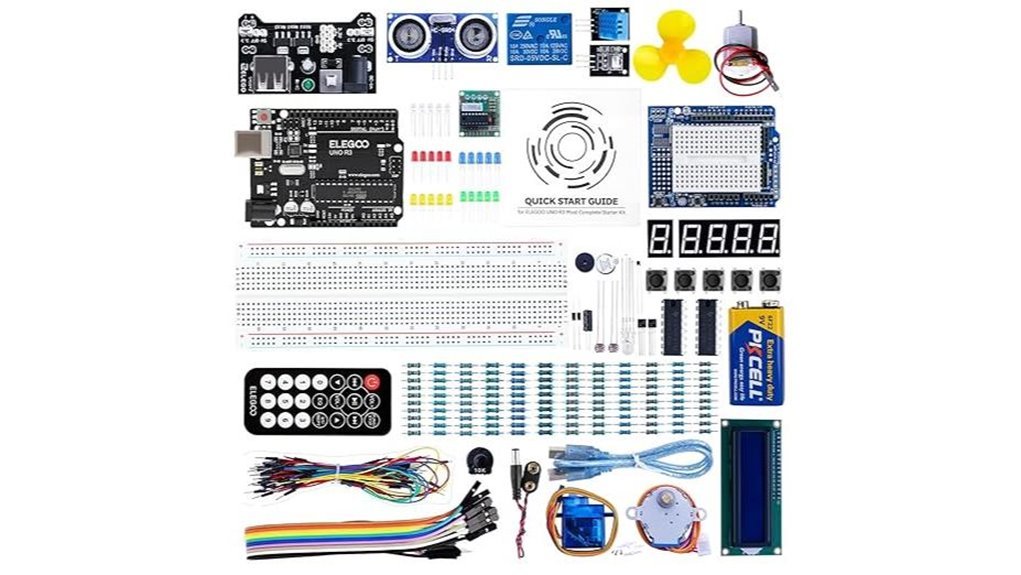
If you want a clean start in Arduino, I’ve used this kit and it feels like training wheels that actually teach balance. You open the box and smell fresh PCB and plastic. You plug in and go.
The ELEGOO UNO R3 Starter Kit gives you a smooth on-ramp into electronics. I powered it up in minutes. You get an Arduino compatible UNO R3 board that runs in the Arduino IDE. Simple. Familiar. It just works.
The PDF guide walks you through 22 plus lessons. Each project builds like stacking bricks. You wire LEDs. You read sensors. You see results fast. That quick feedback feels like a light switch in your brain.
The kit includes an LCD1602 with pins ready to go. I liked that. No soldering mess. The power module and 9V battery get you moving right away. You also get support for UNO and MEGA and NANO. That gives you room to grow.
Best For:
Beginners who want a clear path into Arduino and hands on learning.
Pros:
- Step by step lessons that build real skills fast
- Wide component mix for early projects and testing ideas
- Pre soldered LCD saves time and effort
Cons:
- PDF guide format suits readers who like self paced learning
- 9V battery setup fits short sessions and light builds
- Entry level components fit practice and early prototypes
You feel progress with every circuit. Like turning puzzle pieces into a working system.
ELEGOO Mega R3 Ultimate Starter Kit for Arduino
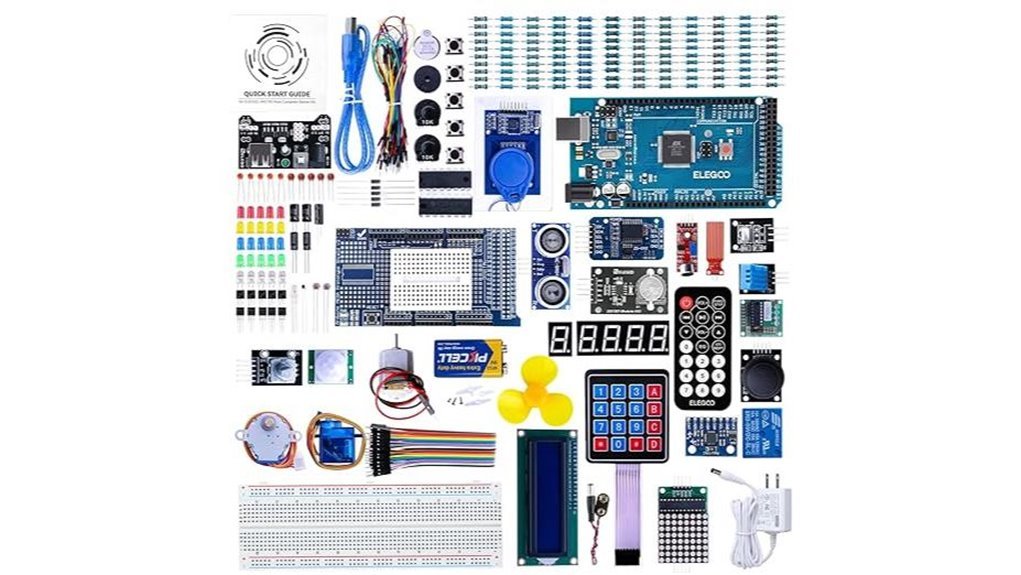
The ELEGOO Mega R3 *Ultimate Starter Kit* feels like a full workshop in a box. I opened it and caught that fresh PCB smell right away. You get a MEGA2560 board plus a pile of parts that click and snap with ease. It’s like a Lego set for circuits.
I built projects within minutes. The LCD1602 lit up crisp and bright. The GY-521 sensor came ready with headers so I skipped soldering and got straight to testing. You follow a clear PDF with 35+ lessons that guide your hands step by step. Each lesson builds skill fast.
Everything sits in a tidy case. Parts stay sorted so your desk stays clean. ELEGOO keeps improving guides and support which adds real value over time.
Best For: You want a full Arduino starter kit with guided projects and room to grow.
Pros:
- Over 200 components give you wide project range
- Clear PDF lessons help you learn fast
- Pre-installed headers save time and effort
Cons:
- Large kit size takes more desk space
- PDF format feels less lively than video guides
- Huge part count feels like a firehose at first
You get a hands-on ride from day one. It feels like having a mentor in a box.
LAFVIN Super Starter Kit for Arduino Compatible Boards
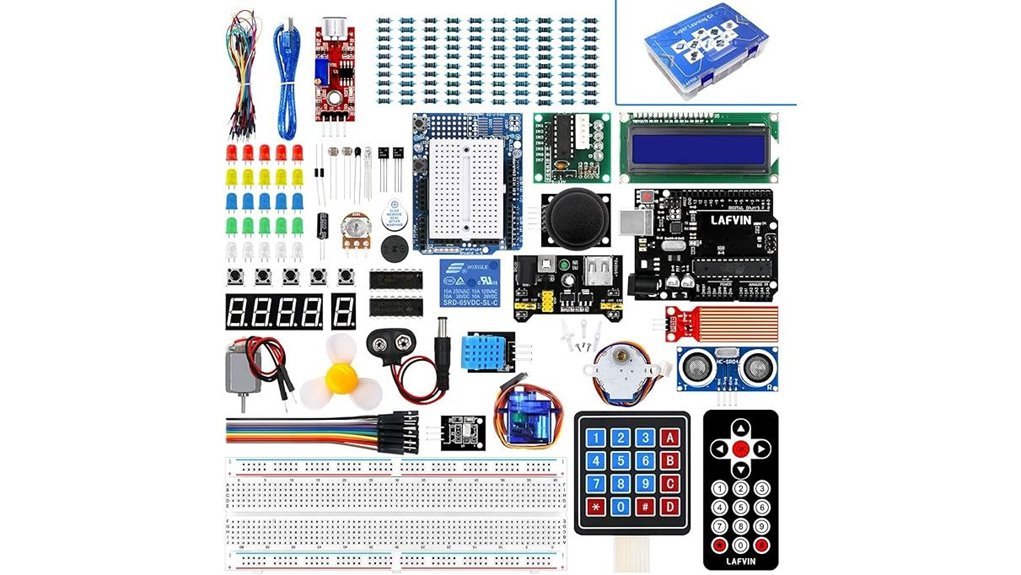
Beginners jump into electronics with the LAFVIN Super Starter Kit and feel the spark right away. I opened the box and smelled fresh plastic and clean boards. You get parts that click together with a soft snap. It feels like building with purpose.
This kit pairs smoothly with Arduino compatible boards like Mega2560 and Nano. I ran tests on both and code uploaded fast. The Arduino IDE works clean here. You start small and build up like stacking blocks.
The manual guides you through 20 plus lessons with clear code and simple steps. I followed each lesson and saw LEDs blink within minutes. You also get libraries and datasheets that explain each part in plain terms. That saves time and keeps you moving.
You can drive servo motors and hear the soft whirr. You can spin a DC motor and feel the vibration. Displays like LCD1602 and 7 segment light up crisp and bright. The LCD1602 uses a no solder setup so you plug and play with ease.
It hits the ground running.
Best For:
Beginners who want a hands on start with Arduino coding and basic electronics.
Pros:
- 20 plus guided lessons with code and clear files
- Wide mix of motors and displays for real projects
- Works with Mega2560 Nano and similar boards
Considerations:
- Suits early stage learners best
- Guides favor simple projects and steady growth
- Advanced builds come later with extra parts
Official Arduino Starter Kit K000007 with Projects
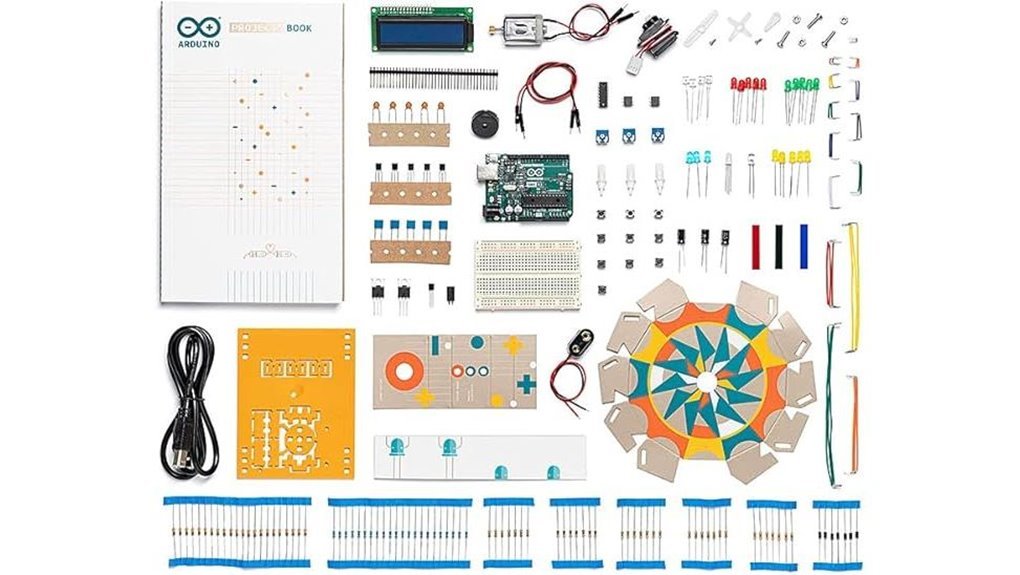
Curious about Arduino. I’ve built with this kit on my desk. It clicks into place like a well tuned guitar. You open the box and catch that faint plastic smell. The parts feel solid in your hands. The Official Arduino Starter Kit K000007 gives you 12 guided DIY projects that move step by step. You wire circuits. You upload code. You see LEDs blink and buzzers chirp. It all feels alive fast.
The included book speaks plain English. I followed it without friction. You turn pages and build with confidence. Each project stacks skills like bricks in a wall. You grow fast. This kit fits beginners and steady learners. You set your pace and keep momentum. Parts come from Italy and feel dependable. Pins fit snug. Wires hold tight. It builds trust through use.
*Best For:* Beginners who want a clear path into electronics and Arduino coding.
Pros:
- Clear project book keeps you on track like a map
- Genuine components feel durable and work in sync
- 12 projects build skills in a steady climb
Cons:
- Project count caps variety for advanced builds
- Coding basics take time at the start
- Price sits higher than many starter kits
SunFounder Elite Explorer Kit Arduino Uno R4 WiFi
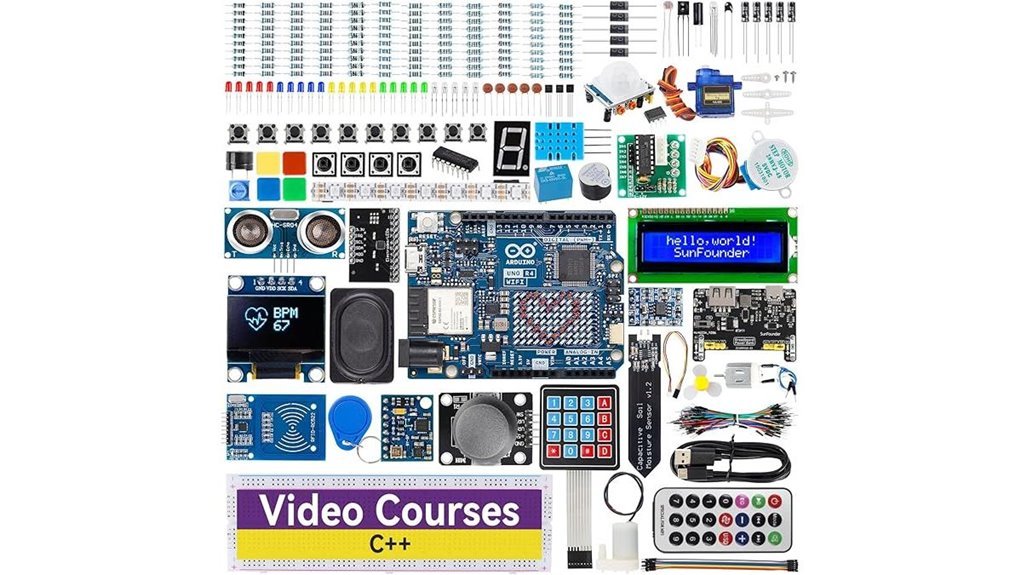
If you want a clear path into Arduino, I’ve put the SunFounder Elite Explorer Kit through its paces and it delivers. You open the box and smell fresh plastic and metal. Parts feel solid in your hands. You plug in the Arduino Uno R4 WiFi and you’re off to the races.
This kit packs over 300 components plus a rechargeable battery module. I built circuits within minutes. You follow 60 plus video lessons with Paul McWhorter guiding you. His voice feels like a coach at your side. Each project builds skill step by step. Think of it as training wheels that actually teach balance.
The 32 bit processor runs smooth. WiFi and Bluetooth worked first try for me. I pushed data to my phone and saw results live. That instant feedback keeps you hooked.
Best For: You want a guided Arduino path with real projects and clear lessons.
Pros:
- Arduino Uno R4 WiFi included with 300 plus parts
- 60 plus videos and 50 plus projects keep you moving
- WiFi and Bluetooth open the door to IoT builds
Cons:
- Huge parts count feels like a busy toolbox at first
- Price sits above basic starter kits
- Structured lessons feel limiting once you gain speed
Bottom line. You get a hands on system that teaches by doing. I’d grab it if you want fast progress without guesswork.
Factors to Consider When Choosing an Arduino Kit for Beginners
When I test an Arduino starter kit I look for a fit that feels right in your hands. You want a board that clicks with your current level. Too simple feels flat. Too complex feels like hitting a wall.
Start with components. I like kits that smell faintly of fresh plastic and clean metal pins. You get more room to play with:
- LEDs and resistors for basic circuits
- Sensors for light and motion
- Motors for movement projects
More parts means more ideas. Think of it as a toolbox that grows with you.
Check the tutorials next. I’ve used kits with guides that read like a puzzle with missing pieces. You want clear steps and simple words. Good guides feel like a friend walking you through each build. You hear the click of progress with every upload.
Look at compatibility. Your board should work with common shields and software like Arduino IDE. This keeps your path smooth. No one likes a dead end in the middle of a fun build.
Plan for growth. I always pick kits that scale from blink tests to smart projects. You start small. You build up. Like stacking bricks into something real.
In short. Pick a kit that feels *easy to start* and *ready to stretch*. That balance makes all the difference.
Skill Level Fit
I’ve tested dozens of Arduino starter kits on my workbench. Some felt smooth like butter. Others felt like tangled wires and frustration. Here’s what actually matters.
Three factors decide if a kit fits you:
- Guidance quality
- Included components
- Ease of use
Start with guidance. You want structure. I recommend kits with 20 plus lessons. That gives you a clear path. You follow along and build muscle memory. A solid project book feels like a calm voice beside you.
Next comes learning support. Good kits include manuals and video walkthroughs. I like when I can hear the relay click while following a video step. That sound tells me I did it right. Simple explanations turn big ideas into small wins.
Now the hardware. Go for beginner friendly parts. Pre soldered modules save time and stress. You plug things in and see results fast. That quick feedback keeps you hooked.
A well balanced kit hits a sweet spot. You build more. You guess less. Your confidence grows one project at a time. Like learning to ride a bike, momentum carries you forward.
Included Components Variety
I open the box and judge it fast. Parts tell the story. You want range and real function.
A strong kit gives you sensors motors and displays. You feel the click of buttons. You hear the soft whirr of a servo. That mix builds skill like a Swiss army knife.
Look for core parts you will use right away. LCD screens show data in plain view. Basic sensors teach input with touch and light.
Pre soldered headers feel smooth and solid. You plug and go. That saves time and keeps focus on code.
Motor variety matters a lot. A servo gives quick angle control. A stepper moves with precise ticks you can hear.
Small parts drive big ideas. Resistors shape current. LEDs glow bright. Buttons give instant feedback.
Here is what I expect in a solid box:
- LCD module for clear output
- Common sensors like light and temp
- Servo motor for simple motion
- Stepper motor for precise steps
- Resistors LEDs and buttons for core circuits
- Pre soldered headers for easy setup
I’ve tested kits with thin assortments. They feel flat fast. A full spread keeps projects fresh and your curiosity fed.
Quality Of Tutorials
I’ve used kits that felt smooth and others that felt like sandpaper. Tutorials decide that feel. *Clear steps win every time.*
You want guidance that speaks plain English. I follow lessons that build one idea at a time. Each step should click like a soft button press. That flow keeps your head clear.
Great kits give you rich manuals or PDFs. I flip pages and hear that crisp paper sound. Each page shows code examples and simple wiring. You learn fast and keep momentum.
Look for projects that you can touch and see. LEDs glow and motors hum. That feedback sticks in your mind like glue. It turns theory into muscle memory.
Video guides help a lot. I watch a clip and match each move on my board. Tricky steps feel lighter. You keep pace and avoid stalls.
Strong packs include libraries and datasheets. You scan them and find answers fast. Troubleshooting feels like following a map. You stay in control and keep building.
*Good structure drives progress.* You spend more time creating and less time guessing. That rhythm keeps you moving like a well oiled machine.
Board Compatibility
Board Compatibility
I always start here. It saves hours of head scratching.
Pick a board that plays nice with the *Arduino IDE*. You plug in. You hit upload. It just works. That smooth click and the faint USB warmth feel right.
I stick with proven boards. *UNO*. *MEGA*. *Nano*. They fit most kits and code examples.
Check how parts connect. Sensors should snap in with clean headers. Wires should seat firm with a soft click. Libraries should load fast.
Look for clear notes on Arduino versions. Good docs read like a map. You follow it and reach the goal.
Match power to your project. Small builds love the Nano. Bigger ideas want the MEGA. More memory keeps code steady.
Here is a quick scan list:
- Supported IDE and drivers
- Board models included
- Sensor and shield fit
- Library support quality
- Flash and RAM size
I treat compatibility like a lock and key. Turn it once and the whole kit opens up.
Project Complexity Range
Project Range That Grows With You
I’ve tested kits that felt like toys after week one. You want gear that stretches with you. Start small. Then scale up.
Pick a kit that covers a wide skill range. You begin with a blinking LED. You move into motors that hum and spin. Then sensors that react to light or touch. Each step feels like turning a key in a lock.
Good kits guide you like a steady coach. Lessons build in layers. You follow clear steps. You see results fast. That keeps your momentum alive.
Look for a mix of parts you can feel and hear:
- LEDs that click into place and glow bright
- Motors that vibrate with a soft buzz
- Sensors that respond to heat or motion
- Modules for WiFi or Bluetooth control
A solid kit keeps things fresh. Easy builds hook you early. Harder projects push you later. It’s like climbing a ladder one rung at a time.
Clear instructions matter. You read. You try. You get it. That flow builds real skill. You stay engaged and curious.
Build And Component Quality
I’ve handled a lot of kits and you feel the difference right away. Plastic feels firm. Pins click in with a soft snap. That’s your first clue.
Strong parts last. They keep your build steady. You get clean signals and stable code runs. Cheap parts feel loose and give random errors.
Compatibility matters. Everything should fit like puzzle pieces. You plug it in and it just works. That saves hours.
Premium components cut weird bugs. Your code behaves as expected. You focus on learning and building.
Organization is your silent helper. Open the box and you see order. Labeled bags guide your hands. No digging around like a treasure hunt.
I like trays that keep parts sorted. You grab what you need fast. Your desk stays clean.
A good kit gives you range. Think sensors and motors and displays. Each part adds a new skill.
Pre soldered modules save your sanity. You skip the hot iron smell. You get straight to testing ideas.
Here’s what I look for:
- Firm connectors that snap clean
- Clear labels on every bag
- Mixed components for varied builds
- Pre soldered screens and modules
- Boards that sit flat and stable
*Build quality sets the tone.* It keeps surprises low. It builds your confidence step by step.
Connectivity And Features
I tested these kits and they feel fast right out of the box. The board warms in your hand and the LEDs blink like a tiny city at night. Setup feels smooth. You link to WiFi or Bluetooth in minutes. *That first connection feels like flipping a switch in a dark room.*
You get stronger chips here. Code runs quick and smooth. I loaded larger sketches and saw steady performance. Memory gives you room to grow. Speed keeps your ideas moving.
Sensors add real life data. You read temperature and motion with ease. Signals travel clean between modules. It feels like a well tuned band. Each part plays its role.
You code in Arduino C++. That gives you broad app links. I paired with mobile apps and simple web hooks. *Think of it as a bridge you can walk across without wobble.*
Guides stay clear and direct. You follow steps and see results fast. Each project builds your skill. Confidence grows with every upload.
Conclusion
I’ve tested plenty of Arduino kits, and this feels like your first spark. You plug wires in and feel the soft click. LEDs glow and you hear that tiny relay tick. That moment sticks.
You follow clear steps and see code turn into action. Small wins stack up. That’s how the ball gets rolling. Your confidence grows with each project.
Pick a kit that matches your pace. I like kits with simple guides and labeled parts. You save time and keep focus.
Look for these basics:
- Arduino board with USB cable
- Breadboard with firm grip
- Jumper wires that bend clean
- Sensors and LEDs for quick tests
- Project guide with clear steps
You build real circuits fast. You shape ideas with your hands. Soon you design your own builds and watch them come alive.