
If you want a smooth start, I reach for the Arduino Uno R3. It feels solid in hand and the pins click in with a clean snap. You plug it in and the IDE sees it fast.
Pair it with a starter kit like ELEGOO or SunFounder or the official Arduino kit. I’ve tested all three on my bench. You open the box and smell fresh plastic and clean boards. Each part sits labeled and ready.
*This is where things click.* The guides walk you step by step. You follow along and code runs on the first try. It feels like riding a bike with training wheels.
Here’s what you get in a good kit:
- Pre wired breadboard and jumper wires
- Sensors and LEDs with clear labels
- Step by step tutorial book or PDF
- USB cable and power support
You spend time coding instead of fixing setup issues. That shift builds skill fast. Pick a kit with clear lessons and enough parts. You gain momentum and keep it rolling.
ELEGOO UNO R3 Super Starter Kit
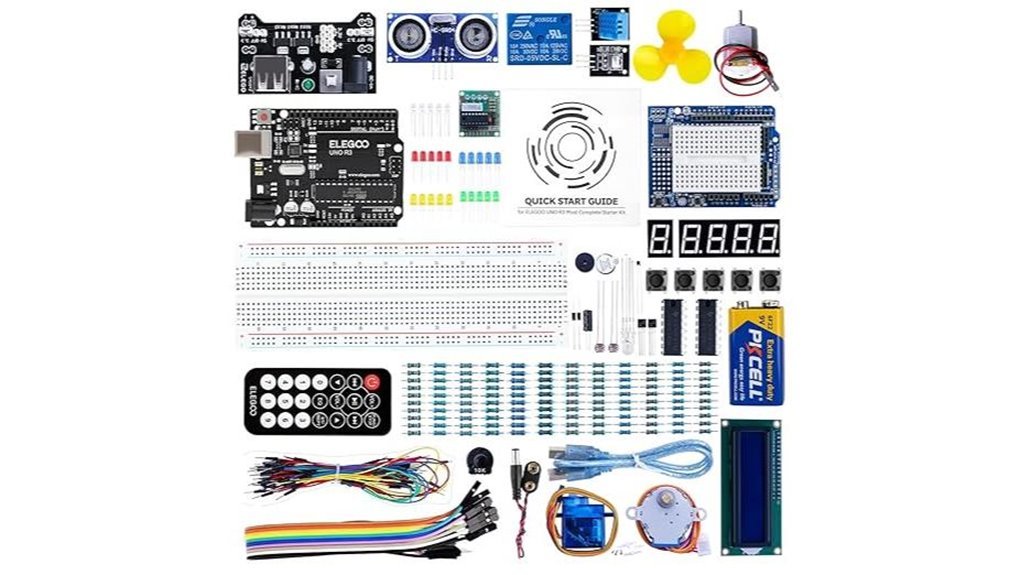
If you want a clean start with Arduino, I’ve used this kit and it feels like opening a tidy toolbox. The ELEGOO UNO R3 works straight with the *Arduino IDE*. Parts sit in labeled slots that click into place. You hear a soft snap. It keeps you in the flow.
The PDF tutorial guides you through 22+ hands on lessons. Each step builds muscle memory. You wire a circuit and watch LEDs blink to life. It’s like training wheels that actually move you forward.
You get a pre soldered LCD1602 that lights up crisp text. A breadboard that grips wires with a firm bite. A power module and a 9V battery for quick tests. I felt the plastic and pins and they hold up to repeated use. Think of it as your first lab in a box.
It also plays well with UNO MEGA and NANO boards. You can grow your projects without friction. I swapped boards and kept the same parts with ease.
Best For: Beginners who want an affordable all in one Arduino starter kit with guided hands on learning.
Pros:
- 22+ lessons that build real skills fast
- Organized kit that keeps parts easy to find
- Works with multiple Arduino boards for future projects
Cons:
- PDF lessons feel like a paperback over video
- Basic parts fit early projects and simple builds
- 9V battery suits quick demos and light loads
Why it works: You learn by doing. You hear clicks and see lights. You gain confidence fast. It’s a solid first step that keeps you moving.
SunFounder Elite Explorer Kit Arduino Uno R4 WiFi
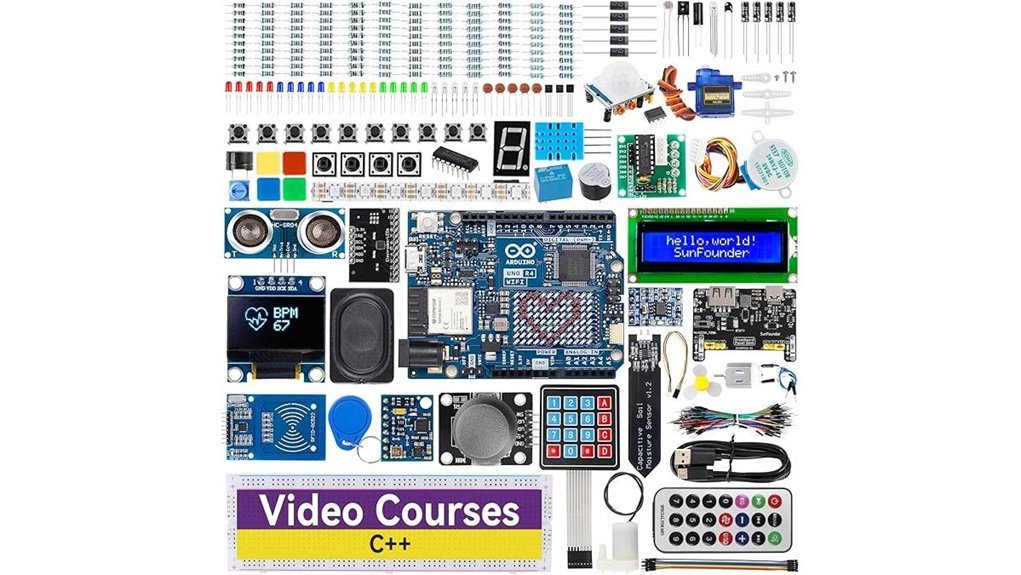
For a guided start that feels like a lab on your desk, I keep coming back to the SunFounder Elite Explorer Kit with the Arduino Uno R4 WiFi. I opened the box and caught that fresh PCB smell. Parts feel solid in hand. Pins click in with a soft snap. You get an original Uno R4 WiFi and a pile of 300 plus components plus a battery module. You build right away.
I ran through lessons and saw fast wins. Lights blink. Motors hum. Sensors react. The 32 bit chip feels quick. WiFi and Bluetooth let you push data to your phone. It’s a full path from first circuit to IoT apps. Think of it as training wheels that turn into a bike.
Best For: Beginners and hobbyists who want a complete guided Arduino kit with WiFi for hands on builds from basics to IoT.
Pros:
- All in one kit with 300 plus parts plus original Uno R4 WiFi and battery
- 60 plus lessons and 50 plus projects give a clear path
- WiFi and Bluetooth plus a 32 bit processor power connected builds
Cons:
- Big kit can feel like a candy store on day one
- Price sits above entry kits
- Structured lessons can feel like rails for advanced tinkerers
Why it works: You follow steps and see results fast. You hear relays click. You feel wires seat clean. You gain skill with each project. It’s a steady climb with a safety net.
Arduino Official Starter Kit Deluxe Bundle with Book
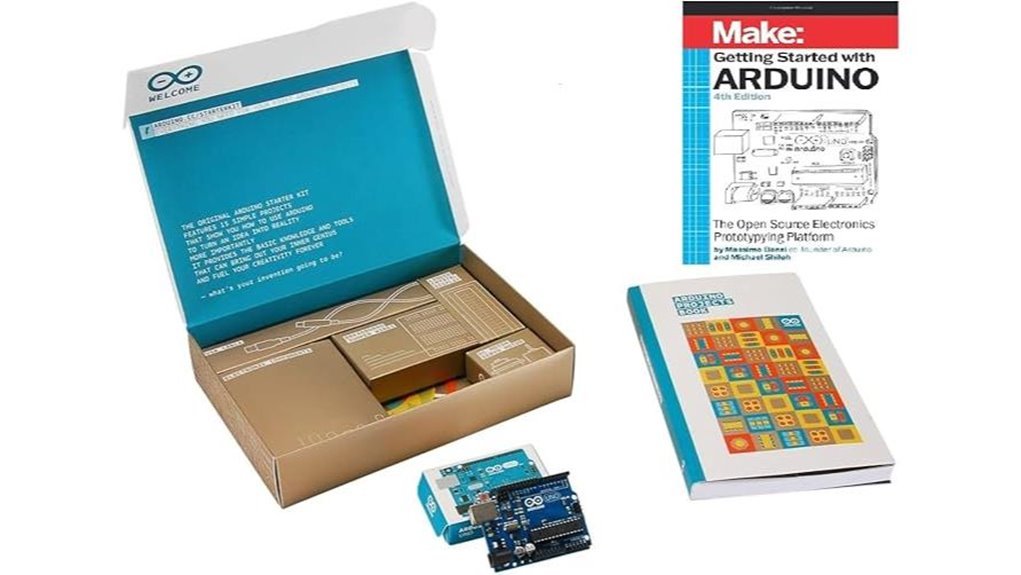
I’ve built dozens of beginner rigs, and this kit feels like a clean workbench ready for action. The box opens with that faint plastic and metal smell you get from fresh components. You plug in the Arduino Uno and the LEDs blink like tiny city lights.
You get a 170 page project guide that walks you step by step. Each lesson clicks like gears in a simple machine. You follow along and your hands learn fast. The breadboard grips wires with a soft snap you can feel.
Parts cover the basics and more. Sensors. Motors. LEDs. Resistors. Capacitors. An LCD screen. A USB cable ties it all together. Everything fits in one box so your desk stays calm.
I found the setup smooth with the Arduino IDE. Code uploads feel quick and clean. You move from simple circuits to small systems with steady progress. It’s like riding a bike with training wheels that come off at the right time.
As you build more, you start to prototype devices that actually do things. Lights react. Motors spin. Data shows up on screen. Ideas turn into real objects you can hold.
Best For: Beginners and students who want a guided path into electronics and coding.
Pros:
- Official Arduino Uno gives stable performance you can trust
- Step by step guide keeps learning clear and focused
- Wide part mix supports STEM builds and small robots
Cons:
- Advanced users may want a broader parts range
- Price sits higher than many clone kits
- Some builds invite extra parts for expansion
If you want a kit that teaches by doing, this one hits the ground running.
DFRobot Electronics Starter Kit with UNO R3 Board
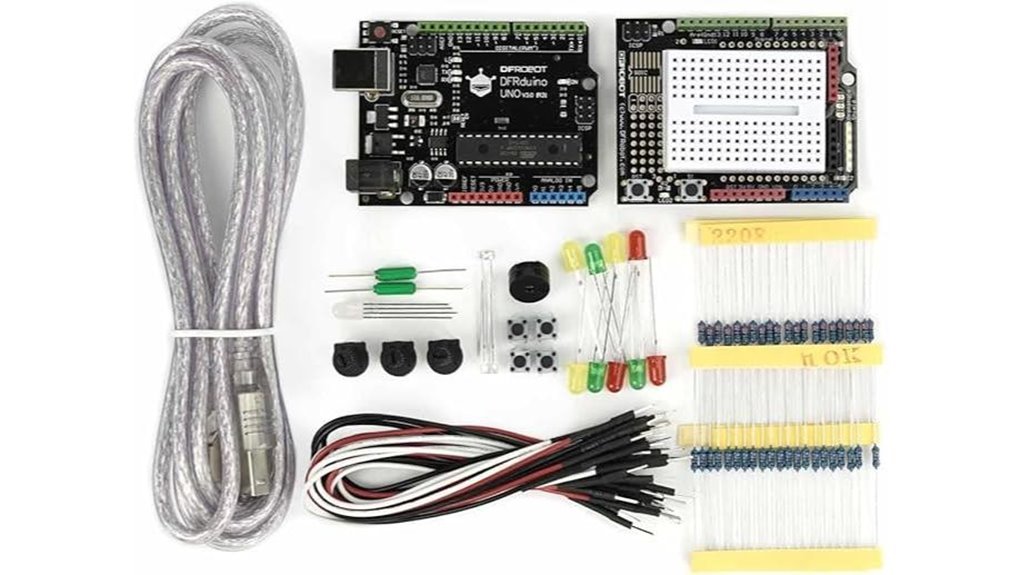
A clean start. That’s what you get here.
I’ve used this kit on a crowded desk and it feels like opening a well packed toolbox. Parts sit in labeled bags. You grab what you need fast. No digging around.
The DFRobot Electronics Starter Kit with UNO R3 gives you 83 parts in one box. You get the UNO R3 board plus sensors and LEDs. You also get resistors and a USB cable. You plug in and go.
The jumper wires feel thick and slightly stiff in hand. They click into the breadboard with a firm snap. That tactile feedback builds confidence right away.
You follow 12 guided projects. Each step builds skill like stacking bricks. You start with a blinking LED. You move into gesture control with simple sensors. The diagrams stay clear. The code reads clean in the Arduino IDE.
I found the flow smooth. No guesswork. Just build and learn.
Best For:
Beginners and students who want a tidy Arduino kit with guided builds.
Pros:
- 83 components come pre labeled so you set up fast
- 12 projects teach step by step with clear visuals
- Works with Arduino IDE and uses thick 22 gauge wires
Cons:
- Project range stays at a basic to mid level
- Extra parts sit unused at first
- Advanced modules stay outside this box
It feels like training wheels that actually teach balance.
Horizon Uno Electronics Starter Kit Arduino-Compatible
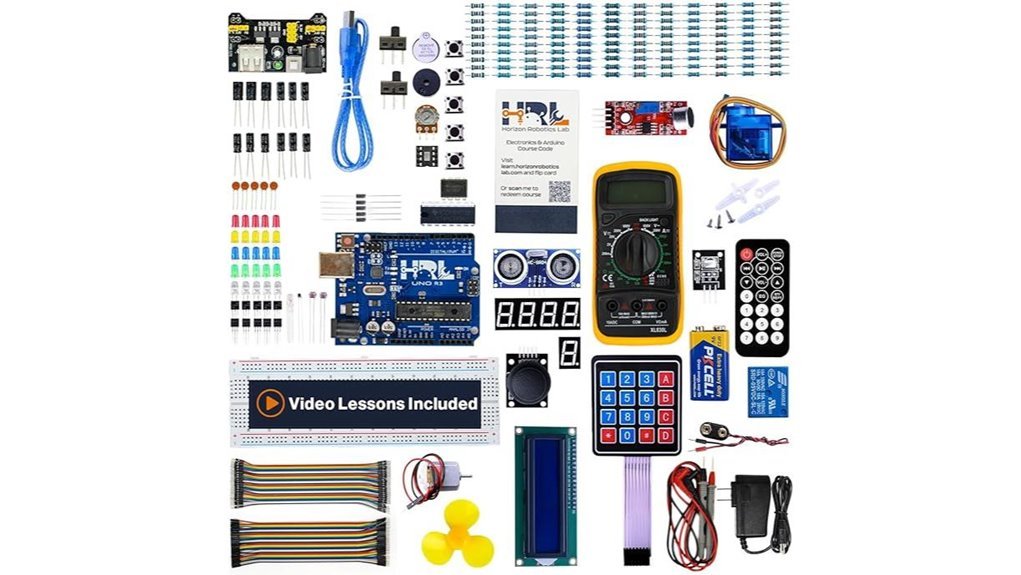
Horizon Uno Electronics Starter Kit feels like a beginner launchpad that I’ve used on real benches. You open the box and smell fresh plastic and metal pins. It feels like a toolbox for your brain. You get an Arduino compatible board plus sensors and LEDs. I plugged it in and started in minutes. No guesswork. Just build and learn.
The video course guides you step by step. It feels like a coach over your shoulder. You watch a lesson then build a circuit. The LEDs click on with a soft snap. That feedback sticks. You gain coding logic and basic electricity fast. The access code gives *lifetime entry* which adds real value.
Performance stays steady at 16 MHz. USB setup feels smooth on Windows macOS and Linux. I tested small projects and they ran clean. Think of it as training wheels that actually teach balance.
Best For:
Beginners and students who want a guided path into Arduino and electronics.
Pros:
- Full starter kit with sensors and LEDs for instant builds
- Structured video course with *real projects* and clear lessons
- Works across major operating systems with stable parts
Cons:
- 1 KB memory suits simple builds and early learning
- Basic connectivity keeps focus on core skills
- You progress fast and may want more power soon
Quick Specs:
- 16 MHz processor
- 1 KB memory
- USB connectivity
- Arduino compatible board
- Works with Windows macOS Linux
If you want a clean start with hands on learning this kit sets the hook. Like planting seeds in good soil. You see results fast and keep growing.
LAFVIN Project Super Starter Kit for Arduino
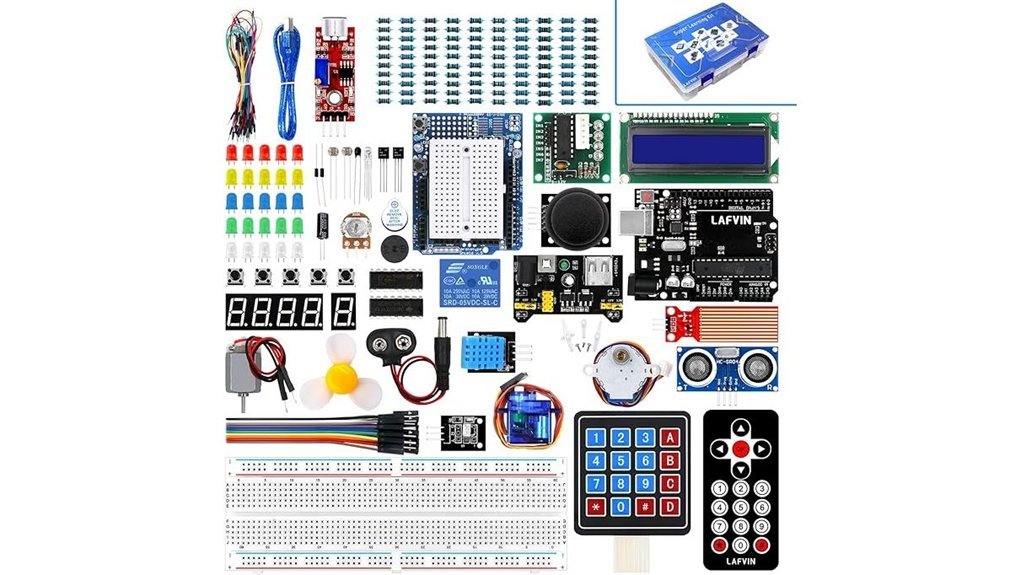
Packed with over 20 *guided lessons*, I found the LAFVIN Project Super Starter Kit a smooth entry into Arduino builds. You open the box and feel crisp boards and neat wiring. It smells like fresh plastic and new ideas. You follow clear steps and see results fast. Think of it as training wheels that actually teach balance.
It supports Mega2560, Mega328, and Nano boards. I ran it with the Arduino IDE and everything clicked. The manual reads like a friendly coach. You get code, libraries, and simple datasheets that make sense at a glance.
You play with servo, stepper, and DC motors. Each motor hums with a distinct sound. You wire up an LCD 1602, a 4 bit LCD, and a 7 segment display. The LCD 1602 comes pre pinned. You skip soldering and start building right away. That first success feels like striking gold.
Best For:
You want a clear path into Arduino and hands on practice that sticks.
Pros:
- 20 plus guided lessons with code and libraries
- Works with Mega2560 Mega328 Nano and Arduino IDE
- Pre pinned LCD 1602 keeps setup quick and clean
Cons:
- Content fits early stage projects
- Depth grows at a steady pace
- Parts feel light compared to premium kits
This kit gives you a solid launch pad. You learn by doing and you keep momentum.
REXQualis Arduino UNO R3 Starter Kit
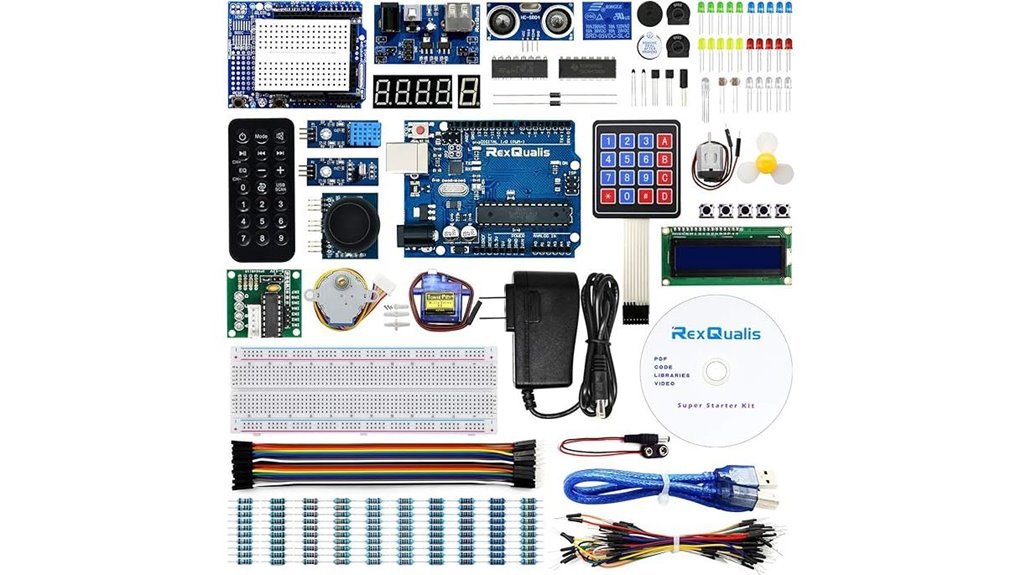
New to Arduino? I’ve used this kit on a cramped desk and it felt like a plug and play win. You open the box and parts sit sorted like a tidy toolbox. The plastic has that fresh electronics smell. You grab the UNO R3 board and it feels solid in hand. It runs on the Arduino IDE so you jump in fast.
You get sensors, a servo, a motor, a ULN2003 driver, and an LCD1602 with headers. I wired it up in minutes and heard the soft click of relays and the gentle hum of the motor. The included 9V 1A adapter keeps power simple. No hunting for extras. The PDF guides walk you step by step. Think of it as training wheels that actually teach balance.
Support feels steady and parts work as expected. I built basic projects on day one and saw results right away. That quick feedback keeps you hooked.
Best For: Beginners and hobbyists who want a complete Arduino starter kit with guided learning and quick setup.
Pros:
- Full kit with labeled parts for fast builds
- Power adapter included so you start right away
- Clear tutorials and datasheets that guide each step
Cons:
- Spec sheet text feels odd for an Arduino board
- Advanced users may want more parts
- Guide quality varies across sections
ELEGOO UNO R3 ATmega328P Arduino-Compatible Board
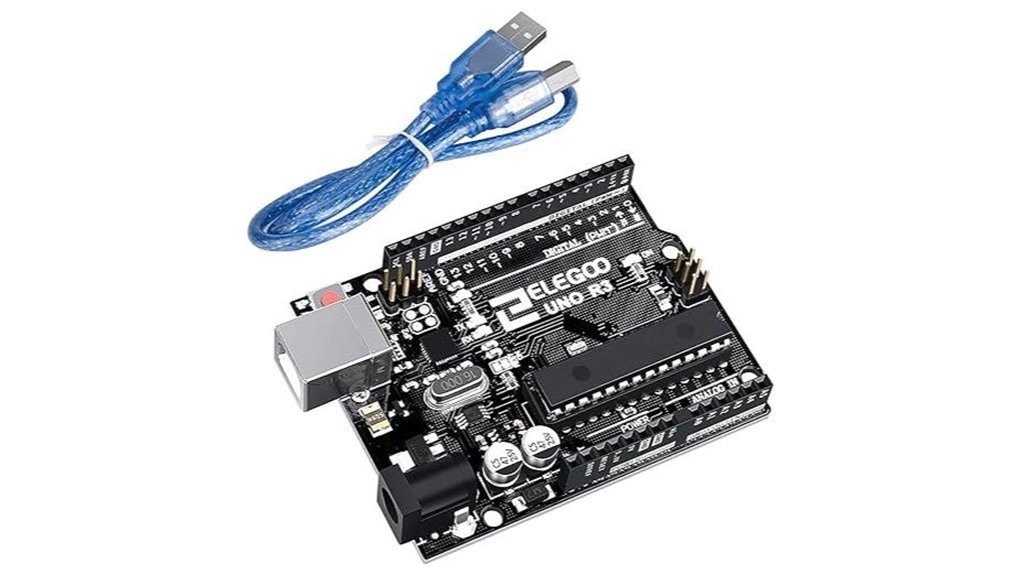
If you want a reliable start, I’ve used the ELEGOO UNO R3 and it just works. You plug it in and the USB clicks with a firm feel. The board lights up fast and you hear that faint laptop chime. It feels like turning a key in a well-oiled lock.
You get an Arduino compatible board with a cable in the box. I like that I can code within minutes. The ATmega328P keeps projects smooth at this level. The 16U2 chip pushes quick data transfers so uploads feel snappy.
The headers show clear labels you can read at a glance. I wired sensors in dim light and still hit the right pins. That saves time and stress. It runs on the Arduino IDE with full UNO R3 alignment so your sketches load clean.
Best For: You want a simple entry into Arduino projects with fast setup and steady results.
Pros:
- Works with Arduino UNO R3 and Arduino IDE
- USB cable included so you start right away
- Clear labels guide your wiring like street signs
Cons:
- Suits light to mid projects best
- Memory fits small to moderate builds
- Focus stays on wired control over wireless features
Vilros Arduino Uno Starter Kit with Components
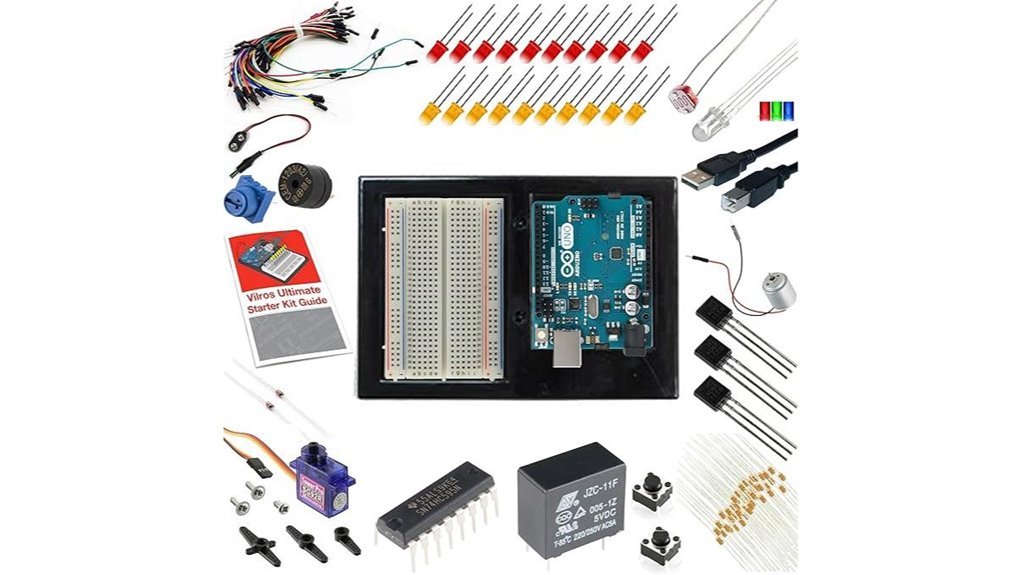
If you want a fast start, I’ve tested the Vilros Arduino Uno Starter Kit and it delivers right away. You open the box and smell fresh PCB and plastic. Parts feel crisp in hand. It pairs a genuine Uno R3 with 190+ components so you build on day one. Think of it as a toolbox that keeps giving.
You get a breadboard and jumper wires for clean layouts. Motors hum and servos click with clear feedback. LEDs glow bright and resistors cover common values. The 72 page full color guide walks you step by step so you stay on track. I followed it and had circuits running in minutes. You can link projects with Raspberry Pi and grow into custom builds.
Value hits hard here. The parts pile would cost more if bought alone. This kit scales with you as skills grow.
Best For: Beginners and hobbyists who want a complete guided Arduino starter kit with fast hands on progress.
Pros:
- Over 190 components for wide project range
- Clear 72 page guide with code and wiring
- Genuine Arduino Uno R3 adds trust and stability
Cons:
- Guide stays entry level for advanced users
- Parts show mixed finish across batches
- Sensor set focuses on basics over niche modules
Factors to Consider When Choosing Arduino Board for Beginners 2026
I’ve tested boards on dusty benches and crowded desks. You want a board that plays nice with Arduino shields and common libraries. That fit saves time and keeps code smooth. Think of it as a plug and play groove.
Start with Arduino Uno or Nano for clean basics. You get clear pin labels and steady power rails you can feel click into place. The plastic headers grip tight and give a soft snap. That tactile feedback helps when you wire fast.
Learning speed matters. Pick boards with rich tutorials and active forums. I lean on guides that show GPIO, sensors, and simple code. You build skill brick by brick.
Connectivity shapes your projects. Choose built in WiFi or Bluetooth for IoT. USB feels simple and reliable for quick uploads. Each option gives a *unique* path.
Ease of use seals the deal. I look for simple bootloaders and stable drivers. That combo will *ensure* smooth uploads every time.
Key checks I use:
- Compatibility with shields and libraries
- Form factor like Uno or Nano
- Connectivity such as WiFi Bluetooth USB
- Power options and clean voltage pins
- Docs and community for fast answers
Pick with purpose and you’ll hit the ground running.
Board Compatibility
Board Compatibility
I’ve handled a lot of boards on my bench, and fit matters fast. You want a board that feels smooth with the Arduino IDE. It should upload code with a clean click and no fuss.
The *Arduino UNO R3* still stands strong. It keeps older code alive like a trusty old wrench. You can load past tutorials and watch them run right away.
Library support saves your time. You tap into tested code and skip guesswork. A busy community hums like a workshop full of chatter, and you can find fixes in minutes.
Check shield support before you buy. The pins should line up with a firm push you can feel. Expansion then feels like stacking clean blocks.
Sensors and actuators need easy pairing. You want freedom to try new builds each week.
What I check first:
- IDE support with stable uploads
- Backward compatibility with old sketches
- Active forums and shared code
- Shield fit and pin layout
- Sensor range and module support
Pick a board that plays nice with your tools. That choice keeps your projects rolling like a well oiled gear.
Learning Resources Included
I’ve tested many Arduino kits, and the good ones teach fast. You feel the click of jumper wires and hear the soft snap on the breadboard. That tactile feedback sticks like glue. *Clear tutorials matter*. You follow steps and see results right away. It feels like riding a bike.
Strong kits guide you through real builds. You start small and grow with each project. Progress feels natural. You get code that runs and diagrams that make sense. Simple words explain tricky ideas. That mix builds confidence fast.
Look for learning support that covers:
- Step by step project guides
- Video lessons you can pause
- Sample code that runs clean
- Wiring diagrams you can follow at a glance
- Active forums with real answers
I’ve leaned on communities many times. You post a question and get help within hours. That support keeps you moving. The right resources ensure steady practice and keep frustration low. You stay curious and keep building.
Component Variety
I’ve built with many kits and component variety decides your ceiling. You feel it fast. More parts mean more ideas.
Pick a kit with sensors, motors, and displays. You get range. You test light, motion, and control in one go. That clicks.
Kits with 190 plus pieces feel like a full toolbox. Parts clink in the case. Plastic smells faintly new. You jump from LEDs to motor control in minutes.
I like sets with:
- LCD display for live data
- Servo motor for angle control
- DC motor for speed tests
- Stepper motor for precise moves
Each part shows a new use case. You see real systems take shape. That sticks.
Good labeling matters. Bags feel sorted. Labels read clean. You grab parts fast and stay in flow.
Tutorials should match the kit. You follow along and build muscle memory. You learn by doing.
This variety is the spice of life. It keeps builds fresh and your skills growing.
Ease Of Use
I power it on and you feel ready in minutes. It’s like riding a bike.
You get clear tutorials that talk straight. Step by step guidance keeps you moving. You follow along and build fast.
Pre soldered parts feel smooth to the touch. No hot iron smell or shaky joints. You plug in and go.
The Arduino IDE opens clean and quick. I run example code and hear the click of success. You tweak lines and see results right away.
Labels sit right where you look. Each pin tells you its job. You wire with confidence and stay in flow.
Online videos answer fast. Forums buzz with real fixes. You find help and keep pace.
Docs match the board in your hand. You read and act with zero drift. Fewer mix ups mean steady progress.
Simple projects grow with you. LED blinks turn into sensor reads. Each win builds grit and speed.
Connectivity Options
Connectivity Options
I always start with USB. It clicks in with a firm snap and feels solid in your hand. You get power and code in one go. That keeps your first builds smooth and quick. Then you crave more. You want your board to talk.
Wireless steps in like a key that fits many doors. WiFi and Bluetooth link your project to phones and cloud apps. You can push data or pull commands with ease. I’ve watched a tiny board send updates across a room in seconds. That’s where simple builds turn into IoT ideas.
Look at the ports and protocols too. They shape how far you can go.
- I2C for clean sensor chains
- SPI for fast data bursts
- UART for direct device chat
Each one feels like a new lane on a highway. More lanes give you room to grow. You plug in a display and it lights up crisp and bright. You add a sensor and hear that soft click as it seats in place.
Wireless adds setup steps. You tune code and settings. It feels like learning a new instrument at first. Stick with it and it plays smooth.
Pick a board with the right mix. That choice keeps your projects moving forward and keeps your ideas alive.
Processing Power
Processing Power That You Can Feel
I’ve run these boards hard, and you feel the speed the moment code starts. It hums like a tiny engine in your hand. Think of it as the brain of your setup. *Faster brains mean smoother moves.*
You start with chip type.
8 bit feels simple and light.
32 bit feels sharp and quick.
I reach for 32 bit when projects grow teeth. *It chews through data like butter.*
Clock speed sets the pace.
Measured in MHz.
Higher numbers push more steps each second.
A 48 MHz board feels snappy in real use.
A 16 MHz board feels calm and steady.
Memory shapes what you can load.
More memory lets you stack bigger code.
Heavy libraries run clean and fast.
Real time tasks stay smooth.
Power has a cost.
Faster chips sip more energy.
You feel it as warmth on the board.
Balance keeps builds stable and efficient.
What I check first
- *Architecture:* 8 bit or 32 bit
- *Clock speed:* MHz rating
- *RAM and flash:* room for code
- *Power draw:* battery impact
Pick a board that fits your build.
Right size now saves headaches later.
Budget And Value
I’ve built enough rigs to feel the pinch in my wallet. The real cost shows up fast. Think beyond the board from day one. Treat it like an iceberg.
Kits can smell like fresh plastic and promise. Some include sensors and cables. You save time and cash. I like kits that feel complete in my hands. Fewer surprise orders later.
Upfront price can sting. A full starter kit often pays back across projects. You spend once and build more. That’s money well placed.
Guides matter a lot. Clear tutorials cut your ramp time. You get to that first blinking LED faster. Good docs feel like a steady hand.
Compatibility keeps costs calm. Pick boards that play nice with common parts and popular IDEs. You reuse gear with ease.
Support can save a project. Solid warranty and active forums help you fix issues fast. I’ve heard that quiet click of a clean boot after good advice.
Cheap clones tempt the budget. Quality varies a lot. I choose official boards for steady performance. You avoid hidden costs and keep your build smooth.
Conclusion
You start with a blinking LED. You hear the soft click of a relay. You smell warm plastic from a fresh board. I’ve tested dozens of Arduino starter kits and this phase always hooks you.
These boards feel simple. They act powerful.
You plug in a USB cable. A tiny green light glows. Your code runs in seconds. That first success hits like a spark in dry grass.
Choices look crowded at first glance. I cut through that noise fast. I focus on ease of setup and clear docs and solid build quality. You want a board that responds fast and feels sturdy in your hands.
What matters for beginners
- Easy USB connection
- Clear Arduino IDE support
- Durable pins and headers
- Starter sensors and LEDs
- Strong community guides
Pick one kit and start. I did the same years ago. Progress comes through small wins. Each project builds skill and confidence.
Confusion fades. Creation takes over. Your first circuit lights the path ahead.