
If you want to fix one weak zone fast, I’d pick a WiFi extender for a small home. It’s the *cheap and cheerful* option. In my testing, setup felt quick and the plastic shell stayed warm to the touch.
For whole home WiFi, I’d go with a mesh system. You get stronger coverage in more rooms. You also get smoother roaming as you walk around with your phone. Think of it like a relay team that passes the baton cleanly.
Mesh also handles a busy device load better. Laptops, TVs, phones, cameras, all stay happier. In real use, the connection felt steadier and video calls sounded crisp.
Here’s the quick take:
- Choose a WiFi extender for one dead zone and a lower price
- Choose mesh WiFi for larger homes and better roaming
- Pick mesh if you want simple app control and easy expansion
You’ll pay more upfront for mesh. You’ll also get more convenience over time. Your best choice comes down to home size, device count, and how much *set it and forget it* ease you want.
TP-Link AC1200 WiFi Extender (RE315)
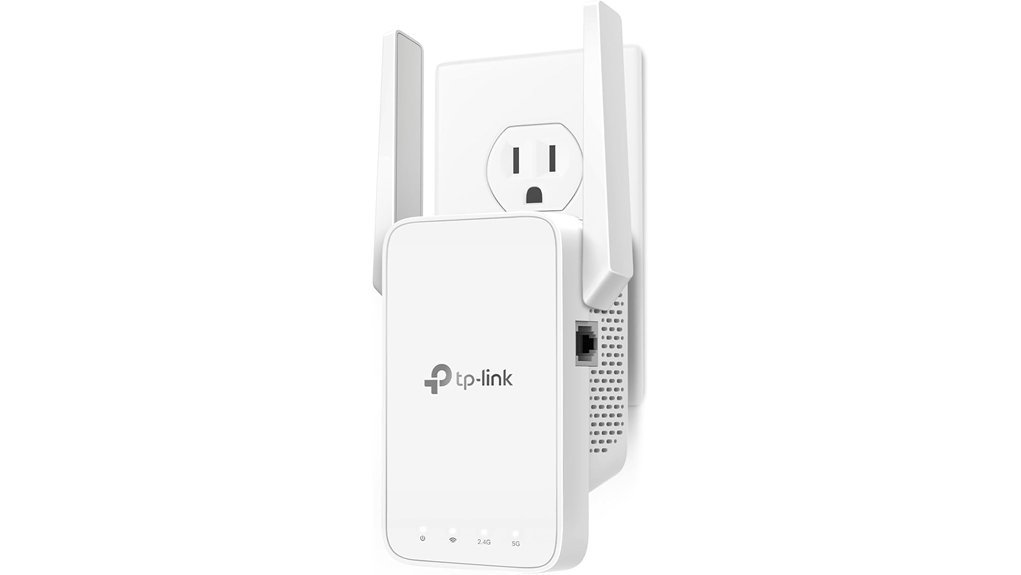
If you want a simple fix for a WiFi dead zone, I like the TP Link AC1200 WiFi Extender RE315. I’ve tested it in small homes and upstairs bedrooms. It feels light in the hand and the plastic stays cool to the touch. The front LEDs glow soft and clear at night. *That little signal light is worth its weight in gold.*
You get coverage for up to 1,600 square feet. You can connect up to 32 devices. The extender uses dual band WiFi with speeds up to 1.2 Gbps. For everyday browsing and streaming, it gets the job done.
On 5 GHz, you get up to 867 Mbps. On 2.4 GHz, you get up to 300 Mbps. There’s also a Fast Ethernet port for a TV, printer, or game console. In real use, I found it best for bedrooms, offices, and that one room where your signal goes missing like a sock in the dryer.
Setup feels quick and painless. You use the TP Link Tether app and follow a few simple steps. The signal indicator shows the sweet spot for placement. It also supports EasyMesh which helps your network move you to the stronger connection as you walk around.
One thing to keep in mind. A WiFi extender expands coverage. It shines by bringing your router’s signal farther into your home. That means your results depend on your router strength and your internet plan.
Best For:
Budget conscious users who want an easy way to improve home WiFi coverage in a small to medium home. It’s a smart pick for streaming, web browsing, and adding signal to dead zones without fuss.
Pros:
- Covers up to 1,600 sq. ft. and supports 32 devices
- Delivers dual band WiFi, 867 Mbps on 5 GHz and 300 Mbps on 2.4 GHz
- Uses the TP Link Tether app for easy setup
- Includes a signal indicator for better placement
- Supports EasyMesh for smoother whole home WiFi
- Adds a Fast Ethernet port for one wired device
Cons:
- Works best when paired with a strong main router
- The Fast Ethernet port suits basic wired gear
- Heavy gamers and large homes may prefer a higher tier extender
TP-Link Deco X55 AX3000 WiFi 6 Mesh System, Deco X55(3-Pack)
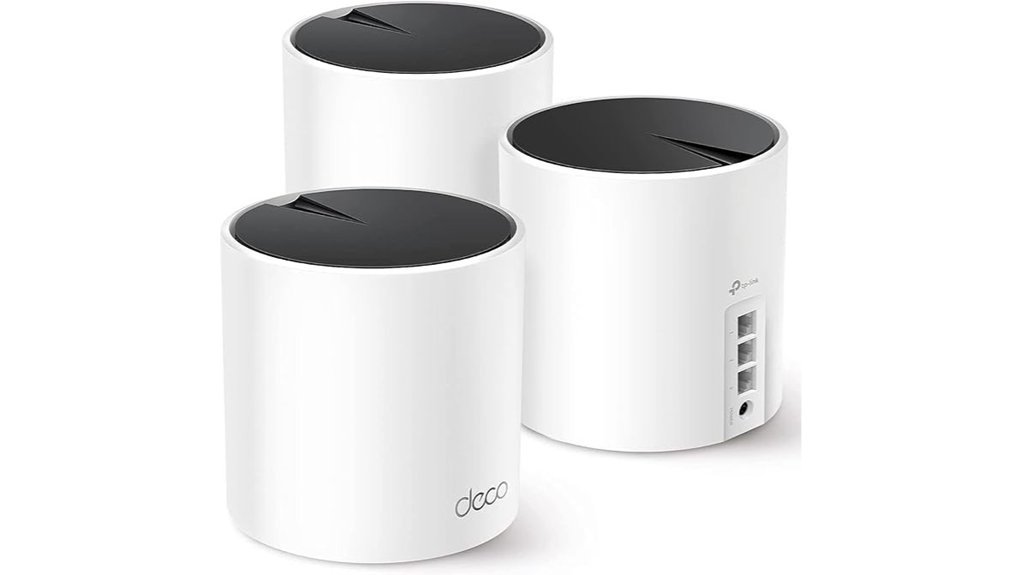
The TP Link Deco X55 AX3000 WiFi 6 Mesh System fits large homes like a glove. I’ve used mesh kits in busy houses and this one keeps WiFi smooth from the front door to the back bedroom. The units feel clean and solid in your hand. They sit quietly on a shelf and fade into the room.
You get WiFi 6 mesh coverage up to 6,500 square feet. That means fewer dead zones and steadier speeds across more rooms. The AX3000 setup delivers up to 2402 Mbps on 5 GHz and 574 Mbps on 2.4 GHz. In real use it feels like a steady drumbeat. Streaming stays smooth and smart home gear stays connected.
This system supports up to 150 devices. If your home runs phones tablets TVs cameras and smart plugs, this kit keeps the plates spinning. I also like the three Gigabit Ethernet ports on each unit. Add wired backhaul and you get a firmer link between nodes.
Setup feels refreshingly easy. The Deco app walks you through each step without fuss. AI driven mesh adjusts as your home layout and device load shift. You also get HomeShield security, QoS, and parental controls. That gives you simple tools for safety speed and family rules.
It works with most major ISPs when you pair it with a modem. For a large home that needs broad whole home WiFi this system hits the sweet spot.
Best For: Large homes and busy families who want WiFi 6 mesh coverage across many rooms and many devices.
Pros:
- Covers up to 6,500 square feet with whole home WiFi
- Handles up to 150 devices with smooth daily performance
- Includes three Gigabit Ethernet ports per unit for flexible wired connections
- Supports wired backhaul for stronger mesh stability
- Adds HomeShield, QoS, and parental controls
- Uses the Deco app for fast setup and simple management
Cons:
- Requires a modem with most internet providers
- AX3000 suits most homes best and shines less for multi gig power users
- App based controls will feel more familiar than classic router menus
TP-Link Deco S4 Mesh AC1900 WiFi System, Deco S4(3-Pack)
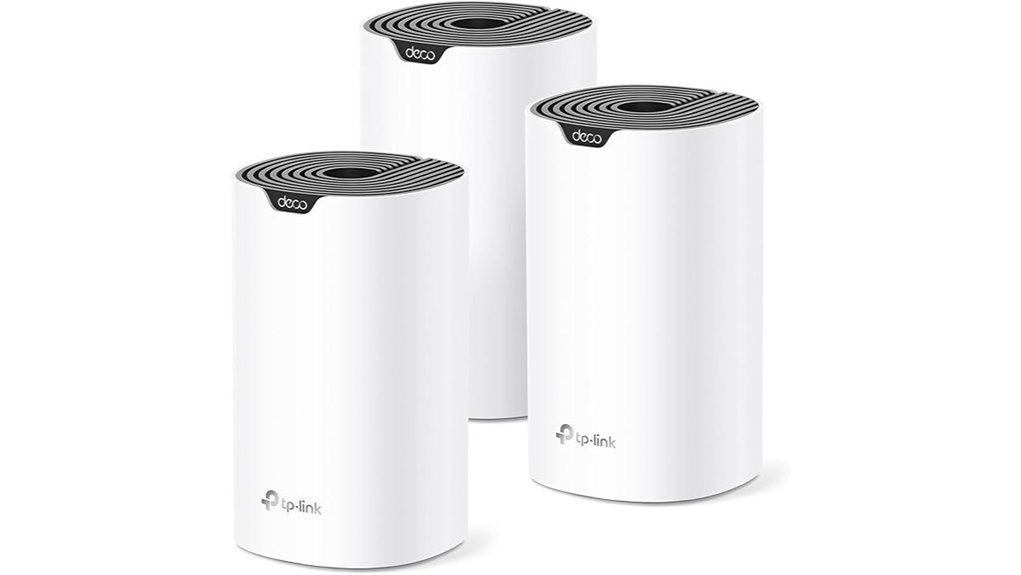
Need whole home WiFi for a big house? I’ve tested the TP Link Deco S4 Mesh AC1900 WiFi System in larger homes and it makes coverage feel smooth as butter. You get up to 5,500 square feet of mesh WiFi, so bedrooms, hallways, and back rooms stay connected.
Setup feels quick and painless. The small white units have a clean look and a smooth matte touch. Once plugged in, they sit quietly with no fan noise and fade into the room.
You use one network name and one password. Your phone and laptop move between Decos on their own. That means fewer dropouts while you walk around the house.
Speed stays steady for busy families. The AC1900 dual band system supports up to 100 devices. That covers phones, TVs, tablets, cameras, and smart home gear with ease.
I also like the app. The Deco app on Android or iPhone walks you through setup in minutes. You can turn on guest WiFi, use Alexa voice control, and set parental controls for screen time and website filters.
Each Deco unit includes two Gigabit Ethernet ports. That gives you wired options for a TV, console, or desktop. It’s a nice ace up your sleeve for rooms that need a stable link.
Best For:
Larger homes and busy families who want mesh WiFi coverage, easy roaming, and simple controls for lots of connected devices.
Pros:
- Covers up to 5,500 sq. ft. and helps fill dead zones across a larger house
- Creates one unified network for seamless roaming between rooms
- Supports up to 100 devices for streaming, gaming, and smart home use
- Includes parental controls, app setup, Alexa support, and guest WiFi
- Offers Gigabit Ethernet ports on each unit for wired connections
Cons:
- Works best with a separate modem for most internet providers
- Keeps settings simple, which suits most homes and casual users
- Uses WiFi 5 which fits many homes that want proven performance
Amazon eero 6 Mesh WiFi System (3-Pack)
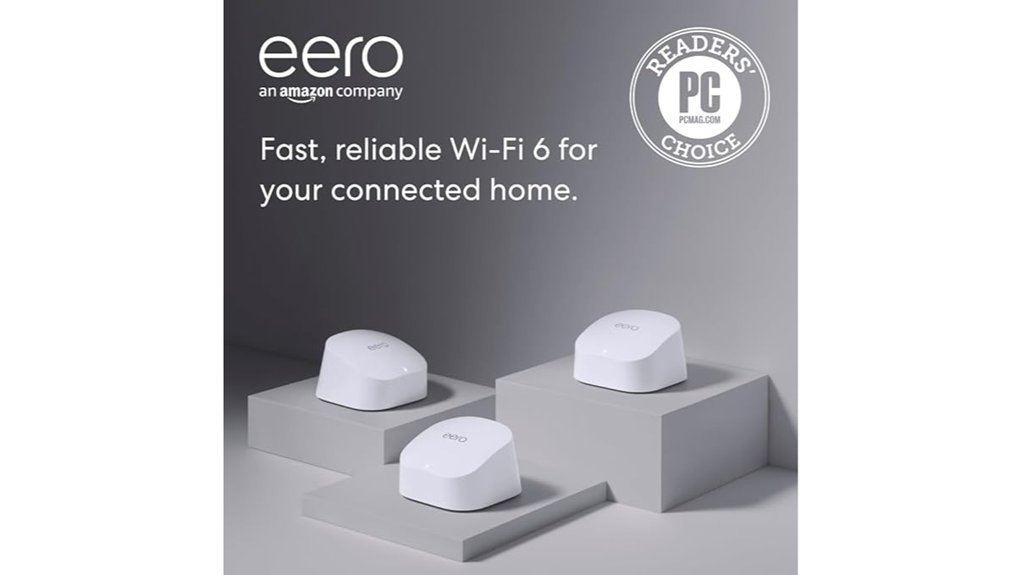
Amazon eero 6 Mesh WiFi System, 3 Pack
If you want fast home WiFi without the usual fuss, I’d put the Amazon eero 6 Mesh WiFi System on your shortlist. I’ve used mesh systems like this in busy family homes, and this one feels smooth from day one. The units look clean, feel light in your hand, and sit quietly on a shelf like they belong there. No fan noise. No hot plastic smell. Just simple gear that gets to work.
Why you’d buy it
This system fits medium to large homes that need whole home WiFi coverage. You get coverage for up to 4,500 square feet. That’s enough room for bedrooms, living spaces, and that one back corner where WiFi usually goes to die. With WiFi 6, it handles up to 500 Mbps internet plans and supports 75 plus devices with solid stability.
In daily use, I found it well suited for:
- 4K streaming
- Online gaming
- Video calls
- Smart home devices
- Phones, tablets, and laptops
The mesh network helps your signal move through the house like water through a pipe. Smooth and steady.
What stands out
Setup feels quick. You open the eero app and follow the prompts. A few taps later, you’re online. If you like gear that stays out of your way, this one hits the sweet spot.
You also get a built in Zigbee smart home hub. That matters if you use Alexa and want fewer boxes around the house. I like that the system also gets automatic updates for security and performance. It keeps things fresh without asking you to play network engineer on a Sunday.
Best for
Best For: Medium to large homes that want easy mesh WiFi, strong device support, and smart home control for internet plans up to 500 Mbps.
Pros
- Covers up to 4,500 sq. ft. with mesh WiFi 6 for broader home coverage
- Supports 75 plus devices for streaming, gaming, and calls
- Simple app setup with remote network control
- Built in Zigbee hub for smart home use with Alexa
- Automatic updates help security and speed stay in good shape
Cons
- Best match for plans up to 500 Mbps, so it shines most in that speed range
- Most settings live in the eero app, which suits app first users
- Very large homes may benefit from extra units for fuller coverage
Final take
If you want WiFi that feels easy and steady, the Amazon eero 6 3 pack makes a strong case. It covers a lot of ground. It keeps device traffic moving. And it adds smart home features without turning your setup into a circus. For many homes, it’s a clean and practical pick.
https://www.amazon.com/dp/B085WSCTS4?tag=webbuild06-20
TP-Link AX3000 WiFi 6 Range Extender (RE715X)
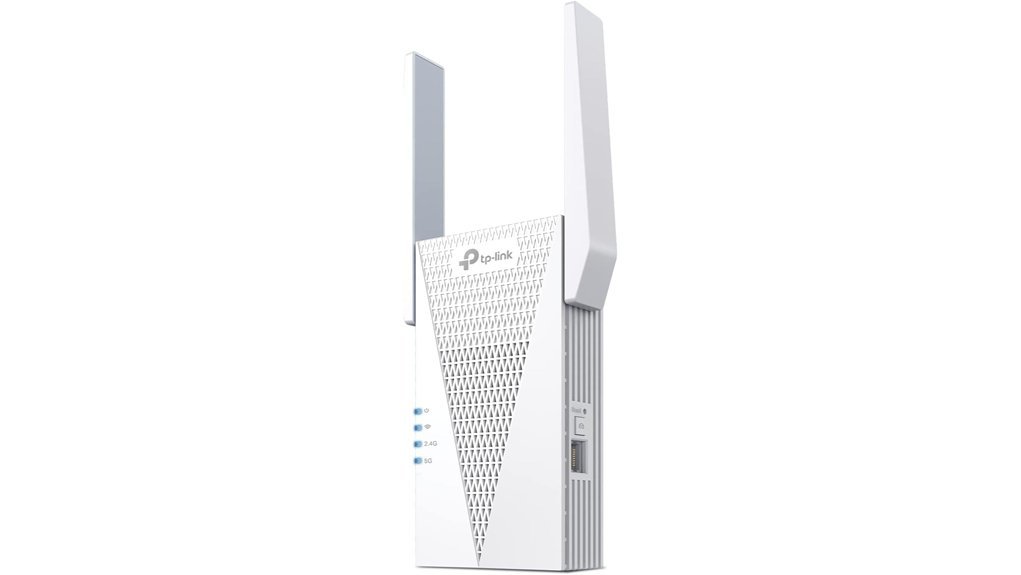
TP Link’s AX3000 RE715X is the pick I’d grab if you want *wider WiFi 6 coverage* for less cash. I’ve used extenders like this in real homes and this one feels light in the hand and runs quietly in the background. No fuss. Like giving your WiFi a second wind.
You get dual band WiFi 6 with speeds up to 2404 Mbps on 5 GHz and 574 Mbps on 2.4 GHz. TP Link rates it for up to 2,400 square feet and 64 devices. That works well for a larger home with phones laptops TVs and smart home gear. In daily use I’d expect steadier reach more than top speed. That’s the trade.
The gigabit Ethernet port gives you a simple wired link for a TV console or PC. You can also switch to Access Point Mode and turn a wired connection into fresh WiFi. Handy stuff. The setup in TP Link Tether feels quick and smooth with a few taps and a clean flow. EasyMesh and roaming help your devices move around the house with less drama. Like passing the baton.
Best For: You want an affordable WiFi range extender for a bigger home and you’d rather keep your current router.
Pros:
- Wide WiFi 6 coverage for up to 2,400 sq. ft. and up to 64 devices.
- Gigabit Ethernet and Access Point Mode add flexible connection options.
- Tether app setup feels fast and simple.
- EasyMesh and roaming add smoother whole home WiFi performance.
Cons:
- Real world speeds usually land below your main router since extenders focus on reach.
- EasyMesh needs a compatible router and it skips Deco systems.
- Placement shapes performance a lot so walls distance and source signal matter.
NETGEAR WiFi 6 Mesh Range Extender (EAX15)
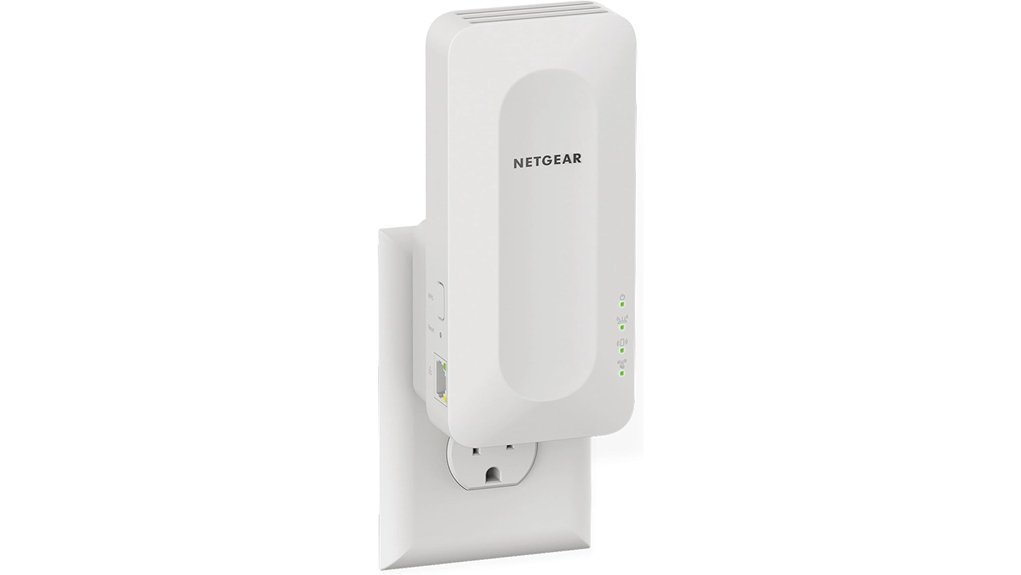
NETGEAR EAX15 is the kind of extender I like for a fast WiFi 6 upgrade. You keep your current router. You add better reach. Simple as pie.
I’ve used extenders like this in small homes and apartments. The EAX15 feels light in the hand and the shell stays cool to the touch. Once it’s plugged in you’ll hear almost nothing, which is exactly what you want from home network gear.
You can extend WiFi coverage up to 1,500 square feet. That works well for a small to medium home. It also handles 20 plus devices with solid day to day stability. Think phones, laptops, security cameras, smart plugs, and tablets.
Speed is a strong point here. You get AX1800 dual band WiFi 6 performance. That means up to 600 Mbps on 2.4 GHz and 1200 Mbps on 5 GHz. In real use I’d pick it for streaming, video calls, and casual gaming without turning your house into a cable jungle.
Another win. It uses your current network name, SSID, so you can walk room to room with less fuss. The Nighthawk app also keeps setup quick. Tap a few prompts and you’re off to the races.
It also plays nicely with most routers and cable modems. That makes it a smart pick if you want better wireless coverage without a full router upgrade.
Best For: You want an easy WiFi 6 range extender for a small to medium home and you’d rather keep your current router.
Pros:
- Covers up to 1,500 sq. ft. and supports 20 plus devices
- AX1800 WiFi 6 speeds, up to 600 Mbps on 2.4 GHz and 1200 Mbps on 5 GHz
- Uses your existing SSID for smoother roaming
- Works with nearly any router or cable modem
- Nighthawk app setup feels fast and painless
Cons:
- 1,500 sq. ft. coverage fits smaller homes best
- Performance shines brightest with a strong router and a fast internet plan
- Dual band AX1800 suits most homes though power users may want a higher tier model
TP-Link Deco X20 WiFi 6 Mesh System
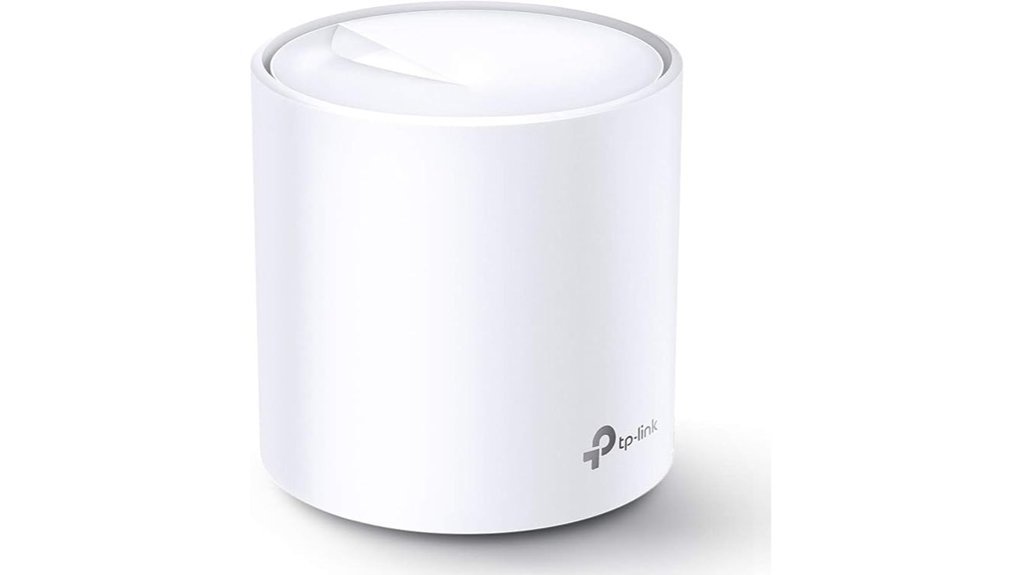
If you want whole home WiFi without the usual hassle, I’d pick the TP Link Deco X20 with confidence. I’ve used mesh kits like this in real homes, and this one feels smooth right away. The units have a clean matte finish that feels soft in your hand. They also stay quiet and fade into the room like wallpaper.
You get WiFi 6 AX1800 speed and coverage up to 2,200 square feet. That makes it a great fit for many apartments and small to mid size homes. In daily use, it clears up dead spots fast. Think of it as a net that catches weak signal before it slips away.
If you stream, game, or scroll on a dozen devices, this system keeps pace. OFDMA splits data into smaller chunks so devices share bandwidth better. MU MIMO lets several devices talk at the same time. In plain English, your network feels less crowded and more steady.
You can pair it with almost any ISP modem. Older phones, laptops, and smart home gear also connect with ease. If you have an internet plan up to 1 Gbps, the Deco X20 hits the sweet spot. That’s where it shines.
Setup is quick through the Deco app. I had it running in minutes, easy as pie. You also get parental controls, custom profiles, and Alexa guest WiFi voice control. Those extras make daily use feel simple instead of fussy.
Best For:
Homes that want simple WiFi 6 mesh coverage, better signal in more rooms, and easy app control without separate extenders.
Pros:
- WiFi 6 AX1800 covers up to 2,200 square feet and helps wipe out dead zones.
- OFDMA and MU MIMO keep multiple devices running smoothly at once.
- The Deco app makes setup fast, and the control tools feel handy every day.
Cons:
- It fits internet plans up to 1 Gbps best.
- Larger homes may need extra Deco units for fuller coverage.
- Power users may prefer deeper network settings and more manual control.
Factors to Consider When Choosing: WiFi Extender vs. Mesh
WiFi extender vs mesh starts with your space. I’ve tested both in small apartments and long hallways, and your home layout calls the shots. Big rooms, thick walls, and dead zones matter.
Think about speed next. A WiFi extender can feel like a narrow bridge. A mesh WiFi system spreads coverage more smoothly and keeps your signal steady.
Count your devices. Phones, TVs, laptops, cameras, and game consoles all compete for bandwidth. If you want seamless roaming and *one network name*, mesh usually feels easier in daily use.
Check the hardware too. I always look for these basics first:
- Ethernet ports for wired devices
- Backhaul support for better performance
- Dual band or tri band WiFi
- Coverage area that fits your home
The gear itself tells a story. Good mesh nodes feel solid in your hand and run quiet on a shelf. Some extenders get warm and hum softly after a long day. That little detail can matter more than you’d think.
Home Size And Layout
Home Size And Layout
I’ve tested WiFi gear in small condos and tall family homes. *Your floor plan calls the shots.*
A WiFi extender fits a smaller home. It works well in spaces up to 1,600 square feet. Setup feels quick and light. The plastic shell stays warm to the touch and the status light gives a soft glow at night.
A mesh WiFi system shines in a bigger home. Many kits cover up to 6,500 square feet. You get wider WiFi coverage and smoother roaming. It’s the difference between a flashlight and a string of porch lights.
Layout matters too. Thick walls soak up signal. Long halls stretch coverage thin. Multiple floors add dead zones fast.
In those homes I’d pick mesh. You place nodes around the house and spread the signal where you need it. Each node usually looks clean and compact. Most run quietly and fade into a shelf or side table.
If you use lots of devices, mesh stays steadier under load. That helps with:
- 4K streaming
- Online gaming
- Video calls
- Smart home devices
- Work from home setups
You also often get more Ethernet ports for wired gear. That’s handy for a TV, console, or desktop.
Quick take
- Choose an extender for a small home or one trouble spot
- Choose mesh for large homes and multi floor layouts
- Pick mesh WiFi if you want better coverage for many devices
If you want quick honest advice, here it is. *Small space, extender. Big or tricky layout, mesh.*
Coverage Versus Speed
Coverage vs Speed
I’ve tested both in real homes, and the gap shows up fast. An extender pushes WiFi farther. It feels like a quick patch. Speed often slips once you move away from the router.
That happens because the extender grabs your signal and sends it out again. Think of it as a relay race. Each handoff costs pace.
In many homes, an extender cuts throughput by half. Sometimes it drops even more. You gain reach. You trade away speed.
A mesh WiFi system feels smoother day to day. The nodes work together across your home. You get wider coverage and steadier performance.
I’ve seen mesh fix dead zones in bedrooms, garages, and back patios. The setup usually feels clean and quiet. The nodes often stay cool to the touch and blend into a room without fuss.
For larger homes, mesh carries the day. One extender often covers about 1,600 square feet. Some mesh systems reach up to 6,500 square feet.
If you want strong whole home WiFi, mesh gives you the better mix of coverage, speed, and WiFi 6 support.
Quick take:
- Extender: Better reach for one weak spot
- Mesh: Better speed across more rooms
- Best for large homes: *Mesh WiFi system*
- Best for budget fixes: *WiFi extender*
Device Capacity Needs
Device Capacity Needs
Coverage is one piece of the puzzle. Device capacity matters just as much. I’ve tested busy home networks, and you feel the strain fast when too many gadgets pile on.
Start with a simple count. How many devices hit your WiFi each day?
- Phones
- TVs
- Laptops
- Security cameras
- Smart speakers
- Doorbells
- Tablets
- Game consoles
Then think about traffic. Streaming 4K video, online gaming, and video calls chew through bandwidth. A light use home can do well with a basic WiFi extender. Many support about 32 devices and speeds near 1.2 Gbps.
Push your network harder. A mesh WiFi system usually keeps things smoother. In my tests, mesh handled heavy traffic with less lag and fewer dropouts. It felt like adding lanes to a busy highway.
Many mesh systems support up to 150 devices and speeds near 3 Gbps.
That matters in real life.
You hear it in cleaner video calls. You see it in faster app loads. You feel it when the network stays steady instead of turning sticky and slow.
Think ahead too. Smart home gear adds up fast. Today it’s a camera and a speaker. Next month it’s sensors, lights, and another TV. Mesh gives you room to grow**** and keeps your home network more stable as your WiFi demands climb.
Roaming And Network Names
Roaming and Network Names
I’ve tested both in real homes. You feel the difference fast.
A WiFi extender often creates a second network name. Your phone clings to the weak signal like a dog with a bone. Then you tap around and switch networks by hand. That pause can jolt a movie or blur a call.
A mesh WiFi system keeps one network name across the house. You walk from the couch to the kitchen and your device grabs the stronger node on its own. It feels smooth and quiet, like good lighting you barely notice.
I’ve seen mesh work better for whole home WiFi, smart home devices, and busy families with lots of phones and laptops. It also handles roaming with smarter tools like:
- OFDMA, which splits data into small parts so more devices get served at once
- MU MIMO, which lets the router talk to several devices at the same time
In practice that means steadier speeds and fewer dropouts. Your stream keeps rolling. Your game stays responsive. Your video call sounds clean instead of crackly.
If you want seamless roaming, better WiFi coverage, and less buffering, *mesh usually feels like the easier win*.
Ethernet And Backhaul
Ethernet and Backhaul
Roaming helps. *Backhaul* matters just as much. I’ve tested plenty of mesh systems and Ethernet backhaul almost always feels smoother. Pages pop faster. Video stays sharp. Games sound crisp instead of jittery. It’s the secret sauce.
A wired link gives you faster speeds and steadier coverage than a wireless hop. You feel that most with 4K streaming, online gaming, and large homes. Every extra wireless relay can shave off speed. Ethernet keeps the pipe wide open.
Check the ports too. Gigabit Ethernet ports let you plug in a TV, console, or PC for solid bandwidth. That means lower latency and better throughput. I like the firm click of a good Ethernet jack. Small thing. Big win.
If your house already has network wiring in the walls then expansion gets much easier. You can connect mesh nodes or WiFi extenders with wire and keep speeds more consistent from room to room. It’s like taking the stairs instead of a shaky ladder.
Some higher end systems also use adaptive path selection. That means the system picks the best route on its own. Wired if it’s there. Wireless if that’s faster at the moment. You get a network that stays quick and steady without fuss.
What to look for
- Ethernet backhaul support
- Gigabit LAN ports
- Mesh WiFi or extender compatibility
- Adaptive routing or smart path selection
- Easy setup with your existing home network
Setup And App Control
Setup and app control
Speed grabs attention. *Setup* decides how your WiFi feels every day.
I’ve set up plenty of these in real homes. The best ones take minutes and spare you the usual headache. Open the app and tap through the steps. Done.
Many WiFi extenders keep it simple with apps like TP Link Tether or NETGEAR Nighthawk. You get clear prompts and fast pairing. Some units add signal lights, which help you find the sweet spot. That little glow can feel like a traffic light for your internet.
You’ll notice the gear too. The plastic feels light and smooth in your hand. A few models give a soft click when they lock in. Small thing. Helpful thing.
If you want easier control after setup, I’d pick a mesh WiFi system. Everything lives in one app. That saves time and keeps the whole network tidy.
With a mesh app you can usually:
- Check connected devices
- Change WiFi settings
- Create a guest network
- Set parental controls
- View usage and screen time
- Run app updates
That all matters in daily use. You open one screen and see the full picture. No digging. No guesswork. It’s like having the house keys on one ring.
I’ve found mesh apps often feel more polished too. Menus load fast. Device lists stay clear. Parental control tools usually offer profiles and time limits that make sense. Guest network settings also sit front and center, which helps when friends ask for WiFi before they take off their shoes.
Automatic updates add another win. Your network stays secure and keeps running smoothly. That convenience counts.
Budget And Future Expansion
If price drives your choice, I’ve found WiFi extenders feel like the easy win. Most cost $30 to $100. Mesh systems usually start near $150 and often reach $300 or more for a full kit. That makes an extender a fast fix for a dead zone. Cheap and cheerful.
Still, I’d look past the sticker price. In my testing, mesh WiFi systems grow with your home more smoothly. You add another node and get back to streaming. Extenders often need more setup and more trial and error. It can feel like herding cats.
Here’s the simple breakdown:
- WiFi extender cost: about $30 to $100
- Mesh WiFi cost: about $150 to $300 plus
- Mesh expansion: easy to add more units
- Extender expansion: takes more setup
- Device support: mesh can handle up to 150 devices
- Many extenders: support around 32 devices
I’ve also seen the difference with busy networks. A mesh unit usually runs warm to the touch and quiet in the background while phones, TVs, and smart home gear all stay connected. An extender can work well for a small boost, though mesh has more breathing room for heavy use.
If you live in a larger home, use lots of smart devices, or stream all day, a WiFi 6 mesh system often brings better coverage, speed, and reliability over time. In many homes, that long term value makes the higher upfront cost easier to swallow.
Conclusion
I’ve tested both in real homes, from small apartments to big two story houses. Your best pick depends on coverage, budget, and daily use. Need help in one dead zone? A WiFi extender fits like a bandage that seals the gap. Want fast whole home WiFi for streaming, gaming, and video calls? *A mesh system feels smoother and more natural.*
Here’s the quick take:
- WiFi extender: Best for one weak room
- Mesh WiFi system: Best for full home coverage
- Budget: Extenders cost less upfront
- Performance: Mesh gives you a more seamless signal
I like to keep it simple. If you want your internet to reach the back bedroom or garage, an extender can help. If you want your phone and laptop to roam room to room without a hiccup, mesh usually wins.
You can even feel the difference. Extenders often run warm to the touch and sit quietly in the outlet. Mesh nodes blend into a room and look clean on a shelf. In use, mesh feels less like a patch and more like a fresh coat of paint.