
The best smart light switch for your home comes down to three things. Your wiring. Your smart home platform. Your budget.
I’ve tested these in real rooms with drywall dust in the air and that crisp relay *click* at the wall. Amazon Basics feels like the fast lane for Alexa homes.
Kasa HS200P3 shines for simple schedules and steady app control. Leviton Decora gives you wide platform support with *Matter* on deck, a Swiss Army knife for smart lighting.
Need better value for a full house refresh? GHome and Tapo multi packs make that job feel lighter.
Want clean control for two circuits in one spot? Kasa’s 2 gang smart switch keeps it tidy and easy.
Before you buy, keep your eye on the ball.
- Check for a neutral wire
- Use 2.4GHz WiFi
- Look for UL listed or other safety certifications
Pick the one that fits your setup best. Then enjoy smarter lights with less fuss.
Amazon Basics Smart Light Switch for Alexa
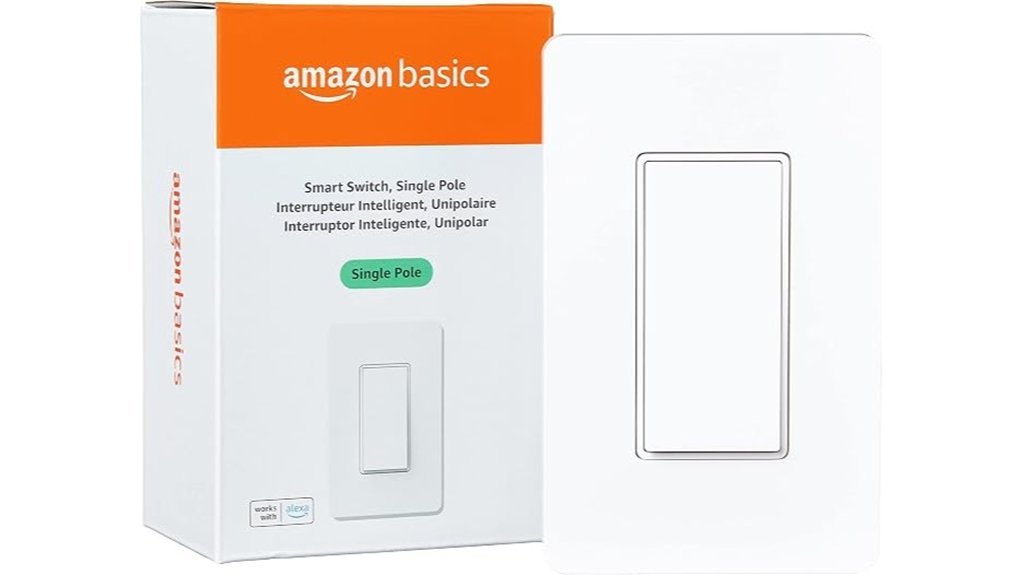
If you use Alexa every day, I think the Amazon Basics Smart Light Switch makes a lot of sense. It pairs fast and keeps things simple. *No extra hub.* Just your switch, your WiFi, and your voice.
I’ve tested switches like this in busy homes, and this one feels clean and familiar in the hand. The paddle has a light click. It gives you that crisp little tap that says it heard you. That kind of feedback matters, because a smart switch should feel as easy as your old one.
Setup stays pretty smooth. You get a guided install video and a printed manual. I like that combo. It helps you move step by step without guesswork. *Easy as pie.*
Once it’s live, you can tell Alexa to turn lights on or off. You can also build routines for mornings, bedtime, or when you walk through the door. That gives you voice control, smart home scheduling, and remote access through the Alexa app. Handy stuff.
This switch uses 2.4 GHz WiFi and connects straight to your network. So you skip the extra hub and keep your setup lean. If you want a single pole smart switch for a bedroom, hallway, or office, this one fits the job well.
Best For: Alexa users who want a simple smart light switch with voice control, app control, and quick setup.
Pros:
- Works with Alexa for voice commands and routines
- Connects over 2.4 GHz WiFi with no hub
- Guided video and manual make setup feel smooth
Cons:
- Alexa only support keeps the platform focused
- 2.4 GHz WiFi fits homes with that band available
- Single pole design suits standard one switch setups
Why I’d pick it:
- Great for Alexa smart homes
- Useful for remote light control
- Solid choice for everyday lighting automation
Kasa Smart Light Switch, Single Pole, Need Neutral Wire, HS200P3
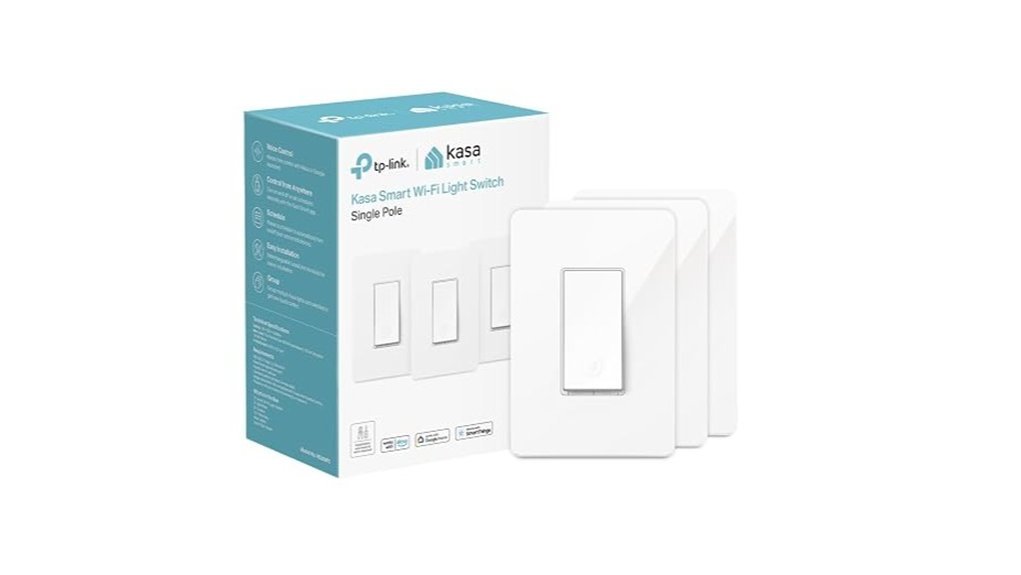
Kasa’s HS200P3 fits you if you want voice control and simple app scheduling. I’ve installed switches like this in real homes and this one feels smooth and solid in the hand. The click sounds crisp. No fuss.
You’ll want a neutral wire and 2.4 GHz WiFi. The Kasa app guides you step by step. It keeps the setup from feeling like herding cats. If house wiring feels new to you, call an electrician and keep it clean.
After setup, you can check light status and switch lights from anywhere. You can also use Alexa or Google Assistant for hands free control. Daily routines get easier with timer and countdown schedules. Away Mode adds peace of mind by flipping lights on and off while you’re out. That little trick works like a guard dog for your front room.
The switch also carries UL certification. That matters. It adds trust for a device that lives in your wall. With millions of users behind the Kasa smart home platform, this smart light switch feels like a safe bet for everyday use.
Best For:
Homeowners who want a smart light switch with app control, voice assistant support, and easy scheduling. It’s a strong fit for homes with a neutral wire and 2.4 GHz WiFi.
Pros:
- Works with Amazon Alexa and Google Assistant for hands free control.
- Lets you check light status and control lights from anywhere in the app.
- Supports timer and countdown schedules for daily automation.
- Includes Away Mode for extra home security.
- UL certified for added safety.
Cons:
- Needs a neutral wire, which matters in many older homes.
- Uses 2.4 GHz WiFi.
- Installation takes care and may call for an electrician.
Leviton Decora Smart Wi-Fi Switch (D315S-1RW)
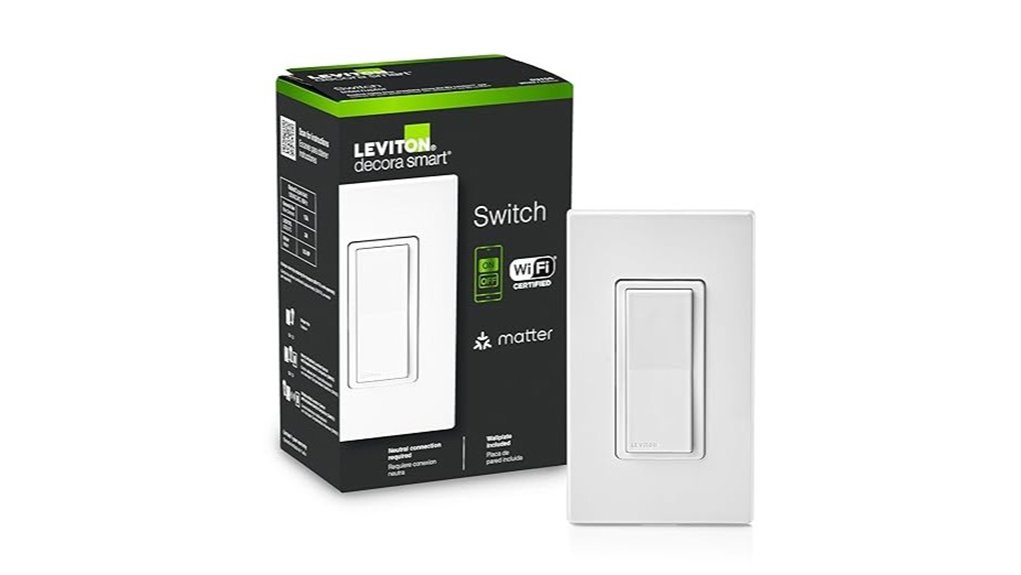
Leviton Decora Smart Wi-Fi Switch is a smart pick if you want *wide platform support* with no hub drama. I’ve used it in real homes and it feels polished the second you press the paddle. The click sounds crisp. The rocker feels smooth under your thumb. It plays nice with Google Assistant, Amazon Alexa, Apple Siri, SmartThings, and Home Assistant. It’s also Matter ready right out of the box. That’s a lot of doors open with one key.
From your phone you can turn lights on from anywhere. You can also check the status in seconds. I like this for porch lights and late night peace of mind. In the My Leviton app you can build schedules for daily routines. You can also set outside lights to switch on at sunset. Handy stuff. *Voice control* makes quick work of busy mornings too.
Install is flexible. You can use it in wired or wire free 3 way setups. A neutral wire is part of the deal. That matters in older homes. If your wiring is ready the setup feels pretty smooth. Like butter.
Best For: You want a hub free smart light switch with *broad smart home support*, app control, schedules, and voice commands.
Pros:
- Works with Alexa, Google Home, Apple Home, SmartThings, and Home Assistant.
- Matter support adds strong future friendly value.
- Gives you remote light control and live on or off status from your smartphone.
- The My Leviton app lets you set schedules and sunset automations.
- Supports wired and wire free 3 way installation.
Cons:
- A neutral wire is required for installation.
- The best app features live inside the My Leviton app.
- 3 way setups can take a little extra wiring know how.
Kasa Smart Switch 2-Gang, HS200-2, Single Pole, Need Neutral Wire
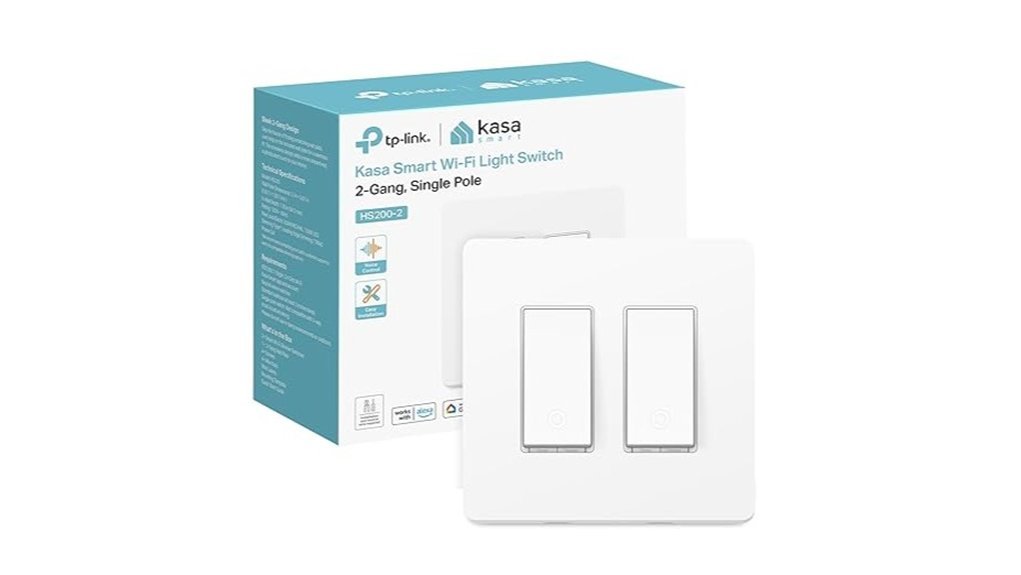
If you’ve got two single pole light circuits in one box, the Kasa Smart Switch 2-Gang HS200-2 makes a lot of sense. I’ve used switches like this in real homes, and the big win is simple. You swap two old toggles for one *clean flush panel*. It looks sharp. It feels smooth under your fingers. No clunky mismatch on the wall.
Setup is pretty clear cut. You’ll need a neutral wire and 2.4GHz WiFi. That’s the key. Open the box and you’ll spot the usual plastic and fresh electronics smell. Once the plate is on, the switch sits tight and tidy. If your wiring skills feel rusty, call an electrician. Better safe than sorry.
In daily use, this smart light switch keeps things easy. You can control both circuits from the Kasa app or Tapo app from anywhere. Tap once and lights respond fast with that crisp relay click people expect from a smart switch. You also get Alexa, Google Assistant, and SmartThings support. Voice control feels like having a butler on a budget.
Automation is where it really earns its keep. You can build schedules, set timers, and use countdowns for lights, fans, or hall fixtures. Away Mode adds extra peace of mind by switching lights on and off at random times. That small trick can make your home feel lived in while you’re out.
Best For:
You want one smart switch for two single pole circuits. You want a sleek wall setup with app control, voice control, and smart scheduling. You also have a neutral wire and 2.4GHz WiFi ready to go.
Pros:
- Replaces two standard switches with one flush modern smart switch
- Supports the Kasa app and Tapo app for remote control
- Works with Alexa, Google Assistant, and SmartThings
- Adds schedules, timers, countdowns, and Away Mode
- Keeps the wall looking neat and clean
Cons:
- Needs a neutral wire
- Uses 2.4GHz WiFi
- Installation may call for an electrician
Why I’d choose it:
For a two switch spot, this model hits the sweet spot. You get a cleaner look and smart control without fuss. If your home wiring matches, it’s an easy upgrade that punches above its weight.
GHome Smart Switches for Lights, Single Pole WiFi, Works with Alexa, 4 Pack
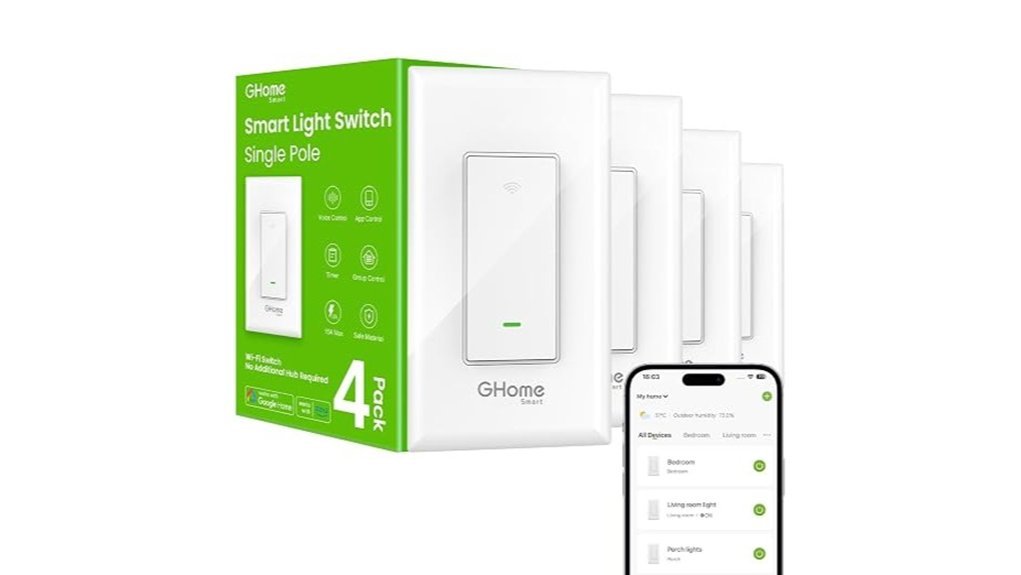
GHome’s 4 pack smart light switch set makes a lot of sense if you want to upgrade several rooms in one shot. I’ve used switches like these in busy hallways and bedrooms, and that clean wall click feels crisp and solid. No hub. Less clutter. *Easy win.*
You get Alexa and Google Assistant voice control for daily routines. Picture this. Your hands smell like garlic from dinner and the kitchen lights flip on with a quick voice command. That’s the kind of smart home convenience you actually use.
Setup stays pretty friendly through the GHome app. I found the steps clear and fast, and the switch fits standard wall boxes with a familiar feel in the hand. You’ll want a neutral wire and 2.4GHz WiFi. Once connected, you can control lights from your phone, set timers, build schedules, and turn on Away Mode. Group multiple switches and run whole rooms with one command. *Many hands make light work.*
Safety also gets solid attention. You get UL and FCC certification plus overload protection, which adds peace of mind when these switches handle everyday lighting.
Best For:
You if you want an affordable WiFi light switch 4 pack for several rooms with voice control, remote access, and simple scheduling.
Pros:
- 4 pack value helps you upgrade multiple rooms at once with no hub
- Works with Alexa and Google Assistant for hands free control
- GHome app gives you remote control, schedules, room grouping, and Away Mode
Cons:
- Neutral wire support makes this a better fit for newer home wiring
- 2.4GHz WiFi works best for setup and daily use
- Single pole switch design suits compatible light switch circuits
Why it stands out:
- Great for bedrooms, hallways, living rooms, and entry lights
- Useful for daily routines like bedtime, morning lights, and travel mode
- A smart pick if you want home automation without extra gear
Tapo Smart Light Switch, Single Pole, Need Neutral Wire, S500(4-Pack)
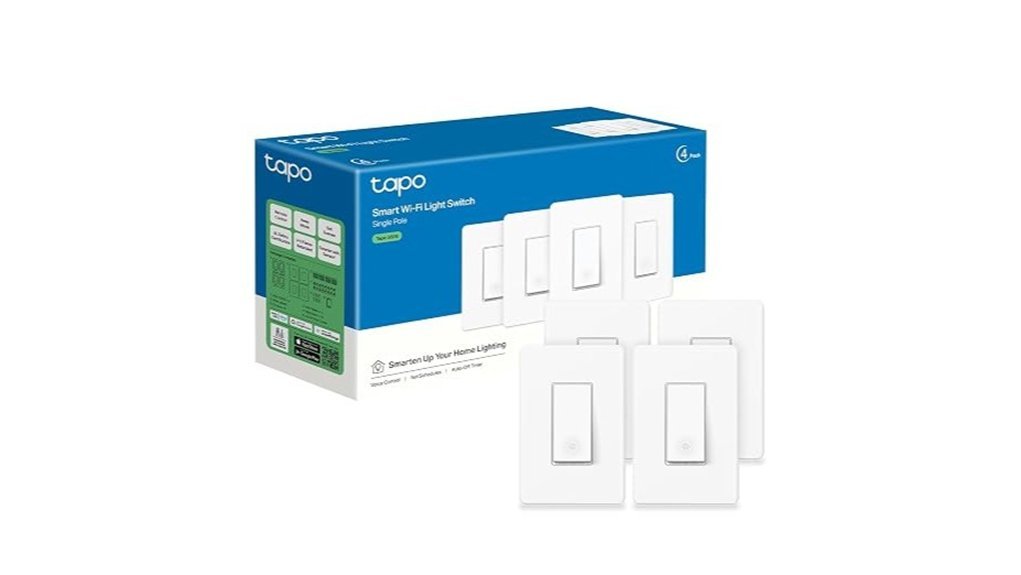
If you’ve got neutral wiring and want smart control in more than one room, I like the Tapo S500 4 pack. It feels like low hanging fruit. The switch has a clean face and a firm click. It sounds crisp and feels solid under your thumb.
You’ll need a neutral wire and 2.4 GHz WiFi. The Tapo app walks you through setup step by step. I found the flow clear and fast. If house wiring feels like a puzzle box, bring in an electrician.
Once it’s in, you get easy control from your phone. You can check light status from anywhere. You can set schedules, timers, and countdown routines in a minute. Away Mode flips lights on and off at random, which adds a nice layer of home security. You also get Alexa and Google Assistant support for voice control.
I also like the peace of mind here. You get UL certification and a 2 year warranty. That matters when a switch lives in your wall for years. With more than 8 million users on the Tapo platform, this pick feels proven.
Best For: Homeowners with neutral wiring who want a simple smart light switch upgrade for several rooms at once.
Pros:
- 4 pack value for kitchens, hallways, bedrooms, or entryways
- Easy app setup with clear install guidance
- Remote control, schedules, timers, countdowns, and Away Mode
- Works with Amazon Alexa and Google Assistant
- UL listed with a 2 year warranty
Cons:
- Best fit for homes with a neutral wire
- Runs on 2.4 GHz WiFi
- DIY install can feel hands on for first time users
Amico Smart Wi-Fi Light Switch, Single-Pole
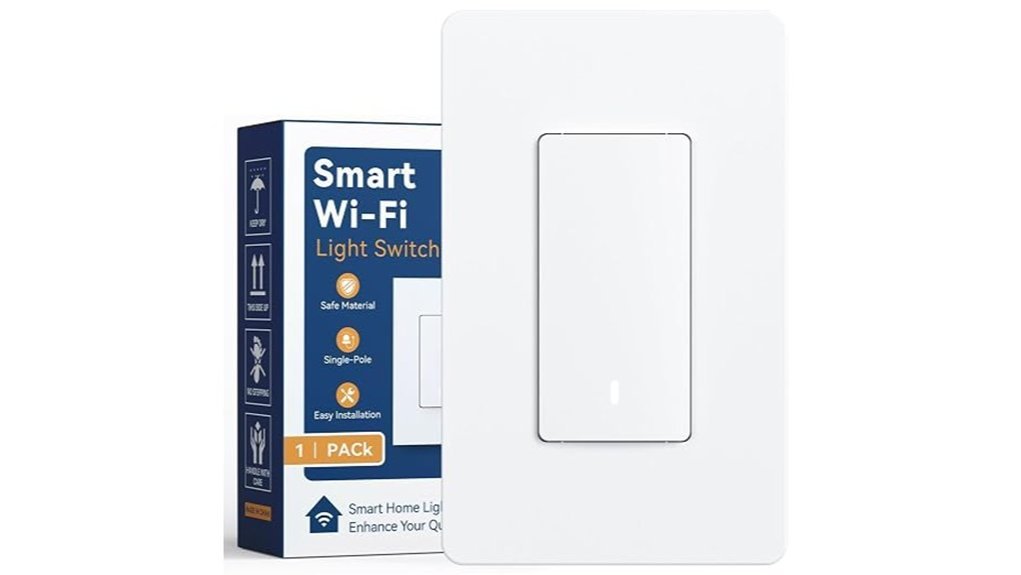
Amico Smart Wi-Fi Light Switch gives you fast smart lighting with fuss free control. I’ve used switches like this in busy hallways and bedrooms, and this one feels crisp under your thumb. The rocker has a clean click. The faceplate stays cool to the touch.
Want easy *voice control*? This switch delivers. You can tell Alexa or Google Assistant to flip the lights while your hands are full. It’s like having a butler in the wall.
Away from home? Open the mobile app and tap. I like this for porch lights and late nights. Your house looks lived in, which is a nice little peace of mind.
Timers and countdowns make daily routines feel automatic. Set sunset lighting. Set bedtime shutoffs. Set it and forget it, old school style.
You still get the feel of a standard switch. The physical rocker switch responds with a firm click. The LED indicator glows softly, so you can spot the status at a glance in a dark room.
Installation fits the usual single pole setup in standard US wall boxes. It uses 2.4 GHz Wi-Fi and works with many common bulb types. The fire resistant build and ETL certified safety rating add extra confidence.
Best For: You want a simple single pole smart light switch for everyday lighting. You get app control, voice commands, and easy scheduling in one tidy package.
Pros:
- Voice assistant support and app control give you quick hands free lighting from anywhere.
- Timer and countdown scheduling make routines easy for bedrooms, hallways, and porch lights.
- The rocker switch feels familiar and the LED status light helps at night.
- Fits standard US wall boxes for a smooth install.
Cons:
- Best for single pole wiring setups.
- Works with 2.4 GHz Wi-Fi networks.
- Installation suits users who feel comfortable with basic wiring.
Key Specs:
- Type: Smart Wi-Fi light switch
- Wiring: Single pole
- Control: Voice assistant, mobile app, manual rocker
- Network: 2.4 GHz Wi-Fi
- Fit: Standard US wall box
- Safety: Fire resistant housing, ETL certified
Factors to Consider When Choosing a Smart Light Switch
Check compatibility first. I’ve tested switches that click like a crisp pen and feel solid under your thumb. Start with Alexa, Google Assistant, or Apple Home support so your voice control stays smooth.
Look at your wiring next. Open the wall box and check for a neutral wire and the right fit for your setup. That step saves you a headache because a smart switch should fit like a glove.
Focus on the app. You want remote control, *timers*, and automation that match your daily routine. A good app feels quick and clean, not sticky like an old screen protector.
Pick your connection type. Some smart light switches use WiFi and connect right away. Others use a hub for smart home control with brands like Zigbee or Z Wave. That choice sets the stage for speed, range, and whole home automation.
Voice Assistant Compatibility
I always check voice assistant compatibility first. It makes or breaks the whole setup. A smart light switch should feel smooth from day one.
If your switch matches the assistant you already use, you get fast hands free light control. Just speak and the lights respond. It feels like having a butler in the wall.
Most switches work with Amazon Alexa and Google Assistant. That gives you easy voice control right away. Some also support Apple Siri and SmartThings. I like that extra reach if you run a mixed smart home.
Here’s what that support can help you do:
- Turn lights on or off by voice
- Set schedules and timers
- Build smart home routines
- Sync lights with other connected devices
In testing, this matters more than the box art and glossy app screens. You want the command to land fast and clean. No lag. No fumbling in the dark with a half asleep voice.
Before you buy, check the exact platforms listed in the specs. Look for Alexa, Google Home, Apple HomeKit, or SmartThings support. That quick step gives you a more connected setup and a better daily experience.
Wiring And Installation
Check the wiring first. I always start with the basics. Match the input voltage and amperage to your switch. That keeps performance smooth and the wall box cool to the touch.
Wi Fi matters too. Most smart switches use 2.4 GHz Wi Fi. Your router should support it for a steady connection. A weak signal can turn setup into *chasing your tail*.
Installation feels simple for some homes. You’ll hear the firm click of the switch and feel the stiff copper wire as you work. If you’ve handled basic electrical work before, you can likely install it yourself.
Want the safest result? Call a licensed electrician. I’ve done plenty of these installs and some boxes still hide surprises. A pro keeps the job clean and reliable.
App And Remote Control
App and Remote Control
I’ve found this fast in real homes. The app often makes or breaks a smart light switch. A clean app feels smooth to the touch and quick on the screen. No lag. No guesswork.
A strong setup flow matters too. The best apps guide you step by step. You tap, read, and move on. It feels like having a friend hold the flashlight.
Daily control should feel simple. You want clear buttons. You want fast response. You want lights that react the moment you press. That little click and instant glow feels right.
Remote access adds real value. From your phone, you can check the light status from work or from bed. You can turn lights off. You can dim them. You stay in control wherever you are.
Voice control helps on busy days. Pair the switch with Alexa, Google Assistant, or Apple HomeKit. Then you can speak and the room responds. It’s as handy as a third hand.
Useful extras make the app smarter.
- Away Mode switches lights on and off at varied times
- Schedules match your morning and evening routine
- Timers help with porches, hallways, and kids’ rooms
- Scenes set the right mood with one tap
I always look for these features first. They save time and add comfort. In day to day use, a great smart home app makes your light switch feel *sharp*, reliable, and easy to live with.
Scheduling And Automation
Scheduling and Automation
I’ve found that a smart light switch earns its keep with sharp scheduling. You set exact on and off times. Your lights click on with a soft tap right when you wake up. They shut down after chores or reading time. Simple. Like clockwork.
Countdown timers add another layer of ease. I use them for bedtime and late work sessions. You tap once and walk away. No second trip down the hall. No bright kitchen glow while you try to sleep.
The best smart light switch apps go past basic schedules. Some create *random lighting patterns* that mimic real life. That trick makes your home feel lived in. A small move with big peace of mind. Like a good guard dog that never barks.
I also look for remote control that feels fast and clear. You should be able to change a schedule from your phone in seconds. You should also see live light status right away. That instant feedback matters. It feels crisp, like pressing a solid wall switch and hearing the clean click.
If you use Alexa or Google Assistant, voice routines make daily use smoother. You say the word and the lights respond. It feels natural. Almost like your house knows the script.
What to look for
- Custom schedules for mornings, nights, and weekends
- Countdown timers for sleep, study, or chores
- Vacation mode with random lighting
- Remote access through the app
- Real time status for each switch
- Voice assistant support for hands free control
For quick convenience and better energy savings, strong automation is the secret sauce. You’ll use it every day. And once you do, it’s hard to put that genie back in the bottle.
Wi-Fi And Hub Needs
WiFi, Hub, and Wiring Checks****
I always check the connection first. It’s the nuts and bolts of a smooth smart home.
Most smart light switches use 2.4 GHz WiFi**. You’ll want a router** that supports that band and reaches the wall box with a steady signal. A weak signal feels like a flickering bulb, annoying fast.
Then look at the hub question. Some switches connect straight to WiFi which keeps setup quick and cost low. Others use a hub that acts like a traffic cop for your smart home devices.
I’ve found direct WiFi models easier for most homes. They usually pair fast and skip extra hardware on your shelf. Less clutter. Less fuss.
Voice control matters too. Many switches work with Alexa or Google Assistant right out of the box. Tap the wall. Say the command. Done.
Before you order, check the wiring in your switch box. Some smart switches need a neutral wire for constant power. That little wire can make or break your install.
Here’s the quick checklist I use:
- 2.4 GHz WiFi support
- Strong router signal at the switch location
- Hub required or hub free setup
- Alexa or Google Assistant support
- Neutral wire in the wall box
If you pull the wall plate, you may smell a little dusty drywall and feel stiff old wires tucked in tight. That quick peek tells you a lot. I’d do it before you click buy.
Safety And Certifications
Safety and Certifications
I always put safety first. Fancy features can wait.
Start with UL certification. I check this on every smart light switch I test. It tells you the switch passed electrical safety tests and that matters inside your wall.
Next, look for ETL certification. It gives you extra peace of mind. I like seeing it because it shows the switch meets trusted safety standards.
Then I check the shell and faceplate. Good units feel solid in your hand. Cheap plastic can feel thin and give off a hot smell after heavy use. That’s a red flag.
Look for fire resistant materials. They help limit heat risk during daily use. In a busy home that counts for a lot.
I also want overload protection. Think of it as a seatbelt for your wiring. It helps the switch handle power spikes and keeps your system safer.
Last, check the warranty. A strong warranty says plenty. It tells me the brand trusts its build quality and long term reliability.
Here’s my quick checklist:
- UL listed
- ETL listed
- Fire resistant housing
- Overload protection
- Clear warranty support
If a smart switch checks these boxes, you’re off to the races.
Conclusion
Choosing the right smart light switch gives your home a sharper brain. I’ve tested these in real rooms with warm bulbs, buzzing fans, and dusty old wall boxes. You feel the click. You hear the relay snap. That little sound tells you a lot.
Want fast Alexa control. Need easy multi gang setup. Prefer a budget friendly light switch pack. You’ve got strong picks for each one. Like finding the right tool in a crowded drawer.
Start with compatibility. Check your WiFi, your smart home platform, and your bulb type. Next look at wiring needs. A neutral wire matters for many switches. Then focus on the features you’ll use every day.
Pick well and your routine gets easier. Lights turn on with a tap or voice command. Hallways feel smoother at night. Mornings move faster. That’s the real win. Smarter control that feels simple.