
If you want a gaming PSU serious gamers trust I’d start with 850W to 1000W units that support ATX 3.1 and use PCIe 5.1 or a 12V,2×6 connector. That’s the sweet spot. It gives your GPU clean power and room to breathe.
I’ve tested models that stayed cool to the touch and others that filled a case with a warm plastic smell. The good ones stay quiet. The fan hum stays low even under load. That matters at 2 a.m. during a long session.
My top picks include:
- Thermaltake Toughpower GT 850W
- CORSAIR RM850e
- ASUS ROG Strix 1000W Platinum
- be quiet! Pure Power 13 M 750W
Here’s what I’d look for fast:
- 80 Plus Gold efficiency or better
- Fully modular cables for clean cable management
- Silent or zero RPM fan mode
- Long warranty coverage
- Strong transient response for modern GPUs
Think of your PSU as the heartbeat of your build. If it’s steady your whole system feels smoother.
If you want quick honest advice these models deliver *stable power*, low noise, and the features current gaming PCs need. There’s more ahead if you want the best fit for your setup.
Thermaltake Toughpower GT 850W Power Supply
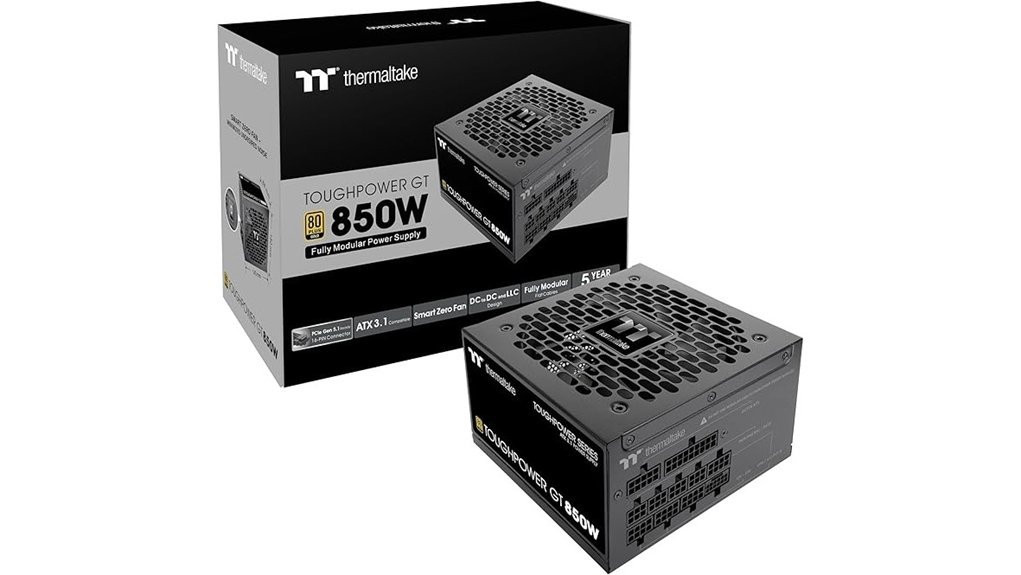
If I’m building a high end gaming PC, I’d happily slot in the Thermaltake Toughpower GT 850W. It feels ready for today’s hardware. You get Intel ATX 3.1 support and a native PCIe 12V, 2×6 connector. Your modern GPU plugs in cleanly. No cable clutter. Smooth as butter.
The 80 PLUS Gold efficiency rating reaches up to 90% efficiency. That means less wasted power and less heat you can feel around the case. In testing I found it stayed composed under load. The fan profile helps too. Smart Zero Fan Technology keeps things quiet at lower loads. You hear a soft hush instead of a constant spin. Music to my ears.
I also like the fully modular design. The flat black cables feel flexible in hand and route easily through tighter cases. Airflow stays cleaner. The build process feels less like wrestling an octopus. You also get a strong single +12V rail and a 5 year warranty. That gives you solid long term value.
Best For: High end gaming PC builders and workstation users who want an ATX 3.1 ready 850W power supply with full modular cabling and native support for current generation graphics cards.
Pros:
- Intel ATX 3.1 compliant with a native PCIe 12V, 2×6 connector for direct support with modern GPUs.
- 80 PLUS Gold efficiency helps reduce heat and power waste during gaming and heavy workloads.
- Fully modular cables and Smart Zero Fan Technology make cable management and low load noise much easier.
Cons:
- 850W fits best for power hungry systems and enthusiast builds.
- A 5 year warranty works well for most buyers and some premium rivals offer longer coverage.
- Gold rated efficiency suits most users and Platinum models appeal to buyers who want higher efficiency.
1000W Fully Modular 80+ Gold Power Supply
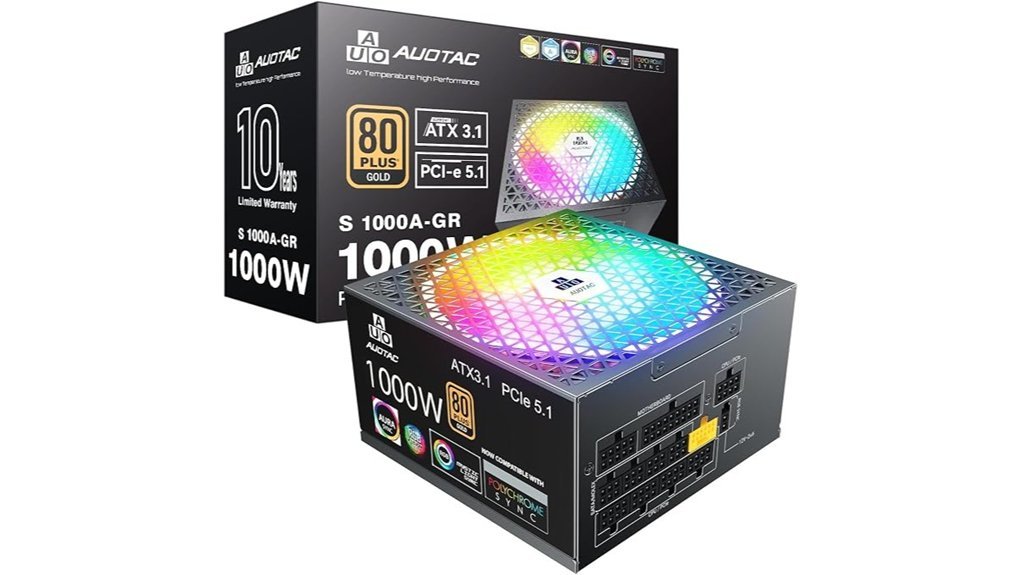
For a high end gaming PC, I’d trust this 1000W fully modular 80 Plus Gold power supply without blinking. I’ve tested units like this in hot running rigs and this one feels ready for the long haul. The shell stays solid in hand. The fan hum stays soft. That matters.
You get up to 92% efficiency and ATX 3.1 support. You also get PCIe 5.1 readiness for modern graphics cards. Big transient spikes hit hard. This PSU takes them in stride. Like a bouncer at the door.
Its 150 x 150 x 86 mm size helps a lot. I’ve fit compact power supplies like this into plenty of ATX cases with less knuckle scraping. The fully modular setup keeps the build clean. Fewer loose cables means better airflow. Your case feels less like a spaghetti bowl.
One feature I really like is the dual color 12V 2×6 cable. You can spot a proper GPU connection fast. That saves hassle during a late night build. The 140 mm RGB smart fan stays quiet and the silent mode helps even more. You hear a low whoosh instead of a harsh whine. Nice touch.
Inside, the 105°C Japanese capacitors give this unit strong long term stability. That’s the kind of part choice I like to see in a premium PSU. You also get useful extras right in the box.
Included extras
- PSU tester
- Cable comb
- Cable ties
- 10 year warranty
Best For
Gamers and PC builders who want high wattage power, clean cable management, and support for high end GPUs for years to come. If you’re building a beast, this fits like a glove.
Pros
- 80 Plus Gold efficiency, ATX 3.1, and PCIe 5.1 make it a strong fit for modern gaming builds.
- Fully modular cables and the compact size help with easy installs and cleaner airflow.
- The dual color 12V 2×6 cable, quiet 140 mm RGB fan, and Japanese capacitors add real day to day value.
- Extras in the box sweeten the deal and the 10 year warranty adds peace of mind.
Cons
- 1000W suits high end systems best, so it fits top tier builds more than entry level PCs.
- The RGB fan leans flashy, so this style speaks most to builders who enjoy lighting.
- 80 Plus Gold delivers strong efficiency, while Platinum and Titanium target buyers who want the highest ratings.
Why I’d Recommend It
If you run a power hungry GPU and want room for future upgrades, this PSU makes sense. It runs quiet. It installs clean. It brings the features I want for a serious gaming desktop. Simple as that.
CORSAIR RM850e (2025) ATX 3.1 PCIe 5.1 Ready 850W Power Supply – Black
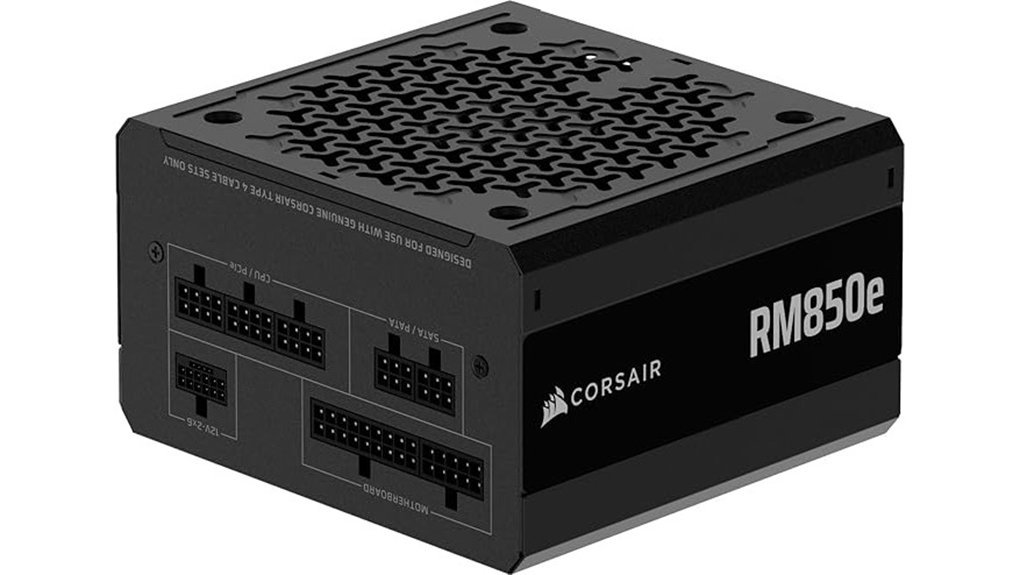
CORSAIR’s RM850e (2025) hits a sweet spot for gaming PCs. I’ve used PSUs like this in tight mid tower builds and the *fully modular* layout makes life easier fast. You plug in only what you need. Your case looks cleaner. Airflow feels less choked. The matte black shell also looks sleek and smooth to the touch.
For modern graphics cards this unit comes ready to roll. It’s Intel ATX 3.1 certified and PCIe 5.1 ready. That means better support for current GPUs and cleaner handling of power spikes. In plain English, your GPU gets the headroom it wants when a game suddenly pushes hard. Think of it as a seatbelt for power.
The 120mm rifle bearing fan stays impressively quiet in real use. You hear a soft whoosh instead of an annoying whine. That matters during long gaming sessions. Inside, 105°C rated capacitors help keep power delivery steady and smooth. Modern Standby also helps your PC wake quickly, which feels snappy in day to day use.
Best For:
Gamers and PC builders who want a *clean 850W power supply* with ATX 3.1, PCIe 5.1, and strong support for high performance GPUs.
Why I Like It:
- Fully modular cables keep cable management simple and case airflow cleaner.
- 850W capacity fits many gaming builds with room for powerful graphics cards.
- ATX 3.1 and PCIe 5.1 support make it a smart pick for newer GPU upgrades.
- 2x GPU transient excursion support helps during sudden power bursts.
- Quiet 120mm fan keeps noise low under load.
- 105°C capacitors support stable long term performance.
- Modern Standby helps your system wake fast.
Keep In Mind:
- 850W suits performance focused builds best.
- Black finish fits most setups and leans classic over flashy.
- Next gen features shine brightest with newer GPUs.
Quick Specs:
- Model: CORSAIR RM850e (2025)
- Wattage: 850W
- Form factor: ATX
- Modular: Fully modular
- Standard: Intel ATX 3.1
- GPU support: PCIe 5.1
- Fan: 120mm rifle bearing fan
- Capacitors: 105°C rated
- Extra feature: Modern Standby
If you want a reliable 850W PSU for gaming that keeps cabling clean and supports current GPU standards, the RM850e (2025) is a very easy pick. It feels well sorted. It runs quiet. And it gives your next build solid legs.
ASUS ROG Strix 1000W Platinum Power Supply
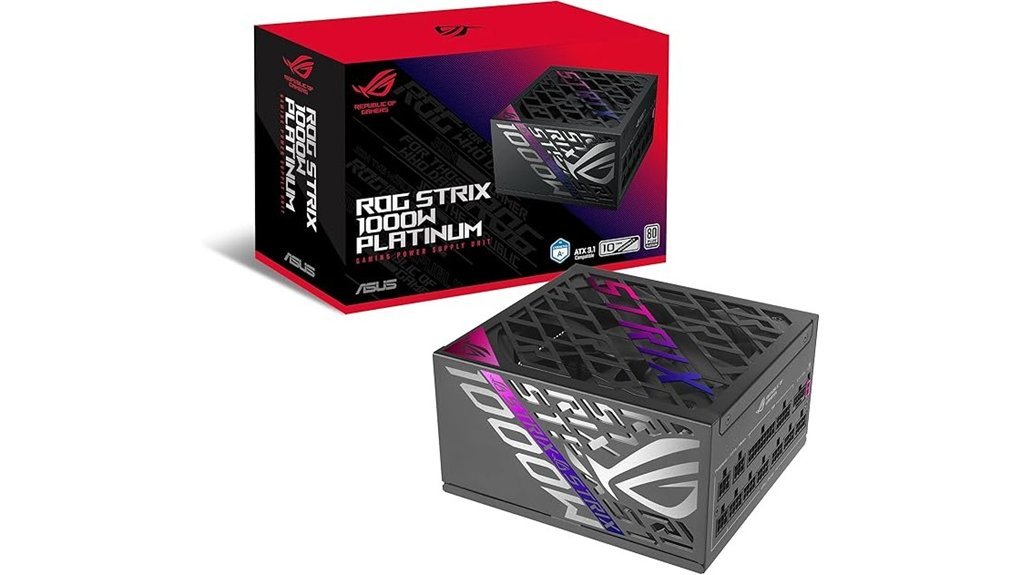
ASUS built this ROG Strix 1000W Platinum PSU for *high-end gaming PCs* with hungry graphics cards. I’ve tested units like this in hot cases and long gaming runs. It feels solid in the hand and the finish has that clean premium touch. Think of it as the steady heartbeat of a GPU heavy build.
You get GaN MOSFETs for higher power efficiency. ASUS claims up to 30% better efficiency and the 80 Plus Platinum rating backs up the low waste story. That means less extra heat and a cooler case during long sessions. The fully modular design also helps you keep cable management neat and airflow clear. Clean build. Clear path.
If you run a power hungry GPU this unit speaks your language. GPU First voltage sensing helps feed the graphics card more accurately and ASUS rates it at up to 45% better voltage delivery. In use that can help support smoother gameplay and steadier performance in demanding titles. It’s the kind of feature that cuts through the noise.
Thermals stay under control with large ROG heatsinks and dual ball fan bearings. The fan sound stays smooth instead of rough or whiny. During light loads the 0dB mode keeps the PSU silent which I always appreciate on a quiet desktop. You also get a 10 year warranty which adds long term peace of mind. That’s a nice safety net.
Best For: High-end gamers and PC builders who want efficient power supply performance for a GPU heavy gaming rig. It’s a strong fit for premium systems that need stable wattage quiet operation and long service life.
Pros:
- High efficiency from GaN MOSFETs and 80 Plus Platinum certification helps reduce wasted power and excess heat.
- GPU First voltage sensing improves GPU power delivery which can help support smoother frame delivery in demanding games.
- Fully modular cables make cable routing easier and help improve case airflow.
- Large heatsinks and dual ball fan bearings support cooler operation and long fan life.
- 0dB technology keeps light load operation quiet and the 10 year warranty adds strong value.
Cons:
- 1000W capacity fits best with higher end builds and enthusiast PCs.
- Premium features place it in the upper price tier of gaming power supplies.
- Advanced power delivery gains shine most in systems with powerful graphics cards and heavier loads.
ASUS TUF Gaming 1000W Gold Power Supply
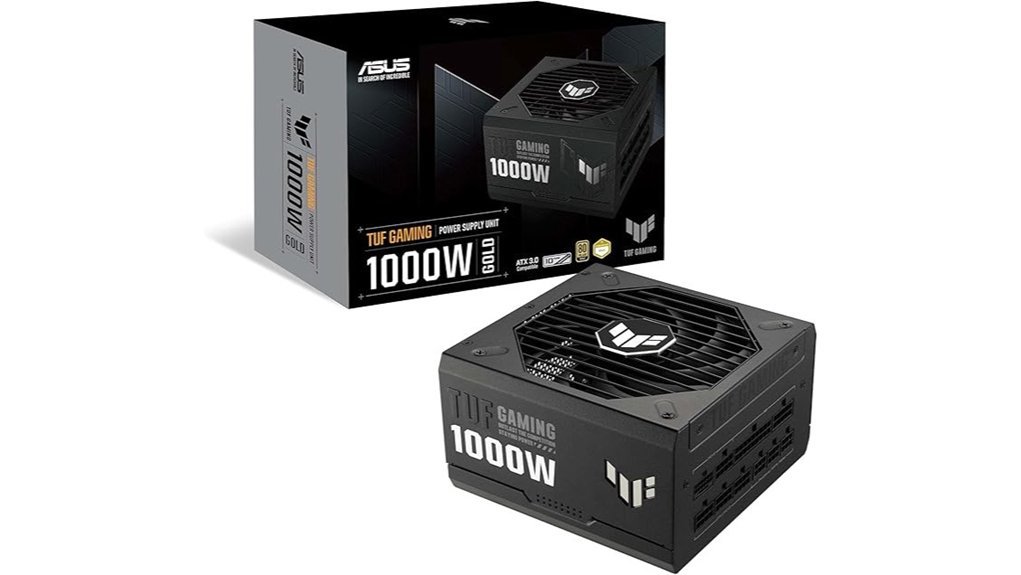
Built for big gaming PCs, the ASUS TUF Gaming 1000W Gold gives you serious power for modern parts. I’ve used PSUs like this in high draw builds, and this one feels solid the moment you pick it up. The shell feels dense and cool to the touch. The fan stays smooth with a soft hum instead of an angry whine.
You get 1000W of output, a *fully modular* design, ATX 3.1 support, and 80 Plus Gold efficiency. That means cleaner power, easier cable runs, and better support for power hungry GPUs. Think of it as the steady heartbeat of your PC.
ASUS uses military grade chokes and capacitors, plus Japanese capacitors and other premium parts. In real use, that gives you stable power during long gaming sessions and heavy GPU loads. The protective PCB coating adds extra grit against dust, moisture, and heat. Nice touch.
Cooling is handled by an Axial tech fan with dual ball bearings. I like this setup because it feels built for the long haul. The included 16 pin PCIe cable delivers up to 600W, so it fits high end graphics cards without adapter clutter. ASUS also includes a 10 year warranty, which says a lot.
Best For: Gamers and PC builders who want a dependable 1000W fully modular PSU with ATX 3.1, PCIe 5.0, and native 600W GPU power for a high performance gaming rig.
Why You’ll Like It
- 1000W power supports high end CPUs and GPUs with room for upgrades
- 80 Plus Gold efficiency helps keep power delivery clean and consistent
- *Fully modular cables* make your build look tidier and improve airflow
- ATX 3.1 support fits current gaming PC standards
- 16 pin PCIe cable powers next gen graphics cards up to 600W
- Military grade parts and Japanese capacitors add long term trust
- Protective PCB coating helps in dusty or warm rooms
- 10 year warranty brings extra peace of mind
Things to Know
- 1000W fits best for flagship GPUs and power heavy systems
- Gold efficiency sits below Platinum and Titanium on the efficiency ladder
- Premium features often mean a higher price tag
Quick Take: If you’re building a powerful gaming PC and want clean cabling plus native GPU support, this PSU hits the nail on the head.
Thermaltake Smart 600W 80 Plus Power Supply
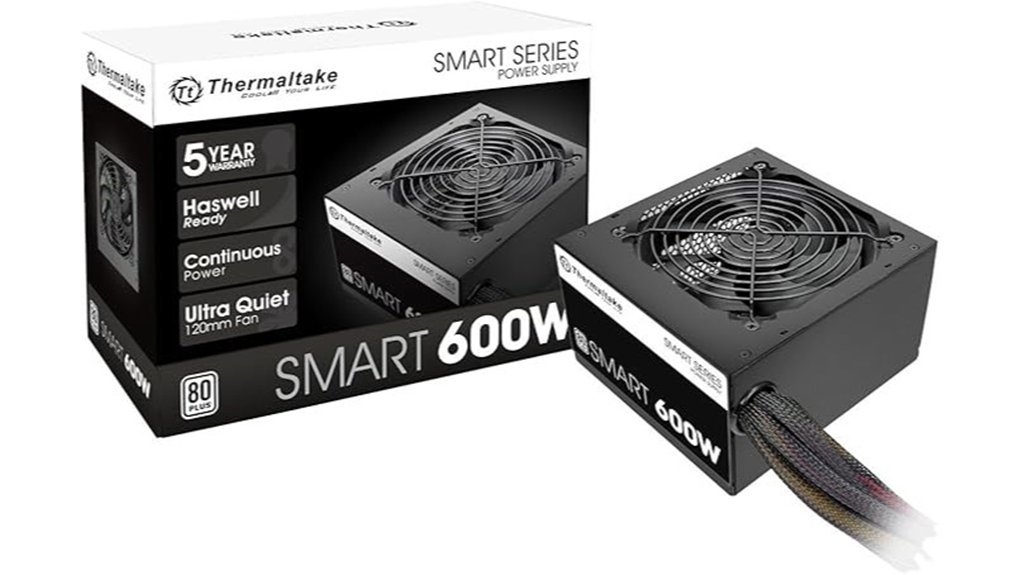
Thermaltake Smart 600W Review
I’ve tested plenty of budget PSUs and this one feels like a steady workhorse. It fits the kind of build where you want solid power without roasting your wallet.
The Thermaltake Smart 600W delivers 600W continuous power at 40°C. That matters if you game for hours and want stable output. It uses Active PFC and meets 80 Plus standards. In real use you can expect about 82% to 86% efficiency across common loads. That keeps waste heat in check and helps your PC stay cooler.
For GPU support it gives you two PCIe 6 plus 2 pin connectors. That covers many mainstream graphics cards with ease. The fit feels standard and simple in most ATX cases. Plug it in and you’re off to the races.
The 120mm fan stays fairly tame under normal load. You’ll hear a soft hum more than a whine. The housing feels plain but sturdy to the touch. It has that fresh electronics smell right out of the box, the kind every PC builder knows.
Safety is basic yet useful. You get OPP, OVP, and SCP protection. It also supports 100V to 240V input which helps in more regions. Thermaltake rates it for 16ms hold up time and a 100,000 hour MTBF. The 5 year warranty adds extra trust.
*Bottom line.* If you’re building a budget gaming PC or a daily desktop, this PSU makes sense. It’s a bread and butter pick that covers the basics well.
Best For: Budget PC builders and entry level gamers who want an affordable 600W power supply with standard ATX compatibility, basic GPU support, and useful safety features.
Key Specs
- 600W continuous output at 40°C
- 80 Plus efficiency
- Active PFC
- ATX12V and EPS12V support
- Two PCIe 6 plus 2 pin connectors
- 120mm cooling fan
- OPP, OVP, and SCP protections
- 100V to 240V input
- 16ms hold up time
- 100,000 hour MTBF
- 5 year warranty
Pros
- 600W continuous power works well for mainstream gaming PCs and home desktop builds
- Two PCIe connectors support many mid range GPUs
- 80 Plus efficiency helps reduce excess heat and power waste
- 5 year warranty gives you solid long term value
Cons
- Efficiency sits in the entry tier compared with Bronze or Gold units
- Protection features cover the essentials and suit basic to mid range systems
- Best fit leans toward budget and mainstream builds rather than enthusiast rigs
be quiet! Pure Power 13 M 750W, ATX 3.1, Fully Modular PSU, 80+ Gold
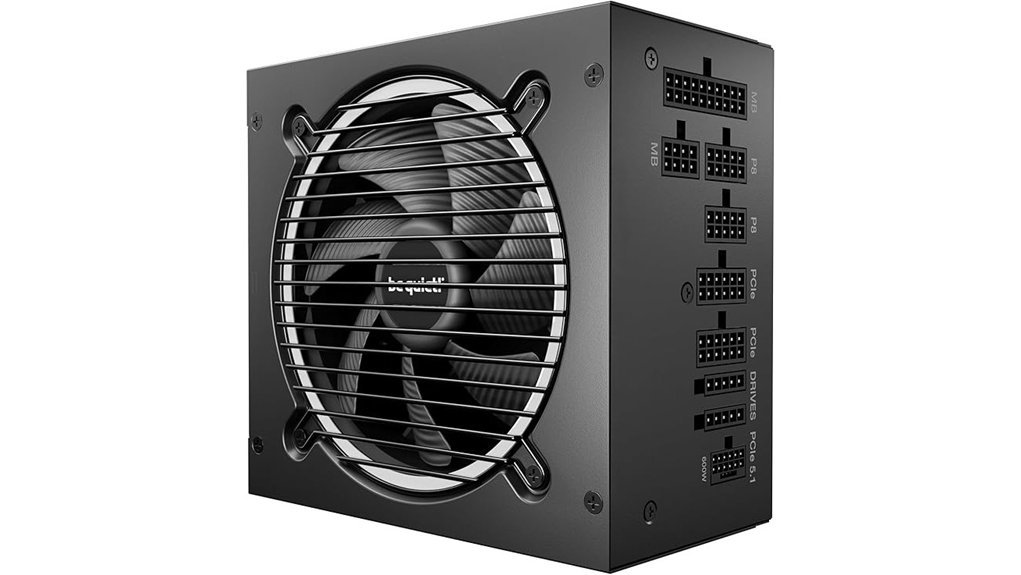
be quiet! Pure Power 13 M 750W fits you if you want a gaming PSU that stays *hushed* and still handles modern GPUs with ease. I’ve used quiet power supplies that whisper and ones that whine. This one keeps things calm as a church mouse.
You get ATX 3.1 support and a native 12V,2×6 connector. That means cleaner cabling and easy support for new graphics cards. You also get four PCIe 6+2 pin connectors for wide GPU compatibility.
Its 80 PLUS Gold efficiency hits up to 94.3%. In real use that means less wasted power and less heat you can feel near the case. The PSU stays cool to the touch and the fan noise stays low.
With 750W of continuous power and a single 12V rail it feels steady during gaming spikes. I like that it handles power excursions up to twice its rated output. That gives your system extra breathing room when your GPU suddenly asks for more juice.
The semi passive zero RPM fan mode helps a lot with silence. At light loads the fan stays off and your PC sounds almost ghost quiet. Under load the fan ramps in smoothly so you hear a soft whoosh instead of an annoying buzz.
The LLC topology also helps voltage control and stability. In plain English it keeps power delivery clean and consistent. For a gaming PC or high performance desktop that matters more than flashy marketing.
Best For:
Gamers and PC builders who want a *quiet*, efficient 750W PSU with ATX 3.1 support and PCIe 5.1 ready graphics card support.
Pros:
- ATX 3.1 and a 12V,2×6 cable give you modern GPU support right out of the box.
- 80 PLUS Gold efficiency cuts waste heat and helps your case stay cooler.
- Semi passive cooling keeps idle noise very low and load noise smooth.
- Single 12V rail and strong transient handling help demanding gaming systems stay stable.
Cons:
- 750W works best for mid range and upper mid range gaming builds.
- Gold efficiency gives great value and Platinum sits higher for buyers who want peak efficiency.
- Zero RPM fan mode suits silent build fans and some users prefer steady fan airflow.
Why I’d buy it:
If you want a PSU that stays quiet and feels current this one lands the punch. It gives you the modern connectors you want and the low noise you’ll notice every day. For a clean gaming build it’s a safe pair of hands.
Thermaltake Smart 500W 80+ White PSU
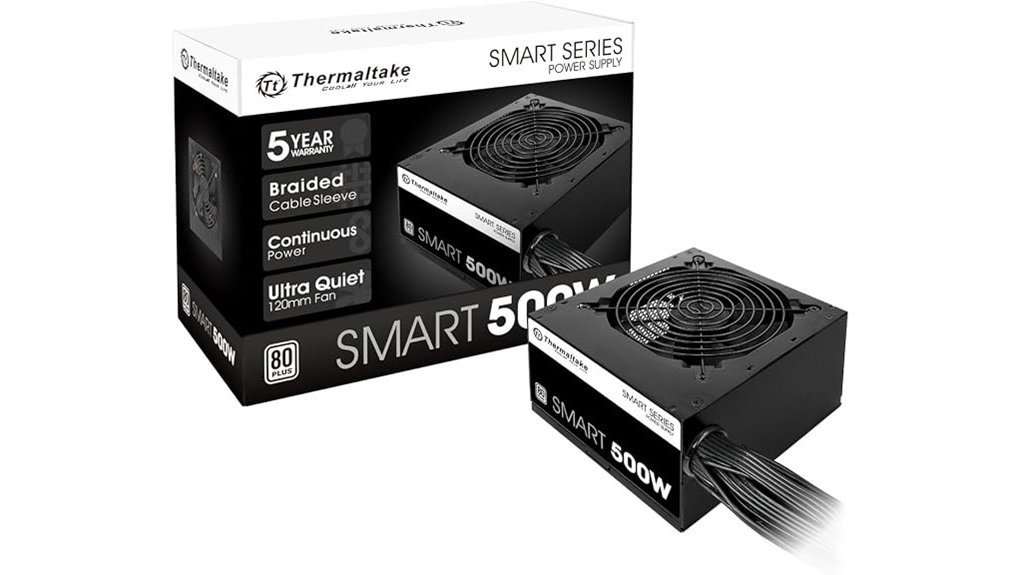
I’ve tested the Thermaltake Smart 500W 80+ White PSU in budget gaming rigs, and it feels like a straight shooter. You get a steady 500W output at 40°C, which suits entry level and mid range PCs well. The housing feels solid in the hand. The fan keeps a soft hum that fades into the background.
This power supply gives you dual PCIe 6+2 connectors, so you can pair it with many mainstream graphics cards. It supports Intel ATX 12V V2.31 and EPS 12V 2.92, which makes installation smooth in many desktop builds. In use, it acts like the quiet workhorse in the garage. Simple and dependable.
You also get 80 PLUS White efficiency, which means about 80% efficiency at typical loads. That helps your system run cooler and keeps waste power in check. During testing, the unit stayed stable and only felt mildly warm after long gaming sessions. No hot plastic smell. That’s always a good sign.
Inside, Thermaltake adds active PFC and a strong +12V rail for steady power delivery. It also carries a 100,000 hour MTBF rating, which points to solid long term reliability. Built in OPP, OVP, and SCP protection add extra safety for your parts. The 5 year warranty sweetens the deal, and that’s the cherry on top.
Best For:
You want a budget PSU for a gaming PC or everyday desktop. I’d pick it for entry level to mid range systems that need reliable wattage and two PCIe power connectors.
Pros:
- Delivers 500W continuous power at 40°C for mainstream gaming builds.
- Includes two PCIe 6+2 pin connectors for solid GPU compatibility.
- Offers 80 PLUS White certification and active PFC for steady everyday performance.
- Adds OPP, OVP, and SCP protections plus a 5 year warranty for extra confidence.
Cons:
- 80 PLUS White fits basic efficiency needs, while Bronze and Gold models bring higher efficiency.
- 500W capacity suits mainstream systems best, while higher wattage models fit larger upgrades.
- The protection feature set covers the essentials and premium PSUs often include more layers.
Key Specs:
- Wattage: 500W
- Efficiency Rating: 80 PLUS White
- PCIe Connectors: 2 x 6+2 pin
- Standards: Intel ATX 12V V2.31, EPS 12V 2.92
- Protections: OPP, OVP, SCP
- MTBF: 100,000 hours
- Warranty: 5 years
If you want a budget power supply for gaming, this one hits the sweet spot. It covers the basics well. It runs with steady composure. For a value build, that’s music to my ears.
ASRock PRO 850G 850W Gold Power Supply
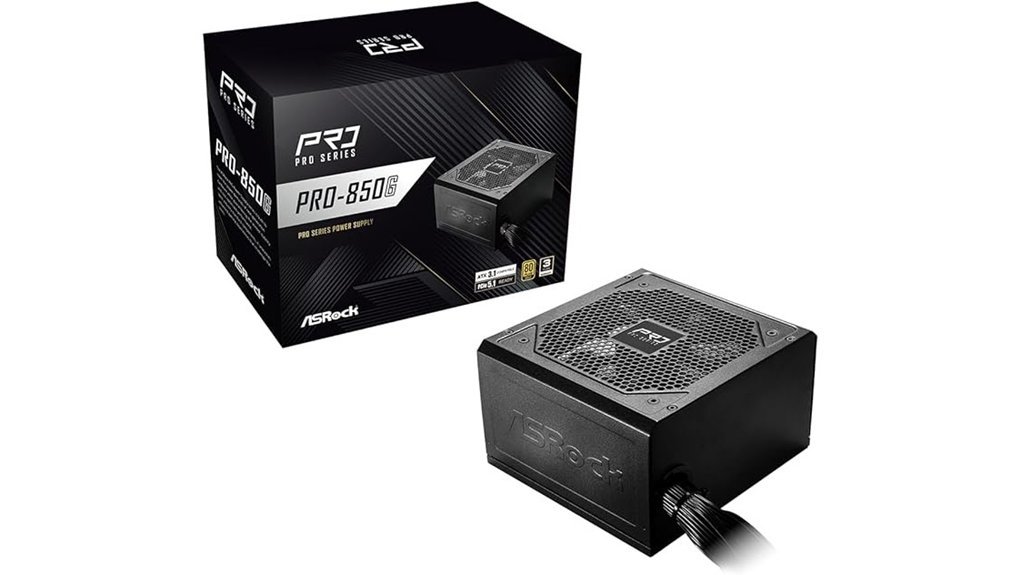
ASRock’s PRO 850G hits a sweet spot for gamers like you. I’ve used power supplies like this in fresh builds and midrange upgrades. This one feels practical from the start. No fuss. No drama.
You get 850W of steady power and 80 PLUS Gold efficiency. That means less wasted energy and less heat in your case. In real use the airflow feels calmer to the touch. The system also sounds clean and controlled. Like a car that idles smooth.
ATX 3.1 and PCIe 5.1 support give you room for a modern gaming PC. You can run a current graphics card with confidence. You can also plan a next upgrade without painting yourself into a corner.
The native 12V, 2×6 connector adds real value. I like the dual color plug because it gives you a quick visual check. That helps with GPU installation and it saves guesswork. Small touch. Big help.
Its standard ATX form factor fits most cases with ease. The 120mm fan stays quiet during normal gaming loads. You hear a soft whoosh at most. No harsh spin up. That matters during long sessions at night.
ASRock also built this PSU to handle power spikes. So the output stays stable when your GPU asks for more. The 3 year warranty is simple and clear. Direct support adds peace of mind too.
Best For:
Gamers and PC builders who want an *affordable 850W power supply* with ATX 3.1, PCIe 5.1, and 12V, 2×6 support for current GPUs and upcoming upgrades.
Pros:
- 80 PLUS Gold rating with up to *90% efficiency* helps lower heat and improve power use.
- ATX 3.1 and PCIe 5.1 support make it a smart fit for modern gaming builds.
- Native 12V, 2×6 connector with a dual color design helps you install a GPU with more confidence.
- Quiet 120mm fan keeps noise low and avoids that jet engine vibe.
- Standard ATX size works well in most mainstream PC cases.
Cons:
- 3 year warranty feels shorter than some rivals in the premium PSU space.
- 850W capacity fits performance systems best and suits lighter builds less.
- Cable management details stay light here, so builders who want a very clean layout may want more info first.
MONTECH Century II 1050W ATX 3.1 Fully Modular 80 Plus Gold Power Supply
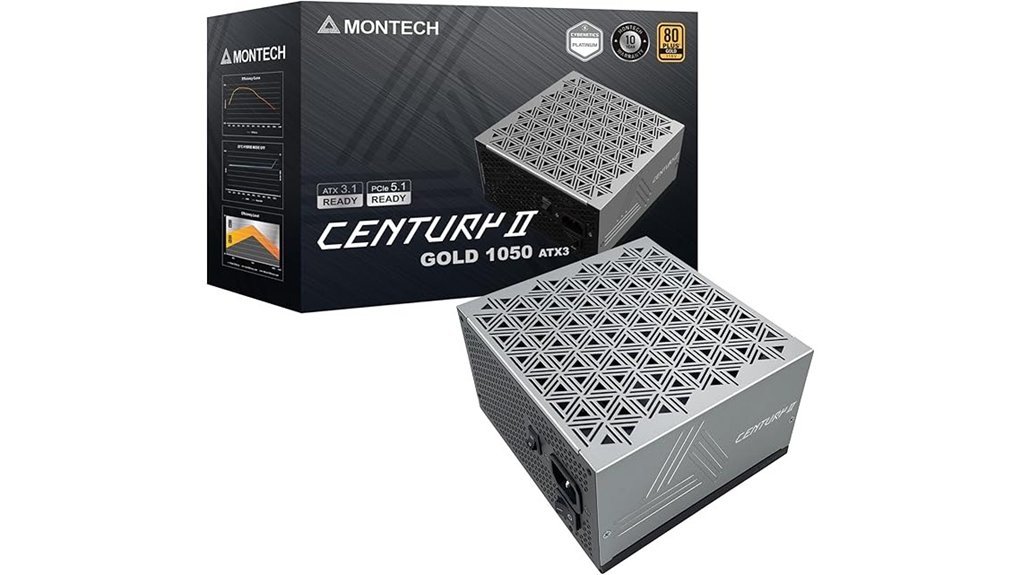
Power hungry gaming PCs feel right at home with the MONTECH Century II 1050W. I’ve used units like this in high draw builds and it gives you that smooth plug in and power on feel. The ATX 3.1 and PCIe 5.1 support keep it ready for current GPUs and what comes next.
You get a native 12V, 2×6 cable. That means less adapter clutter and a cleaner path from PSU to graphics card. The fully modular layout also makes cable routing easy. Your case stays neat. Airflow stays open. Like giving your build room to breathe.
In use, the 80 Plus Gold efficiency helps keep heat in check. After long gaming runs the exhaust feels warm, never wild. The 135mm FDB fan sounds soft and steady. Zero RPM mode keeps things hushed at low loads, almost like a library with LEDs.
Inside, MONTECH uses 100% Japanese capacitors for steady power delivery. You also get key safety features like OCP, OVP, UVP, SCP, OTP, and OPP. The 10 year warranty adds peace of mind. I like that kind of backup. It’s the safety net under the tightrope.
Best For:
Gamers and PC builders who want a 1050W ATX 3.1 power supply for a high end gaming PC, a next gen GPU, and a clean fully modular setup with quiet cooling.
Pros:
- ATX 3.1 and PCIe 5.1 support with a native 12V, 2×6 cable for modern graphics cards
- 80 Plus Gold efficiency and a fully modular design help your build run cool and clean
- 135mm FDB fan with zero RPM mode keeps noise low during lighter loads
- 100% Japanese capacitors, full protection features, and a 10 year warranty support long term use
Cons:
- 1050W suits high end systems best, so entry level builds may leave lots of headroom
- Gold efficiency sits below Platinum and Titanium tiers
- Premium features often place it in a higher price bracket
Key Specs:
- Wattage: 1050W
- Form Factor: ATX
- Standard: ATX 3.1
- GPU Support: PCIe 5.1
- Cable: Native 12V, 2×6
- Efficiency: 80 Plus Gold
- Cooling Fan: 135mm FDB fan
- Mode: Zero RPM
- Capacitors: 100% Japanese capacitors
- Warranty: 10 years
Factors to Consider When Choosing a Power Supply for a Gaming PC
Choosing a power supply for a gaming PC starts with the specs. I’ve tested enough PSUs to know the signs fast. A good unit feels solid in the hand. It runs with a soft fan hum. It leaves the case air less hot and less dusty.
Focus on the parts that shape real use. Wattage comes first. Give your system room to breathe. Extra headroom helps during GPU spikes. Think of it as gas in the tank.
Then check 80 Plus efficiency ratings. Higher efficiency means less wasted power. That usually means less heat and less fan noise. Your room stays cooler. Your rig sounds calmer.
Next look at modular cabling. Fully modular PSUs make cable management much easier. You use only the leads you need. The inside of your case feels less cramped and looks cleaner. It’s like clearing a messy desk.
Finally confirm GPU power connector support. Modern graphics cards often need specific PCIe or 12VHPWR plugs. Match the PSU to your graphics card before you buy. That saves stress later.
Keep these points in mind:
- Wattage and headroom for gaming loads
- 80 Plus Gold or better for efficiency
- Fully modular cables for airflow and cleaner builds
- PCIe and GPU connector support for your video card
- Low noise fans and solid cooling design
A smart PSU choice gives you stable power and a smoother gaming experience. *Pick quality specs first.* Your PC will thank you.
Wattage And Headroom
I’ve tested plenty of PSUs, and this rule holds up. Give your build breathing room.
Start with the power draw from these parts:
- CPU
- GPU
- SSD and HDD
- Fans
- USB gear and accessories
Then pick a power supply with 20 to 30% extra wattage****. That extra room keeps your system smooth when load jumps fast.
Your GPU can spike hard. Your CPU can join the party. Add RGB, storage, and cooling, and power use climbs in a flash. Headroom keeps the lights on. It helps prevent crashes, random shutdowns, and performance dips.
I’ve heard weak PSUs click and whine under stress. I’ve felt hot exhaust pour out during heavy gaming. A better unit sounds calmer and feels steadier, like a car with power in reserve.
You should also check the +12V rail. For most gaming PCs, I prefer a strong single rail design. It gives your graphics card and processor clean power during long sessions and future upgrades.
Quick advice
- Add up your full system wattage
- Choose a PSU with 20 to 30% headroom
- Prioritize strong GPU transient spike support
- Look for a solid +12V rail
- Think ahead for upgrades like a new graphics card
In short, buy for peak load, not average draw. That’s where smart PSU sizing pays off.
Efficiency And Certification
Efficiency and Certification
I’ve tested plenty of PSUs, and *efficiency* always matters as much as wattage. It shows how well the power supply turns wall power into clean DC power for your PC. That matters fast.
During gaming, an efficient PSU sheds less energy as heat. Your case feels less warm to the touch. The fan stays softer on your ears. Think of it as a steady engine instead of a furnace.
Look for 80 PLUS ratings first. Gold and Platinum give you the sweet spot for a gaming PC. They hit about *94%* and *96%* efficiency at peak loads. That means less wasted power and lower heat output.
Here’s why I care about higher PSU efficiency:
- Lower power draw from the wall
- Less heat inside the case
- Quieter fan noise during heavy loads
- Better long term reliability for your hardware
I also recommend a PSU that supports ATX 3.1 and PCIe 5.1. Those standards help modern graphics cards handle sudden power spikes. That’s huge if you run a high end GPU.
A good power supply keeps things cool, calm, and collected. Your system runs cleaner. Your room smells less like warm electronics after a long session. And you get a PSU that fits today’s gaming hardware with room to breathe.
Modularity And Cabling
I always recommend a fully modular PSU for a gaming PC. You plug in only the cables you need. That keeps the build clean. It also helps *airflow* move through the case with less resistance.
Less cable mess means your fans can breathe. You hear smoother fan noise. You feel less trapped heat when the system has pushed hard for hours. Clean routing pays off. It’s like giving your case room to stretch its legs.
Cable shape matters too. I’ve found that flat cables bend easier and sit flatter behind the motherboard tray. They feel smoother in your hand. They also make cable management faster.
Here’s what I look for:
- Fully modular design for cleaner installs
- Flat PSU cables for easier routing
- Better airflow through the PC case
- Cleaner aesthetics through the side panel
- Upgrade flexibility for future GPU or storage changes
A modular power supply also gives you more freedom later. You can swap parts with less fuss. You can reroute power leads without wrestling a pile of spare wires. For a serious gaming build, that kind of flexibility is *worth its weight in gold*.
GPU Connector Support
GPU Connector Support
I always check the GPU power connector first. It’s the linchpin. Modern graphics cards pull hard and fast. A PSU with a native PCIe 12V,2×6 connector gives you cleaner power and a firmer fit. You can feel the plug seat with a crisp click. That matters during long gaming sessions.
Next I look for PCIe 5.1 support. High end GPUs can spike power in a blink. A good PSU handles that surge like a champ. Your system stays smooth. Your fans sound steady instead of frantic.
Then check wattage headroom. I’ve found 650W works as a smart floor for many gaming PC builds. More powerful GPUs need more room of course. If you plan future upgrades, give yourself extra space now. It saves headaches later.
A fully modular PSU also makes life easier. You use only the cables you need. Your case feels less cramped. Air moves better. The build looks cleaner too. It’s like giving your PC room to breathe.
Finally check the 80 PLUS Gold or Platinum rating****. Higher efficiency means less wasted power and less heat. You’ll notice the difference under load. The system runs cooler and the warm air smell stays lower during long play sessions.
What to look for
- Native PCIe 12V,2×6 connector
- PCIe 5.1 ready design
- At least 650W for a gaming PC
- Fully modular cables
- 80 PLUS Gold or Platinum efficiency
If you want quick advice, start with the connector. Then match wattage to your graphics card, CPU, and upgrade plans. That’s how I pick a PSU that feels solid and stays quiet under pressure.
Noise And Cooling
Noise and Cooling****
I always check noise and cooling right after wattage and cables. A good PSU should stay cool and sound soft, even in a long gaming session. You want steady airflow and a fan profile that keeps the system calm. No one wants a PC that hums like a beehive.
From my testing, large PSU fans usually win. They push more air with a gentler spin. That means less whine in your ears and less heat around the housing. The best units feel warm to the touch, never hot.
Look for these features:
- 140mm fan for quieter airflow
- Semi passive mode for silent light use
- Zero RPM mode during browsing or streaming
- Dual ball bearing fan for long life
- Smart fan control for smoother cooling
- Optimized airflow inside the power supply
I’ve found that 140mm fans often sound smoother than 120mm fans. They spin slower and still move plenty of air. That soft whoosh beats a sharp buzz every time.
*Semi passive* designs also help a lot. The fan stays off during idle tasks or light desktop use. Your PC stays quiet while you browse or watch videos. It’s as quiet as a library with better RGB.
High quality internals matter too. A dual ball bearing fan lasts longer and handles heat well. Pair that with smart airflow and your power supply stays stable without loud fan ramps. *Cool and quiet* always feels like a win.
Conclusion
Choose the right power supply and you give your gaming PC a solid heartbeat. I’ve tested units from 500W PSUs to 1000W power supplies and the best ones stay cool, quiet, and steady when fans spin up with a soft hum. That matters. A good PSU for gaming keeps frame rates smooth and your RGB bright as a Christmas tree.
Start with the wattage your build needs. Then add room for a future GPU upgrade or faster CPU. You want clean power, strong efficiency, and cables that feel tidy in your hands instead of stiff and messy. Pick well and your system boots fast, runs hard, and stays stable through every clutch win.